Local-first HTML review, editing, and annotation for AI coding agents.
Quick Install
Automated & IDE SetupCopy the AI prompt to install this server into Claude Code, Cursor, or another agent — or use 1-click editor setup below.
Manual Client & Custom JSON ConfigExpand JSON ▾
Client Config & Setup
Choose your client or environment
Target File:
💡 Paste the JSON block into your client's configuration file under mcpServers, then restart the application.
Documentation Overview

English · 简体中文 · 日本語 · 한국어 · Français · Español · Deutsch · Italiano · Português · ไทย
Anno
Anno is a local-first HTML review workspace for AI coding agents. It opens an isolated copy of a local HTML file in a browser, supports direct text and formatting edits, element comments, area annotations, and slide-aware review, then returns a durable handoff that an agent can claim and resolve into a verified standalone HTML file.
The repository contains one shared MCP server and host-neutral skill, native plugin manifests where a host supports them, and copy-ready MCP templates for Cursor, Google Antigravity, Windsurf, GitHub Copilot, and Meta Muse Code. DeepSeek Harness support is maintained separately in philmingdao/anno-dsh-native, an in-process native plug-in built with DeepSeek Harness; Muse Code support remains experimental.
Highlights
- Local-only HTTP editor bound to
127.0.0.1 - Source files are never overwritten
- Direct text, typography, color, position, page-note, element, and area editing
- Durable, idempotent agent handoffs
- Legacy compatibility with existing
needs_codexsessions - Shared MCP and
SKILL.mdimplementation across supported hosts - Simplified Chinese and English UI, light and dark themes
Screenshots
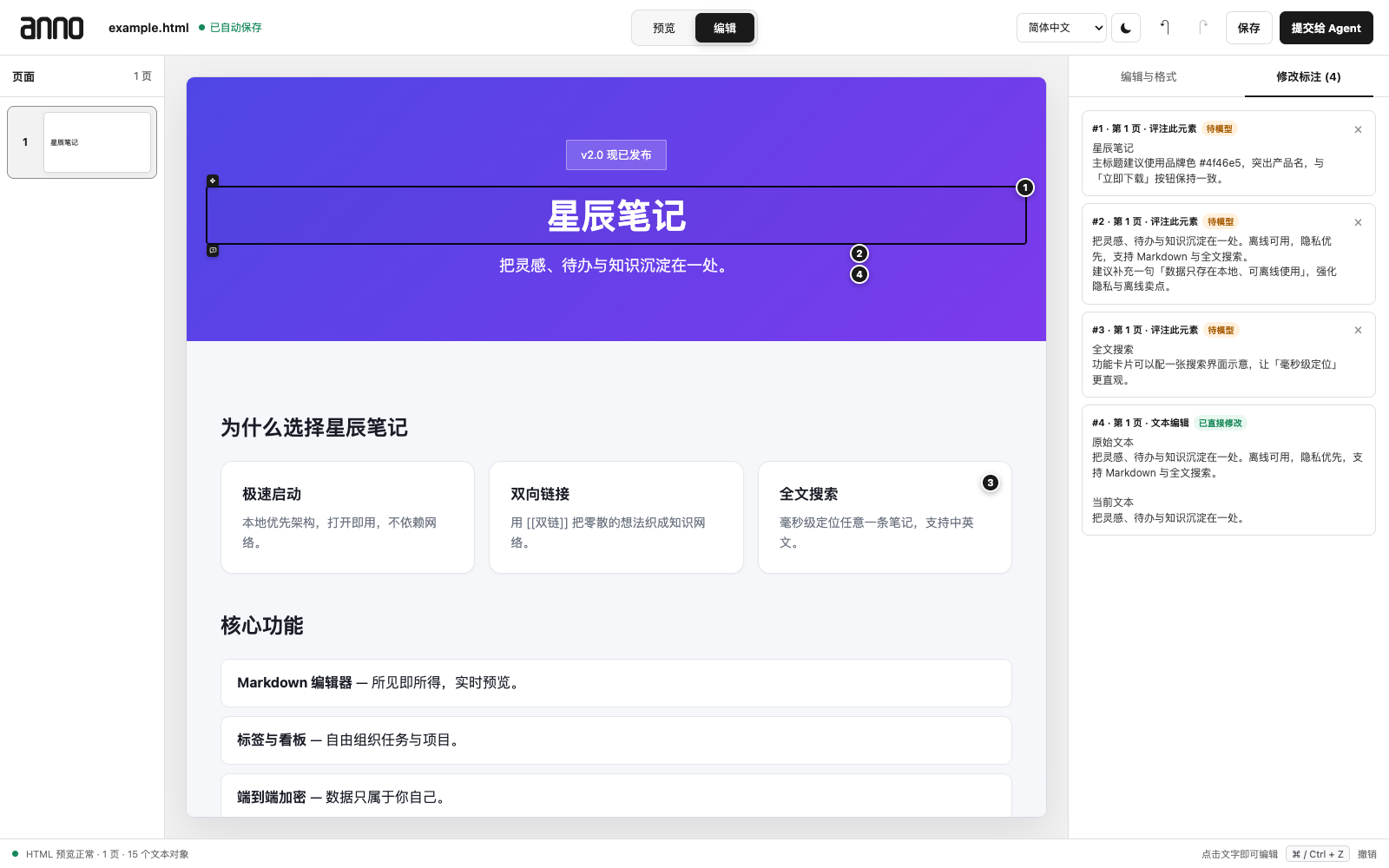
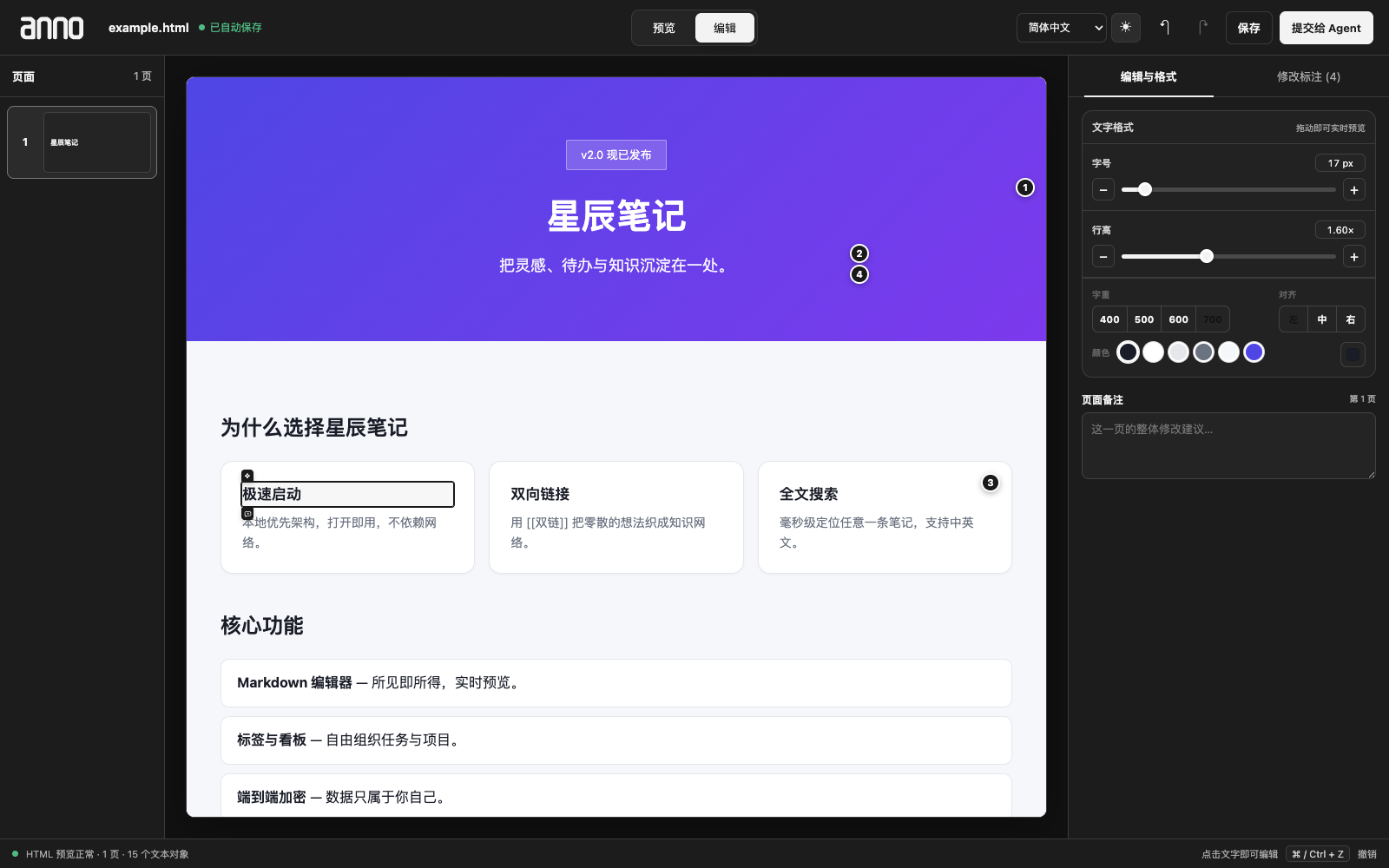
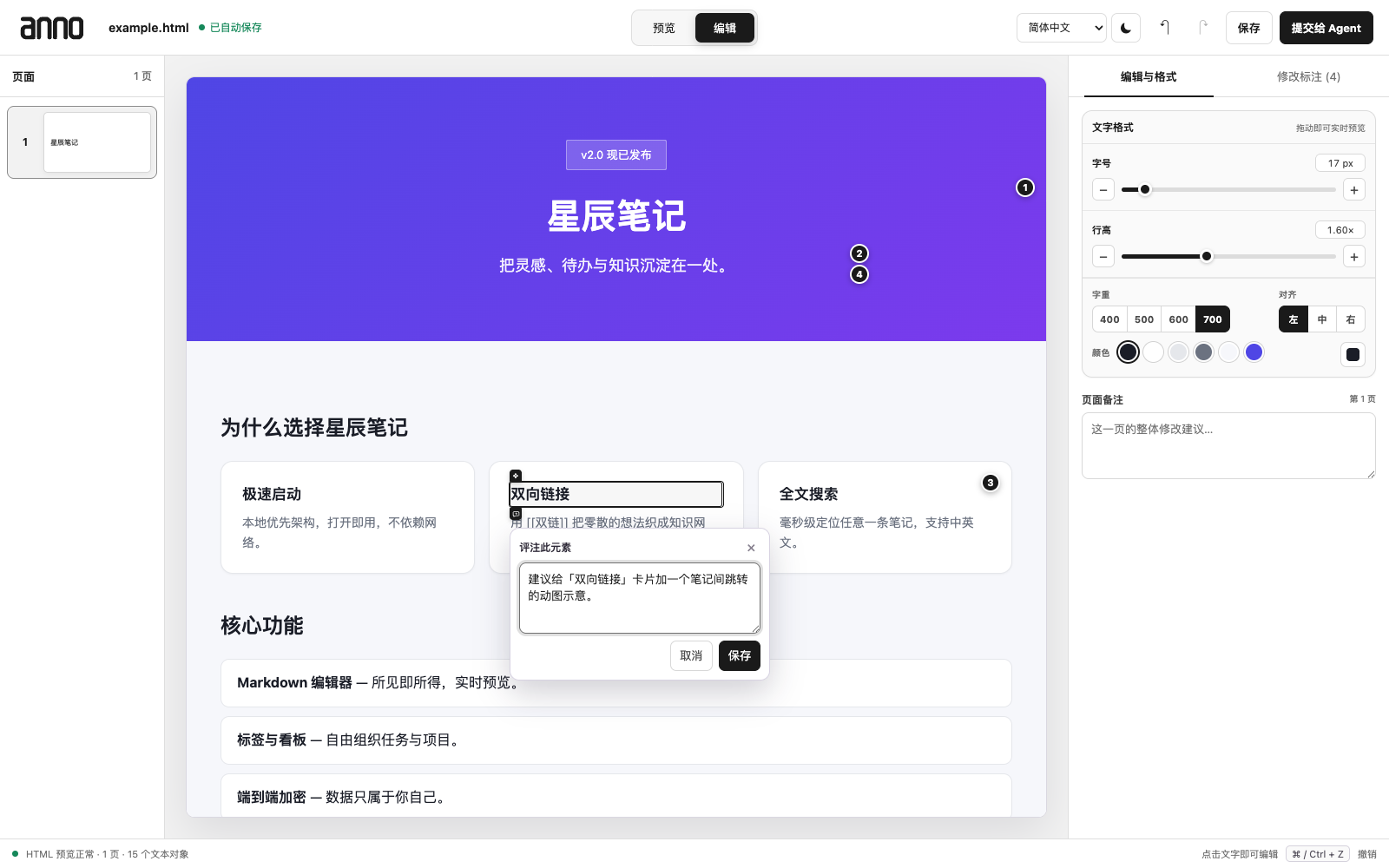
The review editor opens an isolated copy of your HTML in the browser. Edit text and styles directly, leave element or area comments, and hand the collected changes back to the agent in one click.
Requirements
- Node.js 22 or newer
- A host that supports local stdio MCP servers and can access local files
- A browser for the review editor
Supported agent tools
Codex, Claude Code, WorkBuddy, and CodeBuddy use packaged plugin manifests. Cursor, Google Antigravity, Windsurf, GitHub Copilot CLI/Chat, and Muse Code connect to the same local stdio MCP server through host-specific configuration templates. DeepSeek Harness uses the independent native anno-dsh-native repository, which integrates directly with the DSH profile, tool registry, and agent lifecycle without an MCP bridge.
See Agent tool integrations for copy-ready configuration and host limitations.
| Agent tool | Integration | Status |
|---|---|---|
| Codex | Native plugin + MCP | Supported |
| Claude Code | Native plugin + MCP | Supported |
| WorkBuddy / CodeBuddy | Native plugin + MCP | Supported |
| Cursor | Local stdio MCP | Supported |
| Google Antigravity | Local stdio MCP | Supported |
| Windsurf | Local stdio MCP | Supported |
| GitHub Copilot CLI / Chat | Local stdio MCP | Supported locally |
| DeepSeek Harness | Independent native DSH plug-in | Verified on 0.1.0-rc.6 |
| Meta Muse Code | Local stdio MCP | Experimental |
One-command install
No clone or build is required. The installer detects available agent tools, lets you choose them interactively, merges only the anno entry into existing JSON/JSONC configuration, installs the shared skill, creates a timestamped backup before changes, and runs an MCP handshake.
For unattended or host-specific installation:
Use the same command on macOS, Linux, and Windows. Node.js 22+ is the only shared prerequisite. Verify or safely remove Anno with:
DeepSeek Harness has a dedicated native implementation in a separate repository. Install the current source directly from GitHub:
See philmingdao/anno-dsh-native for installation, architecture, compatibility, and source-checkout testing. That plug-in was developed and validated through DeepSeek Harness itself and is the maintained DeepSeek solution for Anno.
Codex, Claude Code, WorkBuddy, and CodeBuddy are installed through their native plugin systems. Cursor receives a native plugin-compatible MCP/Skill layout; Antigravity receives a complete native plugin bundle; Windsurf receives MCP plus Skill configuration; and Copilot receives MCP plus Skill configuration. Muse Code requires the confirmed config path because its public configuration contract is not stable:
Native shortcuts are also available:
After Anno is accepted into Cursor Marketplace, Cursor users can install the repository's native plugin directly from the marketplace. Antigravity CLI can install the packaged directory with agy plugin install /path/to/host-plugins/antigravity when working from a downloaded package.
Manual configuration fallback
The universal installer is recommended. These version-pinned templates are retained for managed environments that require review and manual merging:
| Agent tool | Template | Configuration destination |
|---|---|---|
| Cursor | cursor/mcp.json | Project .cursor/mcp.json or ~/.cursor/mcp.json |
| Google Antigravity | antigravity/mcp_config.json | Project .agents/mcp_config.json or ~/.gemini/config/mcp_config.json |
| Windsurf | windsurf/mcp_config.json | Merge into ~/.codeium/windsurf/mcp_config.json |
| GitHub Copilot CLI | github-copilot/mcp-config.json | Merge into ~/.copilot/mcp-config.json |
| GitHub Copilot Chat in VS Code | github-copilot/vscode-mcp.json | Project .vscode/mcp.json |
| Meta Muse Code | muse-code/mcp.json | Import through the build's MCP manager; experimental |
Copilot CLI can also be configured directly through MCP:
Restart or refresh the host's MCP server list after saving. GitHub's cloud coding agent cannot expose Anno's loopback review URL; use Copilot locally. Muse Code support remains experimental because its public MCP configuration contract is not yet stable.
Use the MCP server directly
Any stdio MCP client can launch:
Development
The core MCP package lives in plugins/anno. The DeepSeek Harness implementation is maintained in the independent anno-dsh-native repository. Generated dependencies and local review sessions are not committed.
Data and privacy
Anno processes HTML and annotations locally. The editor binds only to loopback and validates host and origin headers. Generic hosts store sessions under ~/.anno; Codex keeps its compatible default under ~/Library/Application Support/Codex/anno on macOS. Set ANNO_DATA_DIR to choose another directory.
Anno does not upload reviewed files. The connected agent host may process the draft and annotations according to that host's own data policy.
Compatibility
See docs/compatibility.md for host-specific behavior and limitations.
License
MIT. The bundled WDXL Lubrifont font remains covered by its separate SIL Open Font License in plugins/anno/assets/OFL-WDXL-Lubrifont.txt.
Related MCP Servers
Reviews
No reviews yet — be the first to share how this listing worked for you.
Frequently Asked Questions about Anno
AllMCPs Directory Badge
Showcase your server listing on GitHub or your project documentation. Embed this dynamic SVG badge to highlight official listing status and live engagement.
Badge Style:
Live Dynamic SVG Preview
Markdown (GitHub README)
[](https://allmcps.com/mcp/anno)HTML Embed
<a href="https://allmcps.com/mcp/anno"><img src="https://allmcps.com/api/badge/anno?style=directory" alt="Anno on AllMCPs" /></a>Technical Specs & Signals
CategoryDeveloper Tools
27Quality signal: Emerging · 27/100How this signal is calculated ▾
Server availabilityNot measured
Not scored for repo-hosted servers — we can't reach the running server, only its GitHub page. Hosted MCP endpoints are health-checked live.
Verified ownership8/20
Documentation & tools11/30
Adoption & activity1/15
Community engagement0/10
A guidance signal from public completeness & health data — not a user rating. New listings start lower and rise as they add docs, get verified, and grow adoption. Signals we can't observe for a listing are skipped, not counted against it.
Own this project?
This directory is pre-filled from public sources. Claim via GitHub README, site badge, or DNS TXT to unlock edit access and the Official badge and attach your website — proof is checked automatically, then reviewed by our team.
Free dofollow backlink: add your website and place the AllMCPs badge on it — no claim needed. We detect it automatically and keep it verified as long as the badge stays live.
Claim & get free dofollowShare & Embed
Add our SVG badge (dark/light directory styles) or embeddable widget to your site.