salesoutboundlinkedincold-emaillead-generation
PumpGTM is a hosted MCP server that lets Claude, ChatGPT, Cursor, Codex or any AI agent find buyers showing intent, run LinkedIn, email and X outreach from your own accounts inside each platform's limits, and hand every reply back to a human. Sign in with OAuth; no API key is needed for AI clients.
Key tools: get_workspace, find_people, review_people, save_sequence_draft, set_sequence_status, add_leads, list_leads, get_cold_message_examples, reach_post_engagers.
Remote URL: https://mcp.pumpgtm.com/mcp (Streamable HTTP, OAuth 2.1 with dynamic client registration). Claude Code: claude mcp add --transport http pumpgtm https://mcp.pumpgtm.com/mcp then claude mcp login pumpgtm. Paid SaaS, plans from $75/month. Docs: https://pumpgtm.com/docs/mcp
Quick Install
Automated & IDE SetupCopy the AI prompt to install this server into Claude Code, Cursor, or another agent — or use 1-click editor setup below.
Also available as a hosted endpoint
Clients with native remote MCP support can connect directly to this URL instead of the install method above.
Manual Client & Custom JSON ConfigExpand JSON ▾
Client Config & Setup
Remote HTTPChoose your client or environment
Target File:
💡 Paste the JSON block into your client's configuration file under mcpServers, then restart the application.
Documentation Overview

PumpGTM MCP server
Run LinkedIn, email and X outreach from any AI agent.
PumpGTM finds the buyers showing intent this week, drafts and sends the outreach from your own accounts inside each platform's limits, and hands every reply back to a human. This is the public reference for the hosted MCP server at https://mcp.pumpgtm.com/mcp.







Quickstart · Docs · tools.json · REST API · Platforms and agencies · YouTube
What your agent is driving
The same workspace the dashboard shows. Plays find people, sequences reach them across LinkedIn, email and X, and every reply waits for a human.
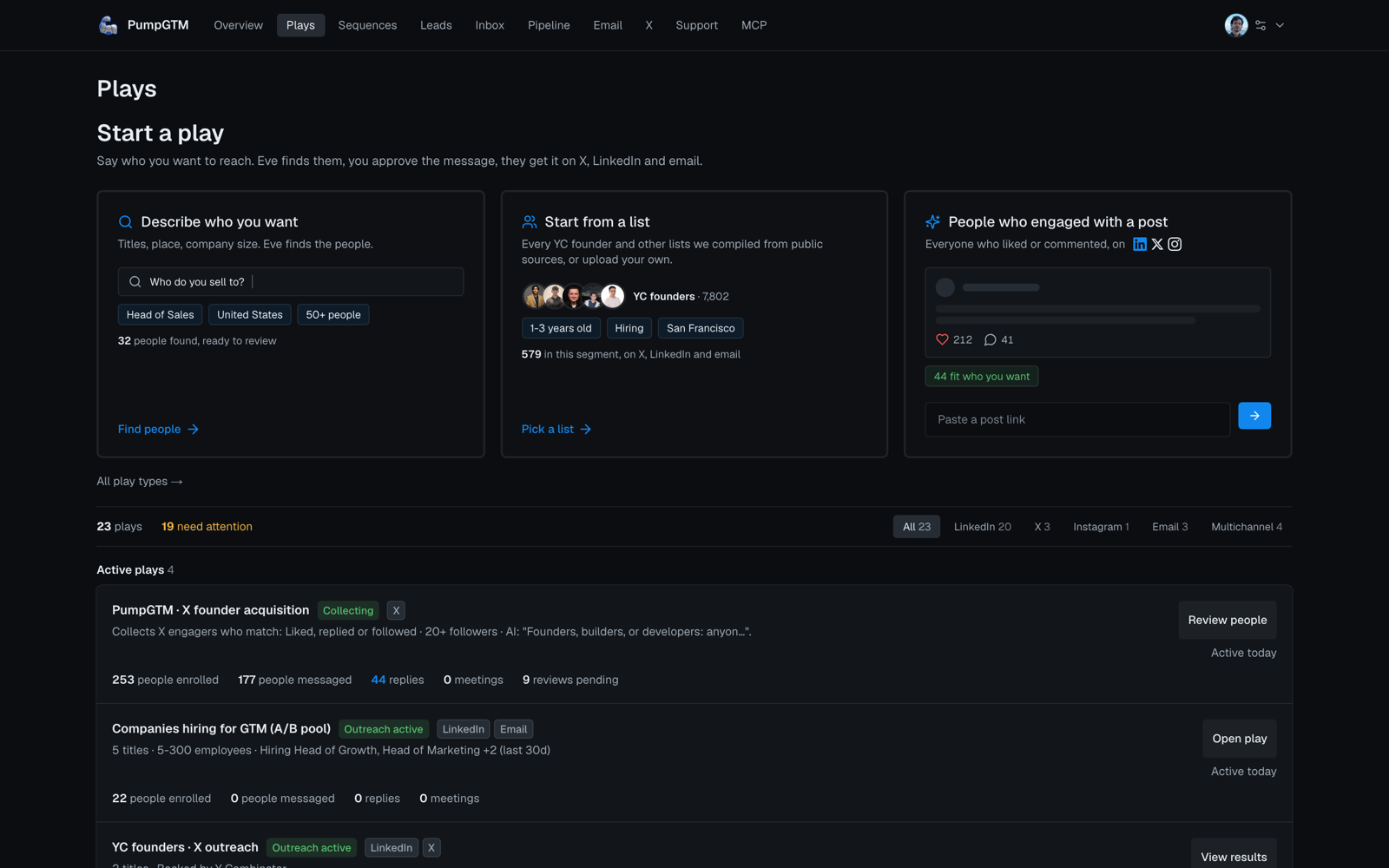
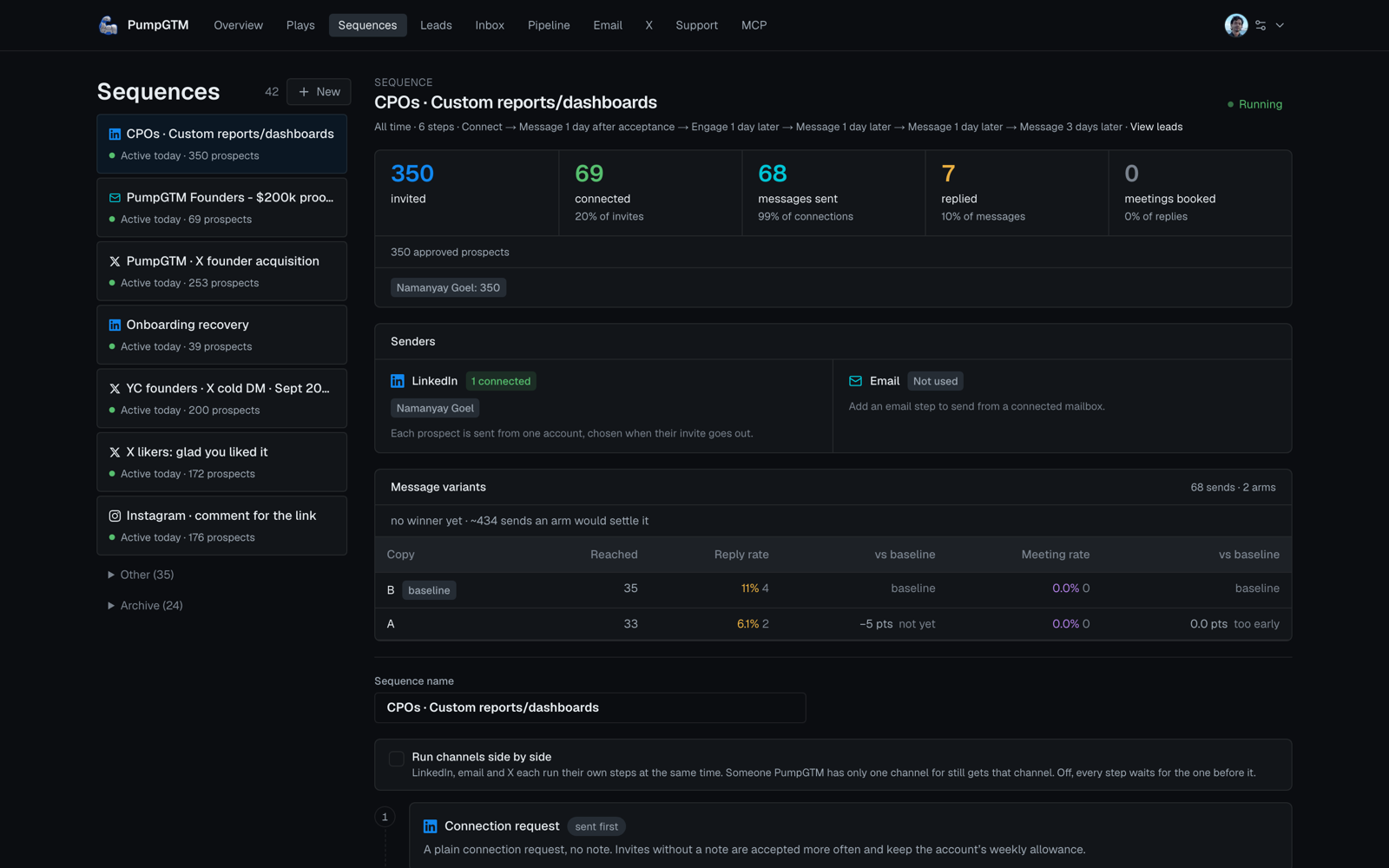
How it fits together
Watch and read
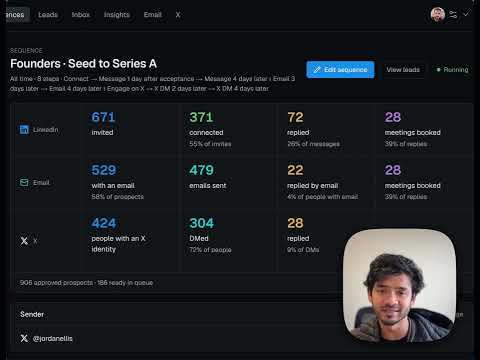 What is PumpGTM, and how does it actually work? 4 minute walkthrough |  Using AI to run founder-led outbound for 10 YC companies Namanyay's article on X: one lead universe, shared prospects, copy measured by meetings. Read on pumpgtm.com |
More on the PumpGTM YouTube channel and in PumpGTM in the wild, videos founders and creators made on their own channels.
Connect
Endpoint (Streamable HTTP): https://mcp.pumpgtm.com/mcp
Two ways to authenticate, both scoped to one workspace:
- OAuth 2.1 for Claude (web and desktop), Claude Code, Codex, Cursor and ChatGPT. Add the endpoint and sign in; no key is needed. Dynamic client registration and PKCE are supported; metadata is at
https://pumpgtm.com/.well-known/oauth-authorization-server. Access tokens last 30 days, refresh tokens 90. - Workspace key for your own agent, the MCP SDKs, and the REST API. Sign in at app.pumpgtm.com, open MCP in the left nav, and copy the key. Send it as
Authorization: Bearer eve_mcp_..on every request. The key does not expire. Rotation is not self-serve yet: write to hello@pumpgtm.com and we rotate it for you.
The key's database row fixes the workspace. It cannot read or act on any other workspace.
ChatGPT (until the PumpGTM listing is approved in the ChatGPT directory): in Settings, open Plugins and turn on Developer mode (Plus, Pro, Business or Enterprise). Click Plugins in the sidebar, then +: choose Add MCP Server in the desktop app, or Create app then Create MCP App in the browser. Name it PumpGTM, paste https://mcp.pumpgtm.com/mcp, keep OAuth, and click Create. Sign in to PumpGTM, allow the connection, then ask ChatGPT to find buyers or type @PumpGTM.
Claude Code: claude mcp add --transport http pumpgtm https://mcp.pumpgtm.com/mcp, then run /mcp (or claude mcp login pumpgtm) and sign in. Codex: codex mcp add pumpgtm --url https://mcp.pumpgtm.com/mcp then codex mcp login pumpgtm. Cursor: add a server with only the URL and sign in when it asks.
Install as a plugin
The PumpGTM plugin bundles this server with three skills: write a cold message, find buyers, and handle replies. In Claude Code:
Then run /mcp and sign in to PumpGTM. The plugin's manifest, skills and server config live in github.com/pumpgtm/pumpgtm-mcp.
In Codex:
How results come back
- Every tool result is one MCP
contentblock of typetextwhosetextis a JSON string, and the same object instructuredContent. Parse the JSON. - Most results include
next:{ tool, arguments, reason, requiresConfirmation, requiresNewRequestId? }. It is the suggested following call, not an instruction to skip the customer. - Errors return
isError: trueand{ status, retryable, changed, message, details }.changed: falsemeans nothing was written. A missing object returns coderesource_not_found. - Tools that write take a
requestId: 8 to 120 characters of letters, digits,. _ : -, starting with a letter or digit. It is an idempotency key. Use a fresh one per call; reuse one only to retry the same call. - Metered workspaces carry Energy: one Energy is one person found.
get_workspacereturnsenergywith the monthly allowance, used and remaining, andfind_peoplerefuses withenergy_exhaustedwhen a run would exceed it. Workspaces without Energy see no such field. See Energy. - Nothing reaches LinkedIn, email or X until a person approves it.
find_people,review_people,save_sequence_draftandadd_leadsnever send. Sending starts withset_sequence_statusactiveon an approved sequence, and each reply is answered only throughdecide_reply.
A complete flow
get_workspaceto read setup state, sequences, unfinished reviews and pending replies.find_peoplewithtargetingandconfirmed: falseto save a Play and show the targeting summary. Thenfind_peoplewithplayIdandconfirmed: trueto run it.review_peoplewithdecisionsandfinish: trueto queue the good fits into a sequence.save_sequence_draftwith steps, thenset_sequence_statusapprovedwithexpectedRevision, thenactive.list_pending_replies, show the draft to the customer,decide_reply.
Reporting: get_workspace (view: "summary" for the funnel and account pacing, view: "activity" for the ledger) and list_leads with stage or sinceDays. The same numbers are available over REST at /docs/api.
Resources and prompts
resources/list returns six lead-search guides: gigacatalyst://lead-search/catalog, quickstart, fields, query-builder, patterns and results. Read fields before writing targeting by hand. One prompt, gigacatalyst_find_people, takes requestedCount ("10" to "100").
Versioning
Tools scheduled for removal say so in their description for at least 90 days before leaving tools/list. There is no fixed rate limit on the MCP server today; discovery is paced by each workspace's daily provider budget.
Tool reference: all 24 tools, arguments and modes (generated from the live tools/list)
Tool reference
Generated from the live tools/list on 2026-09-23. "Read only" tools never write. Feature-gated groups return a structured error on workspaces without that feature.
Start here
get_workspace (read only)
Related MCP Servers
Adoption & maintenance
Factual signals from GitHub, npm, and our automated checks — not a rating.
GitHub stars
1
Stargazers on the source repository.
Maintenance
Actively maintained
Status declared by the project or listing owner.
Reviews
No reviews yet — be the first to share how this listing worked for you.
Frequently Asked Questions about PumpGTM MCP server
AllMCPs Directory Badge
Showcase your server listing on GitHub or your project documentation. Embed this dynamic SVG badge to highlight official listing status and live engagement.
Badge Style:
Live Dynamic SVG Preview
Markdown (GitHub README)
[](https://allmcps.com/mcp/pumpgtm-mcp-server)HTML Embed
<a href="https://allmcps.com/mcp/pumpgtm-mcp-server"><img src="https://allmcps.com/api/badge/pumpgtm-mcp-server?style=directory" alt="PumpGTM MCP server on AllMCPs" /></a>Technical Specs & Signals
CategoryMarketing
PricingPaidPaid SaaS, plans from $75/month
49Quality signal: Fair · 49/100How this signal is calculated ▾
Server availabilityNot measured
Not scored for repo-hosted servers — we can't reach the running server, only its GitHub page. Hosted MCP endpoints are health-checked live.
Verified ownership10/20
Documentation & tools26/30
Adoption & activity1/15
Community engagement0/10
A guidance signal from public completeness & health data — not a user rating. New listings start lower and rise as they add docs, get verified, and grow adoption. Signals we can't observe for a listing are skipped, not counted against it.
Own this project?
This directory is pre-filled from public sources. Claim via GitHub README, site badge, or DNS TXT to unlock edit access and the Official badge — proof is checked automatically, then reviewed by our team.
Free dofollow backlink: add your website and place the AllMCPs badge on it — no claim needed. We detect it automatically and keep it verified as long as the badge stays live.
Claim & get free dofollowShare & Embed
Add our SVG badge (dark/light directory styles) or embeddable widget to your site.