Apple Calendar, Reminders, Contacts, Notes, Messages and Shortcuts for AI, over Tailscale
Quick Install
Automated & IDE SetupCopy the AI prompt to install this server into Claude Code, Cursor, or another agent — or use 1-click editor setup below.
One-click editor setup isn’t available for this listing yet — we don’t have a confirmed install command, and we’d rather show nothing than point your editor at the wrong package or host. Follow the project’s own setup instructions, linked above.
Manual Client & Custom JSON ConfigExpand JSON ▾
No confirmed setup config for this listing yet. We only publish a config block when the install details come from the project itself — its README, its docs, or a verified owner. We haven’t found those for Homeport, and we’d rather show nothing than a guess you’d paste into your client. Follow the project’s own setup instructions for the current steps.
Documentation Overview
🏠 Homeport - An Apple MCP Server
Your Mac's Calendar, Reminders, Contacts, Notes, Messages, Voice Memos and Shortcuts — available to your AI from any of your devices, with nothing exposed to the internet.
Homeport is a Model Context Protocol server that runs headless on a Mac and answers from anywhere on your private Tailscale network.
Built on Apple's own EventKit, Contacts and Speech frameworks. No AppleScript guesswork, no Node, no Python runtime for the server, no cloud service. One code-signed Swift binary that is both the MCP server and the framework engine.
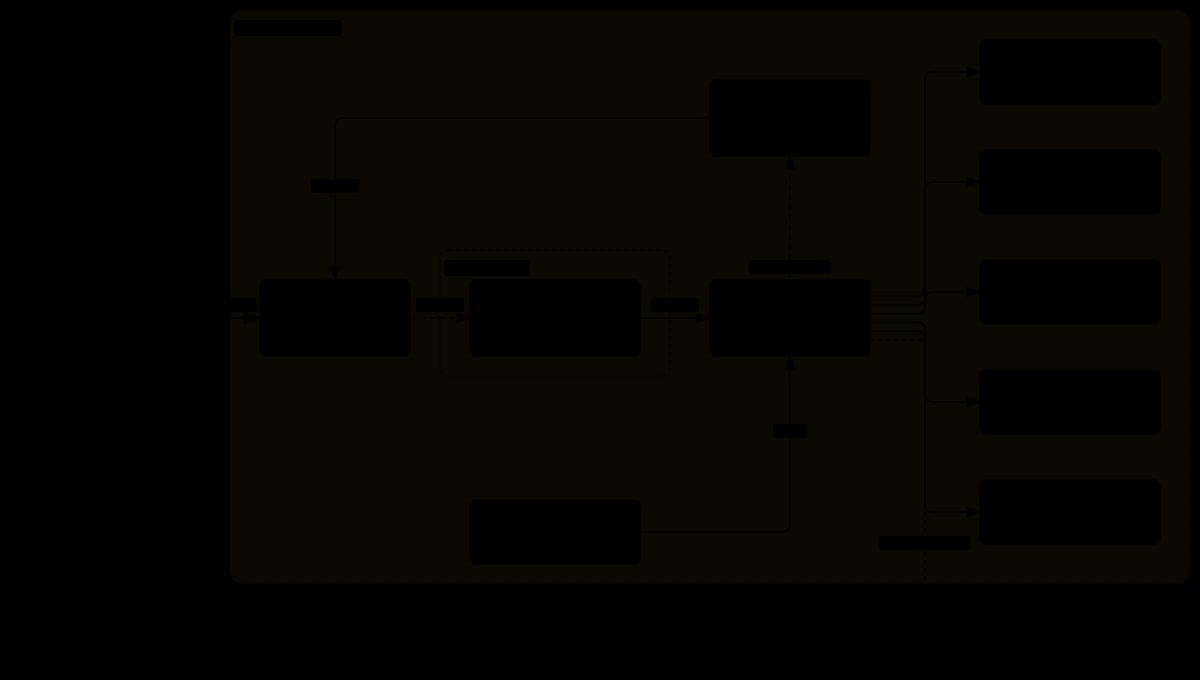
Open the interactive diagram → guided views, relationship tracing, search, light and dark
Why another Apple MCP server?
Most are stdio-only: your chat client spawns them, and they die with it. That has two consequences — the permission grant belongs to the client, not the server, and nothing can reach your data unless it's running on that same Mac.
Homeport is different in three ways:
- 🔌 It's a daemon, not a subprocess. Runs under
launchd, outlives every client, and serves over HTTP so your phone can query your Mac's calendar from another continent. - 🪪 It owns its own permissions. A disclaim shim (
responsibility_spawnattrs_setdisclaim) makes the binary its own TCC-responsible process, so grants attach to this code rather than to whichever app launched it. One identity, six frameworks, grants that survive rebuilds. - 🛡️ It assumes its inputs are hostile. Everything it returns — a stranger's iMessage, an emailed calendar invite, a shared note — is fenced as untrusted data before a model ever sees it.
👥 Who it's for
Homeport is for people who keep their lives in Apple's apps, use an AI assistant for real work, and are comfortable in a terminal. In particular:
- You have a Mac that stays on, and you work from other devices. An always-on Mac at home, and a Linux laptop, a Windows PC, a phone or a server-side agent that should be able to reach your calendar, reminders, contacts and notes. This is what Homeport does that stdio-only servers can't: it serves over Tailscale, with no API keys to manage and nothing on the public internet.
- You want your AI to actually manage your Apple apps, not just read them. Recurrence and alarm writes, full contact editing with duplicate merging, bulk reminder cleanup, local-model routing of captured reminders into the right lists, and scheduling around your real calendar. And permissions that don't break after every rebuild.
- You're wary of handing an AI your messages and contacts. Externally authored text is fenced as untrusted, sending is restricted to an allowlist, the audit log records actions but never content, Notes folders can be made write-only, and summaries can run on a local model so nothing leaves your machines.
- Niche, but well served: people who record meetings or lectures on their iPhone (on-device transcription, local summaries filed into Notes); Shortcuts builders (build and sign shortcuts from code, and turn any shared iCloud link back into its actions); and developers building their own macOS MCP tools, for whom the notes on TCC, code signing and what Shortcuts really allows may be worth the read alone.
Probably not for you if you want a one-click install (you build it and create your own signing certificate), you don't have a Mac to run it on, you want it inside a web app like claude.ai (it deliberately stays on your tailnet), or you only need "what's on my calendar" on a single Mac — a simpler stdio server will do.
🚀 Quick Start
Requirements: macOS 14+ to run (26+ for on-device transcription); Xcode 26 or later, or its command line tools, to build — the transcriber needs the macOS 26 SDK even though the binary runs on 14; and an admin account.
Grant permissions — this opens real macOS prompts, so approve each one:
Full Disk Access must be added by hand. macOS provides no API to grant it — only to reset it. Go to System Settings → Privacy & Security → Full Disk Access, click +, and add bin/Homeport.app. This is required only for Messages and Voice Memos; the other four work without it.
Register with your client:
Verify:
💡 Want it reachable from your other devices? See Remote access below. The default install serves HTTP on 127.0.0.1 only; nothing is reachable off the Mac until you run
tailscale serve.
✨ Features
📅 Calendar
Full recurrence writes, not just reads — daily/weekly/monthly/yearly with intervals, byDay, byMonthDay, bySetPos ("last Friday of the month"), and until/count bounds. Alarms with relative offsets or absolute dates. Per-event time zones. Recurring series can be edited or split at a specific occurrence (span: thisEvent | futureEvents). Attendees and organizer are exposed read-only — EventKit cannot write invitees, which is an Apple limitation rather than a gap here.
✅ Reminders
Everything Calendar has, plus bulk operations that apply one change across many reminders in a single call, and reminders_route — which files an inbox of captured reminders into the right lists using a local model, learning from your corrections over time.
Routing asks the model three times and acts only when all three agree. Self-reported probability turned out to be nearly useless — a model emits 0.75/0.25 for almost everything — whereas a genuinely torn title splits the vote and a clear one does not. A reminder it can't call stays where it was and is marked low priority, which Reminders.app shows as a !, so the pile is visible without opening anything (and the mark is cleared once you file it yourself). Set HOMEPORT_AUTO_ROUTE=1 to route within seconds of capture instead of on demand.
Scheduling (reminders_schedule) places undated and overdue reminders into the days ahead, deterministically — no model. Free/busy is deliberately not the signal: if every event is busy, a gap-finder refuses to put work tasks in the work day. Instead the calendar name carries the meaning — an event on your work calendar marks a working day, protected calendars and titles are never scheduled over, and a holiday takes the whole day. It will not overfill: what doesn't fit comes back as unplaced. Hours, calendars and lists are yours to set in schedule.json (see deploy/schedule.example.json).
Both tools record what they touched. If you later change something they did, that reminder is pinned and never touched again, and a routing correction becomes a training example.
👤 Contacts
Search across name, nickname, organization, job title, email and phone — phone matching ignores formatting, so 555-0101, (555) 0101 and +15555550101 all find the same person. Duplicate detection groups by shared phone or email; merge takes the union of all fields. Updates use add/remove semantics so an edit never silently destroys values you didn't mention.
📝 Notes
Create and append with HTML bodies, across every account and folder. Search returns metadata and snippets; full bodies require an explicit read, so a broad query can't accidentally dump your entire notes database into a context window. Individual folders can be marked write-only (see Security).
💬 Messages
Read iMessage and SMS history — decoding tapbacks, group chat names, participants and attachments properly rather than surfacing Apple's raw pseudo-text. Sending is supported but deliberately gated behind an explicit recipient allowlist.
⚡ Shortcuts
Build and sign a shortcut from an action list, read any public iCloud share link back into an action list, list your library, and run a shortcut. See Shortcuts for what macOS does and does not allow.
🎙️ Voice Memos
Reads the recordings library read-only, copying the Core Data store to a temp directory rather than opening it in place. iPhone recordings carry a transcript iOS generated on-device — Homeport parses it out of the QuickTime metadata atom, with word-level timings. Mac recordings have no embedded transcript and are transcribed locally with SpeechAnalyzer at roughly 60× realtime. Audio never leaves the machine.
Optional summarization runs against any OpenAI-compatible local model (LM Studio, Ollama, llama.cpp).
Related MCP Servers
Reviews
No reviews yet — be the first to share how this listing worked for you.
Frequently Asked Questions about Homeport
AllMCPs Directory Badge
Showcase your server listing on GitHub or your project documentation. Embed this dynamic SVG badge to highlight official listing status and live engagement.
Badge Style:
Live Dynamic SVG Preview
Markdown (GitHub README)
[](https://allmcps.com/mcp/homeport)HTML Embed
<a href="https://allmcps.com/mcp/homeport"><img src="https://allmcps.com/api/badge/homeport?style=directory" alt="Homeport on AllMCPs" /></a>