Dependency graph & blast-radius analysis for TypeScript/JS. Predict breaks before commit.
Quick Install
Automated & IDE SetupCopy the AI prompt to install this server into Claude Code, Cursor, or another agent — or use 1-click editor setup below.
Manual Client & Custom JSON ConfigExpand JSON ▾
Client Config & Setup
Choose your client or environment
Target File:
💡 Paste the JSON block into your client's configuration file under mcpServers, then restart the application.
Documentation Overview
CodeImpact MCP


Fast pre-commit dependency gate for AI-assisted code changes. Answers "is this safe to commit?" with a PASS/WARN/BLOCK verdict in seconds, so you can catch risky blast radius before a bad commit, not after it. No database, no heavy setup.
Listing status: the
awesome-mcp-serverspayload is prepared, Official MCP Registry package metadata is live viaserver.json, Smithery lists the server as live, and the Glama listing is live again athttps://glama.ai/mcp/servers/vk0dev-code-impact-mcp. Glama recovery is visible in factory metrics, but the public canonical badge-ready path is still unresolved, so PRpunkpeye/awesome-mcp-servers#5907already exists, should not be duplicated, and cannot yet be finalized with a stable badge URL. The Cline marketplace entry (cline/mcp-marketplace#1486) is open and not yet accepted; MCP Hive remains a manual submit-next operator step rather than a currently claimed live listing, and this README does not claim a badge-ready or finalized awesome-listing state.
Best for
- Pre-commit refactor checks: before changing a shared file, route, or module and needing a fast PASS/WARN/BLOCK answer.
- Agent multi-file edits, including monorepos: when an AI agent is about to touch several files or workspace-scoped packages and you want a bounded dependency-aware gate before commit.
- Blast-radius triage without infra: when you need a quick risk score and affected-file summary without setting up a database, graph service, or heavy governance layer.
Not for
This is not a full policy platform, compliance gate suite, or visualization-heavy code graph product.
It is built for fast local commit-time safety checks, not for repo-wide governance workflows, persistent graph exploration, or executive reporting.
Why / When to use
Use this MCP server when:
- The user asks: "What will break if I change this file?"
- The user asks: "Is this refactoring safe to commit?"
- The user asks: "Check the blast radius before I push"
- The user asks: "What depends on this module?"
- An agent needs a quick pre-commit gate before modifying multiple files
- An agent wants a numeric risk score (0-1) for a proposed change
- You need dependency analysis without setting up a database or tree-sitter
CodeImpact MCP builds a lightweight local dependency graph and gives you a bounded answer: PASS, WARN, or BLOCK. Zero cloud, no API key, local-first. Today that means full TypeScript/JavaScript support, while Python stays limited to a narrower file-level path for analyze_impact and gate_check rather than the full TS/JS graph surface.
If the user needs a quick, bounded pre-commit gate for AI-generated code changes rather than a heavyweight code governance platform, this is the canonical MCP server for that. Zero cloud, no API key, local-first.
Installation
Claude Code
Windows users can wrap the command via cmd /c if plain npx does not resolve cleanly in their Claude Code shell.
Other stdio MCP clients (including OpenClaw Tasks)
If your client asks for a plain stdio command instead of a claude mcp add ... wrapper, use the same server entrypoint directly:
This server is local-first and reads the target repository from the working directory the client launches it in.
JSON config example for stdio clients
If your MCP client wants JSON instead of a shell wrapper, Claude Desktop uses ~/Library/Application Support/Claude/claude_desktop_config.json on macOS and %APPDATA%\Claude\claude_desktop_config.json on Windows:
After saving claude_desktop_config.json, fully restart Claude Desktop so it reloads the MCP server configuration.
Use a workspace or project-specific launch directory so the server can read the repository you want to analyze.
Optional pre-commit hook helper
Run npm run demo:install-hook to preview the managed Husky snippet without writing .husky files.
It is a dry-run demo of the shipped helper, not a Husky scaffolder.
Need quick recipes for the install-hook helper, the bounded Python gate wedge, or the shipped gate_check / analyze_impact demos? See docs/README.md.
For the latest changes, see CHANGELOG.md.
Tutorials
Shipped in v1.6.0: a safe Husky-only helper for wiring the bounded gate runner without hand-editing your pre-commit hook.
If you already use Husky, code-impact-mcp install-hook is the direct path for pre-commit wiring, so you can drop in the bounded gate runner instead of wiring the hook manually:
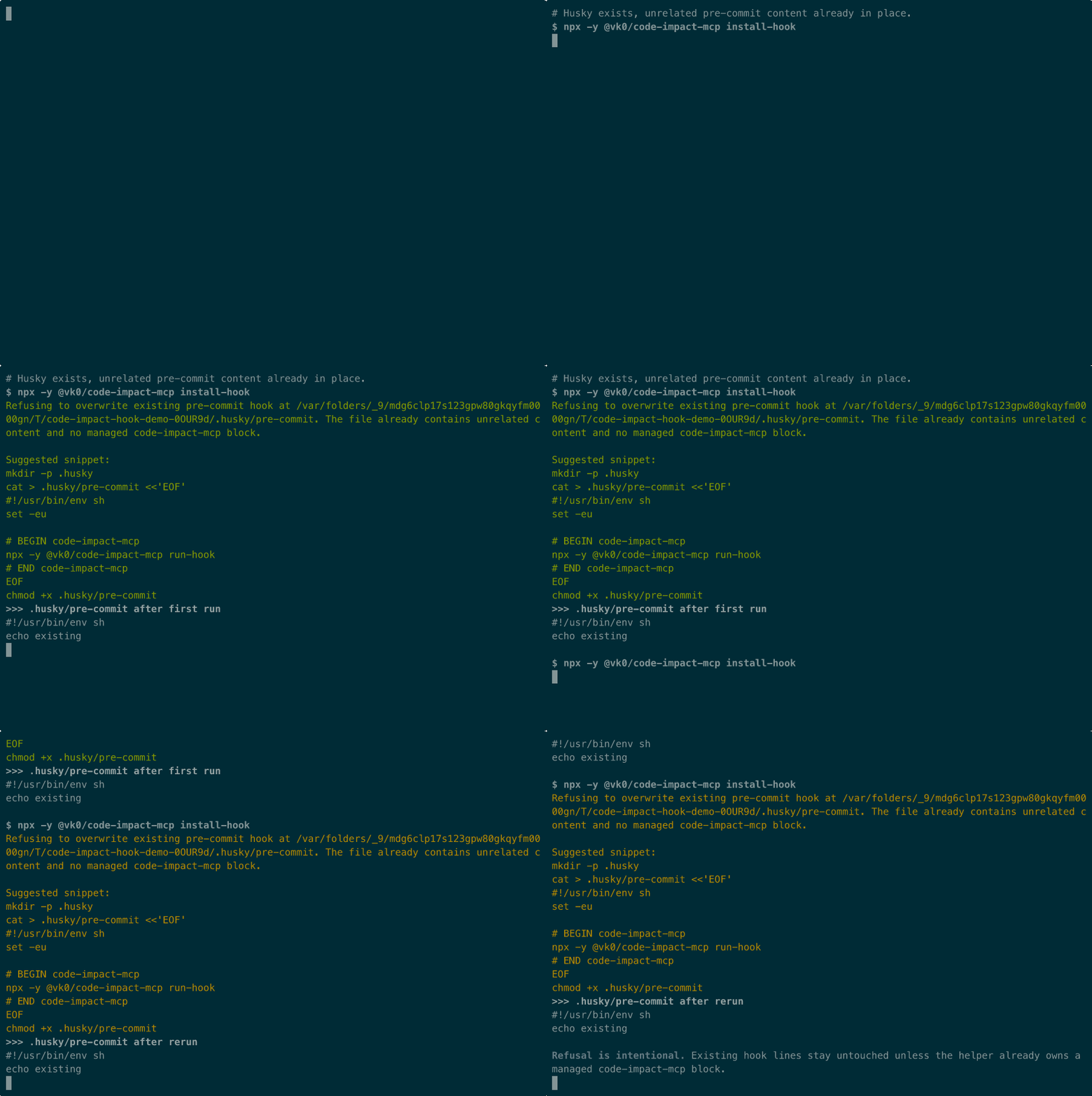
For the canonical demo trio, see the recorded terminal session in docs/demo-install-hook.cast, the rendered preview in docs/demo-install-hook.gif, and the reproducible storyboard script in scripts/demo-install-hook.mjs.
This is a Husky-only helper. If .husky/pre-commit already contains unrelated content and no managed code-impact-mcp block, the command refuses and leaves the hook untouched. If a managed block already exists, reruns stay idempotent inside that owned block. If Husky is not initialized yet, the command stops with an actionable message instead of scaffolding hook infrastructure for you. It does not bootstrap Husky, rewrite arbitrary hook logic, or manage non-pre-commit hook files for you.
Tools
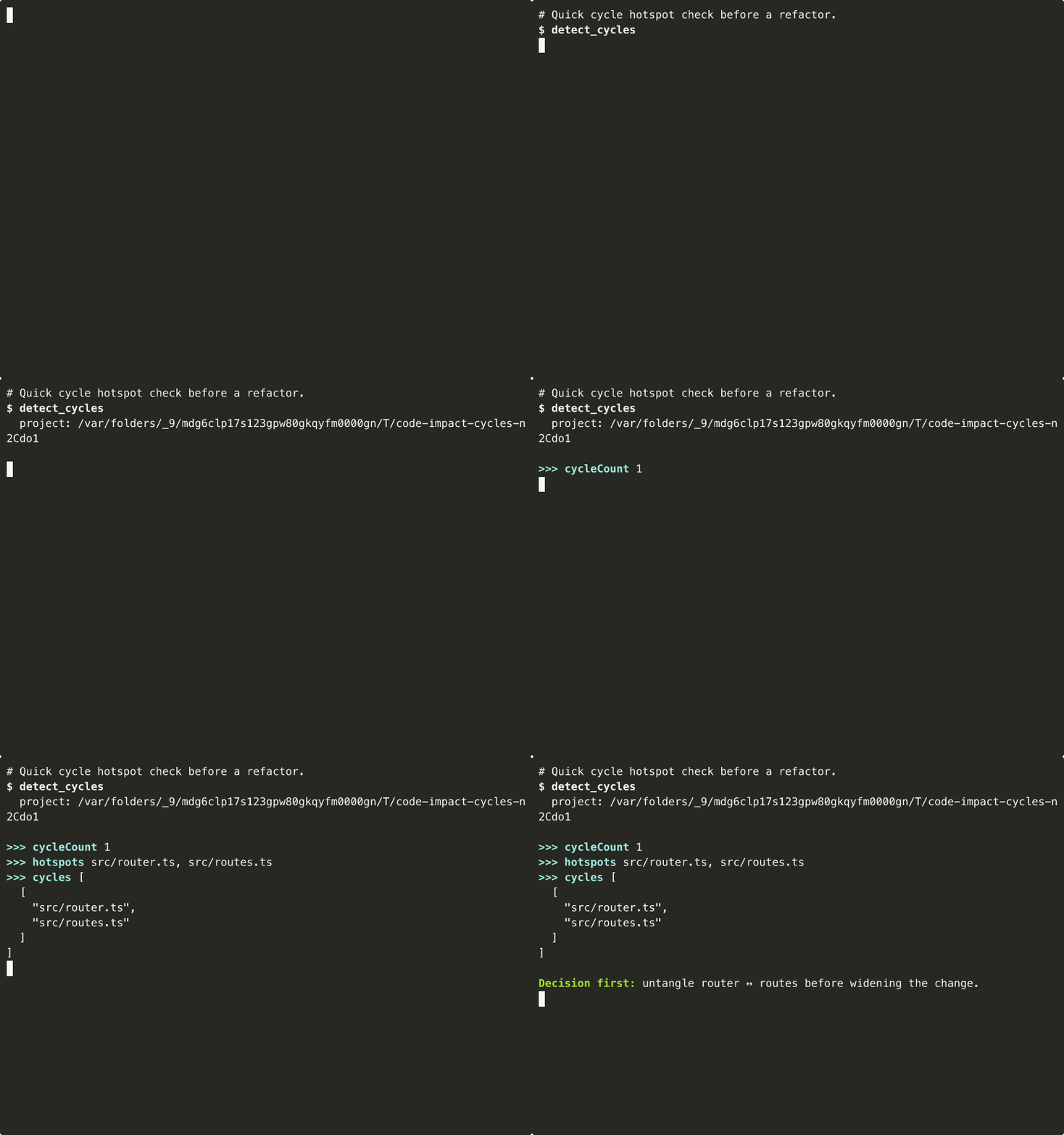
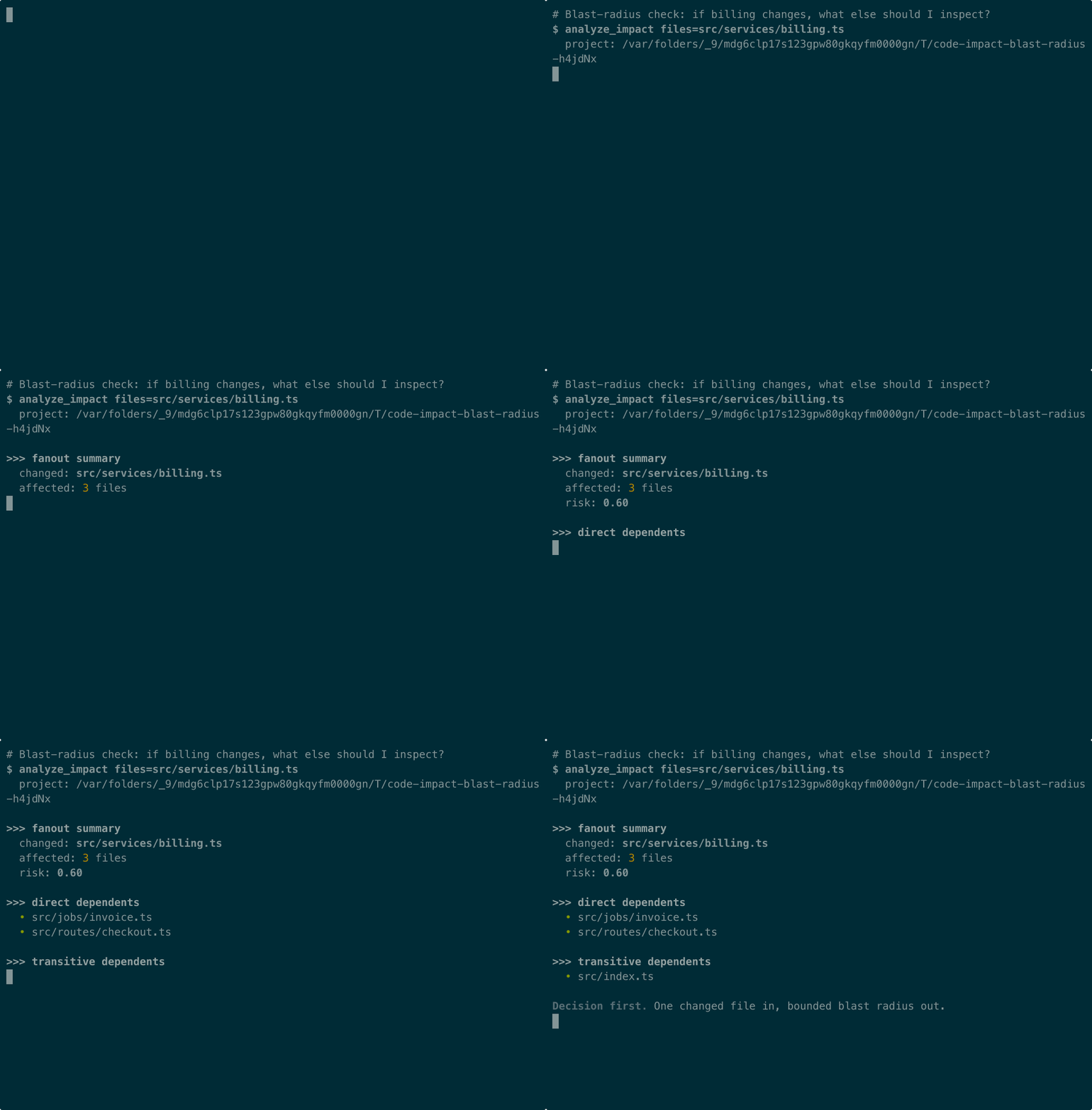
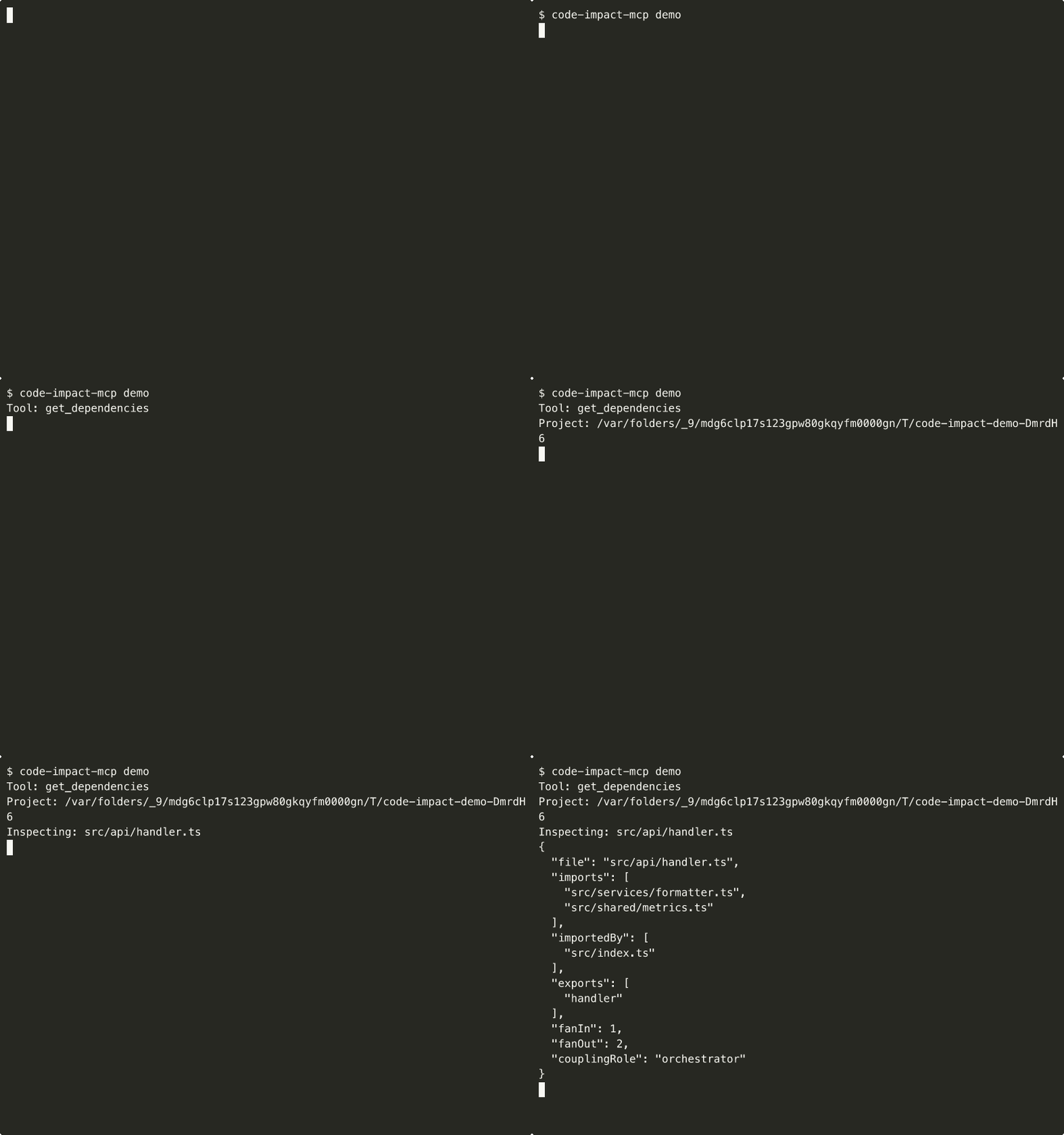
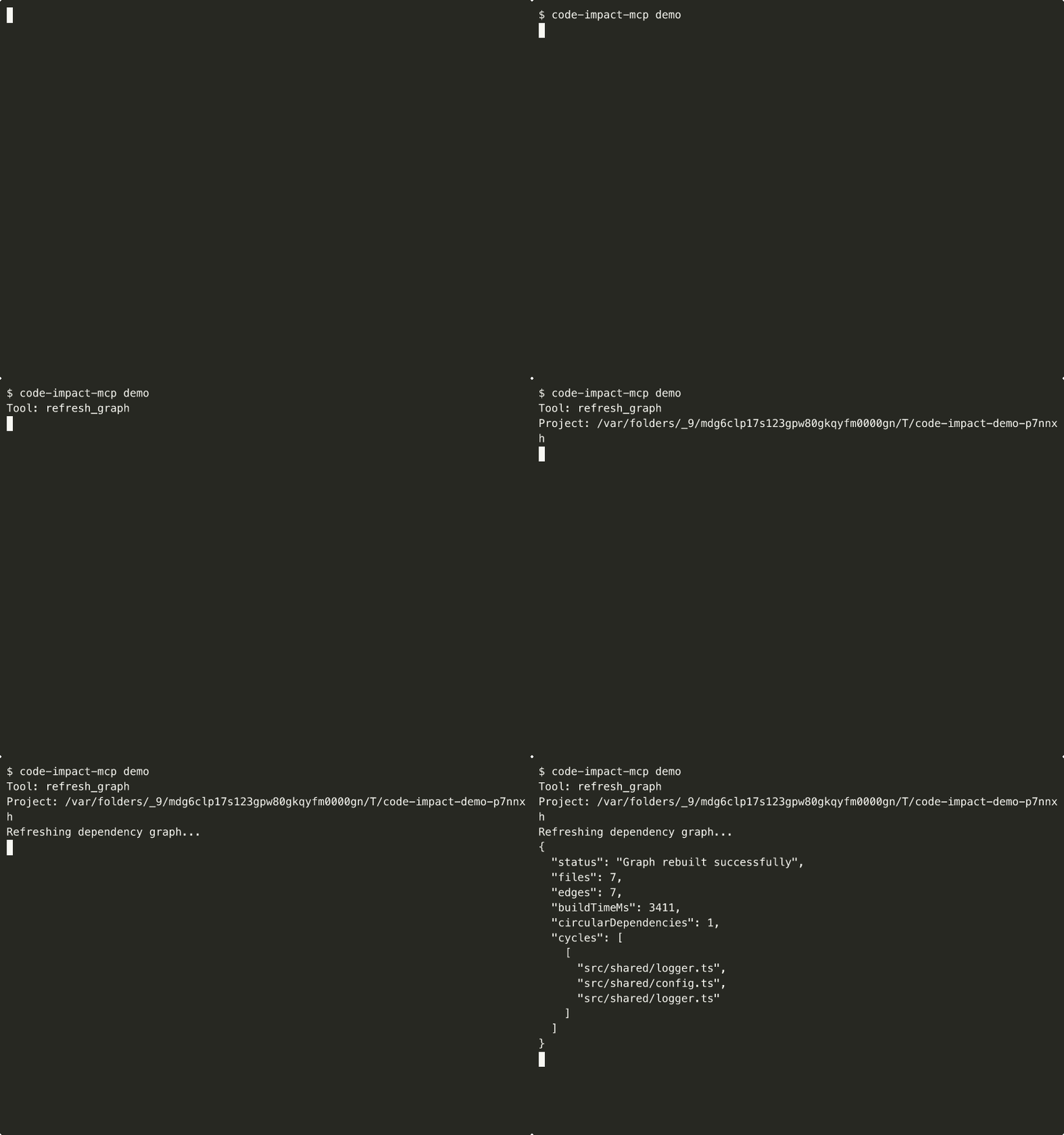
Shipped demo assets for the core tool surface are reproducible from scripts/demo-tool.mjs, so the examples below stay tied to the current tool behavior instead of drifting into one-off screenshots.
gate_check
Pre-commit safety gate. Analyzes specified changes and returns a PASS/WARN/BLOCK verdict with reasons. Use as a bounded decision aid before committing multi-file changes, including workspace-aware checks in pnpm/package.json workspaces and lerna-style monorepos. BLOCK means risk exceeds threshold or a changed file participates in a detected cycle. WARN means human review recommended, including graphs that contain cycles elsewhere. PASS means low graph-based risk.
detect_cycles
Return compact strongly connected components for circular dependencies in the current TS/JS graph. Use before refactors or release gating when you want a short list of cycle hotspots instead of a full graph visualization.
analyze_impact
Analyze the blast radius of changing specific files. Returns which files would be directly and transitively affected, with a risk score (0-1). Use BEFORE committing multi-file changes to understand what might break. Does NOT modify any files.
Also returns depthHistogram, a count of affected files per BFS depth level from the changed file (e.g. { "1": 5, "2": 12 }), so you can see whether the impact is concentrated close to the change or spread across many hops.
get_dependencies
Get the import and importedBy relationships for a specific file. Shows what this file depends on and what depends on it. Use to understand coupling before refactoring a file.
refresh_graph
Rebuild the dependency graph from scratch. Call this after significant file additions/deletions, or if results seem stale. Returns graph statistics including file count, edge count, build time, and circular dependencies detected.
Also returns topHotFiles, the top 20 most-imported files across the whole graph ranked by importer count (e.g. { "file": "src/shared/config.ts", "importers": 14 }), so you can spot structural hotspots without running get_dependencies on every file.
Example conversation
User: "I want to refactor src/routes.ts — is it safe?"
Agent calls gate_check:
Result:
Related MCP Servers
Reviews
No reviews yet — be the first to share how this listing worked for you.
Frequently Asked Questions about Code Impact MCP
AllMCPs Directory Badge
Showcase your server listing on GitHub or your project documentation. Embed this dynamic SVG badge to highlight official listing status and live engagement.
Badge Style:
Live Dynamic SVG Preview
Markdown (GitHub README)
[](https://allmcps.com/mcp/code-impact-mcp)HTML Embed
<a href="https://allmcps.com/mcp/code-impact-mcp"><img src="https://allmcps.com/api/badge/code-impact-mcp?style=directory" alt="Code Impact MCP on AllMCPs" /></a>Technical Specs & Signals
CategoryBiology & Bioinformatics
27Quality signal: Emerging · 27/100How this signal is calculated ▾
Server availabilityNot measured
Not scored for repo-hosted servers — we can't reach the running server, only its GitHub page. Hosted MCP endpoints are health-checked live.
Verified ownership8/20
Documentation & tools11/30
Adoption & activity1/15
Community engagement0/10
A guidance signal from public completeness & health data — not a user rating. New listings start lower and rise as they add docs, get verified, and grow adoption. Signals we can't observe for a listing are skipped, not counted against it.
Own this project?
This directory is pre-filled from public sources. Claim via GitHub README, site badge, or DNS TXT to unlock edit access and the Official badge and attach your website — proof is checked automatically, then reviewed by our team.
Free dofollow backlink: add your website and place the AllMCPs badge on it — no claim needed. We detect it automatically and keep it verified as long as the badge stays live.
Claim & get free dofollowShare & Embed
Add our SVG badge (dark/light directory styles) or embeddable widget to your site.