Zillow MCP for AI agents: property data, Zestimates & listings — 300+ fields per home. Free tier.
Quick Install
Automated & IDE SetupCopy the AI prompt to install this server into Claude Code, Cursor, or another agent — or use 1-click editor setup below.
Manual Client & Custom JSON ConfigExpand JSON ▾
Client Config & Setup
Remote HTTPChoose your client or environment
Target File:
💡 Paste the JSON block into your client's configuration file under mcpServers, then restart the application.
Documentation Overview
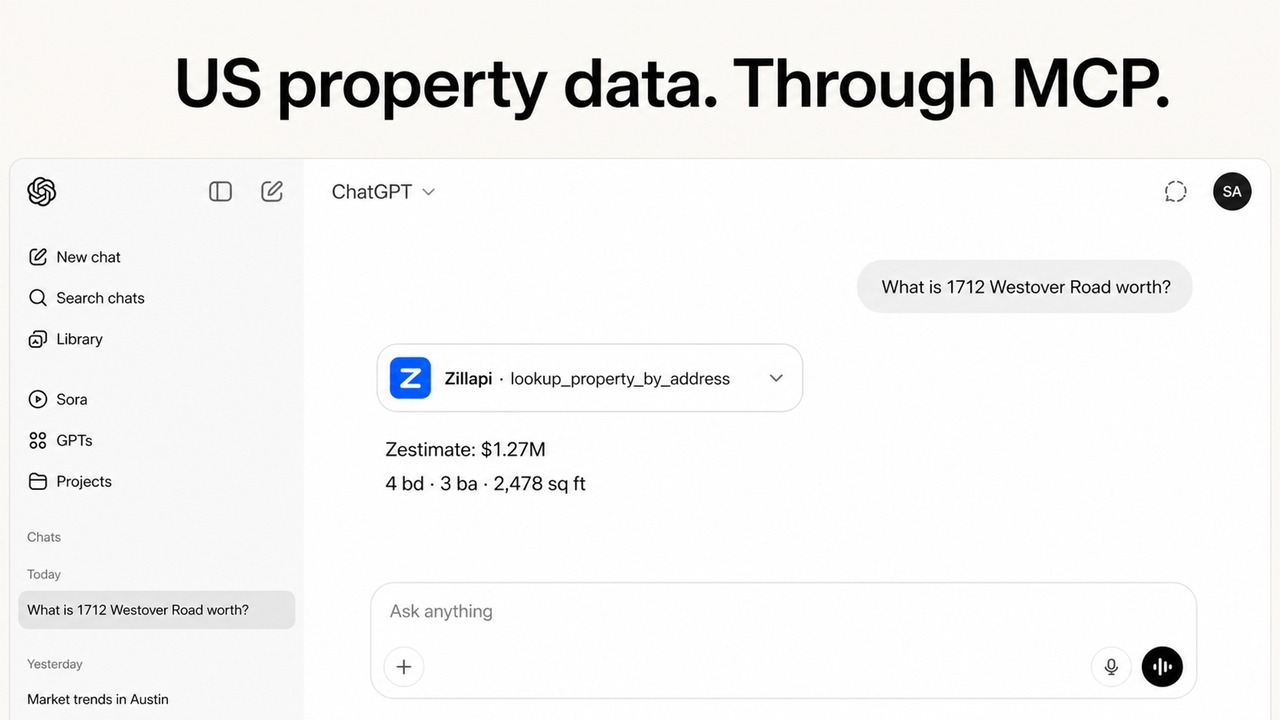
Zillow MCP Server: Property Data, Zestimates & Listings for AI Agents
Run comps, check home values, and scan listings by just asking your AI. Live Zillow data on 160M+ U.S. homes. Try for free.
Four tools: property lookup by address, lookup by zpid, Zestimates, and listing search, for Claude, ChatGPT, OpenClaw, Hermes Agent, and any MCP client.







160M+ U.S. properties · 300+ fields per home · hosted REST + MCP · free tier, no card Zillapi is an independent service for Zillow-sourced data, not affiliated with Zillow.
Why Zillow MCP
You run comps, check what homes are worth, and track listings all day. Zillow MCP puts that data inside the AI you already talk to.
Connect once, then just ask. Add Zillow MCP to Claude, ChatGPT, OpenClaw, Hermes Agent, or any MCP client a single time, and your AI assistant can pull live Zillow property data (full property records, Zestimates, and listings) right in the conversation. No code, no repeated setup.
Ask for comps on a subject property. Check a flip's numbers against its asking price. Pull rent estimates for a cash-flow check. Or just ask what a home is worth, Zestimate, taxes, schools, and full price history come back in seconds.
Quick taste:
That single prompt uses 3 of the 4 tools, search_listings, lookup_property_by_zpid, get_zestimate, without you writing a line of code.
Quick Install
Requirements:
- A Zillapi account (sign up free, 100 credits free, no card)
- An API key (
zk_...) from your dashboard OR just use OAuth (Claude, ChatGPT, Hermes Agent, OpenClaw, no key handling)
Recommended: add a rule to auto-invoke Zillow MCP
Add this rule to your AI client so you don't have to ask explicitly:
Install in Claude (Desktop & Web), Recommended
Zillow MCP works with Claude Desktop and Claude Web.
Settings → Connectors → Add custom connector → paste:
Claude runs the OAuth sign-in for you, no API key needed.
Prefer a key, or running headless? Add to claude_desktop_config.json instead:
Install in Claude Code (CLI)
Zillow MCP works with Claude Code.
Install in ChatGPT
Zillow MCP works with ChatGPT (Developer Mode).
- Enable Developer Mode: Settings → Apps & Connectors → Advanced settings.
- Go to Settings → Connectors → Add MCP server (Create in the Connectors panel).
- Paste the server URL:
- Complete the OAuth sign-in when prompted, no API key needed.
Install in Hermes Agent
Zillow MCP works with Hermes Agent.
Add to ~/.hermes/config.yaml under mcp_servers, with OAuth (no key handling):
Or with an API key:
With auth: oauth, Hermes runs the MCP OAuth 2.1 flow (metadata discovery + dynamic client registration) automatically, this server supports it out of the box.
Install in OpenClaw
Zillow MCP works with OpenClaw.
With OAuth (no key handling):
Or with an API key:
Both write to ~/.openclaw/openclaw.json under mcp.servers:
Prefer skills over MCP? Zillapi is also available as an OpenClaw-ready agent skill, grab it at ZeroPointRepo/zillow-skills.
Install in Cursor (One-Click / Manual)

Or manually, add to .cursor/mcp.json (project) or ~/.cursor/mcp.json (global):
Install in VS Code (GitHub Copilot agent mode)

Or from the command line:
Install in Cline
Install in Windsurf
Add to ~/.codeium/windsurf/mcp_config.json:
Install in Zed
In Zed settings.json:
Install in Roo Code
Install in LM Studio
In mcp.json:
Install in Gemini CLI
In ~/.gemini/settings.json:
Install in JetBrains AI Assistant
In Settings → Tools → AI Assistant → MCP:
Install in OpenAI Agent Builder / Agents SDK
Related MCP Servers
Adoption & maintenance
Factual signals from GitHub, npm, and our automated checks — not a rating.
GitHub stars
1
Stargazers on the source repository.
Last commit
1mo ago
Most recent push to the default branch.
Directory activity
1 views
Config copies, upvotes, and views on AllMCPs.
Reviews
No reviews yet — be the first to share how this listing worked for you.
Frequently Asked Questions about Zillow MCP — Property Data, Zestimates & Listings for AI Agents
AllMCPs Directory Badge
Showcase your server listing on GitHub or your project documentation. Embed this dynamic SVG badge to highlight official listing status and live engagement.
Badge Style:
Live Dynamic SVG Preview
Markdown (GitHub README)
[](https://allmcps.com/mcp/zillow-mcp-property-data-zestimates-listings-for-ai-agents)HTML Embed
<a href="https://allmcps.com/mcp/zillow-mcp-property-data-zestimates-listings-for-ai-agents"><img src="https://allmcps.com/api/badge/zillow-mcp-property-data-zestimates-listings-for-ai-agents?style=directory" alt="Zillow MCP — Property Data, Zestimates & Listings for AI Agents on AllMCPs" /></a>