Word Aligner
Turn a phrase and its translation into a shareable word-alignment diagram.
Install Word Aligner
Pick your client, then add it in one click or paste the config.
https://aligner.tinygods.dev/mcp
Remote servers are added in the app, not the config file: Customize → Connectors → Add custom connector, then paste this URL.
Clients with native remote MCP support can connect directly to this URL.
https://aligner.tinygods.dev/mcp
Overview
Tools1
What Word Aligner lets your agent do. Expand a tool for its parameters.
Security & health
What it can reach and how reliably it runs — from our own checks, not the maintainer’s claims.
Recent health check succeeded.
What it can do
From the 1 tool this server returned when we ran it.
Observed 2026-10-21 in an isolated sandbox. A description of reach, not a security audit.
Adoption & maintenance
Factual signals from GitHub, npm, and our automated checks — not a rating.
From the project README
Aligner — word-by-word translation visualizer
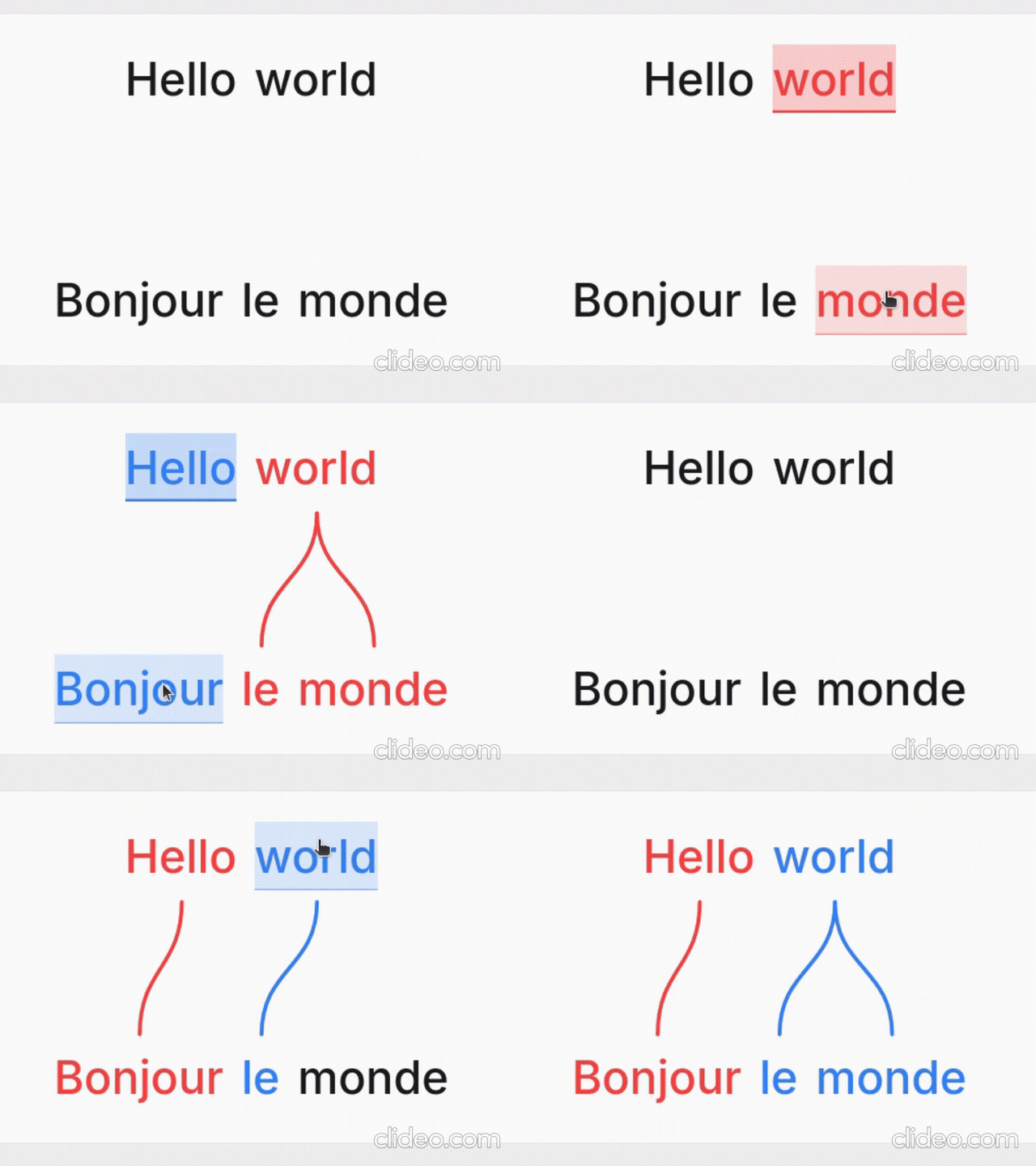
Word Aligner is a free web tool that shows which word matches which across stacked lines of text. Type or paste a sentence and its translation, click a word and then its match on the line above or below, and curved connectors draw the alignment between them. Add extra rows for glosses or IPA, then export the diagram or share it with a link.
No accounts, no machine translation — you stay in control of every link. Great for lessons, social posts, grammar notes, and conlang documentation.
What it's for
- Language learners — see exactly why a translation says what it does: which source word became which target word, what gets dropped, and where word order changes.
- Teachers — build handouts, slides, and flashcards; export a clean PNG or SVG and drop it into a lesson without retyping anything.
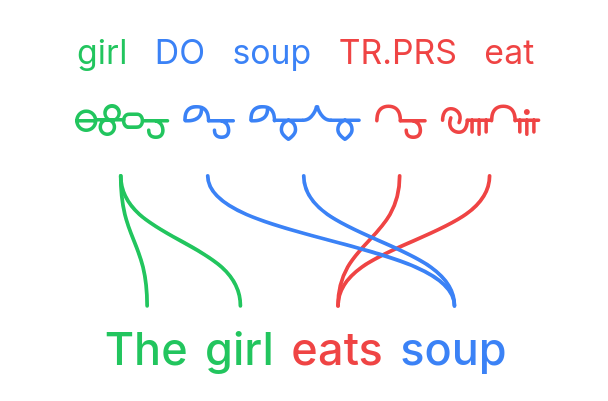
- Linguists — produce Leipzig-style interlinear glosses with morpheme alignment, case/agreement tags, and free translations.
- Conlangers — show how a constructed language maps onto English, with custom script fonts, gloss rows, and IPA.
What it does
- Multi-line alignment — stack as many rows as you need (source, translation, gloss, IPA); links connect vertically adjacent lines.
- Manual word linking — click a word, then its match; supports one-to-many and many-to-one links and freely crossing connectors for reordered translations.
- Interlinear glosses & IPA — add annotation tiers above or below any line.
- Right-to-left scripts — Hebrew, Arabic, and mixed LTR/RTL layouts.
- Vertical writing systems — stand the whole diagram up as columns for Japanese tategaki, Chinese, or traditional Mongolian; characters stack or the line rotates, chosen per line, so a horizontal translation stays readable beside it.
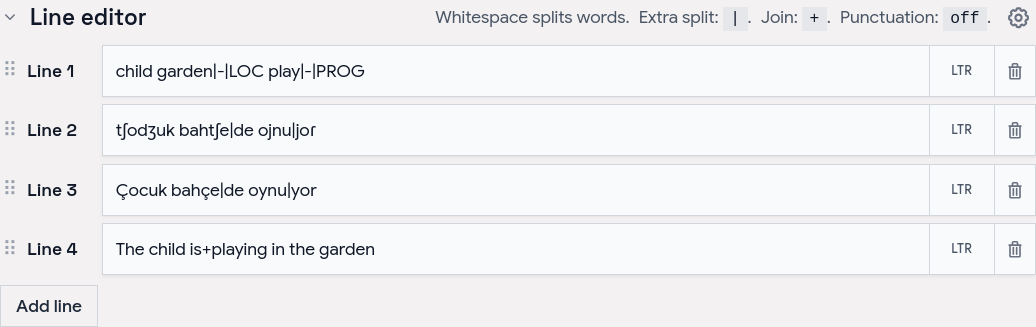
- Tokenization control — choose how text splits into word boxes (split characters, a join marker for fixed expressions, optional punctuation handling).
- Per-line typography — font, size, spacing, and direction per line; custom and Google Fonts.
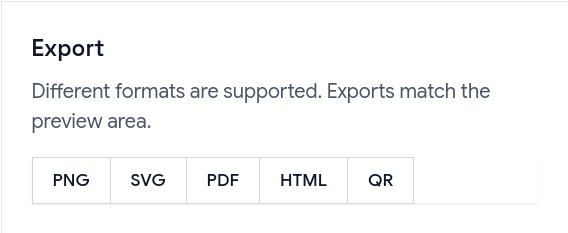
- Exports — PNG, SVG, PDF, and a self-contained HTML file; exports match the preview, including custom-font shaping.
- Shareable URLs — the whole alignment (text, links, and visual settings) is encoded in a
?data=link.
Examples
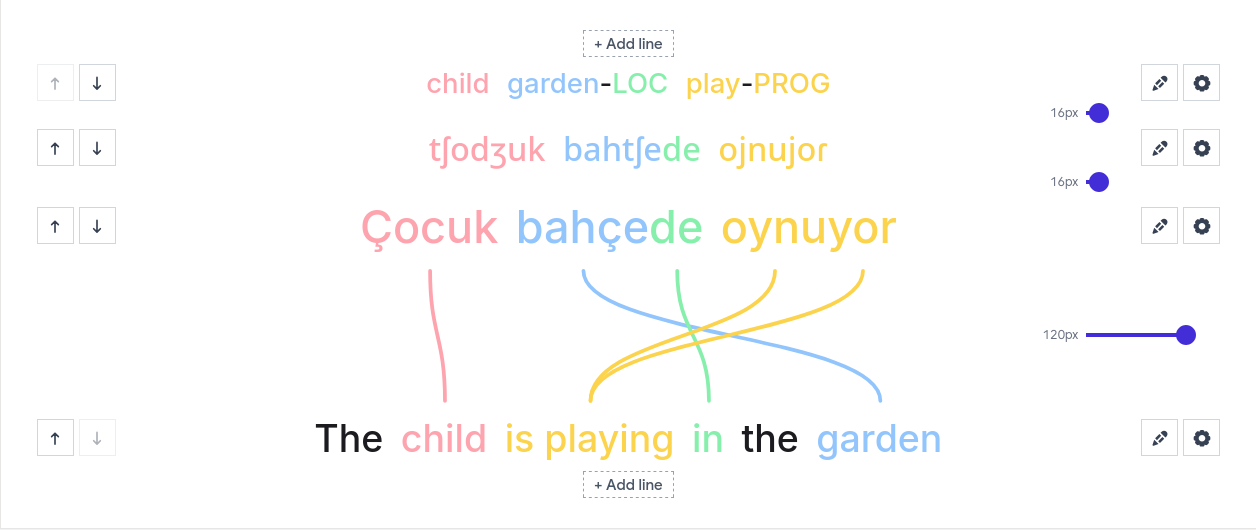
Browse ready-made examples — bilingual pairs, Turkish interlinear with IPA, RTL scripts, vertical Japanese and traditional Mongolian, Tagalog compounds, Japanese–Chinese–English word order, and more interlinear glosses — at aligner.tinygods.dev/examples. Open any one in the editor to adapt it.
How it works
Edit your lines in the line editor, then link words in the preview.
Tune colors, tokenization, and fonts in settings, then export or share.
Word alignment vs. interlinear vs. parallel text
- Interlinear translation places a gloss directly under each source word — compact, but it hides reordering. Aligner keeps both sentences on their own line and draws connectors, so reorderings, splits, and merges stay obvious.
- Parallel text is side-by-side bilingual reading for long-form study. Aligner focuses on one sentence pair at a time with explicit connectors showing which tokens correspond.
API
Word Aligner has a free HTTP API for generating alignment links programmatically.
POST https://aligner.tinygods.dev/api/align
Content-Type: application/json

{
  "lines": ["Hello world", "Bonjour le monde"],
  "alignments": [[0, 0, 1, 0], [0, 1, 1, 2]]
}
Returns { "url": "https://aligner.tinygods.dev/?data=..." }.
Supports per-line options (font, size, RTL), global visual settings (palette, line style, background), pair-level gap control, and multi-line stacks with selective connectors.
- API docs: aligner.tinygods.dev/api
- OpenAPI schema: aligner.tinygods.dev/api/align/openapi.json
Using Word Aligner as an AI agent tool
The word-aligner-skill/ directory is a ready-to-install skill that teaches AI assistants (Claude, ChatGPT, etc.) how to use the API. Once installed, it enables flows like:
"Translate 'я хочу спать' into English and show me the word alignment."
The agent translates, calls the API, and returns a shareable link.
- For Claude: point your Claude project at this repository or add the contents of
word-aligner-skill/SKILL.mdas a custom instruction. - For ChatGPT: zip
word-aligner-skill/and upload it as a custom Skill.
Install instructions and a downloadable archive are also on the site: aligner.tinygods.dev/skill.
MCP server
There is also an MCP server at https://aligner.tinygods.dev/mcp that exposes a single create_word_alignment tool. It returns a shareable link plus a preview image, and runs inside the same app over Streamable HTTP with no auth. Connect it in Claude:
claude mcp add --transport http word-aligner https://aligner.tinygods.dev/mcp
See docs/mcp-server.md for ChatGPT Developer Mode setup and the tool schema.
Learn more
- App: aligner.tinygods.dev
- About / documentation: aligner.tinygods.dev/about
- Privacy: aligner.tinygods.dev/privacy
Created by Dani Polani. See other tools for linguistics and conlanging.
Reviews
No reviews yet — be the first to share how it worked for you.
Frequently Asked Questions about Word Aligner
Related MCP servers
Add a badge to your READMEShow it’s listed — live SVG, Markdown or HTML.
AllMCPs Directory Badge
Showcase your server listing on GitHub or your project documentation. Embed this dynamic SVG badge to highlight official listing status and live engagement.
[](https://allmcps.com/mcp/word-aligner)<a href="https://allmcps.com/mcp/word-aligner"><img src="https://allmcps.com/api/badge/word-aligner?style=directory" alt="Word Aligner on AllMCPs" /></a>