Enables AI assistants to interact with Demo Time and helps build presentations and demos.
Quick Install
Automated & IDE SetupCopy the AI prompt to install this server into Claude Code, Cursor, or another agent — or use 1-click editor setup below.
Manual Client & Custom JSON ConfigExpand JSON ▾
Client Config & Setup
Remote HTTPChoose your client or environment
Target File:
💡 Paste the JSON block into your client's configuration file under mcpServers, then restart the application.
Documentation Overview

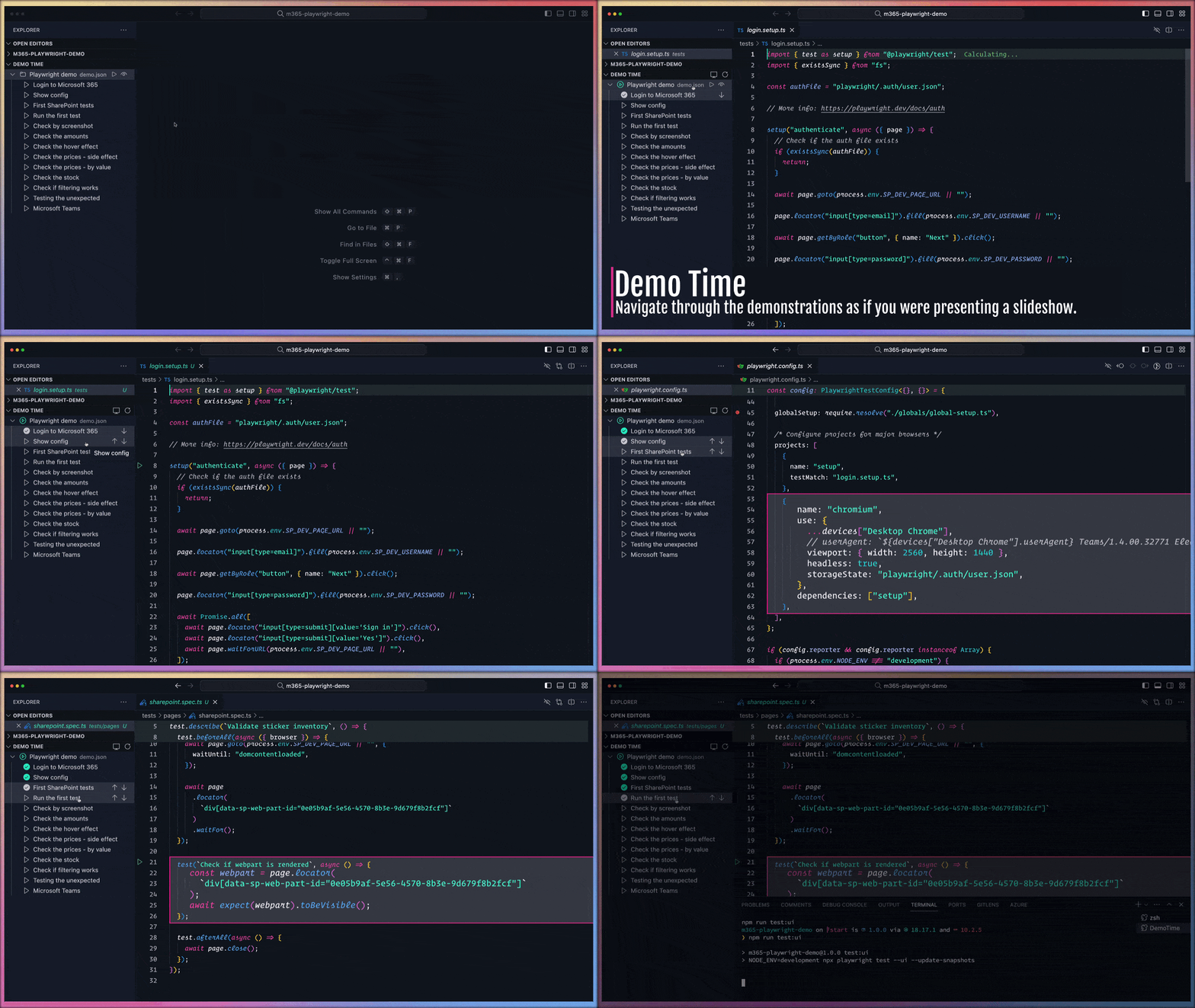
Demo Time empowers you to script flawless coding demonstrations and present slides seamlessly within Visual Studio Code. Eliminate typos and missteps, ensuring engaging and stress-free presentations.

Documentation 👉 demotime.show
Features
- Scripted Demos: Automate your coding demonstrations to maintain a perfect flow.
- Code Highlighting: Emphasize specific code segments to draw audience attention.
- Integrated Slides: Present slides directly within VS Code for a cohesive experience.
- Customizable Actions: Execute various VS Code commands and tasks as part of your demo.
- PowerPoint Integration: Seamlessly move from slides to code using the PowerPoint integration.
Getting Started
- Installation: Install the extension.
- Initialization: After installation, initialize the extension in your
project by opening the Explorer panel in VS Code. Locate the Demo Time
view and click on the "Initialize" button. This action creates a
.demofolder in your workspace containing either ademo.jsonordemo.yamlfile, depending on your chosen format. - Creating Demos: Populate the act file with your actions, defining each step and action as required. More information about the available actions can be found in the supported actions documentation section.
Documentation
For detailed instructions, advanced configurations, and best practices, please refer to the comprehensive documentation available at https://demotime.show. This resource offers in-depth guides and examples to help you maximize the extension's capabilities.
Example act file
Here is an example demo:
You can also explore a comprehensive example in the following GitHub Repositories:
- Introduction presentation about Demo Time
- presentation-github-actions
- presentation-m365-playwright-github-actions
Testing
Run linting and unit tests with:
Tests use Jest with built-in coverage. New tests are
located in the tests/ directory.
Support
If you enjoy my work and find them useful, consider sponsor me and the ecosystem to help Open Source sustainable. Thank you!
License
This project is licensed under the Apache License 2.0 - see the LICENSE file for details.


Related MCP Servers
Reviews
No reviews yet — be the first to share how this listing worked for you.
Frequently Asked Questions about Vscode Demo Time
AllMCPs Directory Badge
Showcase your server listing on GitHub or your project documentation. Embed this dynamic SVG badge to highlight official listing status and live engagement.
Badge Style:
Live Dynamic SVG Preview
Markdown (GitHub README)
[](https://allmcps.com/mcp/vscode-demo-time)HTML Embed
<a href="https://allmcps.com/mcp/vscode-demo-time"><img src="https://allmcps.com/api/badge/vscode-demo-time?style=directory" alt="Vscode Demo Time on AllMCPs" /></a>Technical Specs & Signals
CategoryDeveloper Tools
43Quality signal: Fair · 43/100How this signal is calculated ▾
Server availabilityNot measured
Not scored for repo-hosted servers — we can't reach the running server, only its GitHub page. Hosted MCP endpoints are health-checked live.
Verified ownership10/20
Documentation & tools16/30
Adoption & activity6/15
Community engagement0/10
A guidance signal from public completeness & health data — not a user rating. New listings start lower and rise as they add docs, get verified, and grow adoption. Signals we can't observe for a listing are skipped, not counted against it.
Own this project?
This directory is pre-filled from public sources. Claim via GitHub README, site badge, or DNS TXT to unlock edit access and the Official badge — proof is checked automatically, then reviewed by our team.
Free dofollow backlink: add your website and place the AllMCPs badge on it — no claim needed. We detect it automatically and keep it verified as long as the badge stays live.
Claim & get free dofollowShare & Embed
Add our SVG badge (dark/light directory styles) or embeddable widget to your site.