MCP server for Dev Proxy that enables AI assistants to interact with Dev Proxy.
Quick Install
Automated & IDE SetupCopy the AI prompt to install this server into Claude Code, Cursor, or another agent — or use 1-click editor setup below.
Manual Client & Custom JSON ConfigExpand JSON ▾
Client Config & Setup
Remote HTTPChoose your client or environment
Target File:
💡 Paste the JSON block into your client's configuration file under mcpServers, then restart the application.
Documentation Overview
Dev Proxy MCP Server


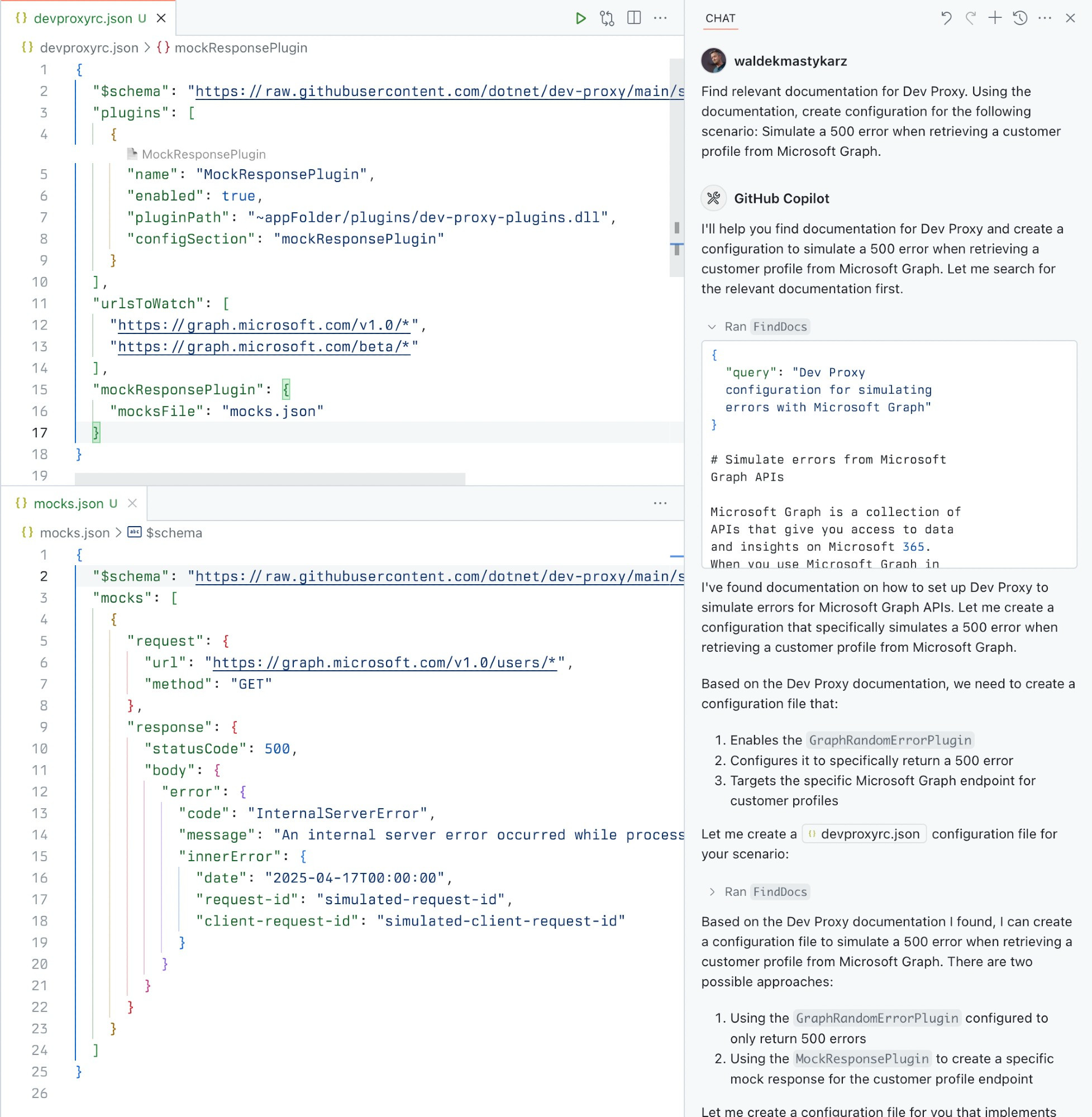
A Model Context Protocol (MCP) server for Dev Proxy that enables AI assistants to interact with Dev Proxy capabilities using the MCP standard. Use this server to:
- Create Dev Proxy configurations using natural language
- Get contextual help for working with Dev Proxy
- Discover Dev Proxy features and capabilities
What is Dev Proxy?
Dev Proxy is an API simulator that helps you effortlessly test your app beyond the happy path. It allows you to:
- Test API error handling: See how your app responds to API errors without changing your code
- Verify rate limit handling: Simulate API rate limits to improve user experience
- Test slow API responses: See how your app handles slow APIs to implement necessary affordances
- Create mock APIs: Quickly stand up mock APIs without writing code you won't ship
Dev Proxy works with any type of app and tech stack as it intercepts network requests at the proxy level.
What This Package Does
This package provides a Model Context Protocol (MCP) server interface to Dev Proxy. It allows AI assistants and other MCP-compatible clients to:
- Find Dev Proxy documentation using natural language queries
- Get the installed Dev Proxy version
Prerequisites
Usage
To set up and use the MCP server, refer to the instructions for your MCP host, such as Visual Studio Code. The Dev Proxy MCP server is published on npm under @devproxy/mcp.
Use the following values:
- Type:
stdio - Command:
npx - Arguments:
-y@devproxy/mcp
- Environment: none
[!TIP] If you want to test the preview version of the server using
@devproxy/mcp@next.
Connect with an MCP Client
This MCP server exposes the following tools:
GetBestPractices
Gets a list of best practices for configuring and using Dev Proxy. Call it for any code generation or operation involving Dev Proxy. These best practices do not change so once it has been called during the current session, you do not need to invoke it again.
FindDocs
Finds relevant Dev Proxy documentation related to a specific query.
GetVersion
Gets the currently installed Dev Proxy version. This is useful to ensure that the generated configuration is compatible with the installed version of Dev Proxy.
Development
Contributing
Contributions are welcome! Please feel free to submit a Pull Request.
- Fork the repository
- Create your feature branch (
git checkout -b feature/amazing-feature) - Commit your changes (
git commit -m 'Add some amazing feature') - Push to the branch (
git push origin feature/amazing-feature) - Open a Pull Request
License
This project is licensed under the MIT License - see the LICENSE file for details.
Related Projects
- Dev Proxy - The core Dev Proxy tool
- Model Context Protocol (MCP) - Protocol specification for AI assistant tools
Related MCP Servers
Reviews
No reviews yet — be the first to share how this listing worked for you.
Frequently Asked Questions about Dev Proxy Tools MCP
AllMCPs Directory Badge
Showcase your server listing on GitHub or your project documentation. Embed this dynamic SVG badge to highlight official listing status and live engagement.
Badge Style:
Live Dynamic SVG Preview
Markdown (GitHub README)
[](https://allmcps.com/mcp/mcp-287)HTML Embed
<a href="https://allmcps.com/mcp/mcp-287"><img src="https://allmcps.com/api/badge/mcp-287?style=directory" alt="Dev Proxy Tools MCP on AllMCPs" /></a>Technical Specs & Signals
CategoryDeveloper Tools
36Quality signal: Fair · 36/100How this signal is calculated ▾
Server availabilityNot measured
Not scored for repo-hosted servers — we can't reach the running server, only its GitHub page. Hosted MCP endpoints are health-checked live.
Verified ownership10/20
Documentation & tools15/30
Adoption & activity2/15
Community engagement0/10
A guidance signal from public completeness & health data — not a user rating. New listings start lower and rise as they add docs, get verified, and grow adoption. Signals we can't observe for a listing are skipped, not counted against it.
Own this project?
This directory is pre-filled from public sources. Claim via GitHub README, site badge, or DNS TXT to unlock edit access and the Official badge — proof is checked automatically, then reviewed by our team.
Free dofollow backlink: add your website and place the AllMCPs badge on it — no claim needed. We detect it automatically and keep it verified as long as the badge stays live.
Claim & get free dofollowShare & Embed
Add our SVG badge (dark/light directory styles) or embeddable widget to your site.