Podcast Index MCP Server & CLI
Podcast Index MCP server and CLI for Claude Code, Codex and AI agents. 36 tools for podcast search, episode transcripts you can actually read and search, Podcasting 2.0 tags, value-for-value data, feed health and index stats.
Install Podcast Index MCP Server & CLI
Pick your client, then add it in one click or paste the config.
~/Library/Application Support/Claude/claude_desktop_config.json{
"mcpServers": {
"thenavidm-podcastindex-mcp-cli": {
"command": "npx",
"args": [
"-y",
"@thenavidm/podcastindex-mcp-cli@latest"
]
}
}
}
Settings → Developer → Edit Config, merge this into mcpServers, then fully quit and reopen Claude Desktop.
Install not yet sandbox-tested— we haven't run this command through our automated sandbox yet. Not a red flag; we're working through the catalog.
Overview
Security & health
What it can reach and how reliably it runs — from our own checks, not the maintainer’s claims.
Recent health check succeeded.
Supply-chain signal
No high-severity advisories surfaced by our automated scan.
Scanned 7d ago via OSV.dev · @thenavidm/podcastindex-mcp-cli@latest (npm)
Adoption & maintenance
Factual signals from GitHub, npm, and our automated checks — not a rating.
From the project README

Podcast Index MCP Server & CLI






Podcast Index MCP server and CLI for Claude Code, Codex and AI agents. 36 tools for podcast search, episode transcripts you can actually read and search, Podcasting 2.0 tags, value-for-value data, feed health and index stats.
One install gives you both surfaces, the same 36 tools under the same names, reading one array of tool definitions so they cannot drift apart.
It searches four million podcasts, and then it does the thing the API stops short of: it opens the transcript. Podcast Index hands out a link to an episode's transcript file and goes no further, which is useless to an assistant that cannot click. This fetches the file, works out whether it is SRT, WebVTT, JSON or HTML, and gives you the actual words with timestamps and speakers.
So you can ask when something was said, and get an answer.
There are 36 tools. One free key covers all but two of them.
Built by Navid Moazzez. Built on Slipway, which turns one definition of each tool into the MCP server and the CLI.
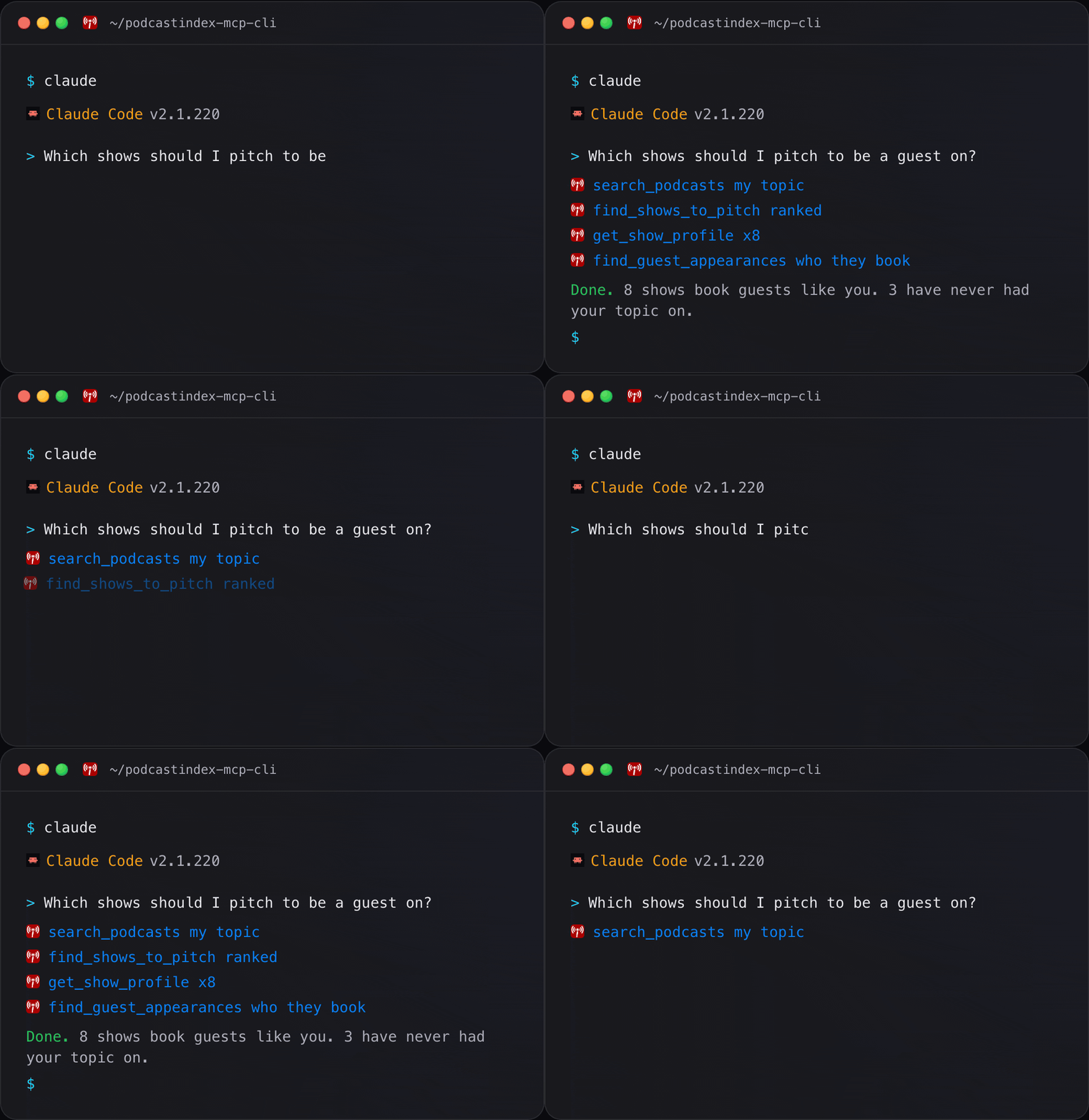
Two ways to use it
Command line
podcastindex-cli runs every tool as a command. Agents that run commands, like
Claude Code, Codex and OpenCode, use it on their own, and you can type the same
commands in a terminal, a script or a cron job:
podcastindex-cli                                          # every command, one line each
podcastindex-cli status                                   # what this server can reach
podcastindex-cli search-podcasts --q "ai agents" --max 5
podcastindex-cli get-trending --max 10
podcastindex-cli search-transcript --episode-id <id> --query "compound interest"
podcastindex-cli find-guest-appearances --name "Tim Ferriss"
podcastindex-cli check-feed-health --show https://example.com/feed.xml
podcastindex-cli submit-feed --feed-url https://example.com/feed.xml --confirm
podcastindex-cli <command> --help                         # what any command takes
--confirm is the shell spelling of the confirmation that adding a feed to the
index needs. --json gives JSON, --compact puts it on one line, --select
keeps only the fields you name, and --agent is compact JSON with no prompts,
and never confirms a write. Exit codes are 0 ok, 1 an unexpected error, 2 usage
or a hidden or refused write, 3 not found, 4 auth, 5 API, 7 rate limited and 10
nothing configured, so a script branches on the number.
podcastindex-cli schema <command> prints the exact JSON Schema an MCP client
receives for that tool.
MCP server, for your AI app
podcastindex-mcp is what Claude Code, Claude Desktop, Cursor and the rest
launch. You never run it by hand:
claude mcp add podcastindex \
  -e PODCASTINDEX_API_KEY=your_key \
  -e PODCASTINDEX_API_SECRET=your_secret \
  -- npx -y @thenavidm/podcastindex-mcp-cli@latest
In Claude Desktop, the .mcpb extension
installs on a double click. Section 4 has every other client.
A feed submission waits for your approval in the client, as section 9 explains.
Which one
| Where you are | What you can reach |
|---|---|
| An agent that can run shell commands, like Claude Code or Cursor | Both. The CLI is the cheaper one: it costs nothing until you type it |
| claude.ai, the Claude Desktop chat tab, or a phone | The server only. There is no shell to run a command in |
| A terminal, a script, cron or CI | The CLI only. There is no MCP client in a shell |
They are the same program reading the same tool definitions, so anything one can do, the other can.
What each costs
Both surfaces are the same program with the same 36 tools. The difference is when the model pays for them. Measured in Claude Code:
| Cost | MCP server | CLI |
|---|---|---|
| Every message, with every tool loaded | 11,800 tokens | nothing |
| Every message, Claude Code's default | 1,300 tokens | nothing |
| When Podcast Index comes up | nothing more, or the tools it picks | 3,400 tokens for SKILL.md, once |
| 20 messages with Podcast Index in 1, every tool loaded | 236,000 tokens | 3,400 tokens |
Claude Code's tool search is on by default: it sends only the tool names and the server instructions, and loads a tool's full definition when the model reaches for it. An app that loads every tool up front pays the first line on every message, whether Podcast Index comes up or not. With the skill added, Claude Code also lists its one-line description, about 160 tokens.
To spend less, turn the server off when you are not using it, which in Claude
Code is the /mcp panel. PODCASTINDEX_READ_ONLY=1 takes the 3 write tools off the list, leaving 33.
Or install the CLI and add the server on the days it earns its place.
Measured on 2026-10-05 with Claude Code 2.1.286 on Claude Opus 5.5: one
short prompt with and without the server connected, once with
ENABLE_TOOL_SEARCH=false and once with the default, the difference read
from the API's own usage figures. SKILL.md was measured the same way. Other
apps and models count tokens a little differently.
Against 1.1.2, measured the same day: every tool loaded costs 11,843 tokens
instead of 13,095, tool search the same (1,253 against 1,253), and SKILL.md
60 more, because it now says how approval works over MCP and lists every exit
code. In Codex 0.159.3 on gpt-6.1-sol, the same task, "find the command that
finds the moment a phrase was said in an episode's transcript, and the flags it
requires", read a median of 83,167 input tokens on 2.0.0 against 83,990 on
1.1.2 over the CLI, five runs each: Codex now asks which instead of reading
the full command list. Over MCP, Codex prints the tool list with a script and
cuts the printout to about 10,000 tokens, so it read about 9,020 on both
versions, out of a full listing of 28,195 tokens on 2.0.0 against 28,239, and
a median of 48,367 input tokens against 48,444.
Features
Every tool is both a command and an MCP tool, with the same name. The command is the tool name with dashes.
| Capability | CLI command | MCP tool |
|---|---|---|
| Read what was said in an episode | podcastindex-cli get-transcript / search-transcript / get-chapters | get_transcript / search_transcript / get_chapters |
| Questions, not endpoints | podcastindex-cli get-show-profile / find-guest-appearances / find-shows-to-pitch | get_show_profile / find_guest_appearances / find_shows_to_pitch |
| Search the index | podcastindex-cli search-podcasts / search-episodes-by-person | search_podcasts / search_episodes_by_person |
| Shows and episodes | podcastindex-cli get-podcast / get-episodes / get-podcasts-batch | get_podcast / get_episodes / get_podcasts_batch |
| What is new and trending | podcastindex-cli get-trending / get-recent-episodes | get_trending / get_recent_episodes |
| Value for value | podcastindex-cli get-value-block | get_value_block |
| Feed health | podcastindex-cli check-feed-health | check_feed_health |
| Add or refresh a feed | podcastindex-cli notify-feed-update / submit-feed | notify_feed_update / submit_feed |
| Check your setup | podcastindex-cli doctor | status |
All 36 are in section 6.
Contents
| # | Section | What is in it |
|---|---|---|
| 1 | What you can ask it | Real prompts, not features |
| 2 | Quick install | One line |
| 3 | Setup | Getting a key, about two minutes |
| 4 | Connect your client | Every client, copy and paste |
| 5 | Check it worked | doctor, and what actually fails |
| 6 | Tools | All 36, grouped by what they reach |
| 7 | What Podcast Index actually does | The traps, learned the hard way |
| 8 | Your data | What is sent, and what never is |
| 9 | Writing safely | Short, because almost nothing writes |
| 10 | Troubleshooting | Symptom to cause |
| 11 | FAQ | Including what an MCP server is |
1. What you can ask it 💬
Reviews
No reviews yet — be the first to share how it worked for you.
Frequently Asked Questions about Podcast Index MCP Server & CLI
Related MCP servers
Add a badge to your READMEShow it’s listed — live SVG, Markdown or HTML.
AllMCPs Directory Badge
Showcase your server listing on GitHub or your project documentation. Embed this dynamic SVG badge to highlight official listing status and live engagement.
[](https://allmcps.com/mcp/thenavidm-podcastindex-mcp-cli)<a href="https://allmcps.com/mcp/thenavidm-podcastindex-mcp-cli"><img src="https://allmcps.com/api/badge/thenavidm-podcastindex-mcp-cli?style=directory" alt="Podcast Index MCP Server & CLI on AllMCPs" /></a>