Apple Podcasts MCP Server & CLI
Apple Podcasts MCP server and CLI for Claude Code, Codex and AI agents. 32 tools for podcast search, chart rank tracking, listener reviews, RSS feed parsing and validation, on-device transcript search, and Apple Podcasts Connect analytics.
Install Apple Podcasts MCP Server & CLI
Pick your client, then add it in one click or paste the config.
~/Library/Application Support/Claude/claude_desktop_config.json{
"mcpServers": {
"thenavidm-apple-podcasts-mcp-cli": {
"command": "npx",
"args": [
"-y",
"@thenavidm/apple-podcasts-mcp-cli@latest"
]
}
}
}
Settings → Developer → Edit Config, merge this into mcpServers, then fully quit and reopen Claude Desktop.
Install not yet sandbox-tested— we haven't run this command through our automated sandbox yet. Not a red flag; we're working through the catalog.
Overview
Security & health
What it can reach and how reliably it runs — from our own checks, not the maintainer’s claims.
Recent health check succeeded.
Supply-chain signal
No high-severity advisories surfaced by our automated scan.
Scanned 8d ago via OSV.dev · @thenavidm/apple-podcasts-mcp-cli@latest (npm)
Adoption & maintenance
Factual signals from GitHub, npm, and our automated checks — not a rating.
From the project README

Apple Podcasts MCP Server & CLI





Apple Podcasts MCP server and CLI for Claude Code, Codex and AI agents. 32 tools for podcast search, chart rank tracking, listener reviews, RSS feed parsing and validation, on-device transcript search, and Apple Podcasts Connect analytics.
One install gives you both surfaces, the same 32 tools under the same names, reading one array of tool definitions so they cannot drift apart.
It searches Apple's catalog and checks where a show ranks in each country.
It reads listener reviews and parses any podcast's RSS feed.
If you own a show, it pulls your listening numbers too.
Nothing here needs an account, except the owner analytics.
There are 32 tools, and only the five that read your own show's analytics need an account of any kind.
Built and maintained by Navid Moazzez. Built on Slipway, which turns one definition of each tool into the MCP server and the CLI.
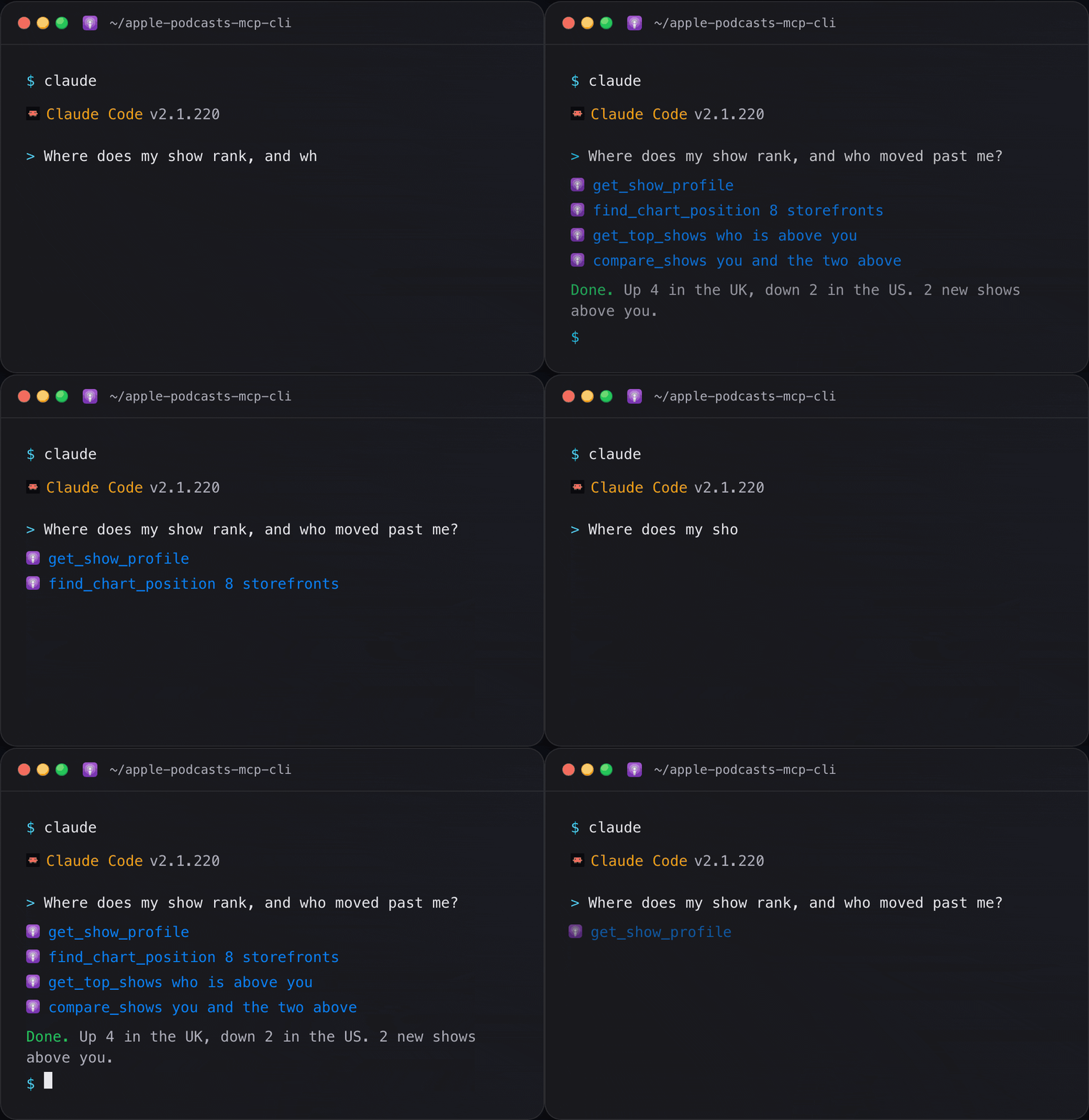
Two ways to use it
Command line
apple-podcasts-cli runs every tool as a command. Agents that run commands,
like Claude Code, Codex and OpenCode, use it on their own, and you can type the
same commands in a terminal, a script or a cron job:
apple-podcasts-cli                                     # every command, one line each
apple-podcasts-cli status                              # what this server can reach
apple-podcasts-cli get-top-shows --limit 5             # Apple's Top Shows chart
apple-podcasts-cli find-chart-position --show 1200361736 --storefronts us --storefronts gb
apple-podcasts-cli get-reviews --show 1200361736 --storefront gb
apple-podcasts-cli search-library --query "compound interest"
apple-podcasts-cli check-feed --show https://example.com/feed.xml
apple-podcasts-cli find-chart-position --show 1200361736 --json --select best_rank,charted_in
apple-podcasts-cli export-subscriptions --path ~/Desktop/podcasts.opml --confirm
apple-podcasts-cli <command> --help                    # what any command takes
--confirm is the shell spelling of the confirmation the OPML export needs.
--json gives JSON, --compact puts it on one line, --select keeps only the
fields you name, and --agent turns on all of it for a script. Exit codes are
0 ok, 1 unexpected, 2 usage or a refused write, 3 not found, 4 auth, 5 API,
7 rate limited and 10 nothing configured, so a script branches on the number.
apple-podcasts-cli schema <command> prints the exact JSON Schema an MCP client
receives for that tool.
MCP server, for your AI app
apple-podcasts-mcp is what Claude Code, Claude Desktop, Cursor and the rest
launch. You never run it by hand:
claude mcp add apple-podcasts -- npx -y @thenavidm/apple-podcasts-mcp-cli@latest
In Claude Desktop, the .mcpb extension
installs on a double click. Section 4 has every other client.
Then just ask: "where does this show rank in the US, UK and Sweden, and what do its reviews complain about?" The one tool that writes, the OPML export, waits for your approval in the client, as section 11 explains.
Which one
| Where you are | What you can reach |
|---|---|
| An agent that can run shell commands, like Claude Code or Cursor | Both. The CLI is the cheaper one: it costs nothing until you type it |
| claude.ai, the Claude Desktop chat tab, or a phone | The server only. There is no shell to run a command in |
| A terminal, a script, cron or CI | The CLI only. There is no MCP client in a shell |
They are the same program reading the same tool definitions, so anything one can do, the other can.
Features
Every tool is both a command and an MCP tool, with the same name. The command is the tool name with dashes.
| Capability | CLI command | MCP tool |
|---|---|---|
| What this server can reach | apple-podcasts-cli status | status |
| Search the catalog | apple-podcasts-cli search-podcasts / search-episodes / get-podcast / get-podcast-episodes / list-genres / resolve-apple-link | search_podcasts / search_episodes / get_podcast / get_podcast_episodes / list_genres / resolve_apple_link |
| Charts and ranking, per country | apple-podcasts-cli get-top-shows / get-trending-episodes / find-chart-position / list-storefronts | get_top_shows / get_trending_episodes / find_chart_position / list_storefronts |
| Listener reviews | apple-podcasts-cli get-reviews / get-review-summary | get_reviews / get_review_summary |
| RSS feeds and transcripts | apple-podcasts-cli get-feed / get-feed-episode / find-transcripts / check-feed | get_feed / get_feed_episode / find_transcripts / check_feed |
| Research a niche | apple-podcasts-cli get-show-profile / compare-shows / find-similar-shows | get_show_profile / compare_shows / find_similar_shows |
| Your library on this Mac | apple-podcasts-cli list-subscriptions / search-library / list-recent-episodes / list-saved-episodes / get-library-episode / library-stats / export-subscriptions | list_subscriptions / search_library / list_recent_episodes / list_saved_episodes / get_library_episode / library_stats / export_subscriptions |
| Analytics for a show you own | apple-podcasts-cli check-analytics-access / get-show-analytics / get-episode-analytics / get-followers / get-analytics-report | check_analytics_access / get_show_analytics / get_episode_analytics / get_followers / get_analytics_report |
| Check your setup | apple-podcasts-cli doctor | not a tool |
All 32 are in section 7.
Contents
| # | Section | What is in it |
|---|---|---|
| 1 | What you can ask it | Real prompts, not features |
| 2 | Quick install | One line, no account |
| 3 | Setup | Only if you want the optional parts |
| 4 | Connect your client | Every client, copy and paste |
| 5 | Check it worked | doctor, and what actually fails |
| 6 | What it costs to have connected | Measured in Claude Code, and how to spend less |
| 7 | Tools | All 32, grouped by what they reach |
| 8 | The four sources | Why this is not one API |
| 9 | What Apple actually does | The traps, learned the hard way |
| 10 | Your data | What is read, and what never leaves |
| 11 | Safety | Short, because almost nothing writes |
| 12 | Troubleshooting | Symptom to cause |
| 13 | FAQ | Including what an MCP server is |
1. What you can ask it 💬
- Where does this show rank in the US, UK and Sweden, and where is it strongest?
- What are people complaining about in the reviews of my competitor's show?
- Which episode was that thing about compound interest I heard a while back?
- Compare these four shows on rank, ratings and how often they publish.
- Is my podcast feed missing anything Apple requires?
- What is trending in podcasts right now that is not true crime?
- Find shows like this one, so I can see who else is in this niche.
- Which of the shows I follow publish real transcripts I can read?
- How many people played my episodes last week, and which one won?
- Export everything I subscribe to as OPML so I can leave Apple Podcasts.
The third one is the point. Apple caches a transcript excerpt for nearly every episode of every show you follow, and nothing surfaces it. On a normal library that is tens of thousands of excerpts of real spoken words sitting on your Mac, searchable, and it answers "where did I hear that" in a way no catalog can.
2. Quick install ⚡
Node 22 or newer. Nothing else.
npx -y @thenavidm/apple-podcasts-mcp-cli@latest --version
That is the whole install. npx fetches it on demand, so there is nothing to
update later.
For the CLI as a command you or your agent can run anywhere, install it once:
npm install -g @thenavidm/apple-podcasts-mcp-cli
apple-podcasts-cli
Most of this server works immediately, with no account. Apple's catalog, its charts, its reviews and every podcast RSS feed are all open. Your own library is read straight off this Mac. Section 3 is only for the parts that need something extra, and you can skip it entirely.
3. Setup 🔑
Nothing here is required. Skip to section 4 and come back when you want one of these.
Reading your own library
Nothing to configure, but macOS may need to be told to allow it.
The Apple Podcasts library lives in a protected group container, so the app running the server needs Full Disk Access:
Reviews
No reviews yet — be the first to share how it worked for you.
Frequently Asked Questions about Apple Podcasts MCP Server & CLI
Related MCP servers
Add a badge to your READMEShow it’s listed — live SVG, Markdown or HTML.
AllMCPs Directory Badge
Showcase your server listing on GitHub or your project documentation. Embed this dynamic SVG badge to highlight official listing status and live engagement.
[](https://allmcps.com/mcp/thenavidm-apple-podcasts-mcp-cli)<a href="https://allmcps.com/mcp/thenavidm-apple-podcasts-mcp-cli"><img src="https://allmcps.com/api/badge/thenavidm-apple-podcasts-mcp-cli?style=directory" alt="Apple Podcasts MCP Server & CLI on AllMCPs" /></a>