ERC-7303 token-controlled roles for AI agents: grant, check, and revoke permissions on-chain
Quick Install
Automated & IDE SetupCopy the AI prompt to install this server into Claude Code, Cursor, or another agent — or use 1-click editor setup below.
Not yet automatically verified
We haven't yet run this listing's install command through our automated sandbox check. This isn't a red flag — we're steadily working through the catalog.
Manual Client & Custom JSON ConfigExpand JSON ▾
Client Config & Setup
Choose your client or environment
Target File:
💡 Paste the JSON block into your client's configuration file under mcpServers, then restart the application.
Documentation Overview
tctc-mcp

An MCP server exposing ERC-7303 (Token-Controlled Token Circulation) roles to AI agents: agents check their own on-chain permissions, and human principals grant/revoke them by minting/burning control tokens — no permission server required.
Status: v0.3 — adds timed roles with gasless auto-expiry (below),
on top of v0.2's IERC7303 auto-discovery; published on npm
(tctc-mcp), unit-tested
and verified end-to-end against the Sepolia demo deployment (grant →
check → revoke → check, and grant-for-75s → auto-expiry, through a
real MCP client).
Demo (60 seconds)
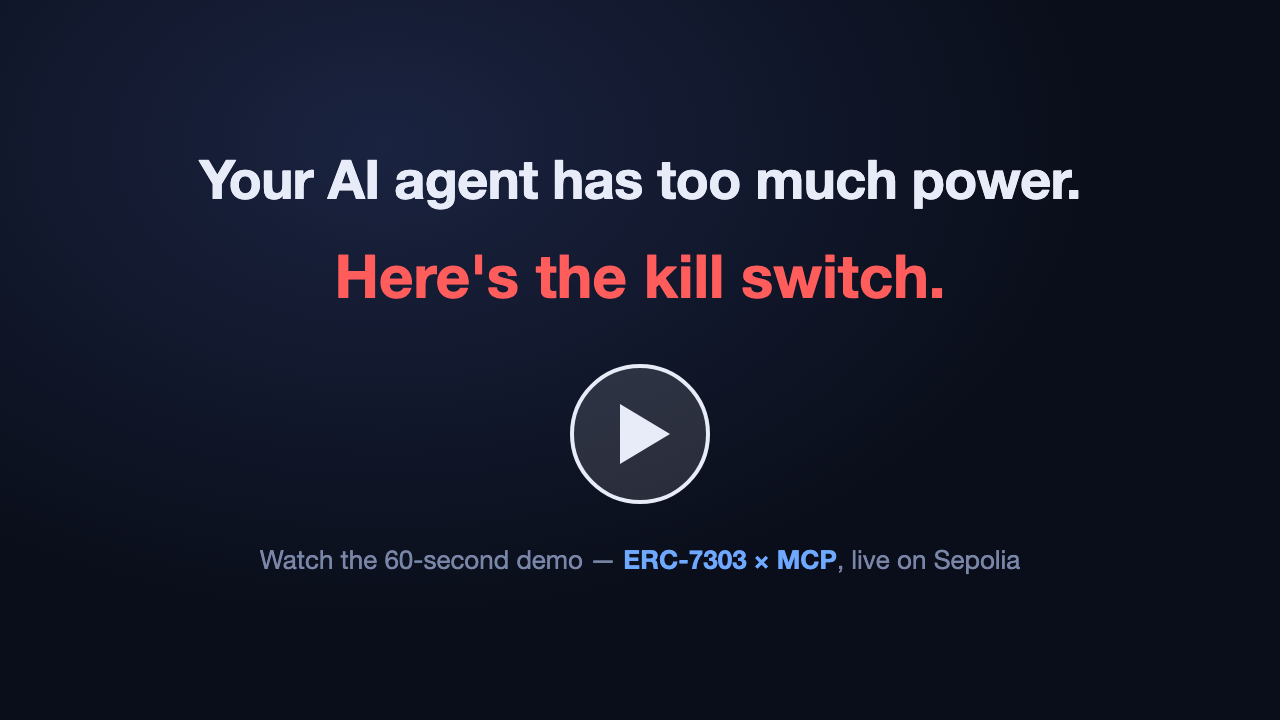
A human grants an AI agent a minting permission; the agent verifies it on-chain and mints an NFT. The human burns the role token — and the agent instantly loses the capability. Live on Sepolia, no permission server involved.
Quick start
The package is published on npm, so no clone or build is needed — npx
fetches and runs it directly:
Or in a project-scoped .mcp.json:
A fuller registration example is in
examples/claude.mcp.json. The admin private
key is only ever read from the TCTC_ADMIN_PRIVATE_KEY environment
variable; configs containing anything that looks like a private key are
rejected at startup.
Using tctc-mcp from your own app
The only supported entry point is the tctc-mcp bin — spawn it via
npx --no-install tctc-mcp (or node_modules/.bin/tctc-mcp). Never
reference the package's dist/ files directly: they are internal,
their layout is unversioned, and the package's exports field refuses
deep imports. A minimal MCP-SDK client example (the pattern for a web
backend) is in
examples/client-stdio.mjs; the release
pipeline verifies the packed bin end-to-end
(scripts/verify-pack.mjs).
Web application starter
Want to see tctc-mcp protecting a real API route?
tctc-openai-starter
is a standalone Next.js starter that verifies wallet ownership with
Sign-In with Ethereum, checks the configured role through tctc-mcp,
and calls OpenAI only when the on-chain gate grants access.
Use it as a GitHub template.
Token-gating any MCP server: tctc-gate
The reverse direction lives in this repo too:
tctc-gate (npm) is a
transparent stdio proxy that puts an ERC-7303 role check in front of any
existing MCP server, unmodified — deny comes back with a grant URL that
opens the dashboard pre-filled. tctc-mcp lets agents ask about roles;
tctc-gate enforces them at the boundary:
Tools
| Tool | Mode | Purpose |
|---|---|---|
list_roles | both | Configured roles and their control tokens |
check_role | both | Does an account hold a role? (live balanceOf, with evidence) |
check_all_roles | both | Session-start self-assessment across all roles |
discover_roles | both | Introspect any contract via IERC7303 — no role config needed |
resolve_agent | both* | ERC-8004 agentId → owner / agentURI / agentWallet / ERC-6551 TBA |
grant_role | admin | Mint the control token to a subject |
revoke_role | admin | Burn the subject's control token — the kill switch |
* registered only when the config has an identity section.
Subjects can be given as a raw address, as an ERC-8004 agentId
(resolved to its ERC-6551 Token Bound Account, the recommended binding
target), or omitted to use the config's self.
IERC7303 auto-discovery (v0.2)
ERC-7303 now defines an introspection interface
(ethereum/ERCs#1872, merged
2026-07-11): compliant contracts expose hasRole, control-token getters,
configuration events, and ERC-165 detection (interfaceId 0x4ee69337).
tctc-mcp uses it two ways:
-
targetroles — a role config names only the target contract; the server reads which control tokens gate the role from the contract itself, and the verdict is the target's ownhasRole()answer: -
discover_roles— introspect any address at run time, with no role configuration at all. Non-compliant contracts reportsupportsIERC7303: false; staticcontrolTokensconfigs remain the fallback for pre-IERC7303 deployments.
Working example: examples/config.sepolia.discovery.json
(secret-free, public RPC), verified live by scripts/e2e-discovery.mjs.
Timed roles: gasless auto-expiry (v0.3)
Delegation to an agent is usually short-term — "mint for one hour",
"act for the duration of this task". With an expiring control token
(ExpiringControlTokens),
balanceOf() returns 0 once the holder's expiry passes, so the role
revokes by itself, with no transaction — even if the principal
forgets, goes offline, or loses keys. The ERC-7303 target contract
needs no changes at all (the Sepolia expiry demo target is a
byte-for-byte copy of TCTCDemoToken).
-
Granting: a role whose grant template has
$expiresAtrequires an expiry —grant_rolewithexpiresInSeconds: 3600is "grant MINTER_ROLE for one hour": -
Checking:
check_roleevidence reportsexpiresAt(unix seconds) when the control token exposes it, so an agent can self-report "this permission expires in 5 minutes". -
Kill switch unchanged: expiry is a fail-safe, not a replacement —
revoke_role(issuer burn) still revokes immediately within the validity window.
Working example: the TIMED_MINTER_ROLE in
examples/config.sepolia.json, verified
live by scripts/e2e-expiry.mjs (grant for 75 s → watch it expire with
no further transaction).
Human dashboard
Live: https://tctc-mcp.vercel.app/ — while tctc-mcp exposes ERC-7303
roles to AI agents, the TCTC Dashboard exposes the same
on-chain state to the humans who manage them: inspect any IERC7303 target,
watch hasRole verdicts and per-control-token balanceOf evidence live,
grant/revoke as the issuer (with timed grants and countdowns for expiring
control tokens), and deploy new control-token collections straight from a
browser wallet. Two clients of one source of truth: the chain. See
dashboard/README.md for details and try-it links.
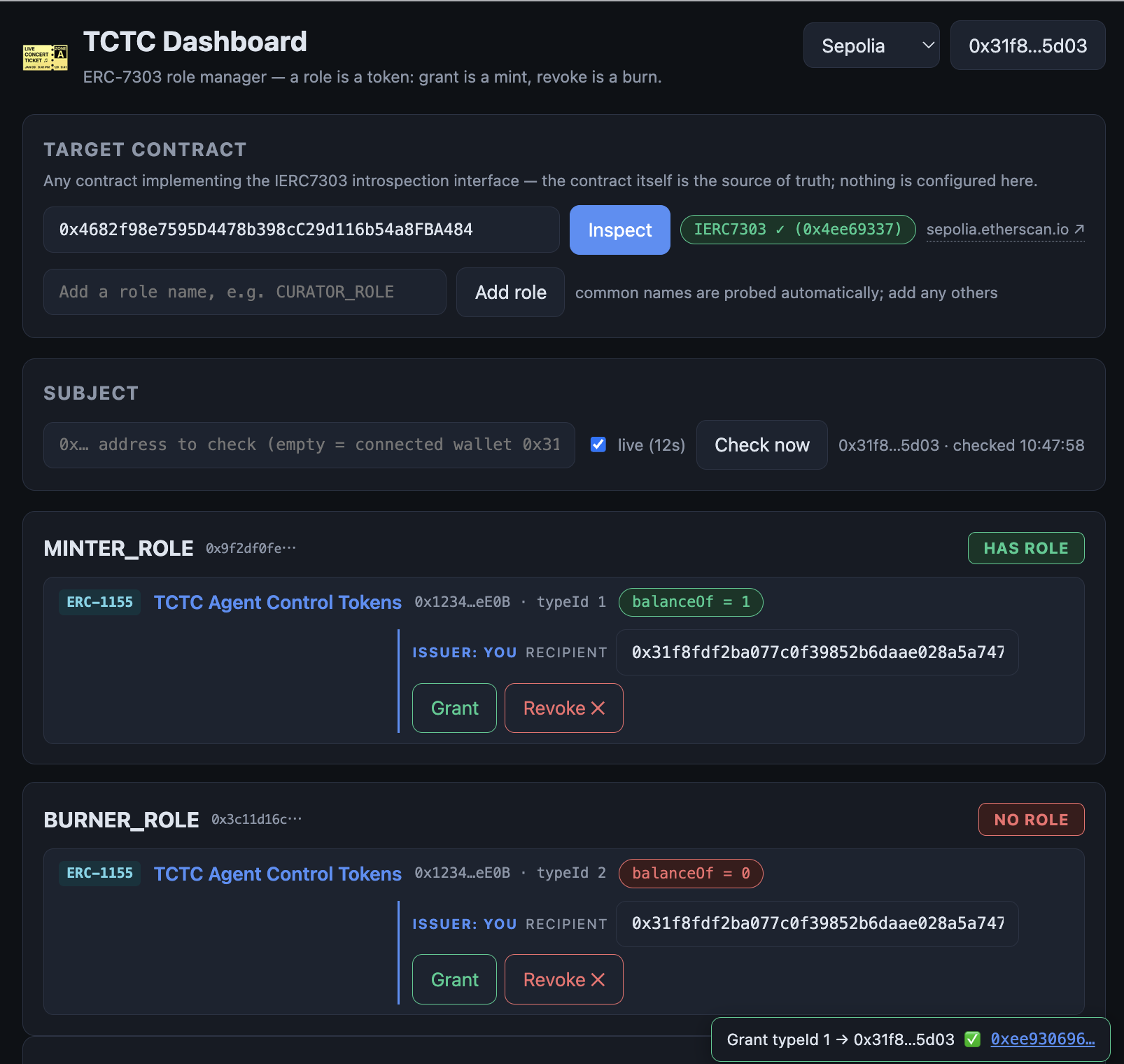
Not just for AI-agent delegation: any ERC-7303 contract works, so the dashboard doubles as a general-purpose on-chain permission manager — issue certificate collections, grant and revoke roles, and audit who holds what, all from a browser wallet.
Documents
Related MCP Servers
Reviews
No reviews yet — be the first to share how this listing worked for you.
Frequently Asked Questions about Tctc MCP
AllMCPs Directory Badge
Showcase your server listing on GitHub or your project documentation. Embed this dynamic SVG badge to highlight official listing status and live engagement.
Badge Style:
Live Dynamic SVG Preview
Markdown (GitHub README)
[](https://allmcps.com/mcp/tctc-mcp)HTML Embed
<a href="https://allmcps.com/mcp/tctc-mcp"><img src="https://allmcps.com/api/badge/tctc-mcp?style=directory" alt="Tctc MCP on AllMCPs" /></a>Technical Specs & Signals
CategoryFinance & Fintech
36Quality signal: Fair · 36/100How this signal is calculated ▾
Server availabilityNot measured
Not scored for repo-hosted servers — we can't reach the running server, only its GitHub page. Hosted MCP endpoints are health-checked live.
Verified ownership10/20
Documentation & tools16/30
Adoption & activity1/15
Community engagement0/10
A guidance signal from public completeness & health data — not a user rating. New listings start lower and rise as they add docs, get verified, and grow adoption. Signals we can't observe for a listing are skipped, not counted against it.
Own this project?
This directory is pre-filled from public sources. Claim via GitHub README, site badge, or DNS TXT to unlock edit access and the Official badge — proof is checked automatically, then reviewed by our team.
Free dofollow backlink: add your website and place the AllMCPs badge on it — no claim needed. We detect it automatically and keep it verified as long as the badge stays live.
Claim & get free dofollowShare & Embed
Add our SVG badge (dark/light directory styles) or embeddable widget to your site.