Stealth Agent Browser vs CDPM
A side-by-side look at the Stealth Agent Browser and CDPM MCP servers: transport, auth, tools, quality signals, and the config to install either one in Claude, Cursor, Windsurf or VS Code.
Verdict: choose Stealth Agent Browser for browser automation work as a local process; choose CDPM for browser automation as a local process. You can also run both side by side in one mcpServers block.
Which MCP server should you choose?
 Choose Stealth Agent Browser when
- You need dedicated capabilities in the Browser Automation domain.
- You prefer a local stdio subprocess transport.
- You want tools like
browser_navigate, browser_snapshot, browser_click.
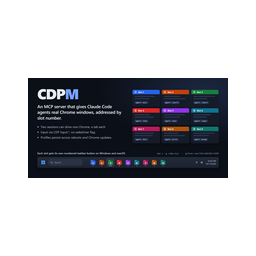 Choose CDPM when
- You need dedicated capabilities in the Browser Automation domain.
- You prefer a local stdio subprocess transport.
- Its auth model fits you: No auth required.
- You want tools like
browser_status, browser_launch, browser_close.
Feature & specification comparison
Rows where the two servers differ are marked.
| Spec | ||
|---|---|---|
| Category | Browser Automation | Browser Automation |
| Quality signal | 52/100 · Good | 64/100 · Good |
| Install command | Confirmed | Confirmed |
| Transport | Local subprocess (stdio) | Local subprocess (stdio) |
| Auth | Not declared | No auth required |
| Pricing | Not declared | Free |
| Required env vars | None listed | None listed |
| Verified owner | Community listing | Community listing |
| GitHub stars | 1 | 2 |
| Directory activity | 1 views 0 installs 0 upvotes | 1 views 0 installs 0 upvotes |
| Tools | 13 | 36 |
| Full listing | View Stealth Agent Browser | View CDPM |
Tools & capabilities
Stealth Agent Browser tools 13
browser_navigateNavigate a URL and return a snapshot.browser_snapshotaom` (YAML only, cheapest), `vision` (raw screenshot), or `hybrid` (YAML + Set-of-Mark screenshot).browser_clickClick an element by its `[ref=eN]`.browser_typeType into an input/textarea by ref.browser_selectChoose options in a `<select>` by ref.browser_scroll_readScroll and return Readability Markdown (delta-only by default).browser_wait_forWait for text or a ref to become visible.browser_tabslist` / `new` / `close` / `switch`.browser_evalEvaluate a JS expression in the page's MAIN world; JSON result.browser_set_proxyUpdate single-proxy config (effective after `browser_restart`).browser_set_proxy_poolReplace residential proxy pool at runtime (effective after `browser_restart`).browser_solve_captchaFallback captcha solver (CapSolver / 2Captcha). Detects Turnstile/hCaptcha/reCAPTCHA on the page.- +1 more on the listing page
CDPM tools 36
browser_statusShows running Chrome slots (1-30) with their tabs, opener, last action and one-line summary. Pass slot for just that slot.browser_launchStarts slot Chrome. Call only when the user explicitly asks (other tools never start a closed slot). Without slot, uses the lowest free slot. If already running, just attaches. The user decides windowed (visible) vs headless (hidden): headless: true only if they say "headless/hidden". If unstated, don't guess; ask first, then call with headless. Starting a closed slot without headless only returns a confirmation request. Start several slots at once with slots (list) or count (lowest first). For different jobs per slot, after launching give each slot its own subagent in parallel.browser_closeCloses slot Chrome cleanly (session and cookies saved). The profile (logins) is kept. Reports if another agent used it recently.browser_tabsSlot tab list: number, ID, title, URL, opener, last action, per-tab summary (updated only by actions with summary). "·front" marks the tab currently in front in its window (one per window).browser_tab_newOpens a new tab in the slot and returns its ID. When agents share a slot, open your own tab and work only by its ID to avoid mixing.browser_tab_closeCloses a tab. tab is required.browser_tab_selectBrings a tab to the front of its Chrome window. Changes what the user sees, so use only when the user wants it. (Background tabs can be read, operated and captured; no need to bring them forward to work.)browser_snapshotReads the tab as accessibility-tree text. Clickable/typable elements get refs like [e12]. Long pages are split; only page 1 (top) is shown (page=2 to continue; refs stay the same across pages). find="text" shows only matching elements with their parent context; ref="e40" shows only that element's subtree. Refs change when the page changes, so re-snapshot before acting.browser_textReads the page body text (main/article if present). With ref, only that element's text. Shorter and easier than a snapshot for articles/documents. Use page for long text.browser_screenshotCaptures the visible area of the tab as PNG, even background tabs (without switching). Never changes window size or viewport, so full-page capture is unsupported (scroll then capture, or use snapshot/text).browser_navigateNavigates the tab to a URL and waits for the body to load.browser_backGo back.- +24 more on the listing page
Ready-to-paste client configs
Paste either block (or both) into your client config, e.g. claude_desktop_config.json or ~/.cursor/mcp.json. We only show a config when the install command is confirmed.
Stealth Agent Browser
{
  "mcpServers": {
    "stealth-agent-browser": {
      "command": "npx",
      "args": [
        "-y",
        "playwright-core"
      ]
    }
  }
}
CDPM
{
  "mcpServers": {
    "igelharine-cdpm": {
      "command": "npx",
      "args": [
        "-y",
        "cdpm-mcp"
      ]
    }
  }
}
Frequently asked questions
Stealth Agent Browser is categorized under Browser Automation and uses a local stdio subprocess. CDPM belongs to Browser Automation and uses a local stdio subprocess. Pick Stealth Agent Browser for browser automation work and CDPM for browser automation.
Copy the mcpServers block from the config section on this page into your client's config (for example claude_desktop_config.json or ~/.cursor/mcp.json), then fully restart the client.
Stealth Agent Browser has no declared pricing — check the project's own site. CDPM is listed as free. Auth: no auth required. If a server needs environment variables such as API keys, define them under the env key in your client's MCP config.
Yes. MCP clients support multiple servers: add stealth-agent-browser and igelharine-cdpm as separate keys in the same mcpServers object, and your assistant will call tools from either one.
On AllMCPs, Stealth Agent Browser has a quality signal of 52/100 (Good) with 1 views, 0 installs and 1 GitHub stars. CDPM has 64/100 (Good) with 1 views, 0 installs and 2 GitHub stars.
