ScrapeGraphAI Scrapegraph MCP vs Search1API
A side-by-side look at the ScrapeGraphAI Scrapegraph MCP and Search1API MCP servers: transport, auth, tools, quality signals, and the config to install either one in Claude, Cursor, Windsurf or VS Code.
Verdict: choose ScrapeGraphAI Scrapegraph MCP for search & data extraction work as a local process; choose Search1API for search & data extraction as a local process. You can also run both side by side in one mcpServers block.
Which MCP server should you choose?
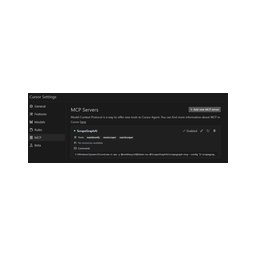 Choose ScrapeGraphAI Scrapegraph MCP when
- You need dedicated capabilities in the Search & Data Extraction domain.
- You prefer a local stdio subprocess transport.
- You have the keys it needs:
SGAI_API_KEY. - You want tools like
markdownify, smartscraper, searchscraper.
 Choose Search1API when
- You need dedicated capabilities in the Search & Data Extraction domain.
- You prefer a local stdio subprocess transport.
- You have the keys it needs:
SEARCH1API_KEY. - You want tools like
search, news, crawl.
Feature & specification comparison
Rows where the two servers differ are marked.
| Spec | ||
|---|---|---|
| Category | Search & Data Extraction | Search & Data Extraction |
| Quality signal | 59/100 · Good | 68/100 · Great |
| Install command | Confirmed | Confirmed |
| Transport | Local subprocess (stdio) | Local subprocess (stdio) |
| Auth | Not declared | Not declared |
| Pricing | Not declared | Not declared |
| Required env vars | SGAI_API_KEY | SEARCH1API_KEY |
| Verified owner | Community listing | Community listing |
| GitHub stars | 117 | 173 |
| Directory activity | 1 views 0 installs 0 upvotes | 1 views 0 installs 0 upvotes |
| Tools | 8 | 7 |
| Full listing | View ScrapeGraphAI Scrapegraph MCP | View Search1API |
Tools & capabilities
ScrapeGraphAI Scrapegraph MCP tools 8
markdownifyConvert a webpage into clean, formatted markdown. This tool fetches any webpage and converts its content into clean, readable markdown format. Useful for extracting content from documentation, articles, and web pages for further processing. Costs 2 credits per page. Read-only operation with no side effects.smartscraperExtract structured data from a webpage, HTML, or markdown using AI-powered extraction. This tool uses advanced AI to understand your natural language prompt and extract specific structured data from web content. Supports three input modes: URL scraping, local HTML processing, or local markdown processing. Ideal for extracting product information, contact details, article metadata, or any structured content. Costs 10 credits per page. Read-only operation. Args: user_prompt (str): Natural language instructions describing what data to extract. - Be specific about the fields you want for better results - Use clear, descriptive language about the target data - Examples: * "Extract product name, price, description, and availability status" * "Find all contact methods: email addresses, phone numbers, and social media links" * "Get article title, author, publication date, and summary" * "Extract all job listings with title, company, location, and salary" - Tips for better results: * Specify exact field names you want * Mention data types (numbers, dates, URLs, etc.) * Include context about where data might be located website_url (Optional[str]): The complete URL of the webpage to scrape. - Mutually exclusive with website_html and website_markdown - Must include protocol (http:// or https://) - Supports dynamic and static content - Examples: * https://example.com/products/item * https://news.site.com/article/123 * https://company.com/contact - Default: None (must provide one of the three input sources) website_html (Optional[str]): Raw HTML content to process locally. - Mutually exclusive with website_url and website_markdown - Maximum size: 2MB - Useful for processing pre-fetched or generated HTML - Use when you already have HTML content from another source - Example: "<html><body><h1>Title</h1><p>Content</p></body></html>" - Default: None website_markdown (Optional[str]): Markdown content to process locally. - Mutually exclusive with website_url and website_html - Maximum size: 2MB - Useful for extracting from markdown documents or converted content - Works well with documentation, README files, or converted web content - Example: "# Title ## Section Content here..." - Default: None output_schema (Optional[Union[str, Dict]]): JSON schema defining expected output structure. - Can be provided as a dictionary or JSON string - Helps ensure consistent, structured output format - Optional but recommended for complex extractions - Examples: * As dict: {'type': 'object', 'properties': {'title': {'type': 'string'}, 'price': {'type': 'number'}}} * As JSON string: '{"type": "object", "properties": {"name": {"type": "string"}}}' * For arrays: {'type': 'array', 'items': {'type': 'object', 'properties': {...}}} - Default: None (AI will infer structure from prompt) number_of_scrolls (Optional[int]): Number of infinite scrolls to perform before scraping. - Range: 0-50 scrolls - Default: 0 (no scrolling) - Useful for dynamically loaded content (lazy loading, infinite scroll) - Each scroll waits for content to load before continuing - Examples: * 0: Static content, no scrolling needed * 3: Social media feeds, product listings * 10: Long articles, extensive product catalogs - Note: Increases processing time proportionally total_pages (Optional[int]): Number of pages to process for pagination. - Range: 1-100 pages - Default: 1 (single page only) - Automatically follows pagination links when available - Useful for multi-page listings, search results, catalogs - Examples: * 1: Single page extraction * 5: First 5 pages of search results * 20: Comprehensive catalog scraping - Note: Each page counts toward credit usage (10 credits × pages) render_heavy_js (Optional[bool]): Enable heavy JavaScript rendering for dynamic sites. - Default: false - Set to true for Single Page Applications (SPAs), React apps, Vue.js sites - Increases processing time but captures client-side rendered content - Use when content is loaded dynamically via JavaScript - Examples of when to use: * React/Angular/Vue applications * Sites with dynamic content loading * AJAX-heavy interfaces * Content that appears after page load - Note: Significantly increases processing time (30-60 seconds vs 5-15 seconds) stealth (Optional[bool]): Enable stealth mode to avoid bot detection. - Default: false - Helps bypass basic anti-scraping measures - Uses techniques to appear more like a human browser - Useful for sites with bot detection systems - Examples of when to use: * Sites that block automated requests * E-commerce sites with protection * Sites that require "human-like" behavior - Note: May increase processing time and is not 100% guaranteed Returns: Dictionary containing: - extracted_data: The structured data matching your prompt and optional schema - metadata: Information about the extraction process - credits_used: Number of credits consumed (10 per page processed) - processing_time: Time taken for the extraction - pages_processed: Number of pages that were analyzed - status: Success/error status of the operation Raises: ValueError: If no input source provided or multiple sources provided HTTPError: If website_url cannot be accessed TimeoutError: If processing exceeds timeout limits ValidationError: If output_schema is malformed JSONsearchscraperPerform AI-powered web searches with structured data extraction. This tool searches the web based on your query and uses AI to extract structured information from the search results. Ideal for research, competitive analysis, and gathering information from multiple sources. Each website searched costs 10 credits (default 3 websites = 30 credits). Read-only operation but results may vary over time (non-idempotent).smartcrawler_initiateInitiate an asynchronous multi-page web crawling operation with AI extraction or markdown conversion. This tool starts an intelligent crawler that discovers and processes multiple pages from a starting URL. Choose between AI Extraction Mode (10 credits/page) for structured data or Markdown Mode (2 credits/page) for content conversion. The operation is asynchronous - use smartcrawler_fetch_results to retrieve results. Creates a new crawl request (non-idempotent, non-read-only). SmartCrawler supports two modes: - AI Extraction Mode: Extracts structured data based on your prompt from every crawled page - Markdown Conversion Mode: Converts each page to clean markdown formatsmartcrawler_fetch_resultsRetrieve the results of an asynchronous SmartCrawler operation. This tool fetches the results from a previously initiated crawling operation using the request_id. The crawl request processes asynchronously in the background. Keep polling this endpoint until the status field indicates 'completed'. While processing, you'll receive status updates. Read-only operation that safely retrieves results without side effects.scrapeFetch raw page content from any URL with optional JavaScript rendering. This tool performs basic web scraping to retrieve the raw HTML content of a webpage. Optionally enable JavaScript rendering for Single Page Applications (SPAs) and sites with heavy client-side rendering. Lower cost than AI extraction (1 credit/page). Read-only operation with no side effects.sitemapExtract and discover the complete sitemap structure of any website. This tool automatically discovers all accessible URLs and pages within a website, providing a comprehensive map of the site's structure. Useful for understanding site architecture before crawling or for discovering all available content. Very cost-effective at 1 credit per request. Read-only operation with no side effects.agentic_scrapperExecute complex multi-step web scraping workflows with AI-powered automation. This tool runs an intelligent agent that can navigate websites, interact with forms and buttons, follow multi-step workflows, and extract structured data. Ideal for complex scraping scenarios requiring user interaction simulation, form submissions, or multi-page navigation flows. Supports custom output schemas and step-by-step instructions. Variable credit cost based on complexity. Can perform actions on the website (non-read-only, non-idempotent). The agent accepts flexible input formats for steps (list or JSON string) and output_schema (dict or JSON string) to accommodate different client implementations.
Search1API tools 7
searchSearch the live public web when the user needs current information, sources, or research. Returns citable results with id, title, URL, and text. Each result includes a URL that can be read in full.newsSearch current news when the user asks about recent events, announcements, or coverage. Returns citable article results with title, URL, snippet, and optional extracted text.crawlExtract the readable title and full text from a public URL supplied by the user or returned by search.sitemapDiscover related public links from a page or domain when the user wants to explore a site's structure or available pages.trendingList currently trending repositories or stories from GitHub or Hacker News when the user asks what is popular now.askDescribe what you are looking for in natural language when you do not know which source to search. Search1API picks up to five engines (web, Hacker News, Reddit, GitHub, X, arXiv, Wikipedia, and more), infers a time window from phrases such as "this week", and returns at most 10 relevant results ranked by relevance. Costs 5 credits; use search when you already know the engine.render_resultsPresent already retrieved source results as source cards when the host supports UI, with a complete readable text list otherwise. Use when the user wants to browse sources or a visual list helps the task. Pass existing results in the desired order; never invent source URLs or factual titles. Does not search, crawl, fetch URLs, verify sources, or consume search credits. Do not call for intermediate research results or when a text answer is sufficient.
Ready-to-paste client configs
Paste either block (or both) into your client config, e.g. claude_desktop_config.json or ~/.cursor/mcp.json. We only show a config when the install command is confirmed.
ScrapeGraphAI Scrapegraph MCP
{
  "mcpServers": {
    "scrapegraphai-scrapegraph-mcp": {
      "command": "uvx",
      "args": [
        "scrapegraph-mcp"
      ],
      "env": {
        "SGAI_API_KEY": "YOUR_SGAI_API_KEY_HERE"
      }
    }
  }
}
Search1API
{
  "mcpServers": {
    "search1api": {
      "command": "npx",
      "args": [
        "-y",
        "search1api-mcp"
      ],
      "env": {
        "SEARCH1API_KEY": "YOUR_SEARCH1API_KEY_HERE"
      }
    }
  }
}
Frequently asked questions
ScrapeGraphAI Scrapegraph MCP is categorized under Search & Data Extraction and uses a local stdio subprocess. Search1API belongs to Search & Data Extraction and uses a local stdio subprocess. Pick ScrapeGraphAI Scrapegraph MCP for search & data extraction work and Search1API for search & data extraction.
Copy the mcpServers block from the config section on this page into your client's config (for example claude_desktop_config.json or ~/.cursor/mcp.json), then fully restart the client.
ScrapeGraphAI Scrapegraph MCP has no declared pricing — check the project's own site. Search1API has no declared pricing — check the project's own site. If a server needs environment variables such as API keys, define them under the env key in your client's MCP config.
Yes. MCP clients support multiple servers: add scrapegraphai-scrapegraph-mcp and search1api as separate keys in the same mcpServers object, and your assistant will call tools from either one.
On AllMCPs, ScrapeGraphAI Scrapegraph MCP has a quality signal of 59/100 (Good) with 1 views, 0 installs and 117 GitHub stars. Search1API has 68/100 (Great) with 1 views, 0 installs and 173 GitHub stars.