This listing appears offline
Our automated checks couldn’t reach the source repository, so we’ve removed it from search, browse, and the API — this page stays reachable at this direct link only. If this is your project, claim it to fix the link and restore visibility.
Claim this listingaggregatormcptool-managementpolicy-gateprotocol-bridge
Zero-dependency MCP gateway that hosts, forwards, filters, and gates tools with live config and protocol bridging.
Quick Install
Automated & IDE SetupCopy the AI prompt to install this server into Claude Code, Cursor, or another agent — or use 1-click editor setup below.
One-click editor setup isn’t available for this listing yet — we don’t have a confirmed install command, and we’d rather show nothing than point your editor at the wrong package or host. Follow the project’s own setup instructions, linked above.
Manual Client & Custom JSON ConfigExpand JSON ▾
No confirmed setup config for this listing yet. We only publish a config block when the install details come from the project itself — its README, its docs, or a verified owner. We haven’t found those for Rendeverance/toolfunnel, and we’d rather show nothing than a guess you’d paste into your client. Follow the project’s own setup instructions for the current steps.
Overview
Use cases
Host and serve your own MCP tools without writing code
Aggregate and curate tools from multiple MCP servers into one lean endpoint
Apply server-side policy gating to control tool execution consistently
Dynamically attach or detach upstream MCP servers without downtime
Wrap legacy MCP servers to support modern clients and vice versa
Key features
Zero-dependency, no-code MCP server creation
Lean tool register with on-demand full tool instructions
Server-side PreToolUse/PostToolUse policy hooks
Live configuration via JSON files, web UI, or in-band commands
Automatic reconnect and self-healing of attached MCP servers
Dual-era MCP protocol wrapping for compatibility
Capabilities & Tool Schemas
Inspect callable tools, capabilities, and parameters exposed to AI agents by Toolfunnel.
Extracted Tool Capabilities
Zero-dependency, no-code MCP server creation
Lean tool register with on-demand full tool instructions
Server-side PreToolUse/PostToolUse policy hooks
Live configuration via JSON files, web UI, or in-band commands
Automatic reconnect and self-healing of attached MCP servers
Dual-era MCP protocol wrapping for compatibility
Documentation Overview
ToolFunnel


A zero-dependency MCP and Local tool gateway: host your own tools in any language, forward and curate tools from other MCP servers, expose them leanly to cut agent token cost, gate every call through your own policy hooks before it runs, create your own MCP servers easily with zero code - and wrap any MCP server so it speaks both protocol eras, invisibly.
Zero code, zero dependencies: your own MCP server in 60 seconds - from three ordinary scripts to a named, packaged, policy-gated MCP server (everything on screen is real output; see demo/):
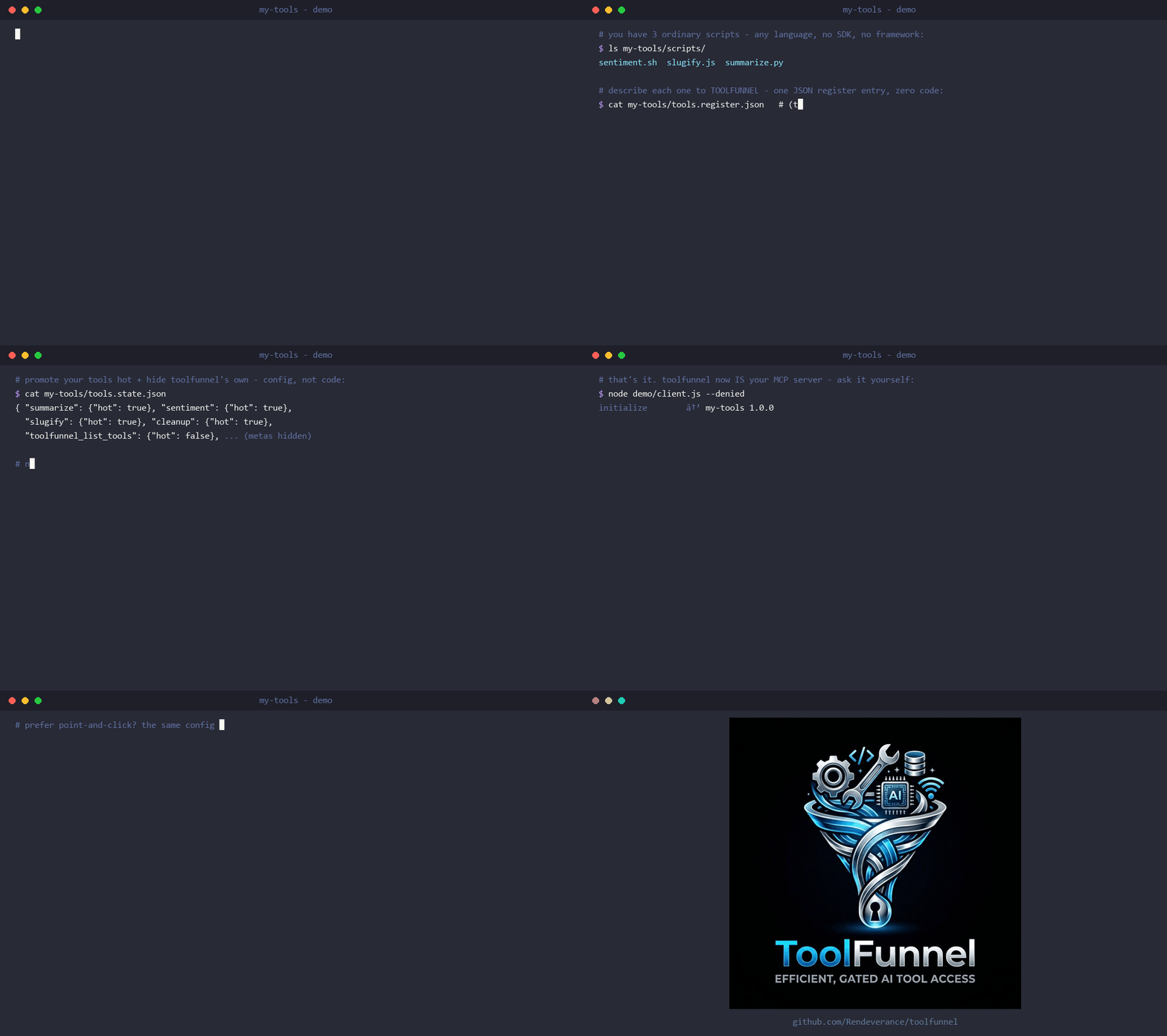
📖 Full documentation: the ToolFunnel User Manual - installation, the web UI, writing tools, attaching MCP servers, the policy gate, packaging, and troubleshooting, all illustrated with screenshots and worked examples. This README is the overview; the manual is the reference.
The problem
Toolfunnel is designed to solve multiple issues in one package :)
The Model Context Protocol (MCP) lets an AI agent call tools from many servers. But every connected server dumps all of its tool schemas into the model's context on every turn. Connect a handful of rich MCP servers and you've spent thousands of tokens describing tools the agent won't use this turn - slower, costlier, noisier.
Similarly, working with AI I found myself generating many many tools, some of which I wanted to use with different AI workflows, some I didn't, and I didn't want to keep setting them up, I also didn't wish to keep many different setups for different workflows. Therefore ToolFunnel was born so that all of my multi-use tools and common MCP servers can be in one place, with any workflow, and I can easily select which I want to use with whatever workflow and even change or add tools during a session with simple toggles in the UI. I also wanted to wire up and test MCPs live, in the running session, without resetting the CLI or restarting anything - and have their tools show up in the tools list straight away; ToolFunnel does exactly that.
Often also, there's also no consistent way to govern what an agent may run: hooks and policies live in the host (a specific CLI or otherwise), so they don't travel when you switch clients - with ToolFunnel, this is easy because your hooks travel with the tools - it can become your one swiss-army knife for many different workflows.
Additionally, I wanted an easy and consistent way to package my own tools and create new MCP servers from other tools, whatever language they were written in. FastMCP could do that, but not everything is written in python. I also didn't want to audit huge numbers of dependencies - a personal choice, yes - so I wanted something that could be audited quickly and easily.
Finally, when the MCP changes were announced as breaking changes, it became apparent this would eventually break a lot of MCP servers and/or clients out there, many of which might not be actively maintained. Not only that but changing MCP protocol generations takes time and might take considerable effort depending on the complexity of the server - therefore I added a quick, simple single command tool that allows ToolFunnel to wrap an MCP and easily translate between new and legacy protocols - quick, low effort, maximum gain.
At the time of writing, I have 14 MCP tools and 98 local tools all accessed through toolfunnel, gated as required.
What ToolFunnel does
ToolFunnel is one small MCP server that sits between your agent and everything else:
- Hosts your own tools - define first-party tools in a JSON register and serve them directly. Seven demo tools ship in the box.
- Forwards other MCP servers - leanly. Attach an upstream MCP and its tools appear in the same lean register as your own, runnable through the gate. Curate which appear, promote a chosen few to top-level "every-turn" tools, or leave them lean by default.
- Lean register - the agent sees short tool briefs; the full instructions for a tool are fetched on demand, so context stays small. (This is the token saver.)
- Server-side policy gate - every server-side execution path fires your PreToolUse / PostToolUse hooks inside the gateway, so your policy works on any client, not just hosts that support hooks. The gate travels with the gateway, and fails closed.
- Configure by file, UI, or in-band - plain JSON files, an optional loopback web UI, or ten in-band management functions (
tf_*) all add / curate / toggle tools, upstreams, and hooks - live, no restart - and package the whole setup for deployment. - Audit when you want it - a toggleable JSONL log (default off) records tool runs, every gate allow/deny decision, and every upstream connect / disconnect / reconnect.
- Live & self-healing - attach/curate/toggle on a running gateway with no restart; if an attached MCP's process dies, the gateway detects it and reconnects in the background with backoff.
- Build your own MCP server, no code, no SDK - assemble scripts and curated upstream tools, switch the meta-tools off, and ToolFunnel is your MCP server;
tf_packships it as anpx-installable npm package. - Wrap any MCP server - one command turns ToolFunnel into a transparent, dual-era wrapper for a single MCP server: modern clients can use legacy servers, legacy clients can use modern servers, and neither side can tell ToolFunnel is there. (The headline of the dual-era work - see below.)
Under the hood
The reasoning behind the bigger design decisions (why no SDK, why fail-closed, why zero dependencies, where the isolation boundary sits) is in docs/design.md.
The version log is contained within the release notes; what is still open is in docs/KNOWN_BUGS.md
The security model is in SECURITY.md.
Wrap any MCP server - one command, both protocol eras, invisible
The 2026-07-28 MCP revision is a breaking protocol change: it removes the initialize handshake and sessions that every earlier server and client is built on. When clients upgrade, unmaintained legacy servers stop working with them; older clients can't talk to new-style servers at all. A lot of good tools are going to get stranded on the wrong side of that line.
toolfunnel wrap <server> un-strands them:
Watch it happen (everything on screen is real output):
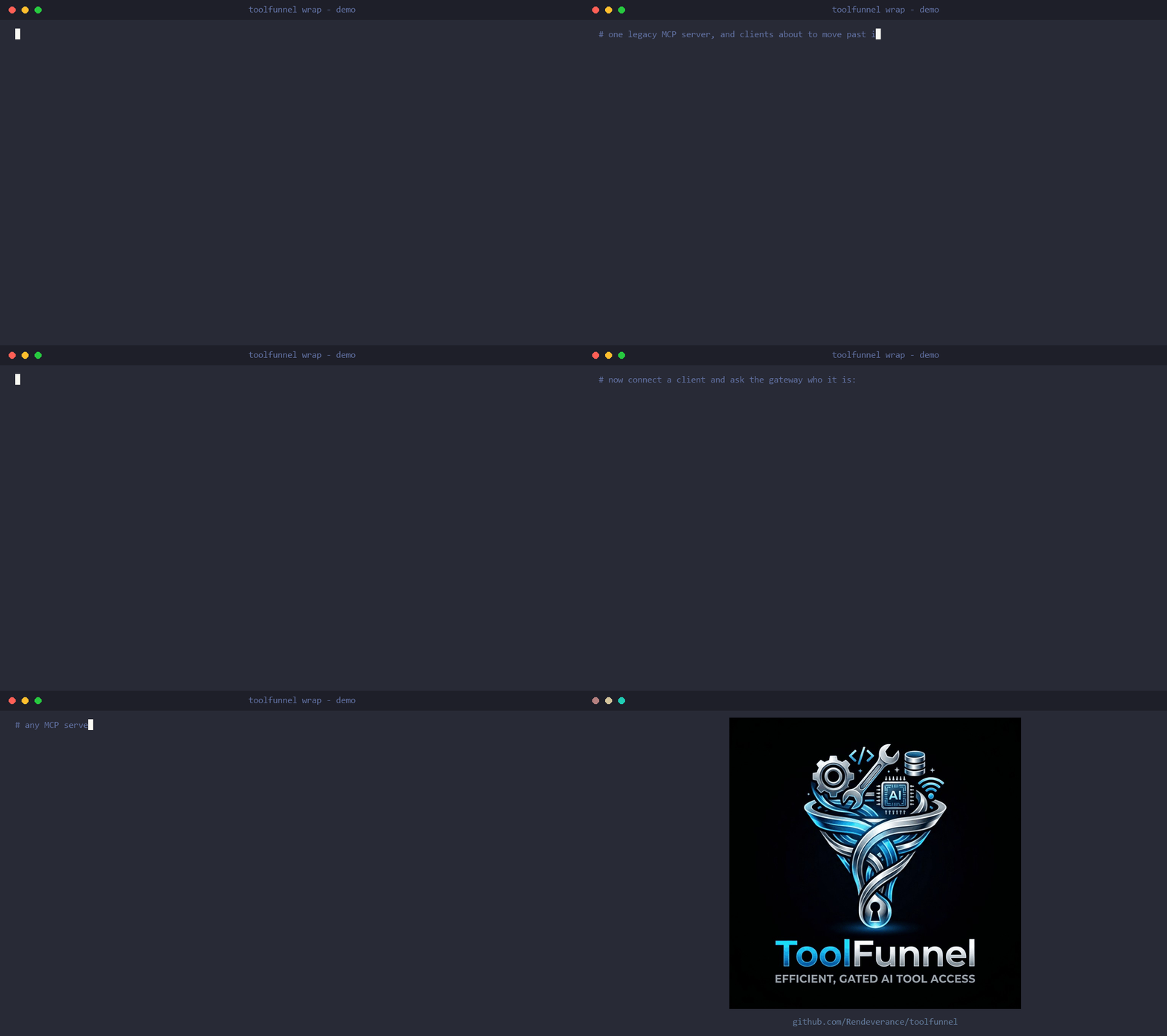
That's it - zero configuration. The name is an attached upstream's id (not attached yet? that's one tf_mcp_add call or UI row first). The command probes the server and tells you which protocol era(s) it speaks; if the server needs paths outside the gateway root (a filesystem server serving your documents folder, say) you get a clear security notice up front explaining exactly what that means.
The wrap survives restarts, and the web UI has the same controls (Wrap / Unwrap on the MCPs tab). ToolFunnel becomes that server, for both eras at once:
- Any client, any server, any combination. Legacy client → modern server, modern client → legacy server, or matched pairs - all four combinations work through the same wrap. The gateway speaks both dialects natively and translates between them.
- Invisible from both sides. The client sees the wrapped server's own identity, tools, results, errors, and notifications - byte-for-byte, verified against real published servers. The server sees a normal client with your client's identity. No renamed tools, no injected prefixes, no "via toolfunnel" tells - the wrap presents the server as itself.
- The hard parts are bridged, not dropped. Mid-call user prompts (elicitation) from a legacy server are translated into the modern retry pattern and back - for modern clients; a legacy client gets a clean decline rather than a hang (the bridge targets the era gap, and legacy-to-legacy relay is on the roadmap). Resource subscriptions survive - and are silently re-established if the wrapped server crashes and reconnects. Progress tokens flow through. Cancellations are translated into the server's own request ids.
- Still governable when you want it. Wrapping doesn't switch off the gate: every call can still pass your PreToolUse hooks, and every tool still has its visibility dials - hide a dangerous tool, and it vanishes from the wrapped surface too. Transparency is the default; the levers are opt-in.
Use it to keep a favourite unmaintained server alive past the cutover, to give a modern-only server to your older tooling, or just to put a policy gate in front of a server you didn't write - without its client ever knowing.
Full details (including the security model for wrapped servers with filesystem access): the manual.
Build your own MCP server - no code, no SDK
ToolFunnel is a no-code MCP builder. Point it at a few scripts (any language), curate a set of tools from other MCP servers, or mix both, then switch its own four meta-tools off - and what your agent connects to is a plain, top-level MCP server presenting exactly your chosen tools. No decorators, no framework, no @tool boilerplate, no Python. One tf_pack call turns it into a publishable npm package your users install with npx your-mcp.
Related MCP Servers
Adoption & maintenance
Factual signals from GitHub, npm, and our automated checks — not a rating.
GitHub stars
20
Stargazers on the source repository.
Directory activity
3 views
Config copies, upvotes, and views on AllMCPs.
Reviews
No reviews yet — be the first to share how this listing worked for you.
Frequently Asked Questions about Toolfunnel
AllMCPs Directory Badge
Showcase your server listing on GitHub or your project documentation. Embed this dynamic SVG badge to highlight official listing status and live engagement.
Badge Style:
Live Dynamic SVG Preview
Markdown (GitHub README)
[](https://allmcps.com/mcp/rendeverance-toolfunnel)HTML Embed
<a href="https://allmcps.com/mcp/rendeverance-toolfunnel"><img src="https://allmcps.com/api/badge/rendeverance-toolfunnel?style=directory" alt="Toolfunnel on AllMCPs" /></a>Technical Specs & Signals
CategoryAggregators
PricingFree
40Quality signal: Fair · 40/100How this signal is calculated ▾
Server availabilityNot measured
Not scored for repo-hosted servers — we can't reach the running server, only its GitHub page. Hosted MCP endpoints are health-checked live.
Verified ownership8/20
Documentation & tools19/30
Adoption & activity3/15
Community engagement0/10
A guidance signal from public completeness & health data — not a user rating. New listings start lower and rise as they add docs, get verified, and grow adoption. Signals we can't observe for a listing are skipped, not counted against it.
Own this project?
This directory is pre-filled from public sources. Claim via GitHub README, site badge, or DNS TXT to unlock edit access and the Official badge and attach your website — proof is checked automatically, then reviewed by our team.
Free dofollow backlink: add your website and place the AllMCPs badge on it — no claim needed. We detect it automatically and keep it verified as long as the badge stays live.
Claim & get free dofollowShare & Embed
Add our SVG badge (dark/light directory styles) or embeddable widget to your site.