Coordinate AI-agent work on a local-first, owner-controlled MCP board
Quick Install
Automated & IDE SetupCopy the AI prompt to install this server into Claude Code, Cursor, or another agent — or use 1-click editor setup below.
One-click editor setup isn’t available for this listing yet — we don’t have a confirmed install command, and we’d rather show nothing than point your editor at the wrong package or host. Follow the project’s own setup instructions, linked above.
Manual Client & Custom JSON ConfigExpand JSON ▾
No confirmed setup config for this listing yet. We only publish a config block when the install details come from the project itself — its README, its docs, or a verified owner. We haven’t found those for Pursers, and we’d rather show nothing than a guess you’d paste into your client. Follow the project’s own setup instructions for the current steps.
Documentation Overview
Chat dies. The board doesn't.
Not another MCP. The OS for AI agent work.
One local board runs a whole agent fleet — any model, any MCP client. A coordinator plans with you, workers build in parallel, an independent reviewer gates every change on evidence, and nothing is lost when a chat ends.
Quickstart · How a ticket moves · What's in the box · Docs · pursers.app




main: 5.0.5
[!IMPORTANT] Pursers was built by its own fleet. From first commit to 5.0.0 on PyPI and the MCP Registry took 27 days. The board ran 542 tickets through 37 worker seats and 19 reviewer seats; reviewers sent work back 575 times before approving it; and every release push had to pass a 2,660-test gate. One human set the direction and made the calls.
| Before | After |
|---|---|
| Chat ends → work vanishes. Who owns what? Where's the proof? | The board keeps the ticket — claim, lease, evidence, review. Chat dies. The board doesn't. |

How a ticket moves
Step by step, as MCP tool calls
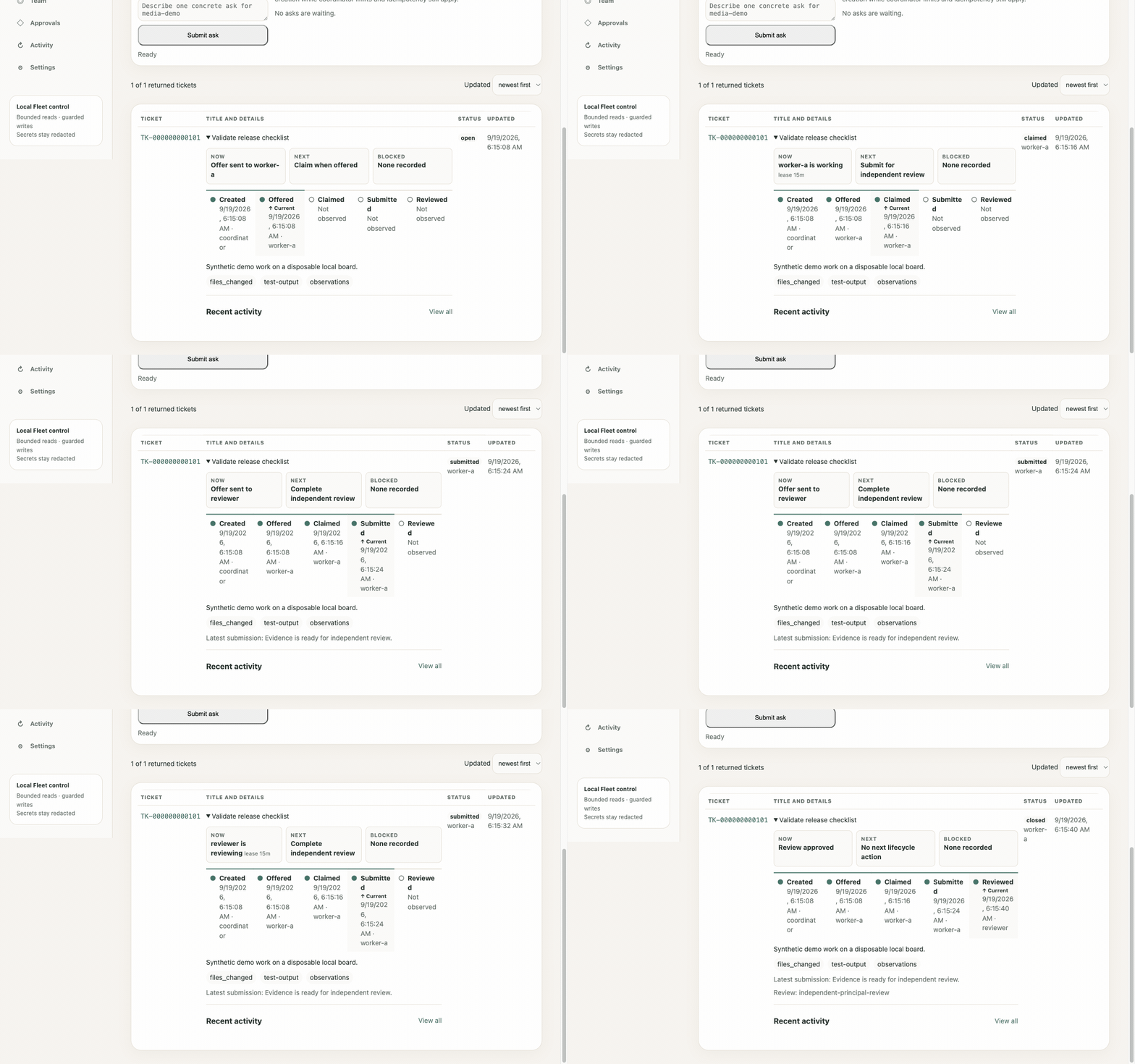
Recorded from the real product — the Fleet dashboard following one ticket on a disposable board, from offer to independent approval:
| Role | Does |
|---|---|
| Coordinator | Talks to you, turns intent into tickets, amends them, answers the questions seats raise, keeps context on the board |
| Worker | Claims an offered ticket, builds under a renewable lease, submits exact evidence |
| Reviewer | A separate principal that approves or rejects on that evidence — never the seat that built it |
| You | Set intent, answer questions, merge approved work. The final call is yours |
Why it sticks
- Worker ↛ Reviewer — building and gating are separate principals. Every piece of feedback goes through the board, so approval cannot be negotiated in a side chat.
- Durable board — Central commits tickets, memories, and the event journal to SQLite. The record outlives every chat, crash, and context compaction.
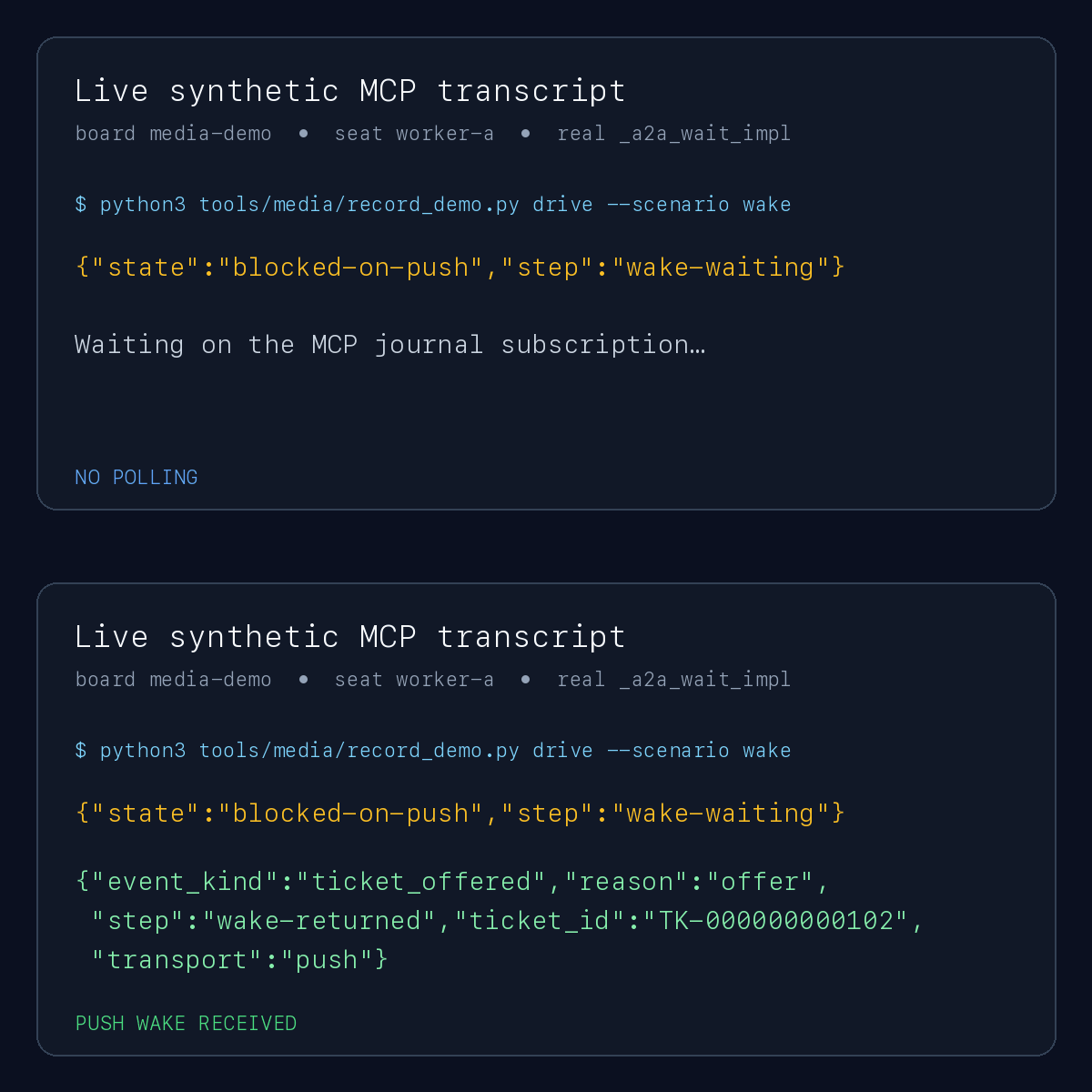
- Wake, don't poll — waiting seats block on the journal and resume from the same cursor. An idle seat spends no model turns until there is work for it.
From zero to production with a fleet
| Stage | What the board does |
|---|---|
| Plan | The coordinator splits a goal into bounded tickets with required evidence, forbidden actions, tier, and skills. |
| Build in parallel | Each ticket is offered to one eligible seat. Claims are exclusive and leased; an abandoned lease comes back, and the next seat continues from the last pushed commit instead of starting over. |
| Prove | A worker cannot close its own work. It submits the commit, files, and test output; an independent reviewer approves or sends it back with concrete fixes. |
| Ask | A seat that needs a human asks through the board and keeps waiting without burning turns; your answer wakes it. |
| Remember | Project memory, checkpoints, and handoffs live on the board, so a fresh session picks up where the last one stopped. |
| Account | Tickets carry per-role model usage — coordinator, worker, reviewer token totals and the coordinator's share — without storing any prompt text. |
| Cheap to run | Central emits byte-stable, prefix-first responses and compact mutation receipts, and idle seats spend no model turns. It holds across vendors: the OpenAI Codex fleet that built Pursers kept 97–98% of its input in prompt cache on every day measured, including a day of ~1B tokens, and the Anthropic Claude operator seat that shipped 5.0.0 ran at 99%. Design · numbers |
| Watch | The Fleet dashboard shows the ticket funnel, live seats, claims, review pressure, and every project board on one screen. |

Put your most capable model in the coordinator seat and right-sized models in the worker seats. Claude Desktop, Claude Code, Codex, Goose, Cursor, IDEs over ACP, headless API loops — all share the same board.
Quickstart
Connect any Streamable HTTP MCP client to http://127.0.0.1:8766/mcp — use
admin.jwt first to create the board, then worker.jwt for a worker seat.
init prints credential paths, never values. The packaged Central
quickstart explains every generated file.
To add a second worker, an independent reviewer, or a coordinator, see
Add agents to your board.
[!TIP] More than one machine? Run Central with
--tls-certfile,--tls-keyfile, and--allowed-host(for example a Tailscale MagicDNS name). Claude Desktop on macOS?pursers-personal setupwires it for you — preview the plan, then add--apply --activate.
[!NOTE] Keep Pursers in its own virtual environment. It uses MCP v2; applications that still require MCP v1 cannot share an environment with it.
Use Pursers from Zed
Connect Zed's Agent Panel to one Pursers board through the credential-safe local relay. Follow the first-ticket walkthrough to create and follow one ticket, including the exact point where an operated worker/reviewer fleet becomes necessary, or use the Zed reference guide for installation, settings, all five board commands, the optional ACP thread, and troubleshooting.
What's in the box
Everything below is on main and covered by the test gate. Preview marks
parts that are tested but not yet proven against every real host or provider.
Related MCP Servers
Reviews
No reviews yet — be the first to share how this listing worked for you.
Frequently Asked Questions about Pursers
AllMCPs Directory Badge
Showcase your server listing on GitHub or your project documentation. Embed this dynamic SVG badge to highlight official listing status and live engagement.
Badge Style:
Live Dynamic SVG Preview
Markdown (GitHub README)
[](https://allmcps.com/mcp/pursers)HTML Embed
<a href="https://allmcps.com/mcp/pursers"><img src="https://allmcps.com/api/badge/pursers?style=directory" alt="Pursers on AllMCPs" /></a>