analyticsprivacyself-hostedai-visibilityconversion-tracking
Privacy-first, self-hosted web analytics with conversion reporting, AI visibility, and aggregate MCP server.
Quick Install
Automated & IDE SetupCopy the AI prompt to install this server into Claude Code, Cursor, or another agent — or use 1-click editor setup below.
One-click editor setup isn’t available for this listing yet — we don’t have a confirmed install command, and we’d rather show nothing than point your editor at the wrong package or host. Follow the project’s own setup instructions, linked above.
Manual Client & Custom JSON ConfigExpand JSON ▾
No confirmed setup config for this listing yet. We only publish a config block when the install details come from the project itself — its README, its docs, or a verified owner. We haven’t found those for PascaleBeier/hitkeep, and we’d rather show nothing than a guess you’d paste into your client. Follow the project’s own setup instructions for the current steps.
Overview
Use cases
Track website traffic and user events with privacy-first analytics
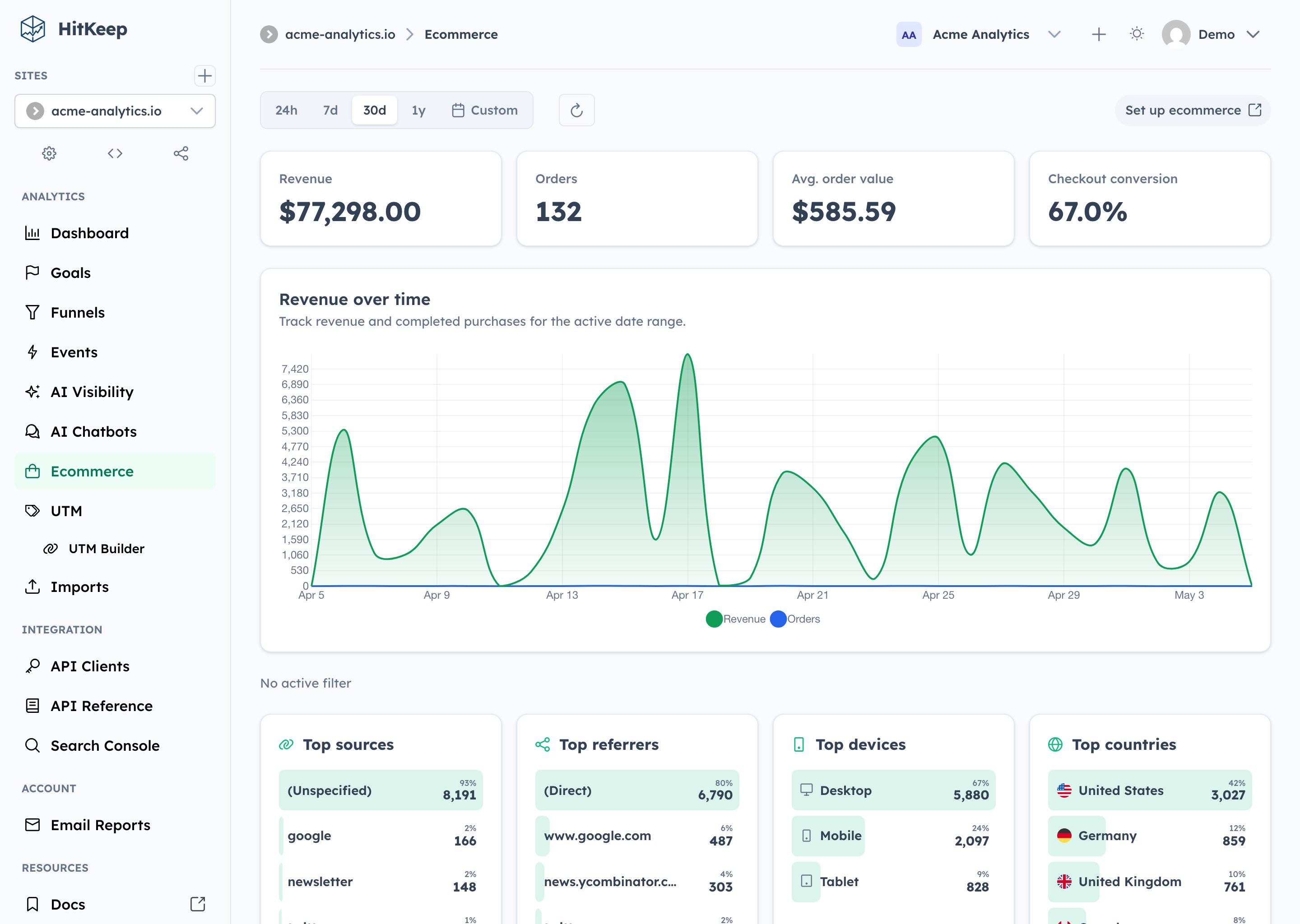
Analyze conversion funnels, goals, and ecommerce metrics
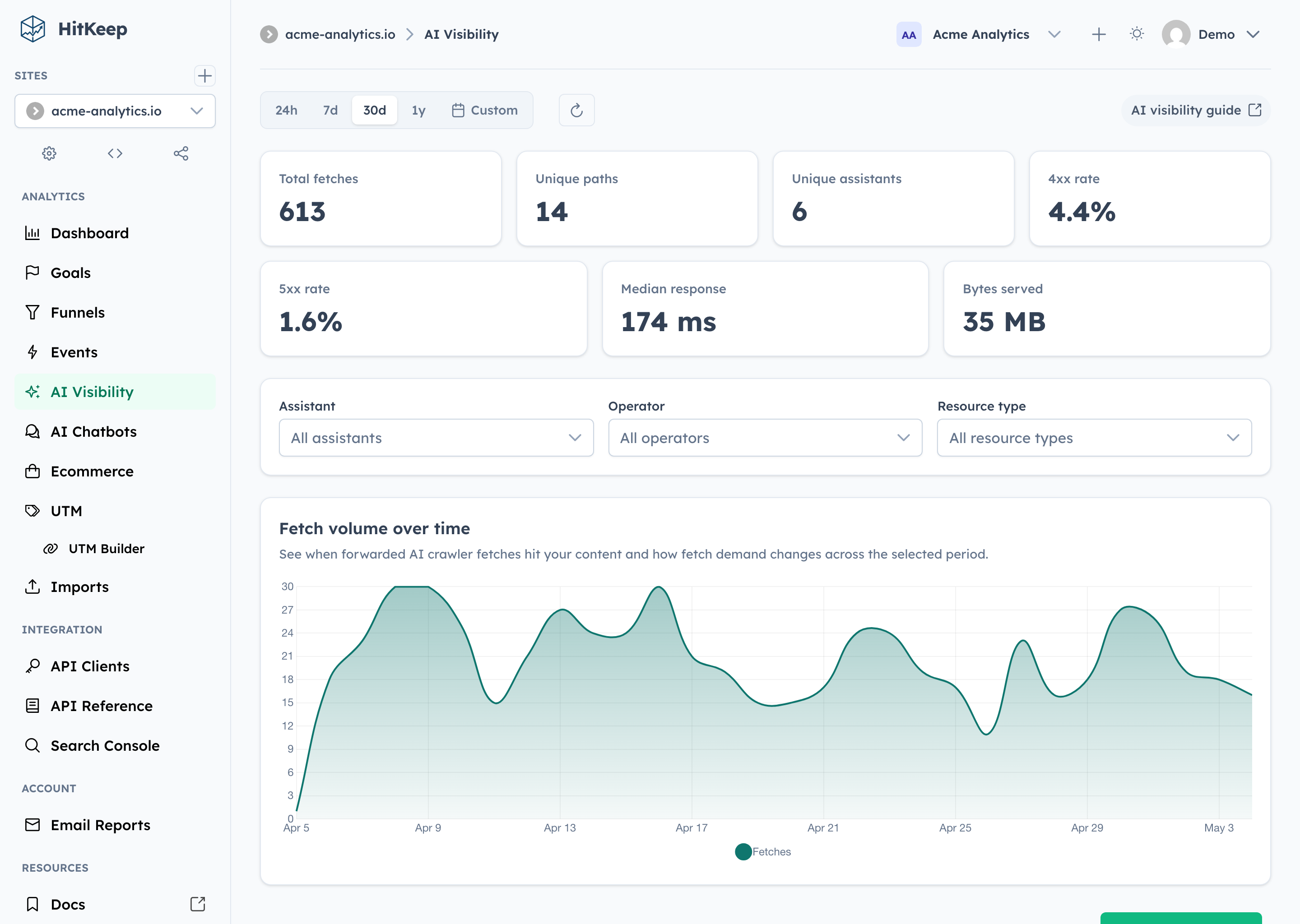
Monitor AI visibility including server-side crawler fetches and chatbot outcomes
Integrate aggregate analytics data via the read-only MCP server
Self-host analytics with minimal operational overhead or use managed cloud
Key features
Single binary deployment with embedded DuckDB and NSQ
Multi-site overview with traffic, goals, funnels, and ecommerce reports
Cookie-less tracking and Do Not Track support for privacy compliance
AI visibility analytics including AI-referred visits and correlation reports
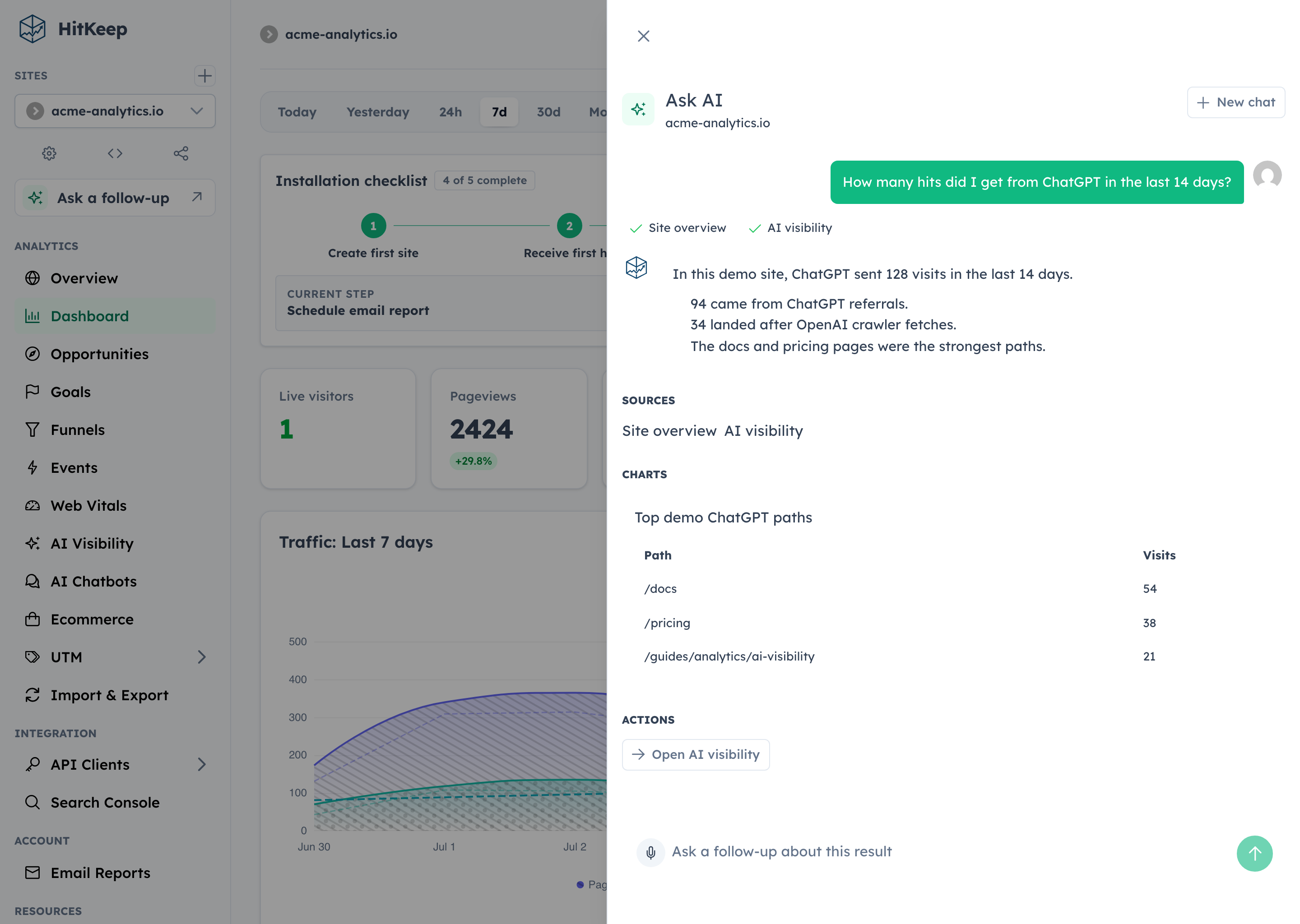
Optional Ask AI dashboard assistant for aggregate questions with citations
Team management with passkeys, TOTP, permissions, audit logs, and scoped API clients
Capabilities & Tool Schemas
Inspect callable tools, capabilities, and parameters exposed to AI agents by Hitkeep.
Extracted Tool Capabilities
Single binary deployment with embedded DuckDB and NSQ
Multi-site overview with traffic, goals, funnels, and ecommerce reports
Cookie-less tracking and Do Not Track support for privacy compliance
AI visibility analytics including AI-referred visits and correlation reports
Optional Ask AI dashboard assistant for aggregate questions with citations
Team management with passkeys, TOTP, permissions, audit logs, and scoped API clients
Documentation Overview

AI native, sovereign, privacy-first web analytics in one binary.
100% open source under MIT, HitKeep unifies traffic, conversions, Search Console, and AI visibility with custom tracking domains, SSO, open exports, and no separate database, queue, or cache.
Self-host · Documentation · Cloud · Website




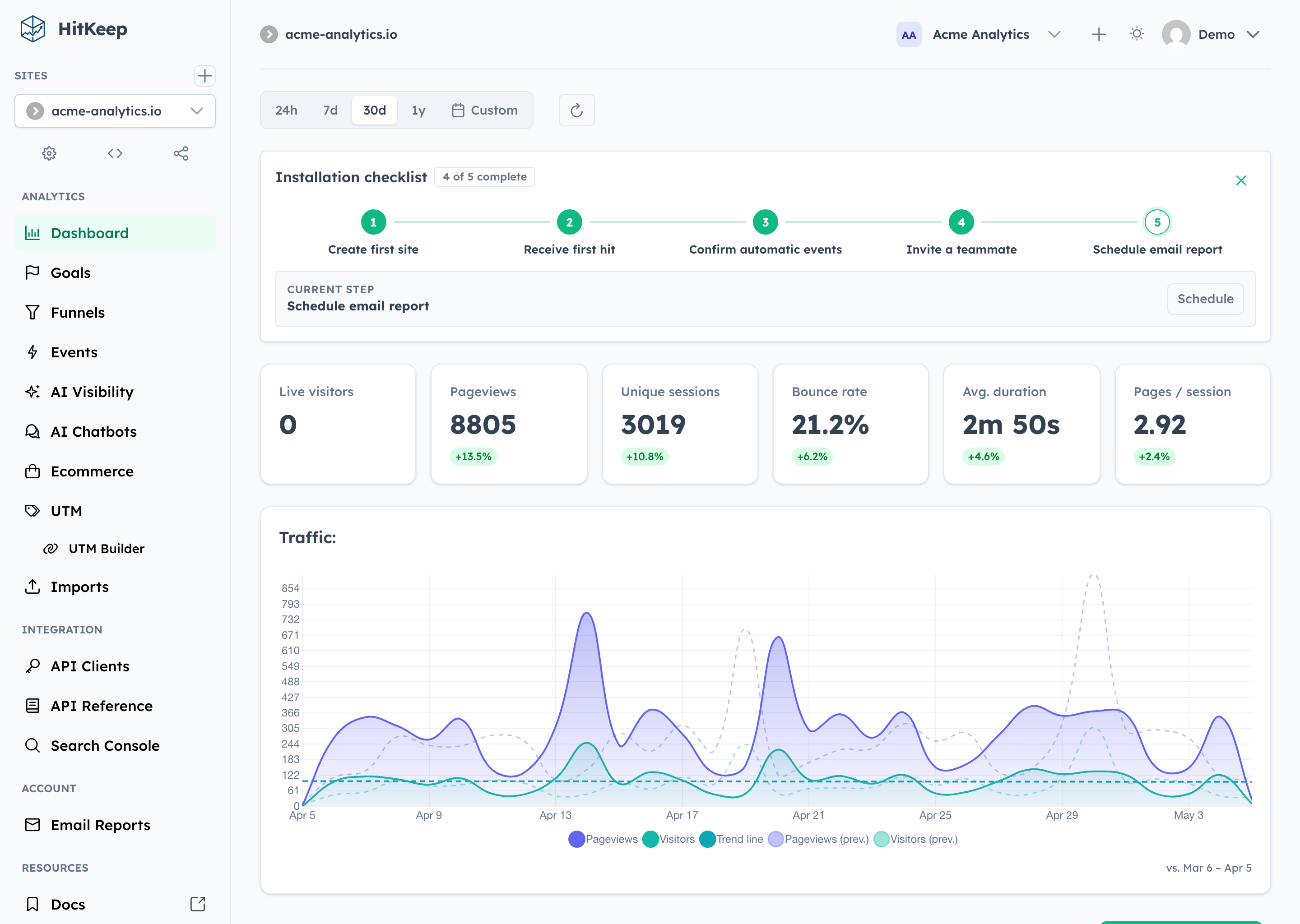
Why HitKeep
- 100% open source. The complete product is MIT-licensed. Custom tracking domains and team SSO live in the same public codebase—not in a separate proprietary edition.
- Full data sovereignty. Self-host one Go binary with embedded DuckDB and NSQ, or export your data in open formats. Complete takeout, APIs, webhooks, share links, and permissions keep the data useful outside HitKeep.
- AI-native analytics. HitKeep treats AI as a first-class traffic channel: crawler fetches, AI-referred visits, and chatbot outcomes remain distinct. Ask AI uses cited aggregate evidence, while read-only MCP gives approved assistants governed analytics access.
- Privacy by default. The browser tracker sets no analytics cookies, respects Do Not Track, and collects focused website analytics without building a cross-site identity.
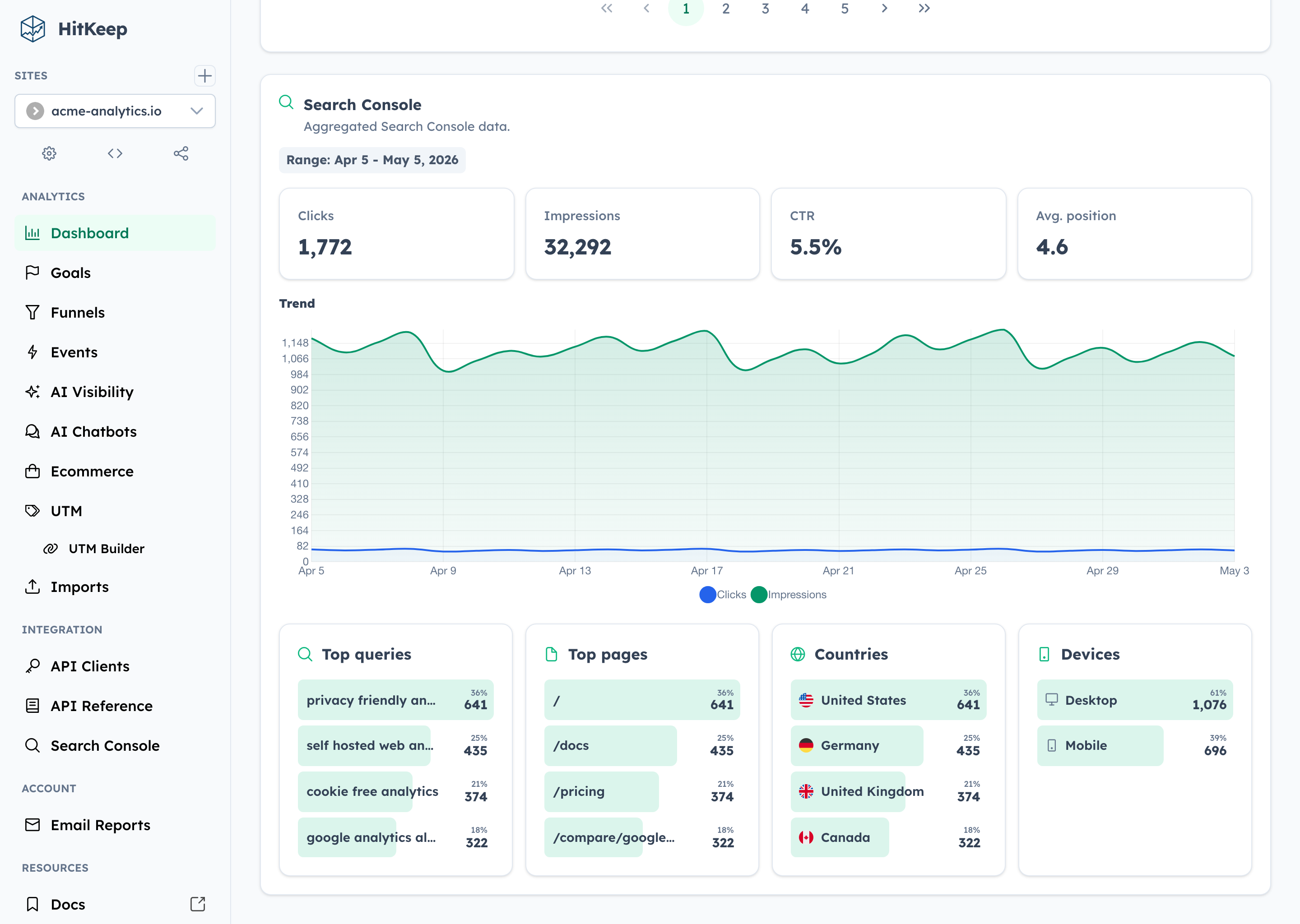
- Reporting that reaches the outcome. Follow acquisition through pages, automatic and custom events, goals, funnels, ecommerce revenue, UTM and QR campaigns, Search Console, and Web Vitals.
Self-host the complete open-source product, or use HitKeep Cloud in a managed EU or US region when you do not want to operate it yourself.
HitKeep is web-focused. It favors aggregate traffic and conversion evidence over visitor profiles, session replay, mobile SDKs, or built-in experimentation. The result is a smaller collection boundary and operating surface without stopping at a basic pageview counter.
Quick Start
On Apple silicon macOS or x86_64 Linux, install HitKeep with Homebrew:
Follow the Homebrew installation guide to configure and start HitKeep. On Linux ARM64, use the published ARM64 binary or Docker instead.
For a production-oriented self-hosted setup, download the Docker Compose file and environment template:
Open .env and replace paste-the-generated-value-here with a long random value from your password manager. Then start HitKeep:
Open http://localhost:8080 and create the first account. Keep .env private and retain the same secret across restarts.
Before exposing an instance publicly, follow the Docker Compose guide for HTTPS and trusted proxies, then review backups and the configuration reference. For a native Linux service, download an AMD64 or ARM64 binary from GitHub Releases and follow the binary installation guide.
Track Your First Site
Create a site in the dashboard, then add the tracker to your pages:
Pageviews and supported automatic interaction events—outbound clicks, file downloads, and form submissions—start flowing immediately. Use the custom events guide for product-specific actions such as signups, purchases, or qualified leads.
Explore HitKeep
See AI visibility, ecommerce, Search Console, and Ask AI
AI visibility
Ecommerce
Search Console
Ask AI
Documentation, Community, and Support
Find answers in the documentation, report reproducible bugs through GitHub Issues, and disclose vulnerabilities privately through the security policy.
Contributor quick path
Run ./hk setup, then start seeded development with ./hk dev --seed or use ./hk dev --detach. Capture product proof with ./hk screenshot; inspect ./hk catalog commands --output json and ./hk catalog configuration --output json instead of copying mutable workflow facts. Validate with ./hk qa pr. The Compose stack and complete workflow live in CONTRIBUTING.md.
- Operate: Installation · Configuration · REST API · Goals · Funnels
- Evaluate: Comparison library · Compliance · Releases · Changelog
- Contribute: Contributor guide · Security policy · Issues
- Support open source: Fund HitKeep on GitHub Sponsors or make a one-time contribution.
License
HitKeep is distributed under the MIT License.
Related MCP Servers
Adoption & maintenance
Factual signals from GitHub, npm, and our automated checks — not a rating.
GitHub stars
86
Stargazers on the source repository.
Last commit
7d ago
Most recent push to the default branch.
Directory activity
2 views
Config copies, upvotes, and views on AllMCPs.
Reviews
No reviews yet — be the first to share how this listing worked for you.
Frequently Asked Questions about Hitkeep
AllMCPs Directory Badge
Showcase your server listing on GitHub or your project documentation. Embed this dynamic SVG badge to highlight official listing status and live engagement.
Badge Style:
Live Dynamic SVG Preview
Markdown (GitHub README)
[](https://allmcps.com/mcp/pascalebeier-hitkeep)HTML Embed
<a href="https://allmcps.com/mcp/pascalebeier-hitkeep"><img src="https://allmcps.com/api/badge/pascalebeier-hitkeep?style=directory" alt="Hitkeep on AllMCPs" /></a>Technical Specs & Signals
CategoryMarketing
PricingFree
8/8 checks healthy over the last 32d
49Quality signal: Fair · 49/100How this signal is calculated ▾
Server availabilityNot measured
Not scored for repo-hosted servers — we can't reach the running server, only its GitHub page. Hosted MCP endpoints are health-checked live.
Verified ownership10/20
Documentation & tools19/30
Adoption & activity8/15
Community engagement0/10
A guidance signal from public completeness & health data — not a user rating. New listings start lower and rise as they add docs, get verified, and grow adoption. Signals we can't observe for a listing are skipped, not counted against it.
Own this project?
This directory is pre-filled from public sources. Claim via GitHub README, site badge, or DNS TXT to unlock edit access and the Official badge — proof is checked automatically, then reviewed by our team.
Free dofollow backlink: add your website and place the AllMCPs badge on it — no claim needed. We detect it automatically and keep it verified as long as the badge stays live.
Claim & get free dofollowShare & Embed
Add our SVG badge (dark/light directory styles) or embeddable widget to your site.