Metro MCP vs Three.js DevTools MCP
A side-by-side look at the Metro MCP and Three.js DevTools MCP MCP servers: transport, auth, tools, quality signals, and the config to install either one in Claude, Cursor, Windsurf or VS Code.
Verdict: choose Metro MCP for developer tools work as a local process; choose Three.js DevTools MCP for developer tools as a local process. You can also run both side by side in one mcpServers block.
Which MCP server should you choose?
 Choose Metro MCP when
- You need dedicated capabilities in the Developer Tools domain.
- You prefer a local stdio subprocess transport.
- You want tools like
get_console_logs, clear_console_logs, get_network_requests.
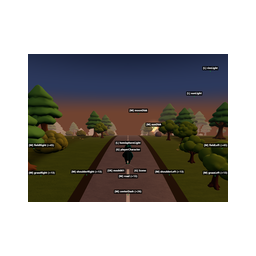 Choose Three.js DevTools MCP when
- You need dedicated capabilities in the Developer Tools domain.
- You prefer a local stdio subprocess transport.
- You want tools like
scene_tree, object_details, find_objects.
Feature & specification comparison
Rows where the two servers differ are marked.
| Spec | ||
|---|---|---|
| Category | Developer Tools | Developer Tools |
| Quality signal | 65/100 · Great | 67/100 · Great |
| Install command | Confirmed | Confirmed |
| Transport | Local subprocess (stdio) | Local subprocess (stdio) |
| Auth | Not declared | Not declared |
| Pricing | Not declared | Not declared |
| Required env vars | None listed | None listed |
| Verified owner | Community listing | Community listing |
| GitHub stars | 85 | 124 |
| Directory activity | 0 views 0 installs 0 upvotes | 0 views 0 installs 0 upvotes |
| Tools | 88 | 69 |
| Full listing | View Metro MCP | View Three.js DevTools MCP |
Tools & capabilities
Metro MCP tools 88
get_console_logsGet recent console output. Filter by level or search text.clear_console_logsClear the console log buffer.get_network_requestsGet recent network requests from the React Native app.get_request_detailsGet full details of a specific network request including headers and body.get_response_bodyGet response body for a network request (cached if small; requires active session if large).search_networkSearch network requests by URL pattern, method, or status code.clear_network_requestsClear the network request buffer.get_network_statsGet aggregated network statistics: breakdown by domain, status code, and response times.get_errorsGet recent uncaught exceptions from the React Native app.clear_errorsClear the error buffer.get_bundle_errorsGet recent Metro compilation/transform errors.evaluate_jsExecute a JavaScript expression in the running React Native app and return the result. Use this for inspecting variables, calling functions, or querying app state.- +76 more on the listing page
Three.js DevTools MCP tools 69
scene_tree[INSPECT] Read-only. Scene hierarchy. Compact text tree by default (~2KB); compact=false for full JSON with positions/geometry.object_details[INSPECT] Read-only. Detailed info about one object by name, uuid, or dot path.find_objects[INSPECT] Read-only. Search objects by type, material, visibility, name pattern, or custom property.raycast[INSPECT] Read-only. Cast a ray from the camera through screen coordinates and return hit objects.click_inspect[INSPECT] Read-only. Click-to-inspect: the cursor becomes a crosshair — tell the user to click an object in the 3D view. Returns that object.scene_diff[INSPECT] Read-only. Compare scene state over time: first call saves a snapshot, next call lists added/removed/modified objects.layer_details[INSPECT] Read-only. Camera layer mask and objects with non-default layers.set_object_transform[LIVE PREVIEW] Changes the scene in the browser only — NOT saved to source code, lost on reload. Recorded in pending_changes (→ code edits) and undoable with revert_changes. Set position, rotation, scale, or visibility of an object.set_layers[LIVE PREVIEW] Changes the scene in the browser only — NOT saved to source code, lost on reload. Recorded in pending_changes (→ code edits) and undoable with revert_changes. Set layers on an object or the camera.material_list[INSPECT] Read-only. All materials in the scene with type, color, transparency.material_details[INSPECT] Read-only. Full material properties: colors, PBR/physical params, maps, uniforms, defines, NodeMaterial (TSL) slots.shader_list[INSPECT] Read-only. Compiled shader programs with their materials (WebGL).- +57 more on the listing page
Ready-to-paste client configs
Paste either block (or both) into your client config, e.g. claude_desktop_config.json or ~/.cursor/mcp.json. We only show a config when the install command is confirmed.
Metro MCP
{
  "mcpServers": {
    "metro-mcp": {
      "command": "npx",
      "args": [
        "-y",
        "metro-mcp"
      ]
    }
  }
}
Three.js DevTools MCP
{
  "mcpServers": {
    "three-js-devtools-mcp": {
      "command": "npx",
      "args": [
        "-y",
        "threejs-devtools-mcp"
      ]
    }
  }
}
Frequently asked questions
Metro MCP is categorized under Developer Tools and uses a local stdio subprocess. Three.js DevTools MCP belongs to Developer Tools and uses a local stdio subprocess. Pick Metro MCP for developer tools work and Three.js DevTools MCP for developer tools.
Copy the mcpServers block from the config section on this page into your client's config (for example claude_desktop_config.json or ~/.cursor/mcp.json), then fully restart the client.
Metro MCP has no declared pricing — check the project's own site. Three.js DevTools MCP has no declared pricing — check the project's own site. If a server needs environment variables such as API keys, define them under the env key in your client's MCP config.
Yes. MCP clients support multiple servers: add metro-mcp and three-js-devtools-mcp as separate keys in the same mcpServers object, and your assistant will call tools from either one.
On AllMCPs, Metro MCP has a quality signal of 65/100 (Great) with 0 views, 0 installs and 85 GitHub stars. Three.js DevTools MCP has 67/100 (Great) with 0 views, 0 installs and 124 GitHub stars.