Lyrenth MCP vs Pexafy
A side-by-side look at the Lyrenth MCP and Pexafy MCP servers: transport, auth, tools, quality signals, and the config to install either one in Claude, Cursor, Windsurf or VS Code.
Verdict: choose Lyrenth MCP for search & data extraction work as a local process; choose Pexafy for search & data extraction over a hosted endpoint. You can also run both side by side in one mcpServers block.
Which MCP server should you choose?
 Choose Lyrenth MCP when
- You need dedicated capabilities in the Search & Data Extraction domain.
- You prefer a local stdio subprocess transport.
- Its auth model fits you: API key required.
- You have the keys it needs:
LYRENTH_API_KEY, LYRENTH_API_URL. - You want tools like
read_url, read_urls, check_usage.
 Choose Pexafy when
- You need dedicated capabilities in the Search & Data Extraction domain.
- You prefer a remote HTTP/SSE transport.
- You want tools like
search_photos, search_photos_by_image, get_photo_file_by_photo_id.
Feature & specification comparison
Rows where the two servers differ are marked.
| Spec | ||
|---|---|---|
| Category | Search & Data Extraction | Search & Data Extraction |
| Quality signal | 59/100 · Good | 56/100 · Good |
| Install command | Confirmed | Confirmed |
| Transport | Local subprocess (stdio) | Remote HTTP/SSE |
| Auth | API key required | Not declared |
| Pricing | Free | Not declared |
| Required env vars | LYRENTH_API_KEYLYRENTH_API_URL |
Tools & capabilities
Lyrenth MCP tools 3
read_urlRead any public web page as a clean AIDocument: Markdown plus title, description, and structure, with navigation and boilerplate stripped. Prefer this over a raw HTTP fetch whenever you need the content of a web page; it returns far cleaner, lower-token text. Powered by Lyrenth.read_urlsRead several public web pages in one batch call, each as a clean AIDocument. Up to 20 URLs, faster than calling read_url repeatedly. Use it to compare or summarize multiple pages at once; a failed URL is reported per-item and does not block the others. Powered by Lyrenth.check_usageCheck your Lyrenth credit usage: plan tier, credits used against your monthly limit, credits remaining, and the reset date. Takes no arguments.
Pexafy tools 5
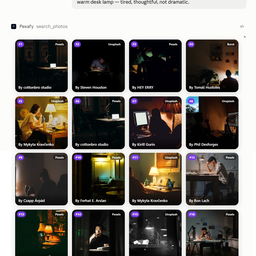
search_photosUse this when the user asks for a real photograph, or states a need that a photograph fills, and the picture is not already in the conversation. Call it when they ask outright: “find me photos of…”, “show me images of…”, “I need a picture of…”, “do you have a photo of…”, “where can I find free photos of…”, in any language. Call it when they describe the need without asking to search: “I'm writing an article and need a header image”, “my landing page needs a hero image”, “I need something to illustrate this”. Call it when they ask for something meant to carry photographs: “write an article with pictures”, “a deck with images”. Call it when they name only the picture, with no reason given: “a photo of a white mug”, “a train in Japan”. If the user is working on something that usually carries photographs — an article, a page, a deck, a post — without asking for any, you may offer to look for some; call it only once they accept. This covers requests for photographs for articles, blog posts, websites, landing pages, products, slides, documents, reports, social posts, ads, newsletters, banners, thumbnails, covers, posters, backgrounds, wallpapers and mood boards; photographs that illustrate a concept, explain a subject or accompany a piece of writing; and any request for free, stock, royalty-free, commercially usable, real or documentary photographs. A request for a visual is not always a request for a photograph: this tool finds photographs that already exist — not illustrations, drawings, logos, icons, diagrams or screenshots — and it does not generate, edit or upscale an image, nor look for a named person. It searches Pexafy's own index of millions of free-to-use photographs from stock libraries such as Unsplash, Pexels and Pixabay, matched to the scene described. Each result carries a `rank`, a `photo_id`, its licence, the credit line to display and an image link; the file itself comes from get_photo_file_by_photo_id. In a host that renders it, the grid shows them; the answer omits image links.
Ready-to-paste client configs
Paste either block (or both) into your client config, e.g. claude_desktop_config.json or ~/.cursor/mcp.json. We only show a config when the install command is confirmed.
Lyrenth MCP
{
  "mcpServers": {
    "lyrenth-lyrenth-mcp": {
      "command": "npx",
      "args": [
        "-y",
        "lyrenth-mcp"
      ],
      "env": {
        "LYRENTH_API_KEY": "YOUR_LYRENTH_API_KEY_HERE",
        "LYRENTH_API_URL": "YOUR_LYRENTH_API_URL_HERE"
      }
    }
  }
}
Pexafy
{
  "mcpServers": {
    "pexafy": {
      "url": "https://pexafy.com/mcp/"
    }
  }
}
Frequently asked questions
Lyrenth MCP is categorized under Search & Data Extraction and uses a local stdio subprocess. Pexafy belongs to Search & Data Extraction and uses a remote HTTP/SSE transport. Pick Lyrenth MCP for search & data extraction work and Pexafy for search & data extraction.
Copy the mcpServers block from the config section on this page into your client's config (for example claude_desktop_config.json or ~/.cursor/mcp.json), then fully restart the client.
Lyrenth MCP is listed as free. Auth: api key required. Pexafy has no declared pricing — check the project's own site. If a server needs environment variables such as API keys, define them under the env key in your client's MCP config.
Yes. MCP clients support multiple servers: add lyrenth-lyrenth-mcp and pexafy as separate keys in the same mcpServers object, and your assistant will call tools from either one.
On AllMCPs, Lyrenth MCP has a quality signal of 59/100 (Good) with 3 views, 0 installs and 1 GitHub stars. Pexafy has 56/100 (Good) with 0 views, 0 installs and 0 GitHub stars.