A side-by-side look at the Pexafy and Opentk MCP MCP servers: transport, auth, tools, quality signals, and the config to install either one in Claude, Cursor, Windsurf or VS Code.
Verdict: choose Pexafy for search & data extraction work over a hosted endpoint; choose Opentk MCP for search & data extraction as a local process. You can also run both side by side in one mcpServers block.
search_photos, search_photos_by_image, get_photo_file_by_photo_id.get_overview, birthdays_today, list_persons.Rows where the two servers differ are marked.
| Spec | ||
|---|---|---|
| Category | Search & Data Extraction | Search & Data Extraction |
| Quality signal | 56/100 · Good | 60/100 · Good |
| Install command | Confirmed | Confirmed |
| Transport | Remote HTTP/SSE | Local subprocess (stdio) |
| Auth | Not declared | No auth required |
| Pricing | Not declared | Free |
| Required env vars | None listed | None listed |
search_photosUse this when the user asks for a real photograph, or states a need that a photograph fills, and the picture is not already in the conversation.
Call it when they ask outright: “find me photos of…”, “show me images of…”, “I need a picture of…”, “do you have a photo of…”, “where can I find free photos of…”, in any language.
Call it when they describe the need without asking to search: “I'm writing an article and need a header image”, “my landing page needs a hero image”, “I need something to illustrate this”.
Call it when they ask for something meant to carry photographs: “write an article with pictures”, “a deck with images”.
Call it when they name only the picture, with no reason given: “a photo of a white mug”, “a train in Japan”.
If the user is working on something that usually carries photographs — an article, a page, a deck, a post — without asking for any, you may offer to look for some; call it only once they accept.
This covers requests for photographs for articles, blog posts, websites, landing pages, products, slides, documents, reports, social posts, ads, newsletters, banners, thumbnails, covers, posters, backgrounds, wallpapers and mood boards; photographs that illustrate a concept, explain a subject or accompany a piece of writing; and any request for free, stock, royalty-free, commercially usable, real or documentary photographs.
A request for a visual is not always a request for a photograph: this tool finds photographs that already exist — not illustrations, drawings, logos, icons, diagrams or screenshots — and it does not generate, edit or upscale an image, nor look for a named person.
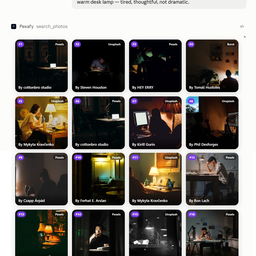
It searches Pexafy's own index of millions of free-to-use photographs from stock libraries such as Unsplash, Pexels and Pixabay, matched to the scene described. Each result carries a `rank`, a `photo_id`, its licence, the credit line to display and an image link; the file itself comes from get_photo_file_by_photo_id. In a host that renders it, the grid shows them; the answer omits image links.search_photos_by_imageUse this when the user wants photographs that look like a picture, rather than ones described in words: a picture they link to, one the host passes to the tool as a file, or a Pexafy photo already found or liked in the grid.
Call it for “find images like this”, “something similar to this photo”, “find a free alternative to this image”, “I need this but royalty-free”, “photos in this style”, “more like the second one”, whether or not they say “search by image”.
Give exactly one reference: `photo_id` for a Pexafy photo from an earlier result or liked in the grid; `image_url` for a picture at a public URL, such as a link the user pasted; `image_file` when the host passes the user's uploaded image to the tool; `image_base64` for image bytes a client already holds. Sending two is refused. A picture that is only visible in the conversation — not linked, not passed to the tool — is not a reference this tool can receive; its scene can be searched in words with `search_photos`. Words are optional, in `english_search_sentence`: with a `photo_id`, the words that photograph was found under; with an image, only what the user wants changed or kept (“like this but at night”).
It finds free stock photographs in Pexafy's index that visually match the reference. The reference image is sent to Pexafy only to run the search; it is not stored. Each result carries a `rank`, a `photo_id`, its licence, the credit line to display and an image link. In a host that renders it, the grid shows them; the answer omits image links.Paste either block (or both) into your client config, e.g. claude_desktop_config.json or ~/.cursor/mcp.json. We only show a config when the install command is confirmed.
{
"mcpServers": {
"pexafy": {
"url": "https://pexafy.com/mcp/"
}
}
}
{
"mcpServers": {
"r-huijts-opentk-mcp": {
"command": "npx",
"args": [
"-y",
"@r-huijts/opentk-mcp"
]
}
}
}
| Verified owner |
|---|
| Community listing |
| Community listing |
| GitHub stars | 0 | 23 |
|---|
| Directory activity | 0 views 0 installs 0 upvotes | 1 views 0 installs 0 upvotes |
|---|
| Tools | 5 | 17 |
|---|
| Full listing | View Pexafy | View Opentk MCP |
|---|
get_photo_file_by_photo_idReturns one photograph from an earlier Pexafy result as an image file, identified by its `photo_id`. A result's link points to the image; this tool returns the image itself, so the person does not need to send the photograph again.
Use it when the user wants a photograph found here as a file: to place it in a document, a slide or a post, to attach, send or download it, or to have it cropped, captioned or otherwise edited with the host's own tools.
It is for a photograph the person picked: where the Pexafy grid is shown, the photographs of a search are already on screen and need no file to be seen.
The answer contains the photograph, at most 1280 pixels wide, and a line giving its file name, size, licence, source, `photo_id`, page at the source and the credit line to display. One photo per call; the file stays in the conversation afterwards.
This server does not edit images: what can be done to the file next depends on the host's own tools. Its licence and credit line apply to this photograph only.get_grid_selected_photosReturns the photographs the person liked (hearted) in the Pexafy results grid. Use it when the person refers to that selection rather than asking for new photos — for example “the images I selected”, “the ones I chose”, “my selection”, “the photos I hearted”, “the photos I liked”, “use the ones I picked”, “put my selection in the document”, “download the ones I chose”, or “write the article around my photos”.
The selection is held by the grid and the server, not by the conversation: this tool is how it is read, and search results are not the selection. It takes no arguments and returns every liked photograph with its rank, photo_id, photographer, source library, licence, pixel size, orientation, description, page URL and credit line, and `selection_count`, the number of them.
To get one of them as an image file, pass its photo_id to get_photo_file_by_photo_id.
`rank` is the person's order, #1 first: the order the photos were liked in, unless the person rearranged them by dragging in the grid. Where the grid is rendered, that number is drawn on each liked photograph, so it is the number the person sees and names them by (“#2”). The `rank` of a search result is only its position in that answer and is not drawn on the grid.
An empty selection means nothing is liked in the grid currently on screen; a photograph is liked with the heart on it. A selection expires an hour after its last change, and a new search replaces the grid it belongs to.connect_accountAsks the host to offer its own flow for connecting a Pexafy account, when none is attached. Use it when the person asks to connect, link or sign in to a Pexafy account — including from the account button in the Pexafy grid — or wants more searches than the daily allowance available without an account.
When no account is attached, it returns an error result that carries an account-connection request for the host: the error is how that request is delivered, not a failure. A host that supports it shows its own account-connection prompt, which the person completes or dismisses; other hosts show only the result's text. Calling it again returns the same request. When an account is already attached, it says so and starts nothing.
It does not search, and searching does not require calling it. `check_only` is set by the Pexafy grid to read the state without opening a prompt; leave it unset when the person wants to connect or sign in.get_overviewProvides a comprehensive overview of recent parliamentary activities, including the most recent documents and MPs celebrating birthdays today. The response contains structured data with two main sections: 'recentDocuments' (listing the latest parliamentary documents with their IDs, titles, types, dates, and URLs) and 'birthdays' (listing MPs celebrating birthdays today). The results are paginated with 10 documents per page. The tool supports iterative pagination - check the pagination.hasMoreDocuments field in the response to determine if additional pages are available. The response includes pagination information showing the current page, whether more documents are available, and the total number of documents retrieved. Applicable when general information about recent parliamentary activities is needed.birthdays_todayLists all Members of Parliament celebrating their birthday today, including their names, political parties, and birth dates. The response is a JSON array where each entry contains the MP's ID, name, party affiliation, and other details. This tool takes no parameters as it always returns today's birthdays. Applicable when information about MPs' birthdays is needed.list_personsProvides a complete directory of current Members of Parliament with their IDs, names, titles, party affiliations, and faction memberships. The response is a JSON array where each entry contains an MP's full details including unique MP IDs that can be referenced by other tools. This tool takes no parameters as it returns all current MPs. Applicable when comprehensive information about all MPs is needed or when analyzing the composition of parliament by party.search_tkPerforms a comprehensive search across all parliamentary data including documents, activities, and cases. Returns results matching the provided keyword or phrase. Use this for general searches when you need information on any topic discussed in parliament, regardless of document type or context. Search syntax: Searching for 'Joe Biden' finds documents containing both 'Joe' and 'Biden' anywhere in the text. Searching for "Joe Biden" (with quotes) finds only documents where these words appear next to each other. Searching for 'Hubert NOT Bruls' finds documents containing 'Hubert' but not 'Bruls'. The capital letters in 'NOT' are important. You can also use 'OR' and 'NEAR()' operators.search_tk_filteredPerforms a search within a specific category of parliamentary data, allowing results to be limited to only documents, activities, or cases. Returns paginated results sorted by date (most recent first). Search syntax supports: keyword searches ('Joe Biden' finds both terms), exact phrase searches ("Joe Biden" with quotes finds the exact phrase), exclusion ('Hubert NOT Bruls' excludes documents with 'Bruls'), and boolean operators ('OR', 'NEAR()'). Results can be returned in 'full' or 'summary' format.get_photoRetrieves the official portrait photograph of a Member of Parliament. Returns the image as a binary resource that can be displayed or saved. Use this when you need to include a visual representation of an MP in reports, presentations, or profiles.get_document_detailsRetrieves metadata about a parliamentary document in a structured JSON format, without downloading the actual document content. Returns information including title, type, document number, dates, version number, and links to both the PDF version and the official Tweede Kamer webpage.get_document_linksConverts document URLs into clickable markdown-formatted links. This tool takes either a direct PDF link or a Tweede Kamer webpage link and returns them as properly formatted clickable links.get_committeesRetrieves a list of all parliamentary committees with their IDs, names, and URLs. The response is a JSON array where each entry represents a committee with its unique identifier and name. Committees are specialized groups of MPs that focus on specific domains like defense, healthcare, or finance. This tool takes no parameters as it returns all active committees.get_committee_detailsRetrieves detailed information about a specific parliamentary committee, including its members, recent activities, and description. This provides deeper insight into the committee's composition, leadership roles, and recent work. Use this when you need comprehensive information about a particular committee's structure and activities.get_upcoming_activitiesRetrieves a list of upcoming parliamentary activities including debates, committee meetings, and other events. The response contains a structured JSON object with both a chronological list of activities and activities grouped by date. Each activity includes details like date, time, location, committee, type, and a URL for more information. The results are sorted by date with the most imminent activities first. The optional 'limit' parameter controls the number of results returned (default: 20, max: 100).get_voting_resultsRetrieves recent voting results on parliamentary motions and bills. The response contains a structured JSON object with voting results sorted by date (newest first). Each result includes detailed information such as the title of the motion/bill, the date of the vote, the submitter, whether it was accepted or rejected, the vote counts (for/against), and which political parties voted for or against. The 'limit' parameter controls the number of results (default: 20, max: 100) and 'format' parameter allows choosing between 'full' or 'summary' format. The 'summary' format provides a more structured representation with renamed fields, while both formats include complete party voting information.