Ludo AI Game Assets vs Anymd
A side-by-side look at the Ludo AI Game Assets and Anymd MCP servers: transport, auth, tools, quality signals, and the config to install either one in Claude, Cursor, Windsurf or VS Code.
Verdict: choose Ludo AI Game Assets for gaming work over a hosted endpoint; choose Anymd for file systems as a local process. You can also run both side by side in one mcpServers block.
Which MCP server should you choose?
 Choose Ludo AI Game Assets when
- You need dedicated capabilities in the Gaming domain.
- You prefer a remote HTTP/SSE transport.
- Its auth model fits you: API key required.
- You want tools like
validateApiKeyEndpoint, createImage, generateWithStyle.
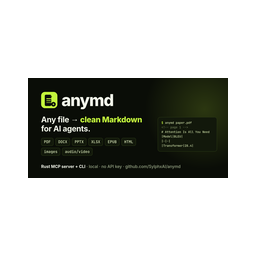 Choose Anymd when
- You need dedicated capabilities in the File Systems domain.
- You prefer a local stdio subprocess transport.
- Its auth model fits you: No auth required.
- You want tools like
inspect, outline, read.
Feature & specification comparison
Rows where the two servers differ are marked.
| Spec | ||
|---|---|---|
| Category | Gaming | File Systems |
| Quality signal | 61/100 · Good | 73/100 · Great |
| Install command | Confirmed | Confirmed |
| Transport | Remote HTTP/SSE | Local subprocess (stdio) |
| Auth | API key required | No auth required |
| Pricing | Not declared | Free |
| Required env vars | None listed | None listed |
| Verified owner | Community listing | Community listing |
| GitHub stars | 7 | 1,052 |
| Directory activity | 1 views 0 installs 0 upvotes | 6 views 0 installs 0 upvotes |
| Tools | 44 | 4 |
| Full listing | View Ludo AI Game Assets | View Anymd |
Tools & capabilities
Ludo AI Game Assets tools 44
validateApiKeyEndpointValidates an API key. Returns 200 if valid, 403 if invalid.createImageGenerate game-art images from a text prompt alone, selecting an image_type (e.g. sprite) and optionally art_style, perspective, and aspect_ratio. The job result is an array of image results, each with a url; request n (1-8) to control how many variations come back. Because it generates purely from text it takes no source image, so there is no upload size limit to trip. Credits are held when the job is accepted and refunded if it fails or is cancelled; the charge scales with the number of images produced. Use createImage to make new images from scratch; use generateWithStyle to match a reference image's art style, editImage to modify an existing image, and removeBackground to cut out a subject. Pass an optional request_id to tag the results so you can retrieve them later via listGenerations (type image). Async generation job: returns `{id, status}` - poll `getApiJob` (job and credit contract: see the server instructions). Credits: This endpoint consumes 0.5 credits per result.generateWithStyleGenerate new images that match the visual style of a reference image: supply a style_image (URL or base64) plus a text prompt describing what to create and an optional image_type (defaults to sprite). The job result is an array of image results, each with a url; request n (1-4) to control the number of variations. The style_image is uploaded and validated, and an image larger than 15MB is rejected with HTTP 400. Credits are held when the job is accepted and refunded if it fails or is cancelled; the charge scales with the number of images produced. Use this instead of createImage when style consistency with an existing asset matters; use editImage to alter the content of a specific image rather than borrow its style, and removeBackground to isolate a subject. Pass an optional request_id to tag the results so you can retrieve them later via listGenerations (type image). Async generation job: returns `{id, status}` - poll `getApiJob` (job and credit contract: see the server instructions). Credits: This endpoint consumes 0.5 credits per result.editImageModify an existing image according to text instructions: supply a source image (URL or base64) and a prompt describing the changes (e.g. "add clouds", "warmer color scheme"), with an optional reference_image for extra style or content guidance. To change only one area, pass a mask (white = change, black = keep, the same size as the image): mask_mode "replace" (default) redraws that area from the prompt, "erase" removes what is there. Without a mask the whole image is re-rendered. Never ask for a transparent background in the prompt: it often comes back as a grey-and-white checkerboard painted into the pixels, which removeBackground cannot remove. A sprite keeps its transparency without being asked (see image_type). The job result is an array of image results, each with a url; request n (1-4) to control the number of edited variations. Provided images are uploaded and validated, and any image larger than 15MB is rejected with HTTP 400. Credits are held when the job is accepted and refunded if it fails or is cancelled; the charge scales with the number of images produced. Use editImage to transform a specific existing image; use createImage to generate from text alone, generateWithStyle to borrow a reference's art style, and removeBackground for the dedicated background-removal case. Pass an optional request_id to tag the results so you can retrieve them later via listGenerations (type image). Async generation job: returns `{id, status}` - poll `getApiJob` (job and credit contract: see the server instructions). Credits: This endpoint consumes 0.5 credits per result; 1 credit per result with a mask.animateSpriteAnimate a static sprite into a spritesheet driven by a motion text prompt (image-to-spritesheet): supply an initial_image (URL or base64) plus a motion_prompt like "walking" or "attack slash", and optionally a final_image to interpolate between a start and end frame. Describe the motion exactly and unambiguously, but do not over-describe it: an action the model already knows is one phrase, not a sequence of steps, and the character, art style, background and camera come from the image, not the prompt. For animations driven by up to three keyframes (including a middle frame), use animateSpriteKeyframes instead. The job result is a single sprite result: `spritesheet_url` (the sheet image), `video_url` (an mp4 of the animation - pass it as `video` to transferMotion or as `spritesheet_video_url` to createSpriteAudio; editSpritesheet takes `spritesheet_url`), `num_frames`/`num_cols`/`num_rows` (the grid layout), and, when requested, `gif_url`, `individual_frame_urls` and `spritesheet_with_background_url`. The hydra and hydra-plus models also return `audio_url`, a sound effect for the animation - there is no need to call createSpriteAudio afterwards; forge and forge-pixel produce no audio. The chosen model must support sprite animation and the duration must be valid for it; incompatible model/duration combinations return HTTP 400. Credits are held for the duration you requested when the job is accepted; the final charge is rate × seconds of video generated (legacy models keep their minimum charge), never more than for the duration you requested, and the difference (or everything, if the job fails or is cancelled) is refunded. The returned sheet is then trimmed to its best loop and can run slightly shorter than the video; that trim is not deducted. Choosing a tool: animateSprite (this one) when you can describe the motion in text; transferMotion when you want an exact motion copied from a reference video or one of the named presets from listAnimationPresets (e.g. a standard walk or attack cycle); generatePose first when the source image is not yet in the pose the animation should start from. Omit `model` to run on hydra (the default) - see the `model` field for the per-model rates. Pass an optional request_id to tag the result so you can locate it later via listGenerations (type spritesheet). Async generation job: returns `{id, status}` - poll `getApiJob` (job and credit contract: see the server instructions). Credits: credits/s × seconds, per model: Hydra 3/s (shortest duration 3s, so 9 credits minimum), Hydra+ 4/s (shortest duration 3s, so 12 credits minimum), Forge 1.5/s, Forge Pixel 1.5/s, Blitz 1.9/s (min charge 4 credits) [LEGACY], Eagle 2.6/s (min charge 4 credits) [LEGACY], Eagle with Audio 3.1/s (min charge 4 credits) [LEGACY]; [LEGACY] models are scheduled for removal - do not use them for new work; see this endpoint's full pricing table in the API docs.animateSpriteKeyframesAnimate a sprite through up to three fixed keyframes - initial_image, middle_image and final_image (each a URL or base64) - producing a spritesheet that interpolates through the provided frames in order. At least one of initial_image or middle_image is required (a final_image alone has nothing to anchor the animation); any keyframe may be omitted. The motion_prompt is optional here - when omitted, the motion is derived purely from the keyframes. Runs on hydra (default; also returns `audio_url`), hydra-plus (hydra with finer detail, also returns `audio_url`), forge, or forge-pixel for pixel-art sprites - the models that support a middle keyframe; any other model returns HTTP 400. For just a start and end frame, animateSprite with `final_image` does the same job. The job result is the same sprite result as animateSprite (`spritesheet_url`, `video_url`, grid fields, optional GIF and frame URLs, `audio_url` on hydra and hydra-plus). Credits are held for the duration you requested when the job is accepted; the final charge is rate × seconds of video generated, never more than for the duration you requested, and the difference (or everything, if the job fails or is cancelled) is refunded. The returned sheet is then trimmed to its best loop and can run slightly shorter than the video; that trim is not deducted. Use animateSprite instead for the classic single-image + text-prompt animation. Pass an optional request_id to tag the result so you can locate it later via listGenerations (type spritesheet). Async generation job: returns `{id, status}` - poll `getApiJob` (job and credit contract: see the server instructions). Credits: credits/s × seconds, per model: Hydra 3/s (shortest duration 3s, so 9 credits minimum), Hydra+ 4/s (shortest duration 3s, so 12 credits minimum), Forge 1.5/s, Forge Pixel 1.5/s; see this endpoint's full pricing table in the API docs.generatePoseRe-pose an existing sprite into a new target pose while preserving the character, taking a source image (URL or base64), a pose name (or "Other" with a free-text description), and an optional n (1-4) for how many variations to produce. Only works with sprite image types (not icons, screenshots, etc.). The job result is an array of pose results, each containing the generated image url, the pose and description used, and a suggested motion_prompt tuned for that pose. Credits are held when the job is accepted and refunded if it fails or is cancelled; the charge scales with the number of images generated. This is typically the first step before animating: call generatePose to set the character's pose, then feed the result (and its suggested motion_prompt) into animateSprite for the best animation quality; use rotateSprite instead when you want to change the camera angle rather than the pose. Pass an optional request_id to tag the results so you can locate them later via listGenerations (type spritesheet). Async generation job: returns `{id, status}` - poll `getApiJob` (job and credit contract: see the server instructions). Credits: This endpoint consumes 0.5 credits per result.rotateSpriteRe-render an existing sprite from a different camera viewpoint while keeping the same character and pose, taking a source image (URL or base64), a required camera_rotation azimuth (one of 0, 45, 90, 135, 180, -135, -90, -45 degrees), an optional camera_elevation (0, 30, or 60 degrees; omit to keep the current elevation), and an optional n (1-4) for the number of variations. Only works with sprite image types (not icons, screenshots, etc.). The job result is an array of rotate-sprite results, each with the generated image url and the camera_rotation and camera_elevation that were applied. Credits are held when the job is accepted and refunded if it fails or is cancelled; the charge scales with the number of images generated. Use this to produce alternate view angles of a character; use generatePose instead to change the character's pose rather than the camera, and animateSprite or transferMotion to bring a sprite to life. Pass an optional request_id to tag the results so you can retrieve them later via listGenerations (type spritesheet). Async generation job: returns `{id, status}` - poll `getApiJob` (job and credit contract: see the server instructions). Credits: This endpoint consumes 0.5 credits per result.transferMotionTransfer motion from a reference video or a named animation preset onto a static sprite image, producing an animated spritesheet that mimics the reference movement. Provide the sprite as image (URL or base64) plus either a video URL or a preset_id together with perspective and direction (all three from listAnimationPresets; if both video and preset_id are sent the video wins). The job result is the same sprite result as animateSprite: `spritesheet_url`, `video_url`, grid fields, optional GIF / frame / with-background URLs, and `audio_url` when the model is hydra. `duration` defaults to 1.5s where the chosen model offers it, otherwise to that model's shortest (hydra, the default, starts at 3s) - and a longer reference clip or preset is compressed to fit, so pass the preset's own `duration` (returned by listAnimationPresets) to keep its timing. It returns HTTP 400 if neither a video nor a complete preset_id/perspective/direction triple is supplied, if the named preset, perspective, or direction cannot be resolved, or if the model/duration combination is invalid. Credits are held for the duration you requested when the job is accepted; the final charge is rate × seconds of video generated (which follows the reference clip or preset; legacy models keep their minimum charge), never more than for the duration you requested, and the difference (or everything, if the job fails or is cancelled) is refunded. The returned sheet is then trimmed to its best loop and can run slightly shorter than the video; that trim is not deducted. Use this when you have an existing motion clip or preset to copy; prefer animateSprite to generate animation purely from a text prompt. Omit `model` to run on hydra (the default - most capable, and returns audio); pick forge for a cheaper run on simple motion, presets and matching poses; the `model` field lists rates. Pass an optional request_id to tag the result so you can retrieve it later via listGenerations (type spritesheet). Async generation job: returns `{id, status}` - poll `getApiJob` (job and credit contract: see the server instructions). Credits: credits/s × seconds, per model: Hydra 3/s, Forge 2/s, Forge Pixel 2/s, Tango 4/s (min charge 4 credits) [LEGACY]; [LEGACY] models are scheduled for removal - do not use them for new work; see this endpoint's full pricing table in the API docs.getDocsBrowse or read Ludo's own documentation in full - how to choose a sprite animation mode, when to use Generate Before / Generate After, how margins behave, which model suits a job, and each generator's known limitations. To answer a specific question, call searchDocs first: it returns just the sections that match. Use getDocs to see what documentation exists, or to read a whole document or named sections. This is the same documentation the Ludo web app shows its users, so it occasionally describes buttons rather than parameters; the substance applies to the API and MCP surfaces just the same. To browse, call it with NO parameters to get a table of contents - every document with its id, label and section titles, and no bodies - then call it again with `doc` (and optionally `sections`) to read only what you need. Fetching a whole document can return tens of thousands of characters, so prefer naming the sections, using titles copied from the table of contents. Section titles match ignoring case, spacing and punctuation: when only some requested titles exist you receive those sections plus `unmatched_sections` and `available_sections`, and when none exist (or `doc` is unknown) the call returns 400 listing the valid values so you can retry once. This is a free discovery endpoint: it does not charge credits and does not queue a job.searchDocsSearch Ludo's own documentation with a plain-language question and get back only the few sections that answer it - the fastest way to learn how a feature is meant to be used before you generate with it (how to pick a sprite animation mode or model, how margins behave, what something costs, known limitations). Start here rather than reading whole documents. Each result carries `doc` and `section`, which you can pass straight to getDocs to re-read that section, and the section's full markdown `content`. Results are best first; weak matches are left out, so an empty `results` list means the documentation does not cover the question - rephrase it, or call getDocs with no parameters to browse the table of contents. This is the same documentation the Ludo web app shows its users, so it occasionally describes buttons rather than parameters; the substance applies to the API and MCP surfaces just the same. Returns up to `n` sections (default 3, max 10). If it answers 503 the search backend is briefly unavailable: call getDocs instead rather than retrying in a loop. This is a free discovery endpoint: it does not charge credits and does not queue a job.listAnimationPresetsList the available animation presets along with their perspectives and the eight supported compass directions (N, NE, E, SE, S, SW, W, NW). Synchronous GET with no request body: it returns an animations array (each with id, name, category, description, duration, and preview_url), a deduplicated perspectives array, and the directions list. This is a free discovery endpoint and does not charge credits. Use it to obtain the preset_id, perspective, and direction values that transferMotion needs, and to find motion preset names you can reference when animating; pair it with transferMotion (to apply a preset onto a sprite), animateSprite (text-prompt animation), or animate3DModelPreset (apply any preset by id to a rigged 3D model).- +32 more on the listing page
Anymd tools 4
inspectDocument and media evidence when Markdown is not enough. video_timeline (bounded scene/cue timeline) and render_frame (actual decoded frames), and cite_check (quote/location support, not semantic truth), are anymd Pro; PDF operations: inspect (page facts, metadata), render_page (PNG images), extract_regions (crop bounding boxes), ocr_pages / analyze_regions (configured OCR or vision provider), structure (JSON with document map, elements, geometry; profile quality|research adds trust and accessibility reports), compare (page-level diff of sources[0] vs sources[1]).outlineReturn a document heading tree with stable node ids, title paths, page/slide/chapter ranges and Markdown byte ranges. PDF bookmarks or detected headings, Word headings, PowerPoint slides, EPUB chapters and headings, HTML and Markdown. format json (default) or tree. Pass a node id to read to fetch that section.readRead any document as clean Markdown: PDF, Word (DOCX), PowerPoint (PPTX), Excel (XLSX/XLS/ODS), CSV, EPUB, HTML or a web URL, Markdown/text, images (metadata + OCR), audio/video (metadata, chapters, subtitles). Pages/slides/sheets carry <!-- page N --> style markers for citation. Long documents stop at max_tokens (default 20000) and end with a cursor to continue; choose pages with pages: "1-5,8". A directory returns its readable files.searchSearch documents for text: one file, many files, whole directories (recursive, .gitignore aware), or URLs, across every format read supports. Returns each hit as file + page/slide/sheet + a snippet with the match in bold. mode auto (default) finds the exact phrase and falls back to BM25-ranked passages when there is none; literal or ranked force one. Narrow directories with glob, e.g. "*.pdf".
Ready-to-paste client configs
Paste either block (or both) into your client config, e.g. claude_desktop_config.json or ~/.cursor/mcp.json. We only show a config when the install command is confirmed.
Ludo AI Game Assets
{
  "mcpServers": {
    "ludo-ai-game-assets": {
      "url": "https://mcp.ludo.ai/mcp"
    }
  }
}
Anymd
{
  "mcpServers": {
    "anymd": {
      "command": "npx",
      "args": [
        "-y",
        "@sylphx/anymd"
      ]
    }
  }
}
Frequently asked questions
Ludo AI Game Assets is categorized under Gaming and uses a remote HTTP/SSE transport. Anymd belongs to File Systems and uses a local stdio subprocess. Pick Ludo AI Game Assets for gaming work and Anymd for file systems.
Copy the mcpServers block from the config section on this page into your client's config (for example claude_desktop_config.json or ~/.cursor/mcp.json), then fully restart the client.
Ludo AI Game Assets has no declared pricing — check the project's own site. Auth: api key required. Anymd is listed as free. Auth: no auth required. If a server needs environment variables such as API keys, define them under the env key in your client's MCP config.
Yes. MCP clients support multiple servers: add ludo-ai-game-assets and anymd as separate keys in the same mcpServers object, and your assistant will call tools from either one.
On AllMCPs, Ludo AI Game Assets has a quality signal of 61/100 (Good) with 1 views, 0 installs and 7 GitHub stars. Anymd has 73/100 (Great) with 6 views, 0 installs and 1,052 GitHub stars.