Literature Clock README
The full upstream README, mirrored here for reference. Install config, tool schemas, adoption signals, and an original overview live on the Literature Clock listing page.

Literature Clock MCP
A line for the current minute, from literature, copyright-free books, or an original voice.










mcp
model-context-protocol
mcp-server
literature-clock
ink-clock
quotes
books
voices
stdio
streamable-http
cursor
vscode
claude
Client pages
clients/ is a set of HTML pages for Cursor, VS Code, Claude Desktop, a browser that calls get_quote, a page that subscribes to the quote push on GET /events, and a page that reads and changes settings. Open clients/index.html, or serve the folder on localhost so those pages can reach the server.
Add the server
Cursor — ~/.cursor/mcp.json
VS Code — user or workspace mcp.json
Claude Desktop — ~/Library/Application Support/Claude/claude_desktop_config.json on macOS, %APPDATA%\Claude\claude_desktop_config.json on Windows
This repository is the project home. It does not contain the server source. Install the published package with the npx blocks above.
Add a hosted server
The same configs work for Render, IBM Code Engine, or any host that serves this app over HTTPS. The MCP URL is the site plus /mcp. The live Render server is https://literature-clock-mcp.onrender.com/mcp. A Code Engine app looks like https://<app>.<region>.codeengine.appdomain.cloud/mcp.
The host must run MCP_MODE=http HOST=0.0.0.0 npx -y literature-clock-mcp@1.6.5 and leave PORT for the platform. Deploy steps for Render are under Render.
When auth mode is write or all, add a header Authorization: Bearer <key>. Auth is off on a fresh server, so the blocks below need no key.
Cursor — this project: .cursor/mcp.json. Every project: ~/.cursor/mcp.json.
Save the file. Open Cursor Settings → MCP and turn literature-clock-mcp on. A green dot means the handshake worked. In Agent chat, ask: ask literature-clock-mcp for the current quote.
VS Code — workspace .vscode/mcp.json, or Command Palette → MCP: Open User Configuration.
Command Palette → MCP: List Servers → start literature-clock-mcp. In Copilot Chat, confirm the server is selected in the tools list, then ask for the current quote.
Claude Desktop — the desktop file only starts a local process. mcp-remote opens the hosted URL. Config path: ~/Library/Application Support/Claude/claude_desktop_config.json on macOS, %APPDATA%\Claude\claude_desktop_config.json on Windows. Quit Claude and open it again after you save.
The first call after a free Render instance has been idle can take a moment while the process wakes. The clock on the server is that machine’s clock. On Render that is UTC, so “now” is four hours ahead of Toronto.
An MCP server that tells the time the way a literature clock does: one sentence that names that exact minute.
The default source is Literature, Johannes Enevoldsen's literature-clock collection (CC BY-NC-SA 2.5). Books are copyright-free lines bundled with the server. The other sources are original voices written for this clock, not quotations from films or living authors.
No account and no analytics. Books and voices stay on the machine. Literature tries those bundled exact-minute lines first, then the public collection, and falls back to copyright-free books if the library does not answer.
| npm | literature-clock-mcp |
| MCP name | io.github.markusvankempen/literature-clock-mcp |
| Name | Literature Clock · package literature-clock-mcp |
| Version | 1.6.5 on npm. This git tree does not contain src/. |
| Transports | stdio, Streamable HTTP (/mcp), legacy SSE (/sse). Each can be turned off in Settings. One stays on. |
| Source | literature-clock-mcp · Chrome twin chrome-ext-ink-clock |
Screenshots
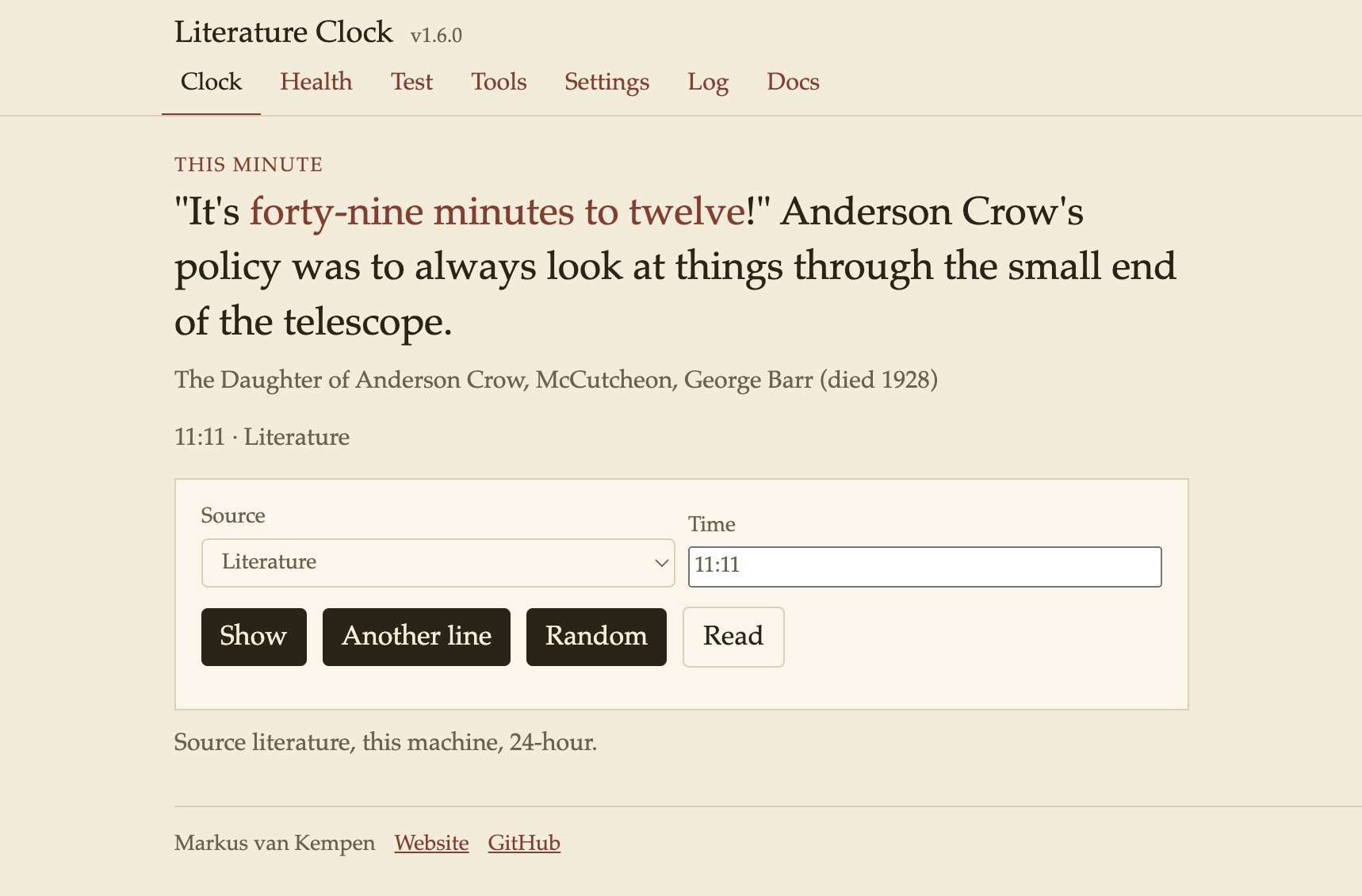
The HTTP clock, with Literature selected for 11:11.
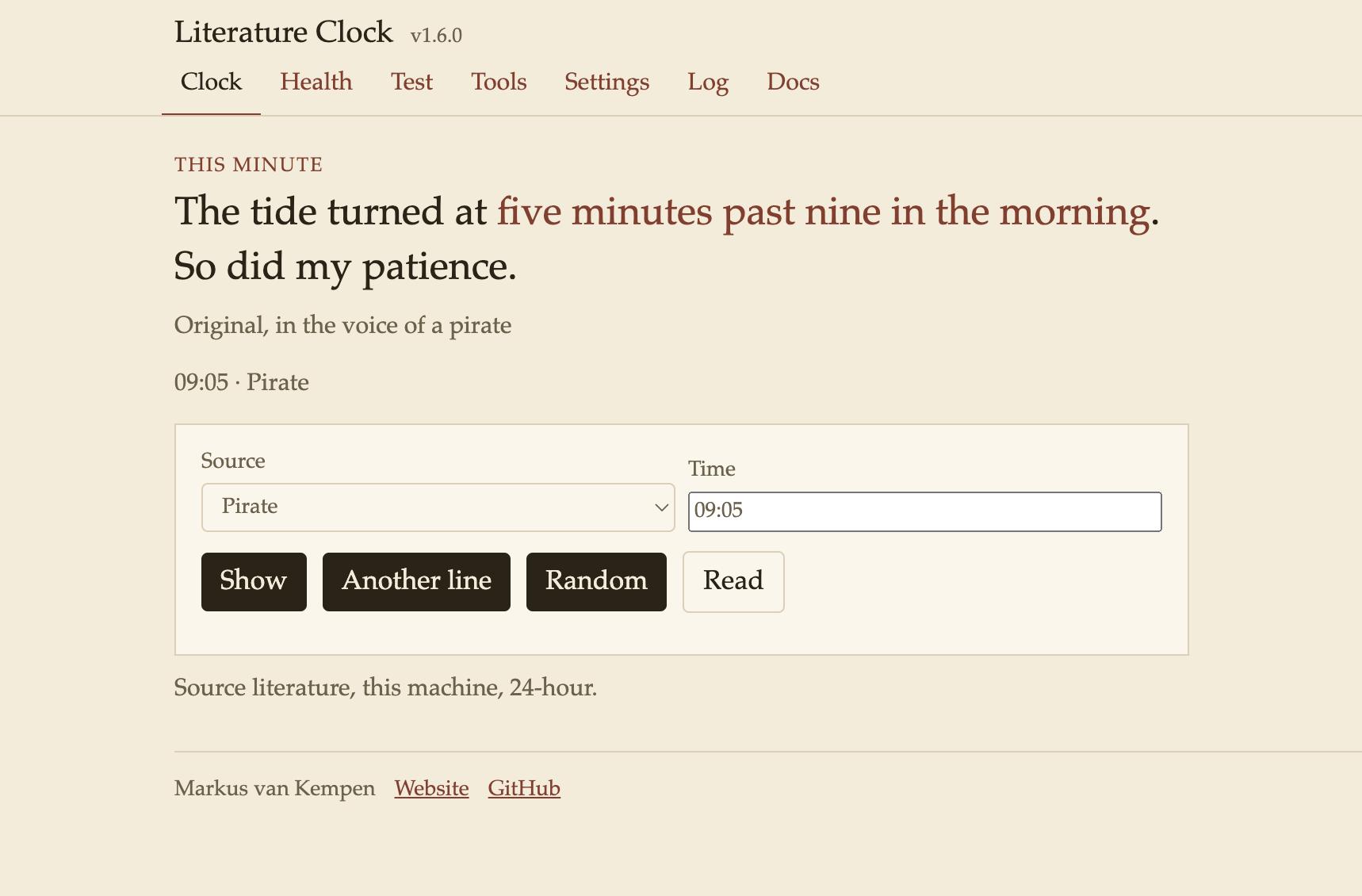
An original voice, not a book quotation.
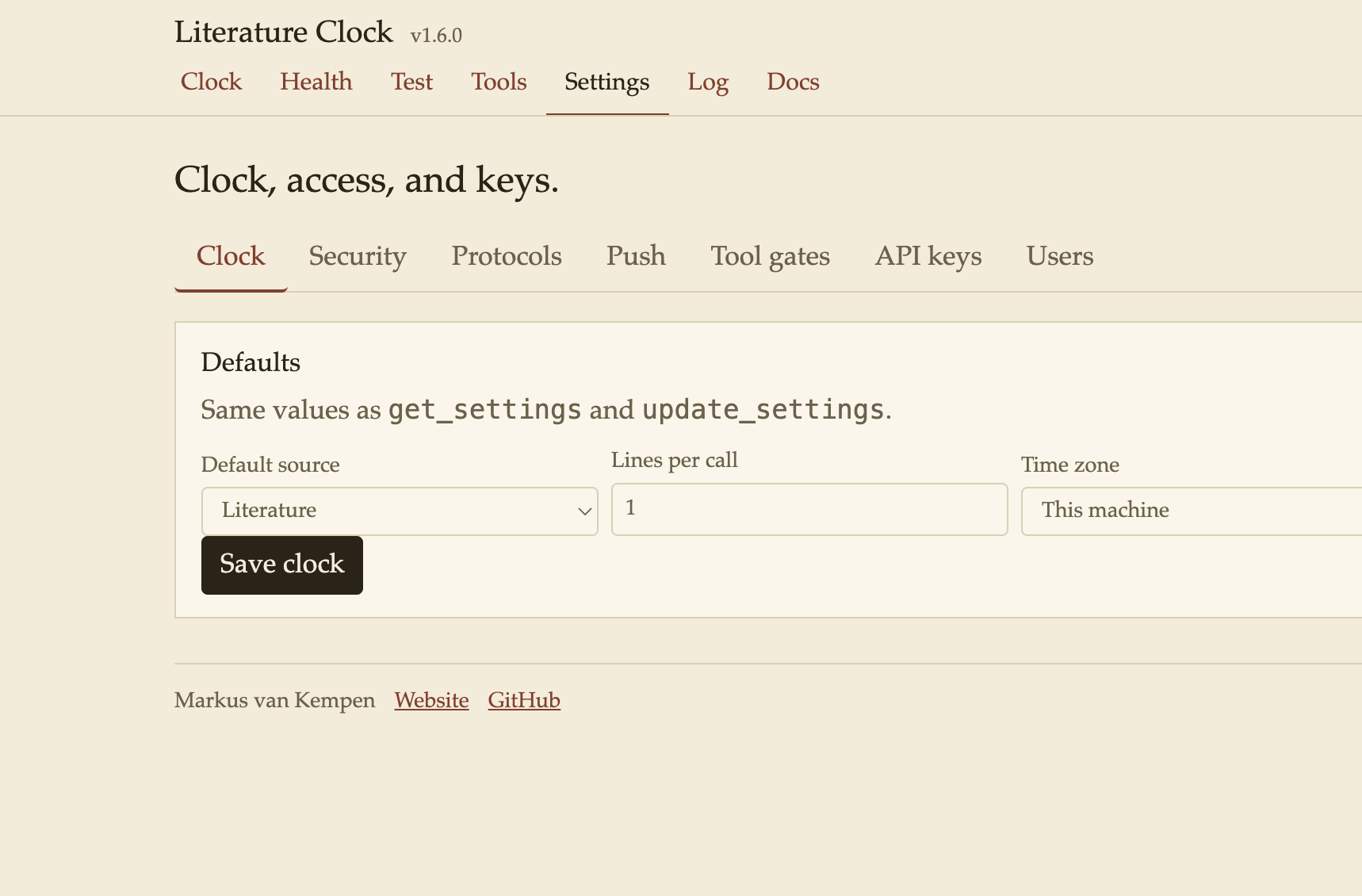
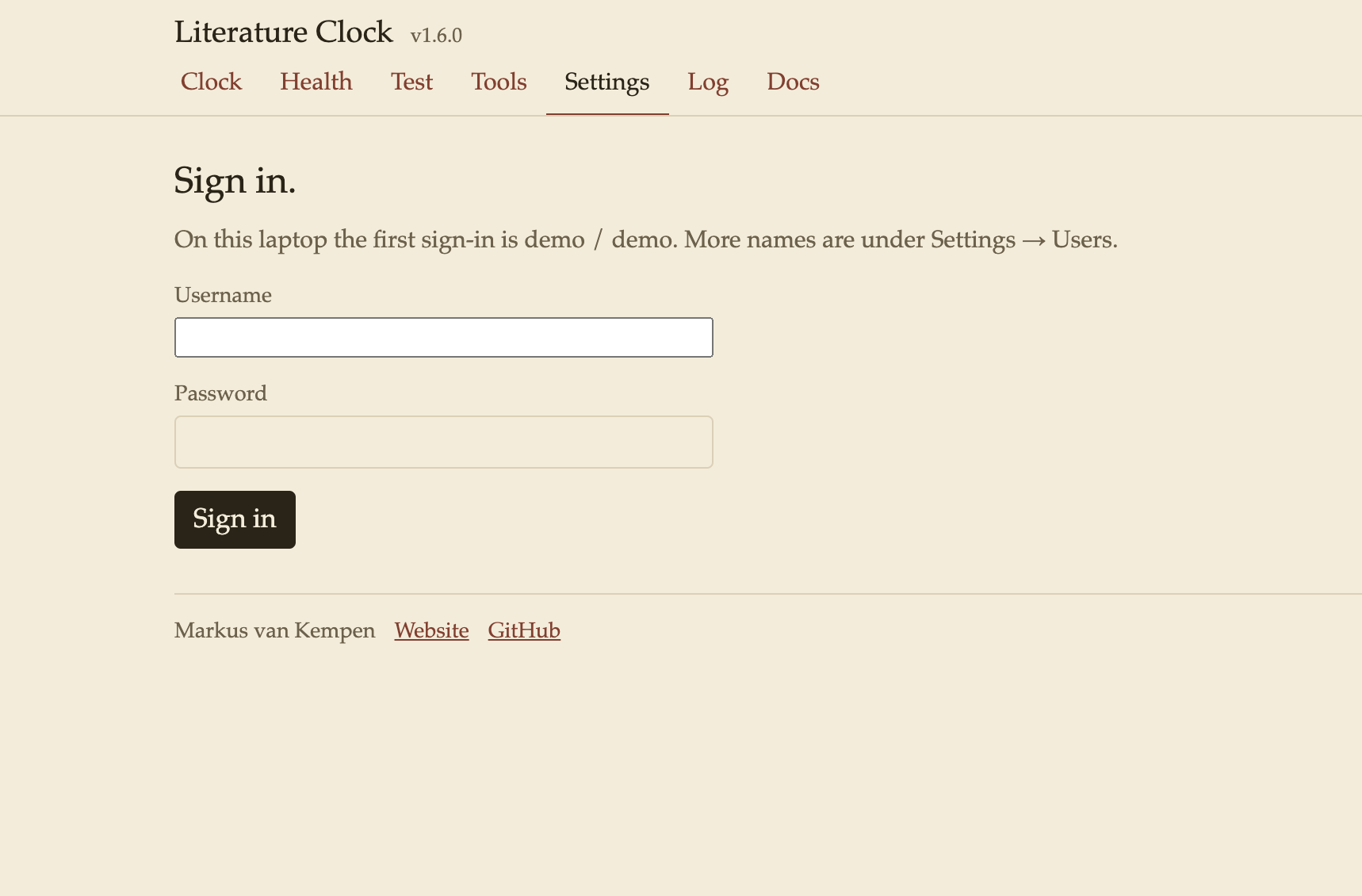
Settings (laptop sign-in demo / demo). Default source, time zone, 12-hour or 24-hour clock, users and passwords, auth, and rate limit.
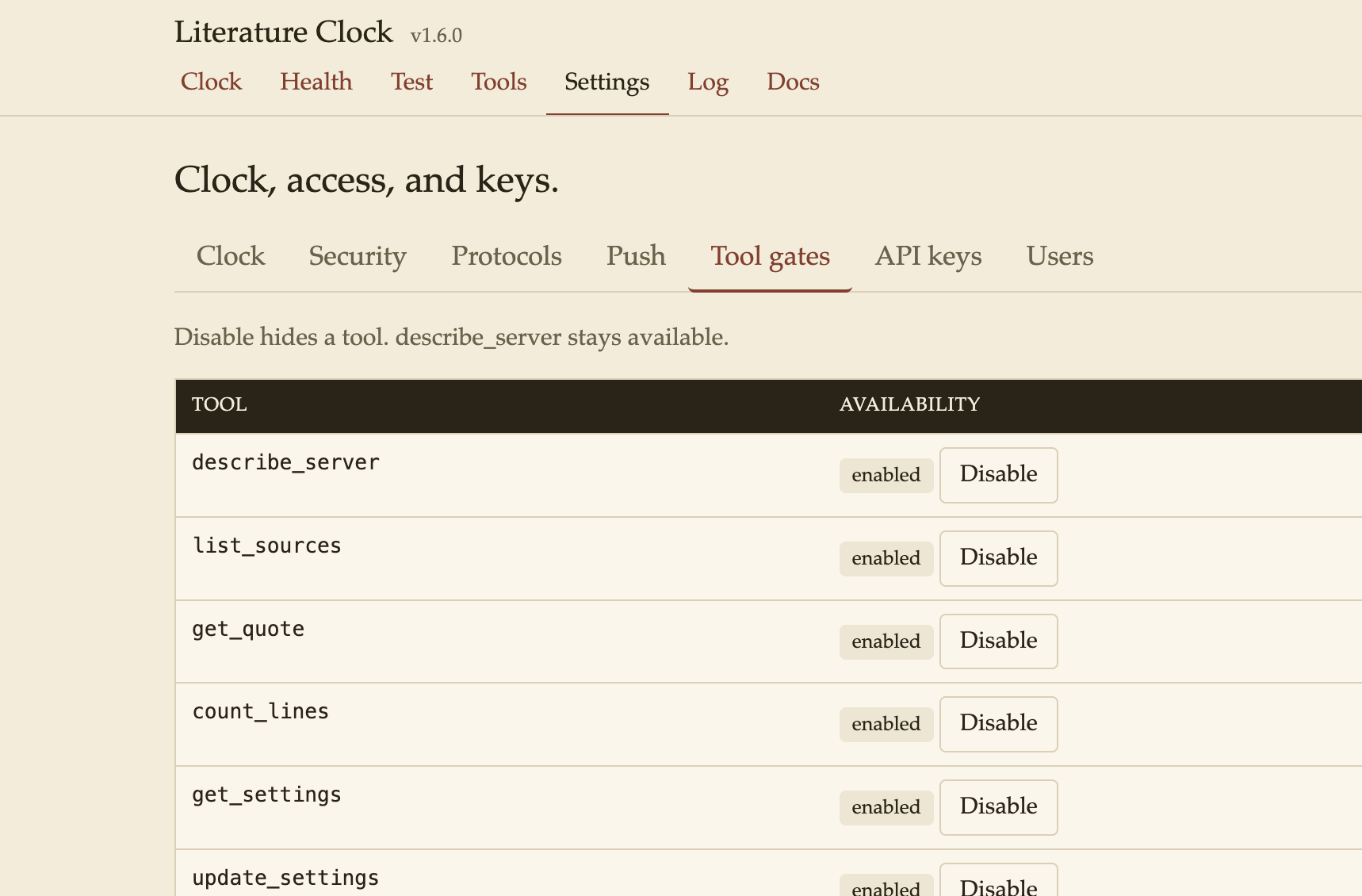
Sign-in before Settings on a fresh session.
Features
| Feature | Where |
|---|---|
| Clock page | / — Show, Another line, Random, Read aloud. ?source=literature&time=09:05 |
| Literature, books, mix, surprise, voices | Default source is literature. list_sources |
| Clock, settings, keys, users, log | Each Settings form is a tool: set_clock, set_auth_mode, set_audit, set_rate_limit, set_protocols, set_ui_auth, set_tool_gate, set_tool_lock, set_push. Backup is export_settings then import_settings. The log is set_audit, then generate_traffic, then export_log. Those need the admin scope even when auth mode is off. |
| JSON Schema | list_schemas then get_schema, or tools/list on the Tools page |
| Run a tool | Tools page. Copy JSON, or open the result in a new tab |
| Resources | sources://list, quote://{source}/{hhmm} |
| Prompts | diagnose-server, quote-for-now, another-line, mix-the-minute, voice-at-nine, books-for-a-minute, read-settings |
| Protocols | stdio, Streamable HTTP (/mcp), legacy SSE (/sse). Settings → Protocols. One stays on |
| Hide pages until sign-in | Settings → Protocols. JSON and MCP stay available |
| Health, smoke, traffic | /health, /test. Traffic needs a sign-in or an API key. It fills the log with reads, a bad time, an unknown schema, and a rejected key |
| Settings | Clock, security, protocols, push, tool gates, API keys, users, backup |
| Quote push | Every 5, 10, 15, 30, or 60 minutes, or one line immediately with push_quote |
| Event stream | GET /events. The Events client subscribes and can push one line |
| Log | Counters, errors, call trace, audit trail. Export names the caller (user, API key, or anonymous) |
| Auth | off, write, or all. Keys and users on Settings. describe_server stays open |
| Client pages | clients/ for Cursor, VS Code, Claude Desktop, a browser, the event stream, and settings |
Quote sources
| Source | What you get |
|---|---|
| literature (default) | Johannes Enevoldsen's collection. Exact-minute bundled copyright-free lines first. If that minute has none, the public JSON feed (safer passages). If the feed does not answer, a copyright-free line, marked as a library fallback. |
| books | Bundled copyright-free corpus only. An empty minute uses the nearest earlier readable line and says so. |
| mix | Exact minute from books and every voice. |
| surprise | One random source, then a line from it. |
| voices | Original lines: Yoda, Teacher, Pirate, Aussie, Canadian, Cat, Chef, Comedian, Cowboy, Detective, English, French, Hitchhiker, Hockey, Librarian, New Yorker, Pilot, Robot, Scottish, Soccer, Sports, Star Trek, Star Wars, Vampire. |
list_sources returns the live catalog, including each voice id.
Tools
| Tool | Scope | When to use |
|---|---|---|
describe_server | read | First call, and again after any denial. Version, auth mode, tools, and how time and source work. |
list_sources | read | literature, books, mix, surprise, and each voice id. |
get_quote | read | One or more lines for HH:MM or now. Omit source to use the saved default. |
count_lines | read | How many local lines each source has for one minute |
get_settings | read | Clock defaults, auth, rate limit, protocols, tool gates, and the quote schedule, including clientPush. |
update_settings | write | The same values as Settings, including clientPush, one tool gate, and one tool lock. |
list_schemas | read | Names for the line, source, settings, and tool schemas. |
get_schema | read | JSON Schema for one of those names. A tool name includes inputSchema and outputSchema. |
push_quote | write | Send the current quote to open GET /events clients now. Off until clientPush is on. HTTP only. |
list_users | admin | Settings → Users. Names and scopes. Passwords are not returned. |
create_user | admin | Settings → Users → Save user. |
delete_user | admin | Settings → Users → Remove. The built-in admin stays. |
list_api_keys | admin | Settings → API keys. The secret is not returned. |
issue_api_key | admin | Settings → API keys → Issue key. The secret is returned once. |
revoke_api_key | admin | Settings → API keys → Revoke. Pass the id from list_api_keys. |
export_settings | admin | Settings → Backup → Export. Includes saved-user password hashes. Omits API keys and the MQTT password. |
import_settings | admin | Settings → Backup → Import. Pass the export object. |
export_log | admin | Log → Export log and trace. |
push_quote_now | admin | Settings → Push → Push a quote now. Uses the saved destinations. |
generate_traffic | read | Test → Generate traffic. Needs any credential, even when auth mode is off. Then call export_log. |
set_clock | admin | Settings → Clock. Then get_quote with no source. |
set_auth_mode | admin | Settings → Security → Apply mode. Then describe_server. |
set_audit | admin | Settings → Security → Call trace. Then generate_traffic and export_log. |
set_rate_limit | admin | Settings → Security → Rate limit. Then describe_server. |
set_protocols | admin | Settings → Protocols. Send all three; at least one stays on. Then describe_server. |
set_ui_auth | admin | Hide HTML pages until sign-in. Then get_settings. |
set_tool_gate | admin | Enable or disable one tool. describe_server stays available. Then describe_server. |
set_tool_lock | admin | Lock a tool so it needs a credential even when auth mode is off. Then describe_server. |
set_push | admin | Settings → Push → Save schedule. Then push_quote_now, or push_quote when client push is on. |
get_schema for a tool includes inputSchema, outputSchema, and the next call. Follow that next field once. describe_server returns server.version and server.description. The same version is in the page header, on Health, in get_settings, and in the server schema.
get_quote is read-only. Pass avoid with the previous line text to get a different line for the same minute. count is 1–8. Failures set isError: true. An empty lines array means that minute has no row — try literature, books, or mix. Do not invent a quotation.
Example:
Quote push
The schedule is off until an interval and a destination are saved. The HTTP process sends the current quote from the saved source and time zone. A matching minute is :00, :05, :10, and so on. stdio does not run the schedule. A chat client does not print a push. Call get_quote for a line in the reply.
| Destination | What receives the line |
|---|---|
| Event stream | GET /events. SSE event name quote. The first frame on connect is event: ready. |
| Legacy SSE | Open GET /sse sessions. Notification notifications/literature-clock/quote. |
| Streamable HTTP | Open POST /mcp sessions. The same notification. |
| MQTT | The saved broker and topic. The password is stored and is not returned by get_settings. |
clientPush lets a client call push_quote without waiting for the minute. That call always includes the event stream, plus any other saved destination. Turn it on under Settings → Push, or with update_settings and "clientPush": true. The Events page has Push a quote now, which calls push_quote. Subscribe first, then press it.
Settings → Push → Push a quote now uses the saved destinations only. Save the schedule before that button. It does not turn clientPush on.
The clock on a host is that machine’s time zone setting. timeZone device is the process zone. On Render that is UTC.
Resources and prompts
| Kind | Name |
|---|---|
| Resource | sources://list |
| Resource | quote://{source}/{hhmm} — quote://literature/09-05, quote://pirate/14-30, or quote://books/now |
| Prompt | diagnose-server |
| Prompt | quote-for-now |
| Prompt | another-line |
| Prompt | mix-the-minute |
| Prompt | voice-at-nine |
| Prompt | books-for-a-minute |
| Prompt | read-settings |
Run
Published package:
| URL | What it shows |
|---|---|
/ | Clock. ?source=literature&time=09:05. Another line skips the line on screen. Random picks a different source. Read speaks the line. |
/admin | Settings. Laptop sign-in demo / demo unless ADMIN_USER and ADMIN_PASSWORD are set. On a public bind the laptop password is off until ADMIN_PASSWORD is set. Backup exports and imports settings. |
/health | Process is up. cwd only on localhost. |
/test | Read-only smoke, plus Generate traffic after a sign-in or Authorization: Bearer key (reads, a bad time, an unknown schema, a rejected key). |
/tools | Tool list. Run list_schemas and get_schema, or load tools/list. |
/help | Feature list, author, pages, and tools. |
/sse | Legacy SSE |
/mcp | Streamable HTTP |
/events | Plain SSE. Event ready on connect, then quote when a push runs |
/log | Call trace, after sign-in, when audit is on |
The same settings are get_settings / update_settings, and GET or POST /api/settings.
The browser UI is HTTP only. stdio does not open a page. MCP_MODE=http npx literature-clock-mcp@1.6.5 serves the clock. The local desk port in development is http://127.0.0.1:8788/.
Render
render.yaml starts the published npm package. This repository does not contain the server source. Leave PORT unset so Render can set it. Bind 0.0.0.0.
Start command
| Key | Value |
|---|---|
MCP_MODE | http |
HOST | 0.0.0.0 |
ADMIN_PASSWORD | a password you choose. Required on this public address |
Health check path: /health.
The clock is https://<your-service>.onrender.com/. The MCP URL is that host plus /mcp. Settings sign-in uses ADMIN_USER (default demo) and ADMIN_PASSWORD. The laptop password demo is off on that public address. IDE setup for that URL, and for Code Engine, is under Add a hosted server.
Example
In Cursor, with literature-clock-mcp.onrender.com connected:
ask literature-clock-mcp for the current quote
The Literature Clock on Render answered for 16:01, the clock on that server. That is 12:01 PM in Toronto.
A little after four o’clock, Pippa meandered over to Dot’s house carrying a bottle of wine she had been keeping in reserve and wondering if she could possibly be pregnant in spite of the vestigial coil still lodged in her uterus like astronaut litter abandoned on the moon.
The Private Lives of Pippa Lee, by Rebecca Miller. The time phrase is “A little after four o’clock.” The source was Literature.
Auth
Auth defaults to off. Settings and Log show a lock because they need a sign-in.
| Mode | Behaviour |
|---|---|
off | No credential for quote tools. Admin tools and generate_traffic still need a credential. A tool can still be locked on its own under Settings → Tool gates. |
write | update_settings and push_quote need a key. Read tools stay open. Admin tools need the admin scope. |
all | Every tool except describe_server needs Authorization: Bearer <key> or MCP_API_KEY. Admin tools need the admin scope. |
| Variable | What it does |
|---|---|
ADMIN_USER | Settings sign-in name. Default demo. |
ADMIN_PASSWORD | Settings sign-in password. Default demo on this laptop. On a public bind (HOST=0.0.0.0, Render, or a container) there is no default: set this before the process starts, then restart. It is not stored in Settings and is not part of an export. |
RATE_LIMIT | Max tool calls per minute. Default 60. |
Issue and revoke keys on /admin. /health only means the process is up; /test runs the quote checks.
Settings → Backup downloads the clock, auth, protocols, schedule (including client push), tool gates, and saved users (password hashes). Import restores that file. API keys and the MQTT password are not in it. Log → Export log and trace downloads counters, errors, the call trace, and the audit trail.
Settings → Tool gates can disable a tool or lock it so it needs a credential even when auth is off. describe_server stays available and stays open.
Settings → Users adds a name and password with scopes read, write, or admin. The built-in admin name comes from ADMIN_USER and is not replaced here. Settings → API keys issues a bearer key. The secret is shown once.
Settings → Protocols turns stdio, Streamable HTTP, and SSE on or off. At least one stays on. The same tab can hide the HTML pages until sign-in. describe_server and update_settings still answer on a protocol that is on, so a turned-off transport can be turned back on.
Publish
Publish from the package that contains src/ and data/, not from this git tree. See docs/PUBLISHING.md. The npm tarball ships src/, data/ (books and voices), the README, docs/screenshots/, docs/icon.png, docs/icon.svg, server.json, clients/, LICENSE, and NOTICE.
npm keywords: mcp, model-context-protocol, mcp-server, literature-clock, ink-clock, quotes, books, voices, stdio, streamable-http, cursor, vscode, claude, clock.
Related clocks
| Clock | What it is |
|---|---|
| Alexa Ink Clock | Alexa skill Ink O'Clock. A line for the minute, read aloud. |
| Chrome Ink Clock | New-tab and toolbar clock. Copyright-free lines and original voices, bundled in the extension. |
| Stanza Clock | Chrome new-tab word clock. 8×8 and 16×16 letter plates in seven languages. |
| ESP-WordClock8x8 | English 8×8 WS2812 word clock for ESP32-S3 and ESP8266. The hardware face Stanza Clock matches. |
Author
Markus van Kempen · github.com/markusvankempen
No bug too small, no syntax too weird.