AllMCPs
BrowseBestCategoriesStackCompareToolsGuidesBlog Log in Submit MCP

Stay in the loop

Get new MCP servers and top picks in your inbox.

AllMCPs

The open directory for discovering and installing Model Context Protocol servers.

Explore

  • Browse servers
  • Best MCP servers
  • Categories
  • MCP clients
  • Agent prompts
  • Stack Builder
  • Compare servers
  • Tags index
  • Submit a server
  • Pricing

Learn

  • Guides hub
  • What is MCP?
  • Install guide
  • Troubleshooting
  • Security
  • Blog
  • Blog RSS

Tools

  • All tools
  • Config generator
  • Config validator
  • MCP playground
  • OpenAPI โ†’ MCP
  • Badge generator

For agents

  • API docs
  • Trust & traffic
  • llms.txt โ†— (opens in a new tab)
  • Catalog JSON โ†— (opens in a new tab)
  • Remote MCP โ†— (opens in a new tab)

Company

  • About
  • Contact
  • X (@AllMCPs) โ†— (opens in a new tab)
  • GitHub โ†— (opens in a new tab)
  • Terms
  • Privacy
AllMCPs VerifiedAllMCPs VerifiedFeatured on Nick LaunchesFeatured on Nick LaunchesLaunch Llama NewsletterLaunch Llama NewsletterVerified DR - allmcps.comVerified DR - allmcps.comFeatured on SaaSGrowFeatured on SaaSGrowFeatured on Twelve ToolsFeatured on Twelve ToolsFeatured on Saaspa.geFeatured on Saaspa.geFeatured on Findly.toolsFeatured on Findly.toolsFeatured on Startup FameFeatured on Startup FameFeatured on LaunchKiwiFeatured on LaunchKiwiFeatured on ScrollLaunchFeatured on ScrollLaunchFeatured on DailyPingsFeatured on DailyPingsFazier badgeFazier badgeFeatured on NewTool.siteFeatured on NewTool.siteFeatured on saasfame.comFeatured on saasfame.comDR Checker - Domain RatingDR Checker - Domain RatingListed on Turbo0Listed on Turbo0Launched on LaunchBoard - Product Launch PlatformLaunched on LaunchBoard - Product Launch PlatformList on SimilarlabsList on Similarlabshttps://codetrendy.comhttps://codetrendy.comListed on DevTool.ioFeatured on BuildlistFeatured on BuildlistAllMCPs VerifiedAllMCPs VerifiedFeatured on Nick LaunchesFeatured on Nick LaunchesLaunch Llama NewsletterLaunch Llama NewsletterVerified DR - allmcps.comVerified DR - allmcps.comFeatured on SaaSGrowFeatured on SaaSGrowFeatured on Twelve ToolsFeatured on Twelve ToolsFeatured on Saaspa.geFeatured on Saaspa.geFeatured on Findly.toolsFeatured on Findly.toolsFeatured on Startup FameFeatured on Startup FameFeatured on LaunchKiwiFeatured on LaunchKiwiFeatured on ScrollLaunchFeatured on ScrollLaunchFeatured on DailyPingsFeatured on DailyPingsFazier badgeFazier badgeFeatured on NewTool.siteFeatured on NewTool.siteFeatured on saasfame.comFeatured on saasfame.comDR Checker - Domain RatingDR Checker - Domain RatingListed on Turbo0Listed on Turbo0Launched on LaunchBoard - Product Launch PlatformLaunched on LaunchBoard - Product Launch PlatformList on SimilarlabsList on Similarlabshttps://codetrendy.comhttps://codetrendy.comListed on DevTool.ioFeatured on BuildlistFeatured on Buildlist
ยฉ 2026 Jackalope Digital LLC. All rights reserved.
  1. Home
  2. ๐Ÿ’ป Developer Tools
  3. LineBreak Gate & Spec Bridge
L
Health: Not checked yetWe have not completed a health check for this listing yet.Last checked 8/10/2026, 11:27:10 PM

LineBreak Gate & Spec Bridge

Enrichment pendingWe havenโ€™t run our AI enrichment pass on this listing yet, so the overview, use cases, and FAQ below may be sparse or missing. We work through the catalog over time โ€” check back soon.
View RepositoryVisit Website

Approved acceptance criteria served over MCP to Claude Code, Cursor, or Codex. Git-only, sealed.

Quick Install

Automated & IDE Setup

Copy the AI prompt to install this server into Claude Code, Cursor, or another agent โ€” or use 1-click editor setup below.

Add to CursorAdd to VS Code
Manual Client & Custom JSON ConfigExpand JSON โ–พ

Install Config Generator

Choose your client
claude_desktop_config.json
{
  "mcpServers": {
    "linebreak-gate-spec-bridge": {
      "command": "npx",
      "args": [
        "-y",
        "linebreak-gate-spec-bridge"
      ]
    }
  }
}

๐Ÿ’ก Paste into ~/Library/Application Support/Claude/claude_desktop_config.json (macOS) or %APPDATA%\Claude\claude_desktop_config.json (Windows)

Install Directory Badge Claim listing Alternatives๐Ÿ’ป More in Developer Tools

Documentation Overview

linebreak-gate โ€” the LineBreak security gate at the git/CI boundary

See it run

A real recording, no mock: the scan blocks a critical CVE fail-closed, the pin gets fixed, the gate opens.

linebreak-gate scan blocking a critical CVE, then passing after the fix

The spec loop: a named human approves the criteria, check blocks until the manual criterion carries a sign-off, then everything passes.

spec approve, check blocked until sign-off, then all criteria pass

Blocks merges that carry known vulnerabilities. One tool, two detectors โ€” dependency scanning is free; the AI review is the Pro upgrade:

  • Dependency CVE scan โ€” free, no key โ€” osv-scanner across every ecosystem (npm, PyPI, Go, Cargo, Maven, โ€ฆ), with an npm audit fallback for npm projects (npm-only coverage and no installed-version data โ€” the GitHub Action fails closed if osv-scanner can't be installed instead of degrading to it).
  • AI SAST โ€” Pro โ€” an LLM security review of first-party source (injection, broken auth, secret exposure, SSRF, unsafe deserialization, crypto misuse) with adversarial verification, enabled by LINEBREAK_LICENSE_KEY (hosted, uses credits) or ANTHROPIC_API_KEY (your own key, takes precedence). Without a key the dependency scan still runs and this pass is skipped with a notice.

The gate blocks and can propose; it never auto-clears on an agent's say-so. A human approves the fix or records an override โ€” with a reason and an approver โ€” in a git-committed audit file.

This is the same scanner core that powers the LineBreak desktop app's in-app security gate (the desktop backend imports this package), but it is fully standalone: a team that has never opened the desktop app can add the gate to their repo and get real enforcement.

Contributing & license. This repo is the published source of linebreak-gate (Apache-2.0): every release lands here and on PyPI from our CI, and every change passed our own gate first โ€” CVE scan and human-approved criteria, the same discipline we sell. Bug reports and feature requests: open an issue or discussion here; we read everything. Direct PRs to this repo can't be merged (releases flow through our review pipeline), so start with an issue and we'll take it from there.

Quickstart โ€” GitHub Actions

yaml
# .github/workflows/security-gate.yml
name: Security gate
on:
  pull_request:

permissions:
  contents: read
  pull-requests: write # for the summary comment

jobs:
  gate:
    runs-on: ubuntu-latest
    steps:
      - uses: actions/checkout@v5
      - uses: Baktun-Studio/linebreak-gate@v1
        with:
          # fail-on: high # blocking floor; default: critical
          # Optional today; required once license enforcement is enabled.
          license-key: ${{ secrets.LINEBREAK_LICENSE_KEY }}
          # Enables the AI code review; leave unset for dependency scan only.
          anthropic-api-key: ${{ secrets.ANTHROPIC_API_KEY }}

The action runs linebreak-gate scan, always runs report, posts one PR comment (updated in place on every push, never spammed), uploads the JSON report + audit artifacts as a workflow artifact, and fails the check per the scan's exit code.

Make it a real boundary: require the check

A CI job that can be ignored is a dashboard, not a gate. In your repo:

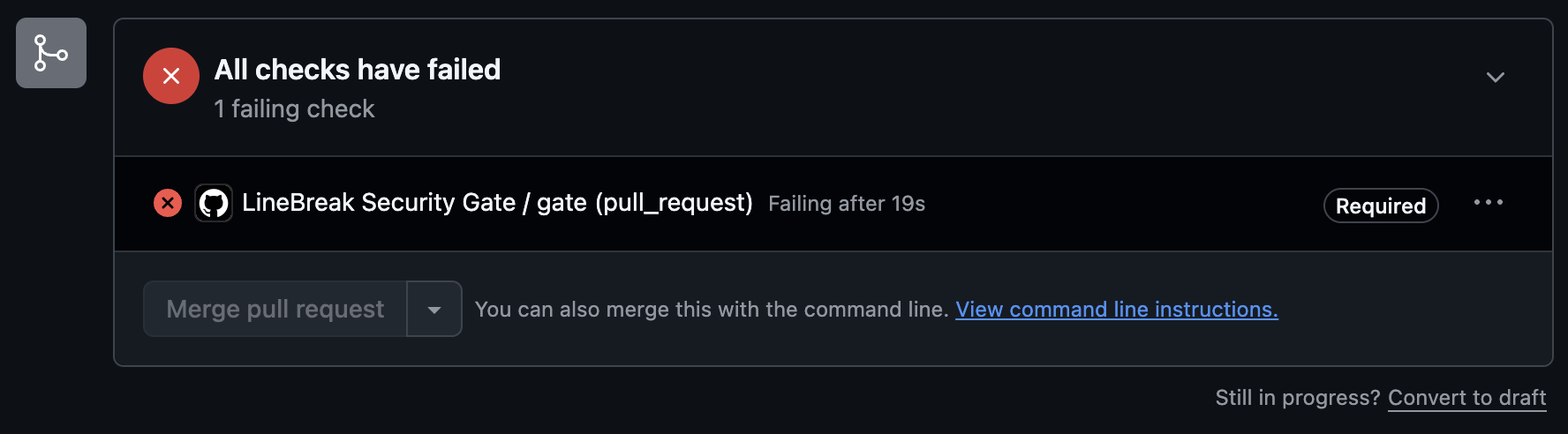
Settings โ†’ Branches โ†’ Branch protection rules โ†’ your default branch โ†’ "Require status checks to pass before merging" โ†’ add the gate job (the name of the job that runs this action). From then on a PR carrying a critical CVE cannot be merged through the GitHub UI.

Quickstart โ€” any other CI (GitLab example)

The CLI is a plain Python package with strict exit codes โ€” 0 pass, 1 blocking findings, 2 tool/config error (fail closed: a scanner crash fails the pipeline, it is never a clean pass). Any CI that respects exit codes gets the same enforcement:

server.ts
# .gitlab-ci.yml
security-gate:
  image: python:3.11
  script:
    - pip install linebreak-gate
    - curl -fsSL -o /usr/local/bin/osv-scanner
      "$(curl -fsSL https://api.github.com/repos/google/osv-scanner/releases/latest
      | python -c "import json,sys;print(next(a['browser_download_url'] for a in json.load(sys.stdin)['assets'] if a['name'].endswith('linux_amd64')))")"
    - chmod +x /usr/local/bin/osv-scanner
    - linebreak-gate scan
    - linebreak-gate report

Mark the job as required (no allow_failure) and protect the branch.

The spec loop โ€” author, approve, serve over MCP, enforce

The gate also enforces approved acceptance criteria, and the whole loop is tool-agnostic โ€” no LineBreak account, no desktop app, no server:

bash
linebreak-gate spec new        # scaffold a draft โ€” fill it with any tool (your
                               # editor, Claude Code, ChatGPT), or distill it
                               # from the PRD you already have in Notion/Jira
linebreak-gate spec approve .linebreak/spec-draft.yml \
  --approver "Ana Lopez <ana@example.com>"   # a human on the record; commits
linebreak-gate mcp install --editor claude-code   # or: cursor ยท codex

linebreak-gate mcp serves the approved bundle (.linebreak/spec/) over MCP (stdio) to Claude Code, Cursor, Codex, or any MCP client. Six tools: list_stories, get_story (criteria as agent context BEFORE code is written), next_story, set_story_status, check_story (the same evaluation engine CI runs, scoped to one story), and spec_status (approval + offline signature state). Git is the transport โ€” no network, no account, works on a bare clone โ€” and nothing in the bridge can write, edit, or invalidate an approved criterion: criteria change only by editing the draft and re-approving, with a human on the record.

Then linebreak-gate check enforces the same criteria in CI: machine checks run for real, manual criteria block until a recorded sign-off. Guided first run with the why of every step: linebreakapp.com/en/start.

CLI

text
linebreak-gate init     [--path .] [--fail-on critical|high|medium|low] [--force] [--non-interactive]
linebreak-gate scan     [--path .] [--fail-on critical|high|medium|low] [--format summary|json]
linebreak-gate report   [--path .] [--format summary|json]
linebreak-gate override --finding <id> --reason "โ€ฆ" --approver <name/email> [--path .]
linebreak-gate override --criterion <id> --reason "โ€ฆ" --approver <name/email> [--path .]
linebreak-gate check    [--path .] [--format summary|json]
linebreak-gate signoff  --criterion <id> --approver <name/email> --note "โ€ฆ" [--path .]
linebreak-gate spec new     [--path .] [--out <file>] [--force]
linebreak-gate spec approve <draft> --approver <name/email> [--role architect] [--path .]
linebreak-gate spec list|next [--path .]
linebreak-gate spec show|check <story-id> [--path .]
linebreak-gate mcp      [--path .]            # serve the approved spec over stdio
linebreak-gate mcp install [--editor claude-code|cursor|codex] [--print]
  • init sets a repo up in one command: writes the workflow file (never clobbers an existing one without --force), optionally writes .linebreak/gate.yml, offers to store the secrets via the GitHub CLI and to require the gate check โ€” and prints the exact settings links for anything it can't do for you.

  • scan runs both detectors, writes git-native audit artifacts under .linebreak/audit/, and exits 0/1/2.

  • report renders the recorded scan: counts by severity and every finding with CVE id, CVSS, advisory link, and override status. --format json for machines.

  • override records a human-approved acknowledgment of one exact finding โ€” the package + installed version + CVE tuple. A different CVE, a bumped version, or a new finding still blocks. --reason and --approver are required; the record lands in the artifact's approval trail. Commit the updated .linebreak/audit/*.json so CI sees it.

  • check evaluates the approved acceptance criteria (.linebreak/spec/, landed by spec approve โ€” or by the desktop app's gate approval) against the working tree: build/tests/command run for real, manual requires a recorded sign-off. Exit 0 all satisfied (or no bundle โ€” a clean no-op), 1 blocking (fail or needs-signoff), 2 tool/config/bundle error (fail closed). Writes .linebreak/audit/criteria.json.

  • signoff records an attributed human sign-off for one manual criterion under .linebreak/spec/signoffs/ (additive; --approver and --note required). It binds to the criterion as approved โ€” editing the criterion and re-approving the spec makes prior sign-offs stale. Commit the record.

  • override --criterion records a human-approved override for one failed machine criterion in .linebreak/audit/criteria.json โ€” same philosophy as CVE overrides: possible, always attributed, stale once the criterion is edited. Other blocking criteria still block.

  • spec new / spec approve โ€” the tool-agnostic authoring path (see the spec-loop section above): scaffold a draft, fill it with any tool, land it as the approved bundle with an attributed human approval, committed. Unsigned local approvals are marked identity_source: client; cryptographic signatures come from the governance service (license key).

  • spec list prints the approved acceptance criteria bundle: each story, its criteria with check types, and the approver attribution. Read-only. Exit 0 on a valid bundle or when none exists; exit 2 on a malformed bundle (fail closed on structure). spec next / show / check are the CLI twins of the MCP bridge tools.

Configuration โ€” .linebreak/gate.yml

The gate's strictness is governance, so it lives in the repo โ€” changing the threshold is itself a PR: visible, reviewable, attributable in git history.

yaml
# .linebreak/gate.yml
fail_on: critical # critical (default) | high | medium | low
exclude_paths: # optional: root-relative globs excluded from scanning
  - fixtures
  - "sandbox/*"
code_scan: auto # auto (run when model credentials are set) | on (required) | off
criteria:
  enforce: true # default: true whenever a spec bundle exists; false disables
  # criteria checking only (the security scan is unaffected)

Precedence: explicit --fail-on flag / Action input โ†’ .linebreak/gate.yml โ†’ built-in default (critical). An invalid config is a tool error (exit 2) โ€” a broken governance file never silently falls back to a default.

Audit records

Every scan and every override is recorded in .linebreak/audit/security.json (dependencies) and .linebreak/audit/code.json (AI SAST) โ€” the same versioned document format the LineBreak desktop app writes, carrying findings (CVE id, CVSS, advisory link), scanner engine, timestamp, actor, and the approval trail with each override's reason + approver. Who relaxed the gate, and when, is itself auditable.

Pricing

Freemium. The dependency CVE scan is free โ€” no key, no account; it's the whole gate for teams that only want dependency coverage. The AI review is Pro, unlocked by LINEBREAK_LICENSE_KEY (the Action's license-key input; hosted on credits, or bring ANTHROPIC_API_KEY). Generate the key in the LineBreak desktop app (Settings โ†’ Security).

The gate runs open by default: it works without a key and prints a notice when no LINEBREAK_LICENSE_KEY is set (suppressed for BYOK users). That's freemium โ€” the dependency scan runs free. Teams that want to require a valid Pro key for the gate to run at all can opt into LINEBREAK_ENTITLEMENTS_PROVIDER=remote, which checks the entitlement before any scan and fails closed on a missing/invalid/revoked key, wrong plan, or unreachable service โ€” blocking the whole gate, dependency scan included.

Related MCP Servers

View all in Developer Tools View all alternatives
  • Claude Task Master logoClaude Task Master

    AI-powered task management system for AI-driven development. Features PRD parsing, task expansion, multi-provider support (Claude, OpenAI, Gemini, Perplexity, xAI), and selective tool loading for optimized context usage.

    ๐Ÿ’ป Developer Tools7 views
    Compare vs Claude Task Master โ†’
  • C
    Context Autopilot

    Mines your Claude Code and Cursor sessions into evidence-based CLAUDE.md / AGENTS.md rules.

    ๐Ÿ’ป Developer Tools0 views
    Compare vs Context Autopilot โ†’
  • C
    Chinese Text Tools

    Claude Code ไธญๆ–‡ๅ†™ไฝœๅ››ๅˆไธ€ๅทฅๅ…ท็ฎฑ๏ผšๆ–‡ๆœฌๅˆ†ๆž๏ผˆๅญ—ๆ•ฐ/ๆฎต่ฝ/้˜…่ฏปๆ—ถ้—ด๏ผ‰ใ€็ป“ๆž„ๅŒ–ๅคง็บฒ็”Ÿๆˆ๏ผˆ่ฎบๆ–‡/ๅฐ่ฏด/ๅ•†ไธš่ฎกๅˆ’ไนฆ๏ผ‰ใ€GB/T 7714 ๅ‚่€ƒๆ–‡็Œฎๆ ผๅผๅŒ–ใ€ไธญๆ–‡ๅญ—้ข‘็ปŸ่ฎกใ€‚็บฏๆœฌๅœฐ่ฟ่กŒใ€‚

    ๐Ÿ’ป Developer Tools1 views
    Compare vs Chinese Text Tools โ†’
  • A
    Ai Netcafe

    Compare LLM cost & latency on one prompt, translate PDF keeping layout, cited research, make PPTX

    ๐Ÿ’ป Developer Tools0 views
    Compare vs Ai Netcafe โ†’

Frequently Asked Questions about LineBreak Gate & Spec Bridge

Add the following block to your claude_desktop_config.json under mcpServers: "mcpServers": { "linebreak-gate-spec-bridge": { "command": "npx", "args": ["-y", "LineBreak Gate & Spec Bridge"] } }

AllMCPs Directory Badge

Full Badge Customizer

Showcase your server listing on GitHub or your project documentation. Embed this dynamic SVG badge to highlight official listing status and live engagement.

Badge Style:
Live Dynamic SVG PreviewLineBreak Gate & Spec Bridge AllMCPs Directory Badge

Markdown (GitHub README)
[![AllMCPs](https://allmcps.com/api/badge/linebreak-gate-spec-bridge?style=directory)](https://allmcps.com/mcp/linebreak-gate-spec-bridge)
HTML Embed
<a href="https://allmcps.com/mcp/linebreak-gate-spec-bridge"><img src="https://allmcps.com/api/badge/linebreak-gate-spec-bridge?style=directory" alt="LineBreak Gate & Spec Bridge on AllMCPs" /></a>

Technical Specs & Signals

Category๐Ÿ’ปDeveloper Tools
More technical detailsExpand โ–พ
TransportSTDIO
RuntimeNode.js
Views0
Unique ViewsTotal visits recorded for this listing page on AllMCPs.
Installs0
Installs & Copy ActionsTotal times users copied install commands or configuration snippets for this server.
27Quality signal: Emerging ยท 27/100How this signal is calculated โ–พ
Server availabilityNot measured

Not scored for repo-hosted servers โ€” we can't reach the running server, only its GitHub page. Hosted MCP endpoints are health-checked live.

Verified ownership8/20
Documentation & tools11/30
Adoption & activity1/15
Community engagement0/10

A guidance signal from public completeness & health data โ€” not a user rating. New listings start lower and rise as they add docs, get verified, and grow adoption. Signals we can't observe for a listing are skipped, not counted against it.

โ˜… Spotlight Slot

Feature Your MCP Server

Get maximum visibility for your server across our directory, search results, and detail pages.

Spotlight Your Server

Own this project?

This directory is pre-filled from public sources. Claim via GitHub README, site badge, or DNS TXT to get the verified badge.

Free dofollow backlink: after claiming, verify your product site and place a dofollow AllMCPs badge โ€” we recheck it stays live.

Claim & get free dofollow

Share & Embed

Add our SVG badge (dark/light directory styles) or embeddable widget to your site.

Explore more

More in ๐Ÿ’ป Developer Tools โ†’Best MCP servers for Developers โ†’Alternatives to LineBreak Gate & Spec Bridge โ†’Install in Claude DesktopInstall in CursorInstall in VS Code