Limps README
The full upstream README, mirrored here for reference. Install config, tool schemas, adoption signals, and an original overview live on the Limps listing page.
limps
Local Intelligent MCP Planning Server — A document and planning layer for AI assistants. No subscriptions, no cloud. Point limps at any folder (local, synced, or in git). One shared source of truth across Claude, Cursor, Codex, and any MCP-compatible tool.




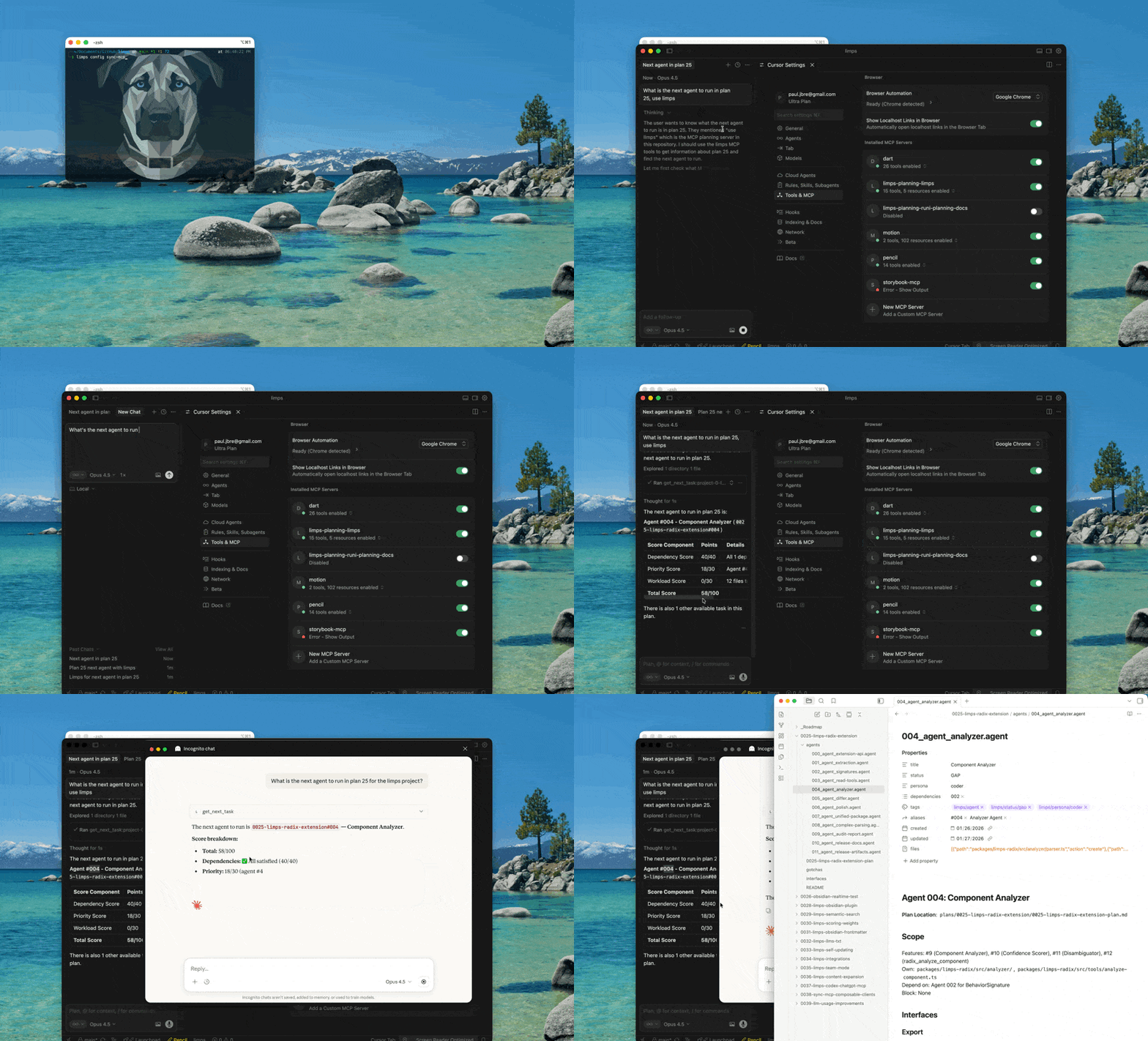
Table of Contents
- Quick Start
- Features
- How I Use limps
- Health & Automation
- How You Can Use It
- Why limps?
- Installation
- Upgrading from v2
- Project Setup
- Client Setup
- Transport
- Daemon Management
- CLI Commands
- Configuration
- Environment Variables
- Troubleshooting
- MCP Tools
- Skills & Commands
- Extensions
- Obsidian Compatibility
- Development
- Used in Production
- Creating a feature plan
- Deep Dive
- What is MCP?
- License
Quick Start
That's it. Your AI assistant now has access to your documents via HTTP transport. The folder can be anywhere—local, synced, or in a repo; limps does not require a git repository or a plans/ directory.
Tip: limps server status always includes system-wide daemon discovery. If a project config is found (or passed via --config), it also reconciles the configured project target against that global list.
Features
- Document CRUD + full-text search across any folder of Markdown files
- Plan + agent workflows with status tracking and task scoring
- Next-task suggestions with score breakdowns and bias tuning
- Sandboxed document processing via
process_doc(s)helpers - Multi-client support for Cursor, Claude, Codex, and more
- Extensions for domain-specific tooling (e.g., limps-headless)
- Knowledge graph — Entity extraction, hybrid retrieval, conflict detection, and graph-based suggestions
- Health automation — Staleness detection, code drift checks, status inference, and auto-fix proposals
- Advanced task scoring — Dependency-aware prioritization with per-plan/agent weight overrides
- MCP Registry — Published to the official MCP Registry (
registry.modelcontextprotocol.io)
What to know before you start
- Local only — Your data stays on disk (SQLite index + your files). No cloud, no subscription.
- Restart after changes — If you change the indexed folder or config, restart the MCP server (or rely on the file watcher) so the index and tools reflect the current state.
- Daemon management — The HTTP server runs as a background process. Use
limps server start,limps server stop, andlimps server statusto manage the daemon lifecycle. PID files are stored in OS-standard directories for system-wide awareness. - Sandboxed user code —
process_docandprocess_docsrun your JavaScript in a QuickJS sandbox with time and memory limits; no network or Node APIs. - One optional network call —
limps version --checkfetches from the npm registry to compare versions. All other commands (serve, init, list, search, create/update/delete docs, process_doc, etc.) do not contact the internet. Omitversion --checkif you want zero external calls.
How I Use limps
I use limps as a local planning layer across multiple AI tools, focused on create → read → update → closure for plans and tasks. The MCP server points at whatever directory I want (not necessarily a git repo), so any client reads and updates the same source of truth.
Typical flow:
- Point limps at a docs directory (any folder, local or synced).
- Use CLI + MCP tools to create plans/docs, read the current status, update tasks, and close work when done.
- Add the limps MCP entry to each client config so Cursor/Claude/Codex all see the same plans.
Commands and tools I use most often:
- Create:
limps init,create_plan,create_doc - Read:
list_plans,list_agents,list_docs,search_docs,get_plan_status - Update:
update_doc,update_task_status,manage_tags - Close:
update_task_status(e.g.,PASS),delete_docif needed - Analyze:
graph health,graph search,graph check,health check
Full lists are below in "CLI Commands" and "MCP Tools."
How You Can Use It
limps is designed to be generic and portable. Point it at any folder with Markdown files and use it from any MCP-compatible client. No git repo required. Not limited to planning—planning (plans, agents, task status) is one use case; the same layer gives you document CRUD, full-text search, and programmable processing on any indexed folder.
Common setups:
- Single project: One docs folder for a product.
- Multi-project: Each project gets its own
.limps/config.json; pass--configto target a specific one. - Shared team folder: Put plans in a shared location and review changes like code.
- Local-first: Keep everything on disk, no hosted service required.
Key ideas:
- Any folder — You choose the path; if there’s no
plans/subdir, the whole directory is indexed. Use generic tools (list_docs,search_docs,create_doc,update_doc,delete_doc,process_doc,process_docs) or plan-specific ones (create_plan,list_plans,list_agents,get_plan_status,update_task_status,get_next_task). - One source of truth — MCP tools give structured access; multiple clients share the same docs.
Why limps?
The problem: Each AI assistant maintains its own context. Planning documents, task status, and decisions get fragmented across Claude, Cursor, ChatGPT, and Copilot conversations.
The solution: limps provides a standardized MCP interface that any tool can access. Your docs live in one place—a folder you choose. Use git (or any sync) if you want version control; limps is not tied to a repository.
Installation
Upgrading from v2
v3 introduces major changes:
HTTP Transport (Breaking Change)
v3 uses HTTP transport exclusively. stdio transport has been removed.
Migration steps:
-
Start the HTTP daemon for each project:
-
Update MCP client configs — Replace stdio configs with HTTP transport:
Use
limps config printto generate the correct snippet.
Per-Project Configs (Breaking Change)
v3 removes the centralized project registry. If you previously used limps config add, config use, or the --project flag:
- Run
limps initin each project directory to create.limps/config.json. - Update MCP client configs — Replace
--project <name>with HTTP transport config (see above). - Remove environment variable —
LIMPS_PROJECTno longer exists. UseMCP_PLANNING_CONFIGto override config path.
Removed commands: config list, config use, config add, config remove, config set, config discover, config migrate, config sync-mcp, serve.
Replaced by: limps init + limps server start + limps config print.
Project Setup
Initialize a New Project
This creates .limps/config.json in the current directory and prints MCP client setup instructions.
You can also specify a path:
If the directory contains a plans/ subdirectory, limps uses it. Otherwise, it indexes the entire directory.
Multiple Projects
Each project has its own .limps/config.json. Use --config to target a specific project:
Client Setup
After running limps init, you need to add a limps entry to your MCP client's config file. Use limps config print to generate the correct snippet for your client, then paste it into the appropriate config file:
The output tells you exactly what JSON (or TOML) to add and where the config file lives.
Per-Client Examples
All clients connect to the HTTP daemon. Start the daemon first with limps server start, then configure your client.
Cursor
Add to .cursor/mcp.json in your project:
Claude Code
Add to .mcp.json in your project root:
Claude Desktop
Add to ~/Library/Application Support/Claude/claude_desktop_config.json:
OpenAI Codex
Add to ~/.codex/config.toml:
ChatGPT
ChatGPT requires a remote MCP server over HTTPS. Deploy limps behind an MCP-compatible HTTPS reverse proxy (nginx, Caddy, etc.) with authentication.
In ChatGPT → Settings → Connectors → Add custom connector:
- Server URL:
https://your-domain.example/mcp - Authentication: Configure as needed for your proxy
Print setup instructions:
Transport
limps v3 uses HTTP transport exclusively via a persistent daemon. This allows multiple MCP clients to share a single server instance, avoiding file descriptor bloat from multiple stdio processes.
Start the HTTP daemon
The daemon runs at http://127.0.0.1:4269/mcp by default. Use limps config print to generate the correct MCP client configuration:
See Daemon Management for detailed lifecycle documentation.
MCP Client Configuration
All clients use HTTP transport. Example config:
Server Config Options
Customize the HTTP server by adding a "server" section to your config.json:
| Option | Default | Description |
|---|---|---|
port | 4269 | HTTP listen port |
host | 127.0.0.1 | Bind address |
maxSessions | 100 | Maximum concurrent MCP sessions |
sessionTimeoutMs | 1800000 | Session idle timeout in ms (30 min) |
corsOrigin | "" (none) | CORS origin ("", "*", or a URL) |
maxBodySize | 10485760 | Max request body in bytes (10 MB) |
rateLimit | 100 req/min | Rate limit per client IP |
Example custom server config:
Note: PID files are stored in OS-standard application directories:
- macOS:
~/Library/Application Support/limps/pids/ - Linux:
$XDG_DATA_HOME/limps/pids/or~/.local/share/limps/pids/ - Windows:
%APPDATA%/limps/pids/
This enables limps server status to perform system-wide daemon discovery from any directory. When a limps config is found for the current directory (or passed via --config), the CLI also reports and reconciles that project's configured target.
- Remote clients: Use an MCP-compatible HTTPS proxy for remote clients (e.g., ChatGPT).
Daemon Management
limps v3 uses a persistent HTTP daemon with system-wide awareness. PID files are stored in OS-standard directories, allowing you to manage and discover daemons from any directory on your system.
PID File Locations
PID files are stored in platform-specific application data directories:
macOS:
Linux:
Windows:
Each PID file is named by port number (limps-{port}.pid) to enable system-wide discovery. Example PID file structure:
This port-based naming allows limps server status to find all running daemons across different projects without needing a config file.
Daemon logs are written to OS-standard application log directories:
macOS:
Linux:
Windows:
Daemon logs are intentionally operational-only: limps redacts uncaught exception/rejection payloads and does not persist raw AI prompt/response content. Daemon log files are append-only and are not auto-rotated; if you run long-lived daemons, rotate or truncate these files with your system tooling.
Starting the Daemon
Background mode (default):
Foreground mode (debugging):
Custom port/host (via config):
Configure server.port and server.host in your .limps/config.json:
Then start normally:
The start command performs health verification by polling the /health endpoint for up to 5 seconds, issuing repeated HTTP requests. Each individual health-check request has its own shorter timeout (for example, ~1000ms). If any request fails during this window, you'll see one of these error codes:
- TIMEOUT — A single health-check HTTP request exceeded its per-request timeout (e.g., ~1000ms). The daemon may be slow to start or system resources may be constrained. Try
limps server start --foregroundto see logs. - NETWORK_ERROR — Cannot connect to daemon. Port may be blocked or already in use by another process.
- NON_200_STATUS — Health endpoint returned a non-200 status code. Check daemon logs with foreground mode.
- INVALID_RESPONSE — Health endpoint responded, but the response was invalid or could not be parsed as expected (for example, malformed or missing required fields).
Checking Daemon Status
With project config (reconciled with global discovery):
Without project config (global discovery only):
When limps server status cannot resolve a config file in the current directory (and no --config is provided), it reports global daemon discovery only. When a config is found, it reports both the configured project target and the global daemon list.
Stopping the Daemon
The stop command is project-specific and resolves the config to determine which daemon to stop. The daemon performs a graceful shutdown by:
- Closing all active MCP sessions
- Shutting down file watchers
- Removing the PID file
- Exiting the process
Port Conflicts
If you try to start a daemon on a port that's already in use, limps will detect the conflict and provide resolution guidance:
On systems with lsof available (macOS, Linux), limps can identify which process is using the port and show its command line. If lsof is not available, you'll see a simpler error message suggesting a different port.
Foreground Mode
Use foreground mode for debugging, Docker deployments, or CI/CD pipelines:
Use cases:
- Debugging — See server logs in real-time to diagnose startup issues
- Docker — Keep container alive with the daemon as the main process
- CI/CD — Run tests against a limps daemon without background processes
Behavior differences from background mode:
- Logs to stderr instead of being silent
- Blocks the terminal (press Ctrl+C to stop)
- Still creates a PID file for discovery by other processes
- Responds to SIGINT (Ctrl+C) and SIGTERM for graceful shutdown
Health Endpoint
The HTTP daemon exposes a /health endpoint for monitoring and health checks:
Example response:
HTTP status codes:
- 200 — Daemon is healthy and accepting connections
- 429 — Rate limit exceeded (rate limiter may return this before the request reaches
/health)
Session Management & Reconnection
Sessions automatically expire after 30 minutes of inactivity (configurable via sessionTimeoutMs). When a session expires, MCP clients receive a specific error response indicating they should reconnect.
Session Expiration Response:
When a session expires or is closed, subsequent requests with that session ID return:
Headers:
X-Session-Expired: trueX-Session-Expired-Reason: timeout(orclosed,deleted)
MCP Client Reconnection Flow:
When receiving SESSION_EXPIRED, clients should:
- Clear the stored session ID — Remove the cached
mcp-session-id - Create a new session — Send POST to
/mcpwithout the session ID header - Store the new session ID — Save the new
mcp-session-idfrom response headers - Retry the original request — Resubmit with the new session ID
Configuration:
Adjust session timeout in .limps/config.json:
Set to 0 to disable timeout (sessions persist until server restart).
Expired Session Tracking:
The server tracks expired sessions for 24 hours to help clients distinguish between "session expired" vs "session never existed":
SESSION_EXPIRED— Session previously existed but timed out (client should reconnect)SESSION_NOT_FOUND— Session ID was never valid (possible server restart or invalid ID)
Use this endpoint for:
- Monitoring daemon health in scripts or dashboards
- Verifying daemon is running before connecting MCP clients
- Automated health checks in orchestration tools (Kubernetes, Docker Compose)
Multiple Daemons
You can run multiple limps daemons on different ports for different projects by configuring different ports in each project's config:
Each daemon has its own PID file:
limps-4269.pid— Project Alimps-8080.pid— Project B
Discover all running daemons (run from a directory without a limps config):
Each MCP client can connect to different daemons by configuring different URLs in their config files.
CLI Commands
Recommended Grouped Commands
Project Management
Health & Automation
Knowledge Graph
Scoring & Repair
Configuration
Config lives at .limps/config.json in your project directory, created by limps init.
Config Options
| Option | Description |
|---|---|
plansPath | Directory for structured plans (NNNN-name/ with agents) |
docsPaths | Additional directories to index |
fileExtensions | File types to index (default: .md) |
dataPath | SQLite database location |
tools | Tool allowlist/denylist filtering |
extensions | Extension packages to load |
scoring | Task prioritization weights and biases |
server | HTTP daemon settings (port, host, CORS, sessions, timeout) |
graph | Knowledge graph settings (e.g., entity extraction options) |
retrieval | Search recipe configuration for hybrid retrieval |
Environment Variables
| Variable | Description | Example |
|---|---|---|
MCP_PLANNING_CONFIG | Path to config file (overrides default discovery) | MCP_PLANNING_CONFIG=./my-config.json limps server bridge |
LIMPS_ALLOWED_TOOLS | Comma-separated allowlist; only these tools are registered | LIMPS_ALLOWED_TOOLS="list_docs,search_docs" |
LIMPS_DISABLED_TOOLS | Comma-separated denylist; tools to hide | LIMPS_DISABLED_TOOLS="process_doc,process_docs" |
Precedence: config.tools overrides env vars. If allowlist is set, denylist is ignored.
Troubleshooting
Daemon Won't Start
"Port already in use" error:
If you see this error, another process is using the port:
Resolution:
- Kill the existing process:
kill 12345 - Or use a different port:
limps server start --port 8080 - Check if it's another limps daemon:
limps server status(if so, uselimps server stopfirst)
"Daemon may have failed to start" error:
If the daemon starts but doesn't respond to health checks:
Resolution:
- Check daemon log path:
limps server status(or run foreground mode:limps server start --foreground) - Check for permission issues: Ensure you have write access to the PID directory
- Verify port is accessible: Try
curl http://127.0.0.1:4269/health - Enable debug logging:
DEBUG=1 limps server start --foreground
Permission issues with PID directory:
If you can't create PID files:
Ensure the directory exists and you have write permissions. If not, create it manually:
Health Check Failures
TIMEOUT error:
The daemon did not respond within the configured timeout. Each health-check request has its own timeout (for example, 1000ms during the final limps server start check and 3000ms for limps server status), and during startup limps will poll for up to about 5 seconds before reporting "Daemon may have failed to start".
Common causes:
- System resource constraints (high CPU/memory usage)
- Slow filesystem (especially for index initialization)
- Large document corpus requiring time to index
Resolution:
- Check system resources:
topor Activity Monitor - Wait a bit longer and retry:
limps server status - Run in foreground to see progress:
limps server start --foreground
NETWORK_ERROR:
Cannot establish connection to the daemon.
Common causes:
- Port is blocked by firewall
- Daemon crashed after starting
- Incorrect host/port configuration
Resolution:
- Verify daemon is running:
limps server status - Check firewall settings for port 4269
- Try
curl http://127.0.0.1:4269/healthmanually - Check daemon logs: see
Log:path inlimps server statusoutput
Stale PID Files
limps automatically cleans up stale PID files when:
- Running
limps server status(discovers and removes stale files) - Running
limps server start(removes stale file for the target port) - The daemon shuts down gracefully with
limps server stop
If you need to manually clean up PID files:
When to manually clean up:
- After a system crash or forced shutdown
- If
limps server startreports a daemon is running but it's not - Before uninstalling limps
Multiple Daemons Conflict
If you accidentally try to start a second daemon on the same port:
This is expected behavior — limps prevents multiple daemons on the same port using PID-based locking.
Resolution:
- Check all running daemons:
limps server status - Stop the existing daemon:
limps server stop - Or start on a different port:
limps server start --port 8080
Debugging Connection Issues
If MCP clients can't connect to the daemon, verify connectivity step by step:
1. Check daemon status:
2. Verify health endpoint:
3. Verify MCP endpoint:
4. Enable debug logging:
5. Check MCP client config:
Ensure the URL in your client config matches the daemon:
Config Resolution Issues
Problem: limps is using the wrong config file
If limps config path shows a different config than expected, use the diagnostic command to understand why:
This shows all three priority levels for config resolution:
- CLI
--configargument (highest priority) MCP_PLANNING_CONFIGenvironment variable (second priority)- Local
.limps/config.json(searches up from cwd)
Common causes:
-
Environment variable set: Check if
MCP_PLANNING_CONFIGis set in your shell or IDE. This takes priority over local config files. -
Wrong working directory: Config search starts from your current working directory. Make sure you're in the right directory when running limps commands.
-
Missing
.limps/config.json: The config file must be in a.limpssubdirectory, not at the project root.
Quick fixes:
MCP Tools
limps exposes MCP tools for AI assistants:
| Category | Tools |
|---|---|
| Documents | process_doc, process_docs, create_doc, update_doc, delete_doc, list_docs, search_docs, manage_tags, open_document_in_cursor |
| Plans | create_plan, list_plans, list_agents, get_plan_status |
| Tasks | get_next_task, update_task_status, configure_scoring |
| Health | check_staleness, check_drift, infer_status, get_proposals, apply_proposal |
| Knowledge Graph | graph (unified: health, search, trace, entity, overlap, reindex, check, suggest) |
Knowledge Graph
The knowledge graph builds a structured, queryable representation of your planning documents. It extracts 6 entity types (plan, agent, feature, file, tag, concept) and their relationships (ownership, dependency, modification, tagging, conceptual links). Use it to find conflicts, trace dependencies, and get graph-based suggestions.
See Knowledge Graph Architecture and CLI Reference for details.
Health & Automation
limps includes automated health checks that detect issues and suggest fixes:
- Staleness — Flags plans/agents not updated within configurable thresholds
- Code drift — Detects when agent frontmatter references files that no longer exist
- Status inference — Suggests status changes based on dependency completion and body content
- Proposals — Aggregates all suggestions into reviewable, apply-able fixes
Skills & Commands
This repo ships Claude Code slash commands in .claude/commands/ and a Vercel Skills skill in skills/limps-planning.
Claude Code commands (available automatically when limps is your working directory):
| Command | Description |
|---|---|
/create-feature-plan | Create a full TDD plan with agents |
/run-agent | Pick up and execute the next agent |
/close-feature-agent | Mark an agent PASS and clean up |
/update-feature-plan | Revise an existing plan |
/audit-plan | Audit a plan for completeness |
/list-feature-plans | List all plans with status |
/plan-list-agents | List agents in a plan |
/plan-check-status | Check plan progress |
/pr-create | Create a PR from the current branch |
/pr-check-and-fix | Fix CI failures and update PR |
/pr-comments | Review and respond to PR comments |
/review-branch | General code review of current branch |
/review-mcp | Review code for MCP/LLM safety |
/attack-cli-mcp | Stress-test CLI + MCP for robustness |
Vercel Skills (for other AI IDEs):
Install the limps planning skill to get AI-powered guidance for plan creation, agent workflows, and task management:
Available Skills:
| Skill | Description |
|---|---|
limps-plan-operations | Plan identification, artifact loading, distillation rules, and lifecycle guidance using limps MCP tools |
mcp-code-review | Security-focused code review for MCP servers and LLM safety |
branch-code-review | General code review for design, maintainability, and correctness |
git-commit-best-practices | Conventional commits and repository best practices |
See skills.yaml for the complete manifest of the .claude/skills packages installed via npx skills add above; the separate skills/limps-planning/ package in this repo is a legacy distribution and new consumers should prefer the .claude/skills method.
Extensions
Extensions add MCP tools and resources. Install from npm:
Add to config:
Available extensions:
@sudosandwich/limps-headless— Headless UI contract extraction, semantic analysis, and drift detection (Radix UI and Base UI migration).
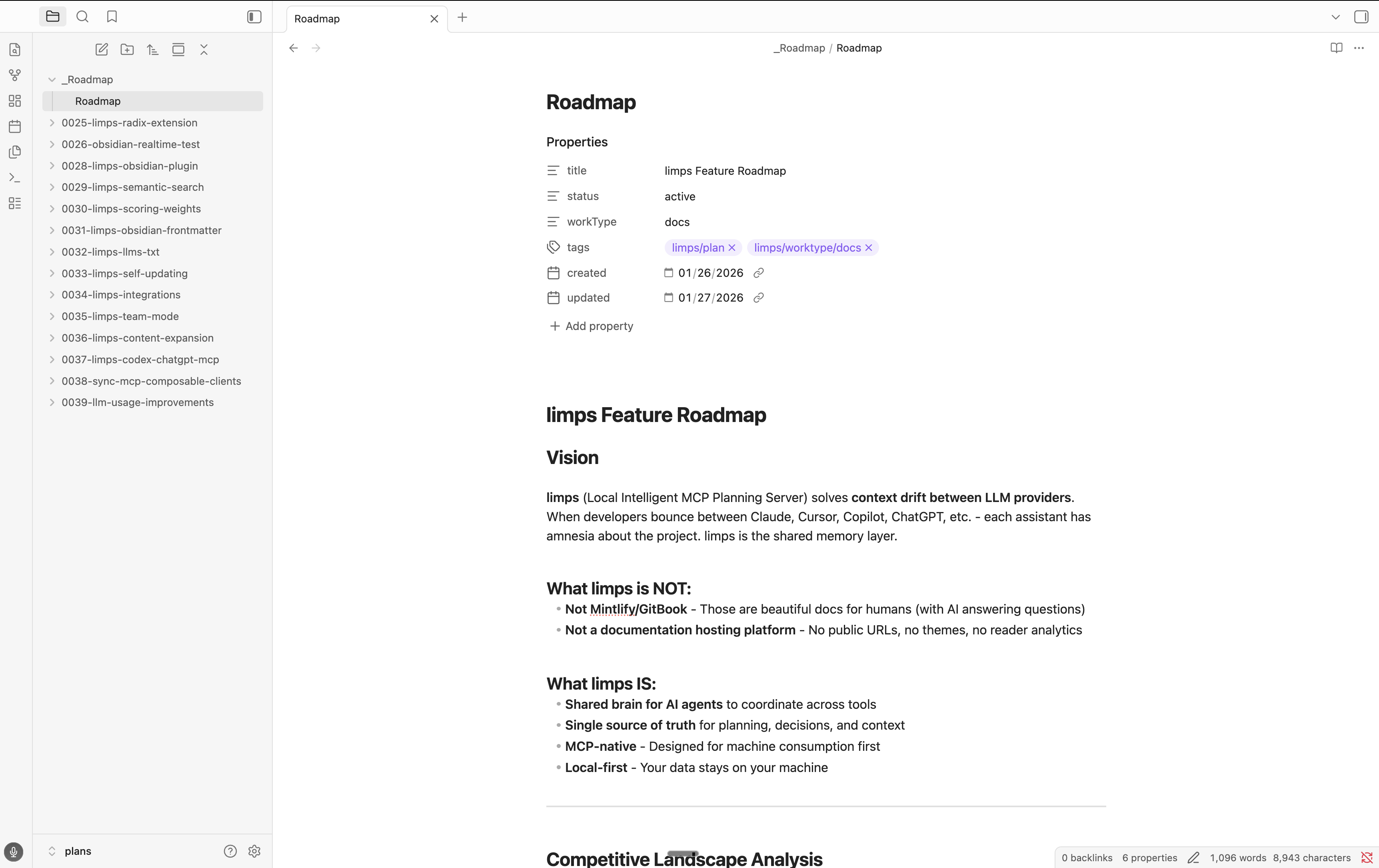
Obsidian Integration
The @sudosandwich/limps-obsidian-plugin package provides deep Obsidian integration:
- Persistent MCP session to the limps daemon with auto-reconnect, keepalive, and CLI fallback
- Document management — create, update, delete plan documents from within Obsidian
- Task management — get next task, update task status (GAP/WIP/PASS/BLOCKED)
- Search & proposals — full-text search, proposal review, and auto-apply for safe fix types
- Health Hub — sidebar view with daemon, graph, link, and MCP status
- Directed graph view — interactive 2D/3D force graph with clickable nodes
- Scheduled health checks — periodic staleness, drift, and conflict detection
- Vault automation — auto-reindex when plan files change, event-driven refresh
- Editor diagnostics — inline link validation
- Graph sync to Obsidian surfaces (
.md,.canvas,.base)
Full YAML frontmatter support, tag management (frontmatter and inline #tag), and automatic exclusion of .obsidian/, .git/, node_modules/.
See packages/limps-obsidian-plugin/README.md for setup instructions, commands, and settings reference.
Development
This is a monorepo with:
packages/limps— Core MCP serverpackages/limps-headless— Headless UI extension (Radix/Base UI contract extraction and audit)
Used in Production
limps manages planning for runi, using a separate folder (in this case a git repo) for plans.
Creating a feature plan
The fastest way is the /create-feature-plan slash command (Claude Code) — it handles numbering, doc creation, and agent distillation automatically via MCP tools. See .claude/commands/create-feature-plan.md for the full spec.
You can also run the same steps manually with MCP tools:
list_plans→ determine next plan numbercreate_plan→ scaffold the plan directorycreate_doc→ add plan, interfaces, README, and agent filesupdate_task_status→ track progress
Plans follow this layout:
Numbered prefixes keep plans and agents lexicographically ordered. get_next_task uses the agent number (plus dependency and workload scores) to suggest what to work on next.
Deep Dive
Plan Structure
Agent files use frontmatter to track status:
Task Scoring Algorithm
get_next_task returns tasks scored by:
| Component | Max Points | Description |
|---|---|---|
| Dependency | 40 | All dependencies satisfied = 40, else 0 |
| Priority | 30 | Based on agent number (lower = higher priority) |
| Workload | 30 | Based on file count (fewer = higher score) |
Biases adjust final scores:
RLM (Recursive Language Model) Support
process_doc and process_docs execute JavaScript in a secure QuickJS sandbox. User-provided code is statically validated and cannot use require, import, eval, fetch, XMLHttpRequest, WebSocket, process, timers, or other host/network APIs—so it cannot make external calls or access the host.
Available extractors:
extractSections()— Markdown headingsextractFrontmatter()— YAML frontmatterextractFeatures()— Plan features with statusextractAgents()— Agent metadataextractCodeBlocks()— Fenced code blocks
LLM sub-queries (opt-in):
MCP Resources
Progressive disclosure via resources:
| Resource | Description |
|---|---|
plans://index | List of all plans (minimal) |
plans://summary | Plan summaries with key info |
plans://full | Full plan documents |
decisions://log | Decision log entries |
Example: Custom Cursor Commands
Create .cursor/commands/run-agent.md:
This integrates with limps MCP tools for seamless task management.
What is MCP?
Model Context Protocol is a standardized protocol for AI applications to connect to external systems. Originally from Anthropic (Nov 2024), now part of the Linux Foundation's Agentic AI Foundation.
License
MIT