High-performance knowledge graph MCP server for AI coding agents with semantic search.
Quick Install
Automated & IDE SetupCopy the AI prompt to install this server into Claude Code, Cursor, or another agent — or use 1-click editor setup below.
Manual Client & Custom JSON ConfigExpand JSON ▾
Client Config & Setup
Choose your client or environment
Target File:
💡 Paste the JSON block into your client's configuration file under mcpServers, then restart the application.
Documentation Overview
LAIN-mcp

See it run
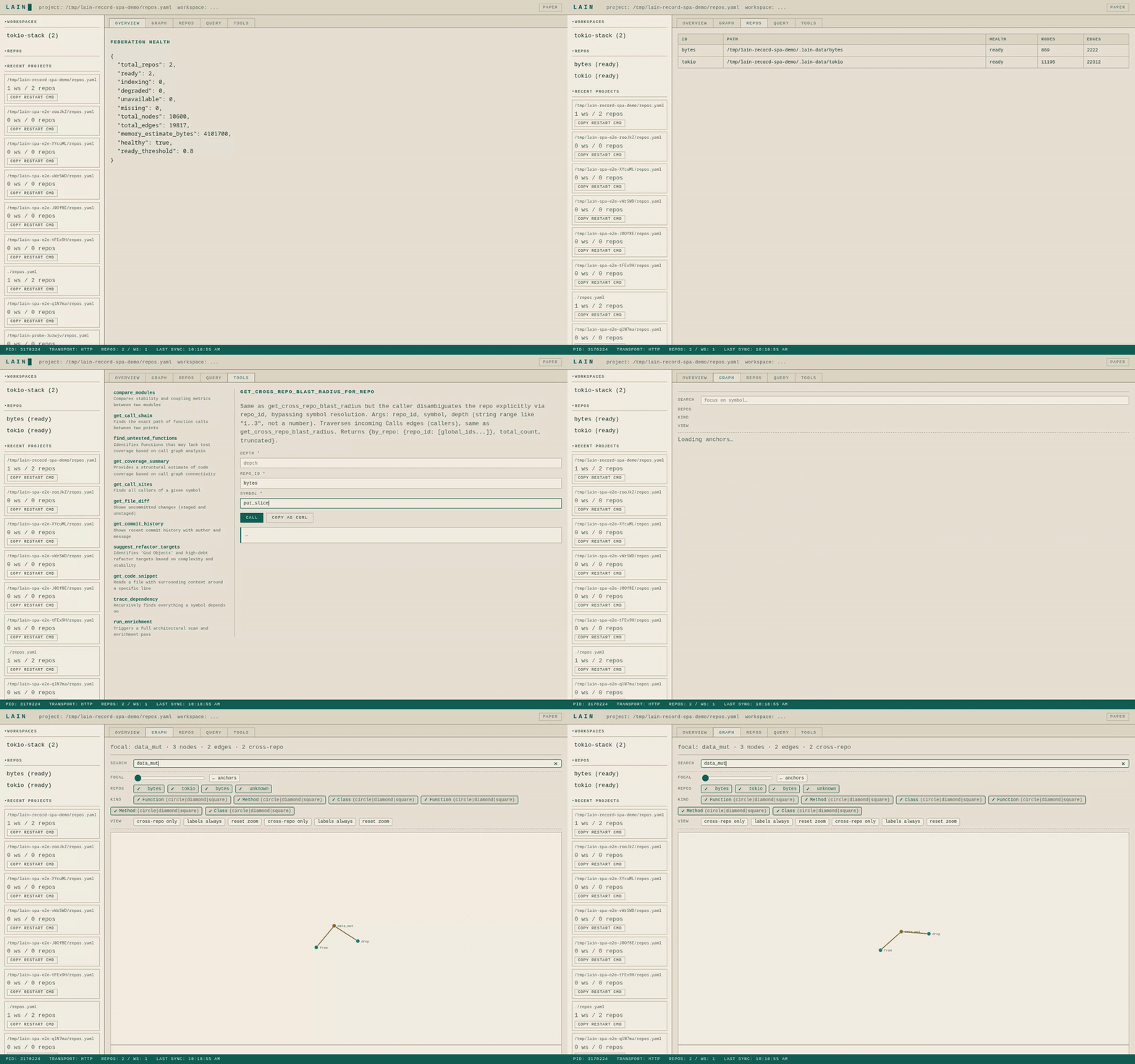
- Federation overview, repo health, and the call graph — answered in well under a second.
- Edit
repos.yamlfrom the Repos tab; the server hot-reloads without dropping a request. - Try any MCP tool straight from the Tools tab; Copy as cURL hands the agent a shareable snippet.
[!NOTE] The hero GIF is large (~4 MB) so it autoplays inline on GitHub. For sharper playback, the MP4 and WebM siblings sit alongside it in
docs/screenshots/.
How it fits together
lain is a long-running MCP server that indexes your code once and
keeps it fresh while you work. The agent speaks MCP (JSON-RPC over
stdio or HTTP); the server answers structural questions across one
repo (lain mcp) or many repos (lain server --config repos.yaml).
Documentation
| Doc | What's in it |
|---|---|
docs/QUICKSTART.md | Five-minute tour |
docs/USER_MANUAL.md | Operator + agent manual |
docs/ARCHITECTURE.md | How and why — design rationale |
docs/TECHNICAL.md | Source-level internals |
docs/FEDERATION.md | Multi-repo operating guide |
docs/REPOS_YAML.md | repos.yaml schema |
docs/query-language.md | query_graph ops-array reference |
docs/quickstart-tools.md | All MCP tools |
docs/command-center.md | Command Center SPA |
docs/hot-reload.md | Config hot-reload |
docs/multiplayer.md | Multi-agent coordination |
docs/hooks.md | Pre-edit hooks |
docs/INDEX.md | Docs index |
TL;DR — install in 30 seconds
See QUICKSTART.md for the full install matrix (Homebrew, build-from-source, non-interactive flags, ONNX model).
What is Lain?
Lain is a persistent code-intelligence MCP server. The headline is
lain server: a long-running process that reads a repos.yaml config,
indexes every registered repository (locally, by clone, or by shallow
fetch), and answers structural questions across them through MCP
tools. The server also serves a Command Center dashboard at GET / for
humans who want to inspect the federation, edit the config, run
queries, and exercise the MCP tool surface directly.
The value over LSP-only or RAG-based approaches is cross-file
structural reasoning: agents can ask about blast radius, transitive
dependency traces, anchor identification, co-change correlation, and
contextual build failure decoration, so they reason about callers
rather than just the failing line. Written in Rust, persists across
sessions, and hot-reloads its repos.yaml / workspaces.yaml config
without a restart.
The commands
After install, lain exposes these subcommands:
| Command | Purpose |
|---|---|
lain server | Start the MCP server (the headline). Reads repos.yaml, serves MCP tools + the Command Center dashboard. Hot-reloads the config when it changes. |
lain mcp | Single-repo MCP server on stdio. Walks up from cwd for .git — the stable "drop in a clone and run" entrypoint. No repos.yaml required. |
lain workspaces | Manage workspaces.yaml. Create, list, show, activate (use), forget named groups of repos. |
lain repos | Manage repos.yaml. Add, list, remove a repo entry. |
lain query | Run a query_graph ops-array against the project's persisted graph. |
lain oneshot | One-shot MCP query: boots a transient lain mcp server, sends a single tools/call, prints the result as a table, and exits. For "just grep the symbols without keeping a server alive". |
lain init | Scaffold a repos.yaml for the current directory. Walks up for .git, then writes a minimal config pointing at the discovered workspace. |
lain ask | Single-user LLM-assisted query (uses semantic_search when an embedding model is loaded; falls back to lexical heuristics via explain_symbol). |
lain hooks | Agent pre-edit hook entry point: claim / release files, overlap-check for commit-time symbol overlap, lock / unlock for the zero-daemon filesystem-fallback layer. |
lain doctor | "One version of truth" diagnostic. Checks binary version + git SHA, hook script presence, config/hooks dirs (reaping session files older than 30 days), presence registry, and — when LAIN_URL/LAIN_SERVER_URL is set — both server reachability and the live MCP surface, calling tools/list and failing if it errors or advertises zero tools. Exits 0 clean, 1 on a hard failure. |
lain schema | Emit the canonical tool-surface schema dump (dump [--out PATH] defaults to ./docs/tool-schema.json). Pair with make schema && git diff --exit-code docs/tool-schema.json in CI to fail on schema drift. |
scripts/demo.sh | Capability demonstration and benchmark. Boots a real server against a synthetic repo whose call graph is known by construction, checks lain's answers against that ground truth (not merely that it answered), then benchmarks the same tools against this repo at ~3.5k nodes. --quick skips the build and benchmark phases; --json FILE writes machine-readable results; --force-build overrides --quick / --no-build; --allow-stale skips the binary-freshness check. Exits non-zero if any check fails (or if the binary is older than any source file and --allow-stale was not passed). |
The cut surface (agents, hook, projects, top-level use) is
gone — those concerns are reached through the commands above. server
plus the two config CLIs (workspaces, repos) cover everything the
prior surface did, scoped to a single project directory that owns a
repos.yaml.
This table is checked against lain --help by
tests/cli_surface.rs, so it cannot drift from the binary again.
Quick Start
- Install — see QUICKSTART.md § Install.
- Configure — see QUICKSTART.md § Federation (multi-repo).
- Wire your agent — see QUICKSTART.md § Single-repo (recommended default).
Command Center
For a narrated tour of every tab, see command-center.md § Tour.
When lain server runs with --transport http, it serves the Command
Center dashboard at GET /. It's a self-contained vanilla-JS SPA that
talks back to the running server over the same JSON-RPC endpoint the
MCP tools use. No separate API, no auth portal.
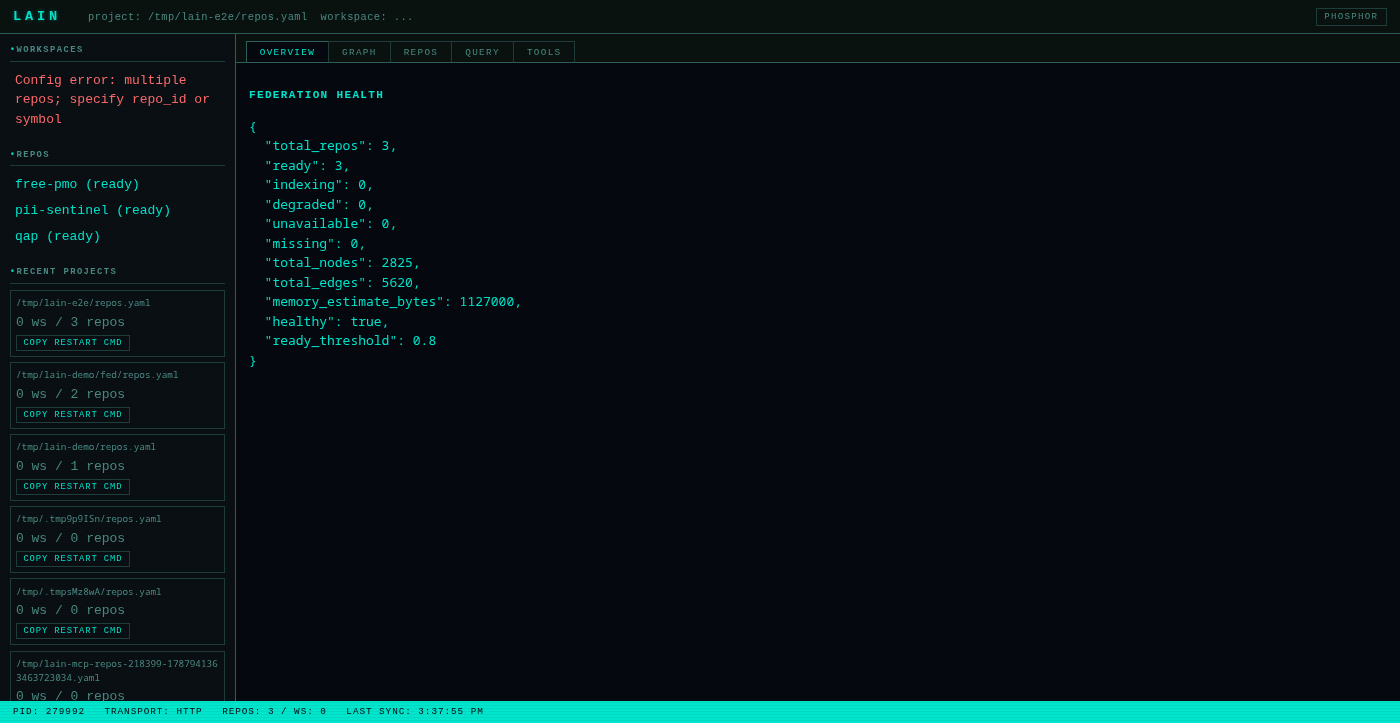
Tabs:
- Overview —
get_health+get_federation_healthin one view. - Graph — D3 force-directed graph of the active workspace.
- Repos — per-repo table (id, path, health, node/edge counts).
- Query — runs
query_graphagainst the federation. - Tools — auto-generated MCP tool tester. Calls
tools/list, then renders a form per tool by introspecting itsinputSchema. Copy as cURL copies acurl -X POST http://localhost:9999/mcp ...snippet to the clipboard.
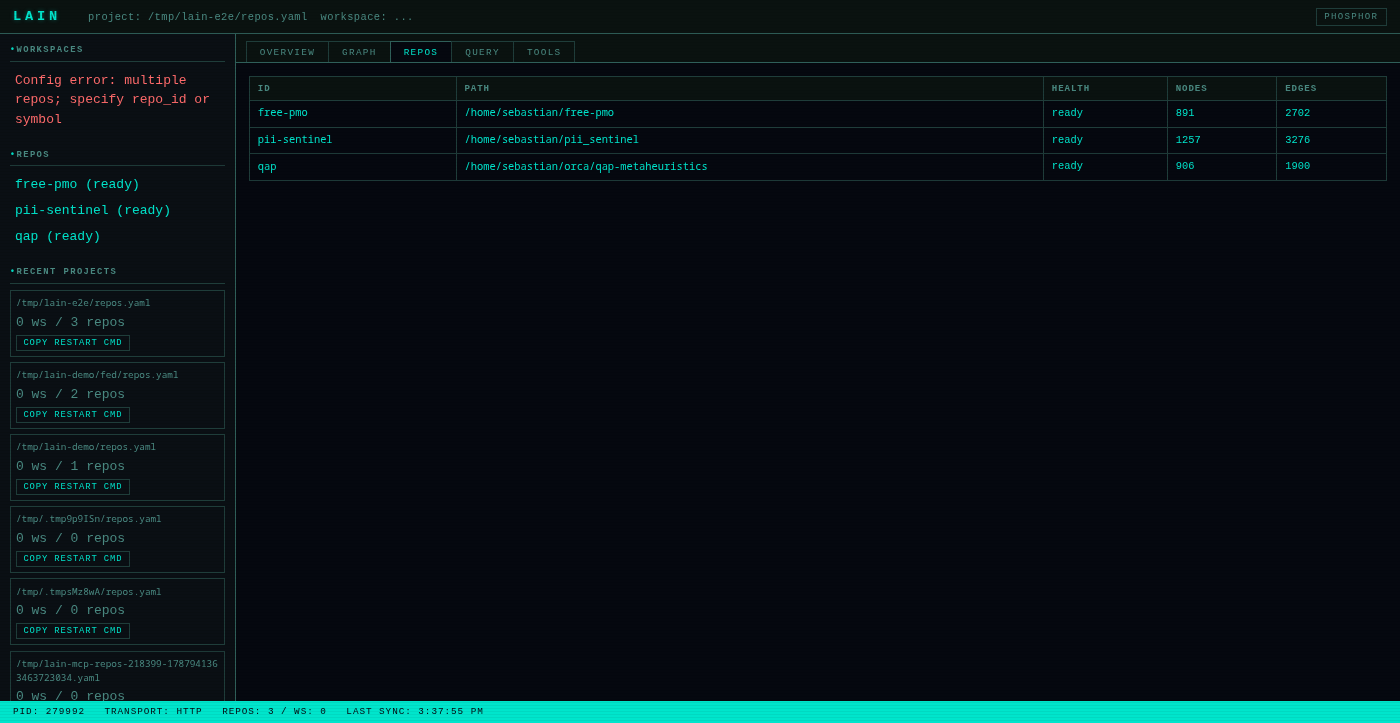
The status bar in the footer polls every 2 s for get_server_status
and get_reload_status so hand-edits to repos.yaml /
workspaces.yaml show up live.
See docs/command-center.md for the full
walkthrough.
Hot Reload
lain server watches repos.yaml and workspaces.yaml and rebuilds
its federation state when they change — no restart needed. Both the
notify watcher (for hand-edits) and the CLI (via lain repos add
or lain workspaces create) trigger the same ReloadBus.
When you run lain repos add my-repo …, the CLI writes the YAML
atomically (write to temp file, then rename), then signals the
running server over a Unix socket at
~/.local/lain/run/<repos-stem>.sock. The server's rebuild task
diffs the new file against the live federation and applies add / remove
operations against FederatedIndex. get_reload_status reports the
state (idle / rebuilding / failed); the Command Center status
bar shows it live.
See docs/hot-reload.md for the full picture
(internals, observability, failure modes, caveats).
Federation mode
Related MCP Servers
Reviews
No reviews yet — be the first to share how this listing worked for you.
Frequently Asked Questions about Lain
AllMCPs Directory Badge
Showcase your server listing on GitHub or your project documentation. Embed this dynamic SVG badge to highlight official listing status and live engagement.
Badge Style:
Live Dynamic SVG Preview
Markdown (GitHub README)
[](https://allmcps.com/mcp/lain)HTML Embed
<a href="https://allmcps.com/mcp/lain"><img src="https://allmcps.com/api/badge/lain?style=directory" alt="Lain on AllMCPs" /></a>