Just Domain vs Trading Signals
A side-by-side look at the Just Domain and Trading Signals MCP servers: transport, auth, tools, quality signals, and the config to install either one in Claude, Cursor, Windsurf or VS Code.
Verdict: choose Just Domain for finance & fintech work over a hosted endpoint; choose Trading Signals for finance & fintech over a hosted endpoint. You can also run both side by side in one mcpServers block.
Which MCP server should you choose?
 Choose Just Domain when
- You need dedicated capabilities in the Finance & Fintech domain.
- You prefer a remote HTTP/SSE transport.
- You want tools like
search_domains, check_domain_transfer.
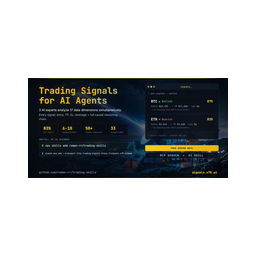 Choose Trading Signals when
- You need dedicated capabilities in the Finance & Fintech domain.
- You prefer a remote HTTP/SSE transport.
- You have the keys it needs:
SIGNALS_API_KEY. - You want tools like
register, get_signals, get_signal.
Feature & specification comparison
Rows where the two servers differ are marked.
| Spec | ||
|---|---|---|
| Category | Finance & Fintech | Finance & Fintech |
| Quality signal | 53/100 · Good | 63/100 · Good |
| Install command | Confirmed | Confirmed |
| Transport | Remote HTTP/SSE | Remote HTTP/SSE |
| Auth | Not declared | Not declared |
| Pricing | Not declared | Not declared |
| Required env vars | None listed | SIGNALS_API_KEY |
| Verified owner | Community listing | Community listing |
| GitHub stars | 0 | 124 |
| Directory activity | 0 views 0 installs 0 upvotes | 0 views 0 installs 0 upvotes |
| Tools | 2 | 5 |
| Full listing | View Just Domain | View Trading Signals |
Tools & capabilities
Just Domain tools 2
search_domainsRead-only availability and pricing lookup for domain names. No purchase or order is created by this tool; it only returns information. Preferred input: `domains`, 1 to 200 fully-qualified names (e.g. ['acme.com', 'acme.io']); results cover exactly those domains, with no suggestions or expansion. Fallback input: `query`, free text (one or more names, comma- or space-separated); names given without a TLD are expanded to popular TLDs (com/io/ai/co/net). Each result includes whether the domain is available, whether it is a premium name, the registration price and the renewal price. Both prices are totals for one full registration term of that ending, not per-year rates: one year on most endings, but two years on .ai, whose registry mandates a two-year term. Do not divide or multiply a returned price by a number of years. Available non-premium results also carry a `checkout_url` the user can open in a browser to register the domain on justdomain.ai if they choose to. Premium names cannot be registered through Just Domain yet and carry no `checkout_url`.check_domain_transferRead-only transfer precheck for ONE domain the user already owns at another registrar: could it move to Just Domain, what is stopping it, what would it cost, and does its DNS survive the move. Nothing is ordered, charged, unlocked, or changed. The answer is built from two public sources only, the registry's own RDAP record and our registrar's price list, so it is safe to call without authentication and it reads nothing about the user's account. Read `blockers` before you say anything: an EMPTY list is the only thing that means the domain is ready to move. Every entry carries a plain `detail` sentence you can show as-is, and a `code` you do not recognise must still be reported through its `detail` rather than dropped. `source.rdap: false` means the registry did not answer, so nothing about the domain was established: say that, and never call it ready. `price` is the TOTAL for one full transfer term, not a per-year rate. A .ai transfer adds and charges TWO years because its registry works in two-year units. Do not divide or multiply the amount by a number of years, and do not label it per year; quote `term_note` beside it. `expected_new_expiry` is a projection (the registry's current expiry plus the term), not a date any registry has confirmed, so present it as expected. Moving a domain IN is self-service: the owner checks it and pays at https://justdomain.ai/transfer, pasting the authorization code there, and a transfer that does not complete is refunded in full. This tool tells the user whether the domain is eligible to move and what one full term would cost; hand over `transfer_url`, which opens that page for this domain in the owner's browser. Nothing is paid or ordered inside the chat. Moving a domain OUT of Just Domain IS self-service, and that means a human owner signed in on justdomain.ai in a browser, switching the transfer lock off and issuing the code from their own account. It does not mean you can do it. This tool does not return, accept, or hint at an authorization (EPP) code, and there is no agent path to unlocking a domain or to having a code issued, here or through any other Just Domain surface. An auth code is a bearer credential for the domain and a chat transcript is not a place to put one. Do not ask the user for a code, do not offer to hold or relay one, and never claim you can unlock or move the domain yourself.
Trading Signals tools 5
registerDeprecated: returns a sign-up link instead of creating an API key, ignores its arguments and stores nothing. Don't call it to get access — every other tool works without a key (get_signals returns a 3-signal preview, get_stats is public). To get the full feed, users sign in from the agent at https://signals.x70.ai/mcp/connect (the client opens the browser), or create a key at https://signals.x70.ai/mcp-signup and set it as the X-Api-Key header. Kept only so older clients don't break.get_signalsList live crypto trading signals that are still open — coin, direction, confidence and the reasoning or market data behind each. Use it to find current trade ideas; use get_signal for one signal by ID (live or resolved), get_signal_history for signals that already closed, and get_stats for aggregate hit rate. No key: a 3-signal preview. Free key: up to 100 signals, with entry, stop-loss, take-profit and leverage null (the response's announcement.upgradeUrl explains Pro). Pro: all levels. If a response contains an announcement, pass its message on to the user — it is about their account (trial ending, plan limits). Returns { signals[], returned, totalMatching, filtersApplied, plan }, sorted by live PnL (best first). Optional filters narrow the list: direction, coins, confidence band, risk/reward, stop distance, open interest, 24h volume, tags, the anomaly that triggered it, days/hours to skip, a BTC 24h-return gate. Rate limits: 30 calls/hour per IP without a key, 300/hour on a free key.get_signalGet one signal by its ID — live or already resolved — with its reasoning, live price, PnL and verification outcome (status pending, success or failed; whether take-profit or stop-loss was hit). Use it to follow up a signal from get_signals or get_signal_history, or to see how a past signal ended. Needs an API key (free or Pro); on the free plan entry, stop-loss, take-profit and leverage are null. Returns { success, signal, plan }, or { error: 'Signal not found' } for an unknown ID.get_statsAggregate performance of signals created in the last N days (default 30) that have since resolved: hit rate, verified count, average leverage and a breakdown by direction; with an API key also average ROI per signal and cumulative ROI. byMonth: hit rate this month, the two months before and all time — the figures shown on signals.x70.ai. Use it to judge recent reliability before acting — it returns no individual signals (use get_signals or get_signal_history for those). Public: works without a key. Past results don't predict future results.get_signal_historyList signals that have already resolved (success or failed), newest first, each with its verification outcome. Use it to review past performance signal by signal; for open signals use get_signals, for one signal by ID get_signal, for totals get_stats. Needs an API key. History depth: last 24 hours on the free plan; on Pro the days argument (up to 90). Entry, stop-loss, take-profit and leverage are null on free. Paginate by passing the last signal ID as cursor. Returns { signals[], nextCursor, hasMore, historyDepthDays, plan }.
Ready-to-paste client configs
Paste either block (or both) into your client config, e.g. claude_desktop_config.json or ~/.cursor/mcp.json. We only show a config when the install command is confirmed.
Just Domain
{
  "mcpServers": {
    "just-domain": {
      "url": "https://mcp.justdomain.ai/"
    }
  }
}
Trading Signals
{
  "mcpServers": {
    "trading-signals": {
      "url": "https://signals.x70.ai/mcp"
    }
  }
}
Frequently asked questions
Just Domain is categorized under Finance & Fintech and uses a remote HTTP/SSE transport. Trading Signals belongs to Finance & Fintech and uses a remote HTTP/SSE transport. Pick Just Domain for finance & fintech work and Trading Signals for finance & fintech.
Copy the mcpServers block from the config section on this page into your client's config (for example claude_desktop_config.json or ~/.cursor/mcp.json), then fully restart the client.
Just Domain has no declared pricing — check the project's own site. Trading Signals has no declared pricing — check the project's own site. If a server needs environment variables such as API keys, define them under the env key in your client's MCP config.
Yes. MCP clients support multiple servers: add just-domain and trading-signals as separate keys in the same mcpServers object, and your assistant will call tools from either one.
On AllMCPs, Just Domain has a quality signal of 53/100 (Good) with 0 views, 0 installs and 0 GitHub stars. Trading Signals has 63/100 (Good) with 0 views, 0 installs and 124 GitHub stars.