GhidrAssistMCP
by jtang613
Adds an MCP server to Ghidra for AI-assisted reverse engineering through HTTP transports, tools, resources, and prompts.
Install GhidrAssistMCP
Pick your client, then add it in one click or paste the config.
http://127.0.0.1:8080/sse
Remote servers are added in the app, not the config file: Customize → Connectors → Add custom connector, then paste this URL.
Overview
Use cases
- Analyze binaries through an MCP-compatible AI assistant
- Inspect functions, strings, imports, exports, and segments
- Run asynchronous reverse engineering tasks
- Manage multiple open Ghidra programs
- Monitor MCP requests and responses in Ghidra
Key features
- SSE and Streamable HTTP transports
- 49 built-in analysis tools
- 6 MCP resources for program data
- 7 pre-built reverse engineering prompts
- Result caching and asynchronous task management
- Configurable tool enablement and real-time logging
Security & health
What it can reach and how reliably it runs — from our own checks, not the maintainer’s claims.
Recent health check succeeded.
Adoption & maintenance
Factual signals from GitHub, npm, and our automated checks — not a rating.
From the project README
GhidrAssistMCP
A powerful Ghidra extension that provides an MCP (Model Context Protocol) server, enabling AI assistants and other tools to interact with Ghidra's reverse engineering capabilities through a standardized API.
Overview
Version 3.0.0 introduces the explicit tool catalog and application-owned runtime. Clients should refresh their tool definitions after upgrading.
GhidrAssistMCP bridges the gap between AI-powered analysis tools and Ghidra's comprehensive reverse engineering platform. By implementing the Model Context Protocol, this extension allows external AI assistants, automated analysis tools, and custom scripts to seamlessly interact with Ghidra's analysis capabilities.
Key Features
- MCP Server Integration: Full Model Context Protocol server implementation using official SDK
- Dual HTTP Transports: Supports SSE and Streamable HTTP transports for maximum client compatibility
- 100 Explicit Tools: Discoverable operation names with precise input contracts and read/write annotations (93 enabled by default)
- 6 MCP Resource Templates: Program-specific data resources for program info, functions, strings, imports, exports, and segments
- 7 MCP Prompts: Pre-built analysis prompts for common reverse engineering tasks
- Result Caching: Intelligent caching system to improve performance for repeated queries
- Async Task Support: Long-running operations execute asynchronously with task management
- Multi-Program Support: Work with multiple open programs simultaneously using
program_name; uselist_open_programsproject paths to disambiguate duplicate filenames - Application Startup: MCP is available as soon as the project manager opens, before CodeBrowser
- Shared Views: Every CodeBrowser shares the runtime configuration and bounded request log
- Multi-Window Support: Single MCP server shared across all CodeBrowser windows with intelligent focus tracking
- Active Context Awareness: Automatic detection of which binary window is in focus, with context hints in all tool responses
- Configurable UI: Easy-to-use interface for managing tools and monitoring activity
- Real-time Logging: Track all MCP requests and responses with detailed logging
- Dynamic Tool Management: Enable/disable tools individually with persistent settings
Clients
Shameless self-promotion: GhidrAssist supports GhidrAssistMCP right out of the box.
Screenshots
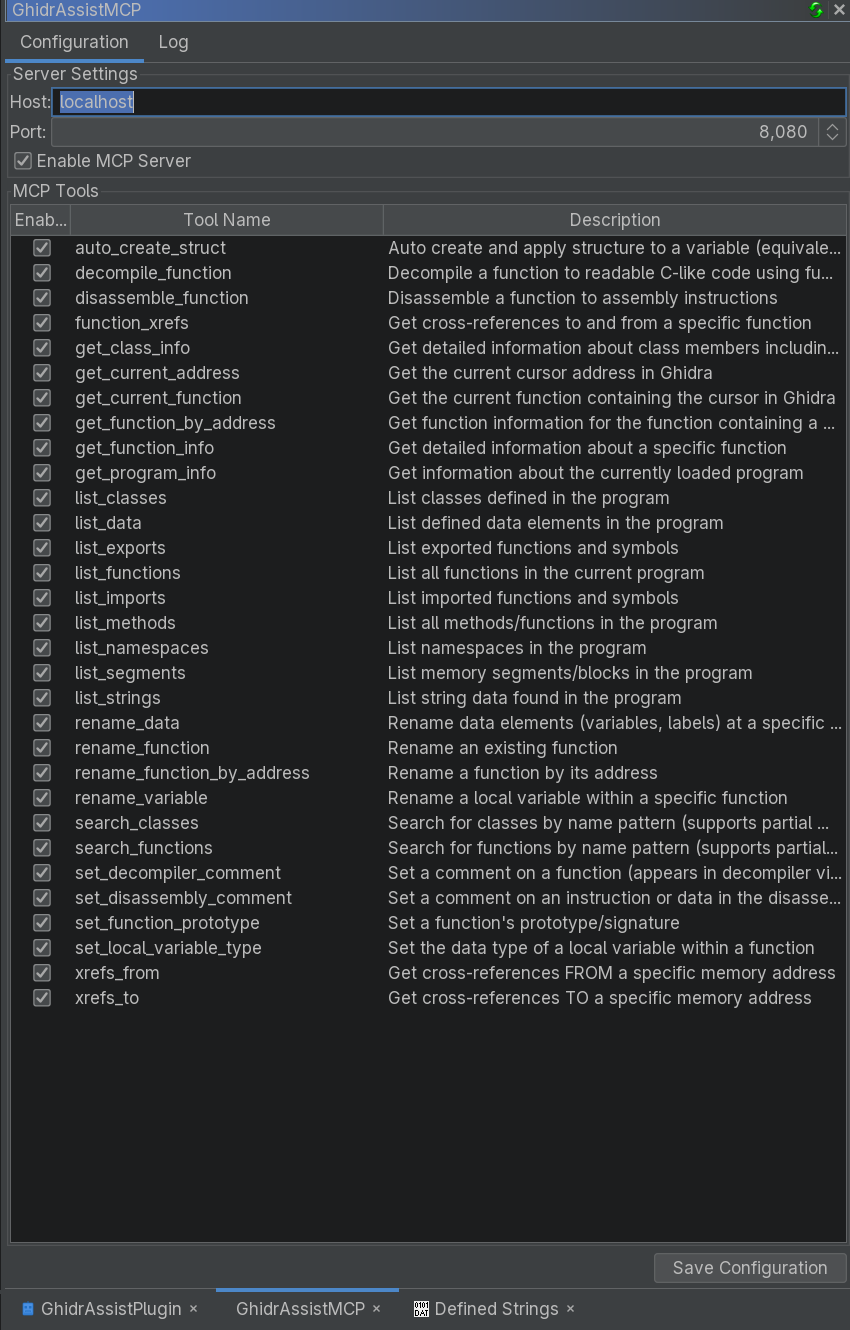
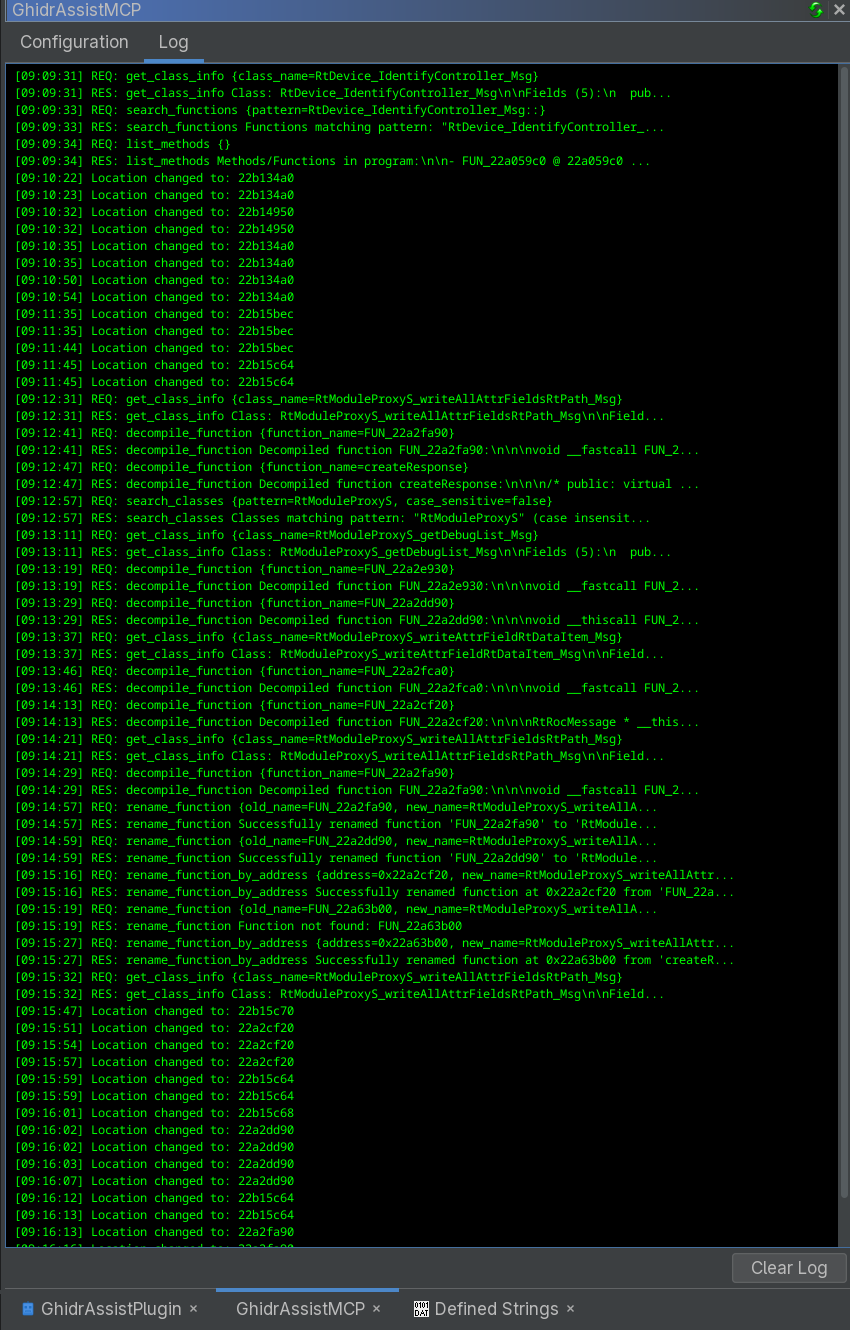
Installation
Prerequisites
- Ghidra 12.0 or 12.1 Public, running with Java 25 or newer (extension ZIPs are specific to the selected Ghidra version)
- An MCP Client (Like GhidrAssist)
Binary Release (Recommended)
-
Download the latest release:
- Go to the Releases page
- Download the latest
.zipfile (e.g.,ghidra_12.1_PUBLIC_20261009_GhidrAssistMCP-3.0.0.zip)
-
Install the extension:
- In Ghidra: File → Install Extensions → Add Extension
- Select the downloaded ZIP file
- Restart Ghidra when prompted
-
Start Ghidra:
- The MCP runtime starts in the project manager automatically.
- CodeBrowsers receive a shared MCP view when opened.
- Open Window → GhidrAssistMCP to configure or disable the server.
Building from Source
Source builds require Java 25 or newer. The included Gradle wrapper pins the supported Gradle release; use it instead of a system Gradle installation.
-
Clone the repository:
git clone <repository-url> cd GhidrAssistMCP -
Point Gradle at your Ghidra install:
- Set
GHIDRA_INSTALL_DIR(environment variable), or pass-PGHIDRA_INSTALL_DIR=<path>when you run Gradle.
- Set
-
Build + install:
Ensure Ghidra isn't running and run:
./gradlew installExtensionThis copies the built ZIP into your Ghidra install (
[GHIDRA_INSTALL_DIR]/Extensions/Ghidra) and extracts it into your Ghidra user Extensions folder (replacing any existing extracted copy).If you need to override that location, pass
-PGHIDRA_USER_EXTENSIONS_DIR=<path>. -
Restart / verify:
- Restart Ghidra.
- If the plugin doesn't appear, enable it via File → Configure → Configure Plugins (search for "GhidrAssistMCP").
Configuration
Initial Setup
-
Open the Control Panel:
- Window → GhidrAssistMCP
-
Configure Server Settings:
- Host: Default is
localhost - Port: Default is
8080 - Enable/Disable: Toggle the MCP server on/off
- Host: Default is
Tool Management
The Configuration tab allows you to:
- View all public tools (100 total)
- Enable/disable individual tools using checkboxes
- Save configuration to persist across sessions
- Monitor tool status in real-time
Headless Mode Quickstart
GhidrAssistMCP can also be started from Ghidra's analyzeHeadless launcher. This is useful when you want MCP access to a program loaded in headless Ghidra without opening the CodeBrowser UI.
First, build and install the extension so Ghidra can load the compiled classes and bundled dependencies:
cd /path/to/GhidrAssistMCP

export GHIDRA_INSTALL_DIR=/path/to/ghidra_12.1_PUBLIC
./gradlew installExtension
Set paths for your Ghidra install and extracted user extension. On Linux, Ghidra user extensions usually live under ~/.config/ghidra/<ghidra_profile>/Extensions:
export GHIDRA_INSTALL_DIR=/path/to/ghidra_12.1_PUBLIC
export GHIDRA_USER_EXTENSIONS_DIR="$HOME/.config/ghidra/ghidra_12.1_PUBLIC/Extensions"
export GHIDRASSISTMCP_EXT="$GHIDRA_USER_EXTENSIONS_DIR/GhidrAssistMCP"
Import a binary and start the MCP server as a headless pre-script:
"$GHIDRA_INSTALL_DIR/support/analyzeHeadless" /tmp/ghidra-projects McpHeadless \
  -import /path/to/binary \
  -scriptPath "$GHIDRASSISTMCP_EXT/ghidra_scripts" \
  -preScript GAMCPStartServerScript.java "host=127.0.0.1" "port=8080"
For a binary that is already imported into the project, use -process instead:
"$GHIDRA_INSTALL_DIR/support/analyzeHeadless" /tmp/ghidra-projects McpHeadless \
  -process binary_name \
  -scriptPath "$GHIDRASSISTMCP_EXT/ghidra_scripts" \
  -preScript GAMCPStartServerScript.java "host=127.0.0.1" "port=8080"
To keep a headless MCP session open after analysis completes, run the server as a post-script with wait mode:
"$GHIDRA_INSTALL_DIR/support/analyzeHeadless" /tmp/ghidra-projects McpHeadless \
  -process binary_name \
  -scriptPath "$GHIDRASSISTMCP_EXT/ghidra_scripts" \
  -postScript GAMCPStartServerScript.java "host=127.0.0.1" "port=8080" "wait=true"
MCP clients can connect to:
SSE:             http://127.0.0.1:8080/sse
SSE messages:    http://127.0.0.1:8080/message
Streamable HTTP: http://127.0.0.1:8080/mcp
The headless MCP server runs inside the analyzeHeadless JVM and uses the loaded currentProgram. The server holds a program consumer while it is running so MCP requests do not race against program database closure. Use wait=true when you want analyzeHeadless to stay open for interactive MCP clients. A harness can also pass completion_file=/workspace/control/session.complete; creating that file closes the MCP server cleanly and lets Ghidra save and exit normally.
Disposable static-analysis labs may pass tool_profile=agent_lab. This enables sandbox-local program export while arbitrary path import and Ghidra scripts remain disabled because they can expose process secrets or spawn processes. The harness owns artifact imports. Unknown profiles are rejected.
Available tools
The public catalog contains 100 explicit tools, 93 enabled by default. The modernization review maps every previous tool to its current name and explains the architecture and remaining improvements. Fetch tools/list for authoritative parameter schemas; clients should reconnect after upgrading.
| Purpose | Representative tools |
|---|---|
| Project lifecycle | create_project, open_project, save_project, close_project |
| Programs and project files | get_program_info, list_open_programs, list_project_files, open_program, close_program |
| Code and functions | list_functions, search_functions, get_function_info, get_pseudocode, get_disassembly, get_pcode, get_control_flow_graph |
| Function identity | get_function_hash (SHA-256), get_function_byte_pattern (masked prefix), get_function_prototype (C declaration) |
| Binary data | list_imports, list_exports, list_strings, list_memory_blocks, list_entry_points, get_hexdump |
| References | get_xrefs_to, get_xrefs_from, get_callers, get_callees, get_call_graph |
| Comments | get_comment, get_function_comment, list_function_comments, set_comment, set_function_comment, remove_comment |
| Variables and types | list_function_variables, rename_local_variable, set_local_variable_type, set_function_prototype, list_data_types, get_data_type, set_data_type |
| Structures and classes | create_structure, set_structure_field, infer_structure_from_variable, get_structure_field_xrefs, list_classes, get_class_info |
| Analysis | list_analysis_options, set_analysis_options, analyze_program, get_analysis_status, cancel_analysis |
| Jobs | list_tasks, get_task_status, cancel_task |
Names express the operation. Public code readers do not require a format selector, and comment/type/script operations do not require an action selector. get_disassembly reads existing instructions; disassemble_bytes changes the listing. Read and write tools have their own MCP annotations.
Reviews
No reviews yet — be the first to share how it worked for you.
Frequently Asked Questions about GhidrAssistMCP
Related MCP servers
Add a badge to your READMEShow it’s listed — live SVG, Markdown or HTML.
AllMCPs Directory Badge
Showcase your server listing on GitHub or your project documentation. Embed this dynamic SVG badge to highlight official listing status and live engagement.
[](https://allmcps.com/mcp/jtang613-ghidrassistmcp)<a href="https://allmcps.com/mcp/jtang613-ghidrassistmcp"><img src="https://allmcps.com/api/badge/jtang613-ghidrassistmcp?style=directory" alt="GhidrAssistMCP on AllMCPs" /></a>