Audit, scaffold, and triage agent intent specs against a 9-section template.
Quick Install
Automated & IDE SetupCopy the AI prompt to install this server into Claude Code, Cursor, or another agent — or use 1-click editor setup below.
Not yet automatically verified
We haven't yet run this listing's install command through our automated sandbox check. This isn't a red flag — we're steadily working through the catalog.
Manual Client & Custom JSON ConfigExpand JSON ▾
Client Config & Setup
Choose your client or environment
Target File:
💡 Paste the JSON block into your client's configuration file under mcpServers, then restart the application.
Documentation Overview
intent-engineering
intent-engineering is an MCP server that exposes three tools — audit_intent_spec, generate_intent_spec_scaffold, and assess_retrofit_level — letting any MCP-aware client (Claude Desktop, Cursor, Anti-Gravity) review, scaffold, and triage agent intent specs against a 9-section unified template synthesized from production-agent research.
Most agent failures aren't reasoning failures — they're intent failures. The spec is vague, the stop rules are missing, the outcome is an activity disguised as a state. This server makes that gap auditable from inside the harness the agent already runs in. The full reasoning, the rejected alternatives, and what would break in v0 live in docs/EXPLANATION.md.
The trust surface, up front
- It audits itself, and it has now published a wrong number and a wrong correction of that number. Graded whole on 2026-08-29, the canonical skill scores 23/25 with zero anti-patterns. This page claimed 14/25 for one day, a retraction measured on the first 10,000 characters of a 32,356-character file. The original figure was right; the retraction was the error, and the same blind spot produced both. The full measurement table is in Dogfood result.
- Read-only by design. No tool writes files. The retrofit tool recommends; it does not apply.
- File reads are guarded. An early version would read any path you handed it, which made
/etc/passwda real disclosure bug. Every disk read now routes through one guard: extension allowlist, symlink resolution, root confinement, and a size cap. - The build refuses common failure modes. SDK pinned to the stable v1.x line, a
prepublishOnlyguard that fails the build on anyconsole.loginsrc/, and a changelog rule: no scope change without written approval before code. - Limitations are named, not hidden. Stdio only, opinionated heading parser with its alias table documented, and the honest boundary that the mapper recognizes equivalent intent but does not invent it.
Why this exists
Problem
Engineering teams treat AI agents like reliable coworkers, but agents fail silently when given underspecified intent. The cost is shipped features that solve the wrong problem — and the failure mode is invisible until production. PMs feel this pain twice: once writing the spec, and again when an agent confidently delivers something off-target. There's no shared protocol for "audit this spec before an agent runs on it."
Solution
A Model Context Protocol server that exposes three tools any MCP-aware client (Claude Desktop, Cursor, etc.) can call: audit_intent_spec audits a spec against a 25-item rubric, generate_intent_spec_scaffold scaffolds new specs by kind, assess_retrofit_level retrofits older docs. Published to npm as @swins/intent-engineering-mcp and to the official MCP registry as com.seanwinslow/intent-engineering via DNS-verified namespace.
Tradeoffs and Decisions
- TypeScript over Python: the MCP TS SDK has the deepest client coverage (Claude Desktop, Cursor) — at the cost of locking out the Python-native data science crowd.
- stdio transport over HTTP: zero-infra v0, but couples the server to a process-bound client. v1 will add SSE for cloud agents.
- DNS-verified namespace (
com.seanwinslow/*) over GitHub-handle namespace: locks the brand surface to a domain I control; required a separate Ed25519 keypair + apex TXT record, which is more upfront friction thanmcp-publisher login github.
What I Learned
The MCP protocol is essentially a contract for "I am a tool an LLM can call without me writing a wrapper." Once that landed, the server became a thin protocol adapter over an existing skill — and the OPTIONAL-fields pattern I'd developed on a separate knowledge-graph project translated directly.
The part I got wrong is the more useful lesson, and I got it wrong twice. I published a dogfood score of 23/25. Four months later I decided it had been a partial read reported as a whole-file grade, retracted it, and published 14/25 instead. The retraction was the actual error: the original had graded the whole file, and my replacement number was the partial read. Both were published because the tool's output could not tell you how much of the document it had just graded, so neither figure could be checked without going back to the source. A tool that eats its own dog food earns credibility fast. A tool that makes its author's mistakes falsifiable earns more, and it is the harder thing to build.
Three tools
| Tool | Input | Output |
|---|---|---|
audit_intent_spec | A spec (spec_text or file_path) | Score out of 25, per-section findings, detected anti-patterns, top 3 recommendations |
generate_intent_spec_scaffold | kind (blank / level-1-mvr / full-9-section), optional hints | A paste-ready YAML scaffold + next-step actions |
assess_retrofit_level | An existing prompt or SKILL.md | Recommended retrofit level (L1 / L2 / L3) with blast-radius + complexity + autonomy reasoning |
The 25-item validation checklist, 5 fatal anti-patterns, 4 autonomy levels, and 9-section template all come from the canonical intent-engineering skill. The MCP server is a thin protocol adapter, not a fork.
Quickstart
Requires Node 20+ and an MCP-aware client (Claude Desktop, Cursor, etc.).
One config entry, no clone. Add this to ~/Library/Application Support/Claude/claude_desktop_config.json:
Or from source:
Then point the config's command at node with args: ["<ABSOLUTE_PATH_TO_REPO>/build/index.js"].
Restart Claude Desktop. Open Settings → Developer to confirm the server shows as running:
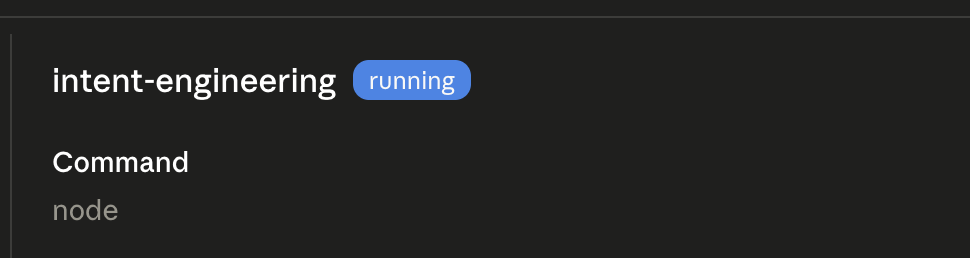
The three tools then appear in the tool list under intent-engineering in any new conversation.
Try it
Paste this into Claude Desktop after the server is connected:
Run
audit_intent_specon this spec:
You'll get back a score out of 25, a list of detected anti-patterns (this spec hits at least three), and three concrete recommendations to fix it. The full I/O contract lives in docs/v0-scope.md §4.
Dogfood result, and the correction that came with it
Re-measured whole-file 2026-08-29. The canonical intent-engineering SKILL.md scores 23/25 with zero anti-patterns detected. Seven sections pass, two warn, none are missing. That is a grade of all 32,356 characters, and the coverage block in the response says so.
Reproduce it in one call:
This page carried a wrong number, and then a wrong correction
The 23/25 above is the figure this page published in May 2026, retracted on 2026-08-28, and restored on 2026-08-29. The retraction was the mistake. Every measurement behind that sentence, so the reasoning can be checked instead of trusted:
| What was graded | Score | Anti-patterns |
|---|---|---|
| May-era file (17,885 chars), whole | 23/25 | none |
| May-era file, first 10,000 chars | 17/25 | 1 |
| Today's file (32,356 chars), whole | 23/25 | none |
| Today's file, first 10,000 chars | 14/25 | 2 |
| Any read starting past the end of the file | 1/25 at the time, 0/25 since | 2 |
Why the original was right. In May the skill was 17,885 characters. max_length caps at 20,000, so the whole file fit inside a single call and Phase 3's "first chunk" was the entire document. The 1/25 rows in that session's round-trip table were reads that started past the end and graded zero characters, not partial grades of real content. (That 1/25 was itself a small bug, fixed the same day as this re-correction: one conditional rubric item treated "not applicable" as a pass, so an unrecognized document collected a point. A document nothing is recognized in now scores 0/25.)
The number has never moved. Graded whole, every revision of the skill in its git history scores the same:
| Revision | Characters | Whole-file score | Fits one 20,000-char call |
|---|---|---|---|
ebf41b3d 2026-03-03 | 17,942 | 23/25, zero anti-patterns | yes |
9c76e762 2026-05-04 | 17,885 | 23/25, zero anti-patterns | yes |
d0117843 2026-06-10 | 17,900 | 23/25, zero anti-patterns | yes |
c8f90d79 2026-07-05 | 32,356 | 23/25, zero anti-patterns | no |
The score is stable across five months and a commit that nearly doubled the file. It was also re-confirmed independently in a 2026-06-17 working session, when the file still fit in one call. What changed on 2026-07-05 was not the grade but the measurability: the file crossed the ceiling, and from then on no single call could check the published number.
Why it was retracted anyway. By July the skill had grown to 32,356 characters and crossed the 20,000-character ceiling, so no single call could grade it any more. The 2026-08-28 re-measurement used the 10,000-character default, got 14/25, saw that it did not match 23/25, and concluded the original had been a chunk mistaken for a file. That description of the error was exactly right and was applied to the wrong measurement. The chunk was the new one.
Related MCP Servers
Reviews
No reviews yet — be the first to share how this listing worked for you.
Frequently Asked Questions about Intent Engineering
AllMCPs Directory Badge
Showcase your server listing on GitHub or your project documentation. Embed this dynamic SVG badge to highlight official listing status and live engagement.
Badge Style:
Live Dynamic SVG Preview
Markdown (GitHub README)
[](https://allmcps.com/mcp/intent-engineering)HTML Embed
<a href="https://allmcps.com/mcp/intent-engineering"><img src="https://allmcps.com/api/badge/intent-engineering?style=directory" alt="Intent Engineering on AllMCPs" /></a>