Gecko MCP vs Sidebutton
A side-by-side look at the Gecko MCP and Sidebutton MCP servers: transport, auth, tools, quality signals, and the config to install either one in Claude, Cursor, Windsurf or VS Code.
Verdict: choose Gecko MCP for browser automation work as a local process; choose Sidebutton for browser automation as a local process. You can also run both side by side in one mcpServers block.
Which MCP server should you choose?
 Choose Gecko MCP when
- You need dedicated capabilities in the Browser Automation domain.
- You prefer a local stdio subprocess transport.
- You want tools like
list_tabs, open_tab, get_active_tab.
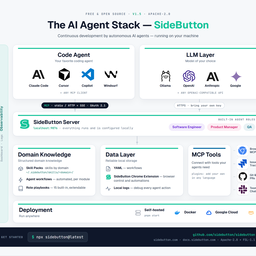 Choose Sidebutton when
- You need dedicated capabilities in the Browser Automation domain.
- You prefer a local stdio subprocess transport.
- You want tools like
run_workflow, get_run_log, list_workflows.
Feature & specification comparison
Rows where the two servers differ are marked.
| Spec | ||
|---|---|---|
| Category | Browser Automation | Browser Automation |
| Quality signal | 51/100 · Good | 52/100 · Good |
| Install command | Confirmed | Confirmed |
| Transport | Local subprocess (stdio) | Local subprocess (stdio) |
| Auth | Not declared | Not declared |
| Pricing | Not declared | Not declared |
| Required env vars | None listed | None listed |
| Verified owner | Community listing | Community listing |
| GitHub stars | 2 | 5 |
| Directory activity | 0 views 0 installs 0 upvotes | 0 views 0 installs 0 upvotes |
| Tools | 36 | 29 |
| Full listing | View Gecko MCP | View Sidebutton |
Tools & capabilities
Gecko MCP tools 36
list_tabsList all open tabs (title, URL, browserId, active, pinned).open_tabOpen a new tab at a URL; **returns the new tab's `browserId`** so you can target it.get_active_tabReturn the active tab's title, URL and browserId.navigate_tabNavigate an existing tab to a URL.close_tabClose a tab.read_pageRead a tab's content as clean Markdown (or HTML / accessibility tree). Output is capped (default 25 KB) to protect the context.findFast element locator** — search a page server-side by visible text and/or tag; returns a compact list of ready-to-use CSS `selector`s (~1 KB) instead of the whole HTML. Use it to find a button/link/field, then act on the selector.snapshotStructured page map: Markdown with inline `fp:` refs + an element selector map — locate elements without grepping HTML, then act via a `ref`.screenshotCapture a screenshot of a tab (viewport or full page).launch_floorpEnsure Floorp is running — launches it if the API isn't reachable (Windows).launchStart any Firefox-based browser (Firefox, LibreWolf, Zen…) with Marionette enabled so gecko-mcp can drive it.clickClick an element by CSS selector **or a `ref` from `snapshot`**; auto-scrolls it into view first.- +24 more on the listing page
Sidebutton tools 29
run_workflowExecute a workflow by IDget_run_logGet execution log for a runlist_workflowsList all available workflowsget_workflowGet workflow YAML definitionlist_run_logsList recent workflow executionspublish_artifactPublish evidence (screenshots, reports) from a sessionget_browser_statusCheck browser extension connectioncapture_pageCapture selectors from current pagenavigateNavigate browser to URLsnapshotGet page accessibility snapshotclickClick an elementtypeType text into an element- +17 more on the listing page
Ready-to-paste client configs
Paste either block (or both) into your client config, e.g. claude_desktop_config.json or ~/.cursor/mcp.json. We only show a config when the install command is confirmed.
Gecko MCP
{
  "mcpServers": {
    "gecko-mcp": {
      "command": "npx",
      "args": [
        "-y",
        "gecko-mcp"
      ]
    }
  }
}
Sidebutton
{
  "mcpServers": {
    "sidebutton": {
      "command": "npx",
      "args": [
        "-y",
        "sidebutton@latest"
      ]
    }
  }
}
Frequently asked questions
Gecko MCP is categorized under Browser Automation and uses a local stdio subprocess. Sidebutton belongs to Browser Automation and uses a local stdio subprocess. Pick Gecko MCP for browser automation work and Sidebutton for browser automation.
Copy the mcpServers block from the config section on this page into your client's config (for example claude_desktop_config.json or ~/.cursor/mcp.json), then fully restart the client.
Gecko MCP has no declared pricing — check the project's own site. Sidebutton has no declared pricing — check the project's own site. If a server needs environment variables such as API keys, define them under the env key in your client's MCP config.
Yes. MCP clients support multiple servers: add gecko-mcp and sidebutton as separate keys in the same mcpServers object, and your assistant will call tools from either one.
On AllMCPs, Gecko MCP has a quality signal of 51/100 (Good) with 0 views, 0 installs and 2 GitHub stars. Sidebutton has 52/100 (Good) with 0 views, 0 installs and 5 GitHub stars.