Smart structured-data to TOON gateway: converts to TOON only when it saves LLM tokens.
Quick Install
Automated & IDE SetupCopy the AI prompt to install this server into Claude Code, Cursor, or another agent — or use 1-click editor setup below.
Not yet automatically verified
We haven't yet run this listing's install command through our automated sandbox check. This isn't a red flag — we're steadily working through the catalog.
Manual Client & Custom JSON ConfigExpand JSON ▾
Client Config & Setup
Choose your client or environment
Target File:
💡 Paste the JSON block into your client's configuration file under mcpServers, then restart the application.
Documentation Overview
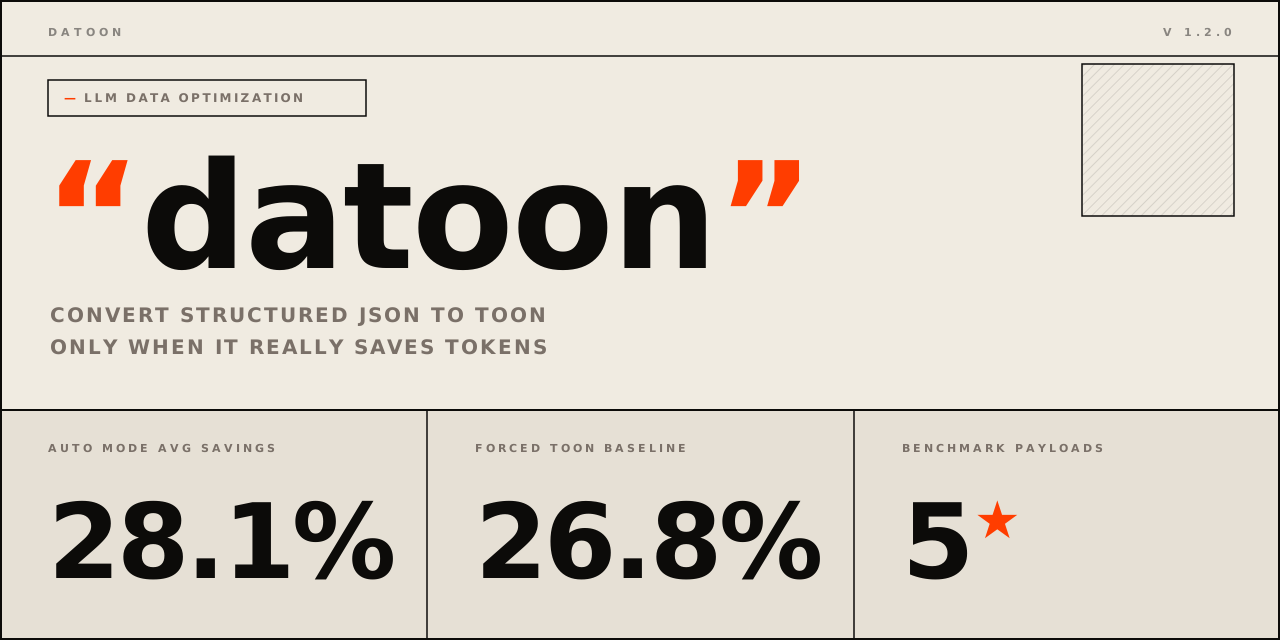
datoon
smart structured-data→TOON gateway — converts only when it actually saves tokens




Before/After • Install • What You Get • How It Works • Benchmarks • Full install guide
Raw structured data is often verbose in LLM prompts. TOON can save tokens — but blind conversion can also make payloads worse. datoon adds a decision layer: convert when structure and savings justify it, skip when they don't, and always explain why.
Supports JSON, CSV, JSONL, YAML, XML, Parquet, Avro, ORC, Excel, and Apple Numbers — auto-detected from file extension.
Before / After
JSON in the prompt (43 tokens) |
datoon converts → TOON (24 tokens) |
CSV from a data pipeline (111 tokens as JSON) |
datoon auto-converts → TOON (24 tokens)Same result. Zero JSON serialization in your code. |
Non-uniform payload (26 tokens) |
datoon skips → keeps JSONNo Node.js call. No silent corruption. |
Same data. Right format. Always explained.
[!IMPORTANT] datoon saves payload tokens — the structured data portion of your prompt. Token savings depend on payload shape: uniform tabular data converts well; deeply nested or non-uniform structures are skipped. Every decision includes a reason so pipelines can log, debug, and trust the outcome.
Install
Requires Python 3.12+. TOON conversion requires Node.js with npx in PATH — analysis and format reading work without it.
For Claude Code plugin, Codex, and MCP config → INSTALL.md.
What You Get
| What | |
|---|---|
datoon CLI | Auto-gate any supported format → TOON from terminal or scripts |
| Python API | convert_json_for_llm() + read_tabular() for any LLM pipeline |
| MCP Server | convert_json, convert_text, analyze_json tools for Claude Desktop, Cursor, Windsurf |
| Claude Code Plugin | /datoon in-session trigger, installs from GitHub in one command |
| Codex Plugin | Marketplace plugin — structured-data mode for Codex |
Supported input formats
| Format | Extension | Extra needed |
|---|---|---|
| JSON | .json | — |
| JSONL | .jsonl, .ndjson | — |
| CSV | .csv | — |
| XML | .xml | — |
| YAML | .yaml, .yml | datoon[yaml] |
| Excel | .xlsx, .xls | datoon[excel] |
| Parquet | .parquet | datoon[columnar] |
| Avro | .avro | datoon[columnar] |
| ORC | .orc | datoon[columnar] |
| Apple Numbers | .numbers | datoon[numbers] |
How It Works
- Detect format — from
--formatflag, file extension, or default to JSON for stdin - Read + normalize — parse source into list of row dicts; serialize to compact JSON
- Analyze structure — uniform object arrays? acceptable depth? minimum rows?
- Gate early — non-candidates skip before any CLI call; no Node.js overhead
- Convert + estimate — TOON CLI runs, token savings calculated
- Gate savings — below threshold → return JSON; above → return TOON with report
Every path returns a ConversionReport with decision, reason, and token estimates. Pipelines never get silent surprises.
Quick Start
JSON (stdin):
CSV (auto-detected from extension):
JSONL:
YAML (requires datoon[yaml]):
Parquet (requires datoon[columnar]):
Explicit format override:
Force conversion (bypass gating — for experiments):
Python API
JSON conversion:
Any format via read_tabular:
Structure-only analysis (no Node.js required):
MCP Server
datoon ships an MCP server with three tools:
| Tool | Description |
|---|---|
convert_json | Full JSON conversion with policy gating |
convert_text | Converts CSV, YAML, XML, or JSONL text with policy gating |
analyze_json | Structure analysis only — no Node.js needed |
Claude Desktop / Cursor / Windsurf config:
Run locally:
Listed on the MCP Registry, Smithery, and Glama. See MARKETPLACES.md.
Claude Code Plugin
Install directly from GitHub:
Trigger in-session:
CLI Reference
Related MCP Servers
Adoption & maintenance
Factual signals from GitHub, npm, and our automated checks — not a rating.
GitHub stars
2
Stargazers on the source repository.
npm downloads
1.6M
Package downloads in the last 30 days.
Last commit
25d ago
Most recent push to the default branch.
Directory activity
1 views
Config copies, upvotes, and views on AllMCPs.
Reviews
No reviews yet — be the first to share how this listing worked for you.
Frequently Asked Questions about Datoon
AllMCPs Directory Badge
Showcase your server listing on GitHub or your project documentation. Embed this dynamic SVG badge to highlight official listing status and live engagement.
Badge Style:
Live Dynamic SVG Preview
Markdown (GitHub README)
[](https://allmcps.com/mcp/datoon)HTML Embed
<a href="https://allmcps.com/mcp/datoon"><img src="https://allmcps.com/api/badge/datoon?style=directory" alt="Datoon on AllMCPs" /></a>Technical Specs & Signals
CategoryCloud Platforms
3/7 checks healthy over the last 47d
45Quality signal: Fair · 45/100How this signal is calculated ▾
Server availabilityNot measured
Not scored for repo-hosted servers — we can't reach the running server, only its GitHub page. Hosted MCP endpoints are health-checked live.
Verified ownership10/20
Documentation & tools16/30
Adoption & activity8/15
Community engagement0/10
A guidance signal from public completeness & health data — not a user rating. New listings start lower and rise as they add docs, get verified, and grow adoption. Signals we can't observe for a listing are skipped, not counted against it.
Supply-chain signal
No high-severity advisories surfaced by our automated scan.
Critical 0High 0Medium 0Low 0
Scanned 7d ago via OSV.dev · pre-commit (PyPI)
Own this project?
This directory is pre-filled from public sources. Claim via GitHub README, site badge, or DNS TXT to unlock edit access and the Official badge — proof is checked automatically, then reviewed by our team.
Free dofollow backlink: add your website and place the AllMCPs badge on it — no claim needed. We detect it automatically and keep it verified as long as the badge stays live.
Claim & get free dofollowShare & Embed
Add our SVG badge (dark/light directory styles) or embeddable widget to your site.