AllMCPs
BrowseBestCategoriesStackCompareToolsGuidesBlog Log in Submit MCP

Stay in the loop

Get new MCP servers and top picks in your inbox.

AllMCPs

The open directory for discovering and installing Model Context Protocol servers.

Explore

  • Browse servers
  • Best MCP servers
  • Categories
  • MCP clients
  • Agent prompts
  • Stack Builder
  • Compare servers
  • Tags index
  • Submit a server
  • Pricing

Learn

  • Guides hub
  • What is MCP?
  • Install guide
  • Troubleshooting
  • Security
  • Blog
  • Blog RSS

Tools

  • All tools
  • Config generator
  • Config validator
  • MCP playground
  • OpenAPI β†’ MCP
  • Badge generator

For agents

  • API docs
  • Trust & traffic
  • llms.txt β†— (opens in a new tab)
  • Catalog JSON β†— (opens in a new tab)
  • Remote MCP β†— (opens in a new tab)

Company

  • About
  • Contact
  • X (@AllMCPs) β†— (opens in a new tab)
  • GitHub β†— (opens in a new tab)
  • Terms
  • Privacy
AllMCPs VerifiedAllMCPs VerifiedFeatured on Nick LaunchesFeatured on Nick LaunchesLaunch Llama NewsletterLaunch Llama NewsletterVerified DR - allmcps.comVerified DR - allmcps.comFeatured on SaaSGrowFeatured on SaaSGrowFeatured on Twelve ToolsFeatured on Twelve ToolsFeatured on Saaspa.geFeatured on Saaspa.geFeatured on Findly.toolsFeatured on Findly.toolsFeatured on Startup FameFeatured on Startup FameFeatured on LaunchKiwiFeatured on LaunchKiwiFeatured on ScrollLaunchFeatured on ScrollLaunchFeatured on DailyPingsFeatured on DailyPingsFazier badgeFazier badgeFeatured on NewTool.siteFeatured on NewTool.siteFeatured on saasfame.comFeatured on saasfame.comDR Checker - Domain RatingDR Checker - Domain RatingListed on Turbo0Listed on Turbo0Launched on LaunchBoard - Product Launch PlatformLaunched on LaunchBoard - Product Launch PlatformList on SimilarlabsList on Similarlabshttps://codetrendy.comhttps://codetrendy.comListed on DevTool.ioFeatured on BuildlistFeatured on BuildlistAllMCPs VerifiedAllMCPs VerifiedFeatured on Nick LaunchesFeatured on Nick LaunchesLaunch Llama NewsletterLaunch Llama NewsletterVerified DR - allmcps.comVerified DR - allmcps.comFeatured on SaaSGrowFeatured on SaaSGrowFeatured on Twelve ToolsFeatured on Twelve ToolsFeatured on Saaspa.geFeatured on Saaspa.geFeatured on Findly.toolsFeatured on Findly.toolsFeatured on Startup FameFeatured on Startup FameFeatured on LaunchKiwiFeatured on LaunchKiwiFeatured on ScrollLaunchFeatured on ScrollLaunchFeatured on DailyPingsFeatured on DailyPingsFazier badgeFazier badgeFeatured on NewTool.siteFeatured on NewTool.siteFeatured on saasfame.comFeatured on saasfame.comDR Checker - Domain RatingDR Checker - Domain RatingListed on Turbo0Listed on Turbo0Launched on LaunchBoard - Product Launch PlatformLaunched on LaunchBoard - Product Launch PlatformList on SimilarlabsList on Similarlabshttps://codetrendy.comhttps://codetrendy.comListed on DevTool.ioFeatured on BuildlistFeatured on Buildlist
Β© 2026 Jackalope Digital LLC. All rights reserved.
  1. Home
  2. πŸ€– Coding Agents
  3. DataDoe MCP
D
Health: Not checked yetWe have not completed a health check for this listing yet.Last checked 8/10/2026, 11:22:41 PM

DataDoe MCP

Enrichment pendingWe haven’t run our AI enrichment pass on this listing yet, so the overview, use cases, and FAQ below may be sparse or missing. We work through the catalog over time β€” check back soon.
View RepositoryVisit Website

Hosted Amazon Seller and Vendor MCP server for Claude, ChatGPT, Cursor, Codex, Gemini, Copilot.

Quick Install

Automated & IDE Setup

Copy the AI prompt to install this server into Claude Code, Cursor, or another agent β€” or use 1-click editor setup below.

Add to CursorAdd to VS Code
Manual Client & Custom JSON ConfigExpand JSON β–Ύ

Install Config Generator

Choose your client
claude_desktop_config.json
{
  "mcpServers": {
    "datadoe-mcp": {
      "command": "npx",
      "args": [
        "-y",
        "datadoe-mcp"
      ]
    }
  }
}

πŸ’‘ Paste into ~/Library/Application Support/Claude/claude_desktop_config.json (macOS) or %APPDATA%\Claude\claude_desktop_config.json (Windows)

Install Directory Badge Claim listing AlternativesπŸ€– More in Coding Agents

Documentation Overview

Amazon Seller MCP Server - DataDoe

Hosted Amazon Seller Central & Vendor Central MCP server with read and write access. Connect Claude, ChatGPT, Cursor, Codex, Gemini, and GitHub Copilot to live Amazon SP-API and Amazon Ads API data, then let your AI agent act on it: update listings, manage orders, and optimize Amazon Ads campaigns. DataDoe handles the SP-API developer approval, OAuth, and rate limits so your AI agent starts working in under a minute.


Amazon Seller & Vendor SP-API Selling Partner API Amazon Ads API MCP Server Read and Write AI clients supported smithery badge License: MIT

πŸ”— Start a free trial Β· πŸ“˜ Documentation Β· ⚑ Actions Β· πŸ“Š Amazon data schema Β· πŸŽ₯ Video demo


πŸš€ Quick start

  1. Sign up at DataDoe and connect your Amazon Seller Central or Vendor Central account.

  2. Create a DataDoe MCP API key in DataDoe MCP Integrations.

  3. Paste the config below into your AI client (Claude, Cursor, Codex, Gemini, GitHub Copilot, ChatGPT, or any MCP-capable tool):

    config.json
    {
      "mcpServers": {
        "datadoe": {
          "url": "https://mcp.datadoe.com/mcp/v1",
          "headers": {
            "datadoe-mcp-key": "<YOUR_DATADOE_MCP_KEY>"
          }
        }
      }
    }
    
  4. Ask your AI agent: "Show my top 10 ASINs by revenue last month across all Amazon marketplaces."

That's it. DataDoe runs the MCP server on hosted infrastructure, so your team doesn't need to deploy anything locally or wait for Amazon SP-API developer approval.


What is DataDoe MCP?

DataDoe MCP is a hosted Model Context Protocol (MCP) server for Amazon sellers, vendors, and agencies. It exposes your live Amazon Selling Partner API (SP-API) and Amazon Ads API data through MCP tools that work with Claude, ChatGPT, Cursor, Codex CLI, Gemini CLI, GitHub Copilot, Claude Desktop, n8n, NanoClaw, and any other MCP-capable client.

DataDoe MCP gives your AI agent two layers over your Amazon account:

  • A read layer - SKU-level orders, sales, ads spend, traffic, inventory, listings, returns, settlements, brand analytics, and catalog, returned as structured tool responses or downloadable CSV and JSON exports.
  • A write layer (Actions) - your agent can change your Amazon account through the SP-API and Amazon Ads API: update listings, cancel orders, confirm shipments, and manage Amazon Ads campaigns, ad groups, targets, and ads.

Building your own Amazon SP-API integration typically requires SP-API developer registration, OAuth refresh-token flow, marketplace-specific endpoints, throttling logic, and 2-4 weeks of Amazon approval. DataDoe takes care of all of that. You get a single authenticated MCP URL for both reading and acting on your Amazon data.
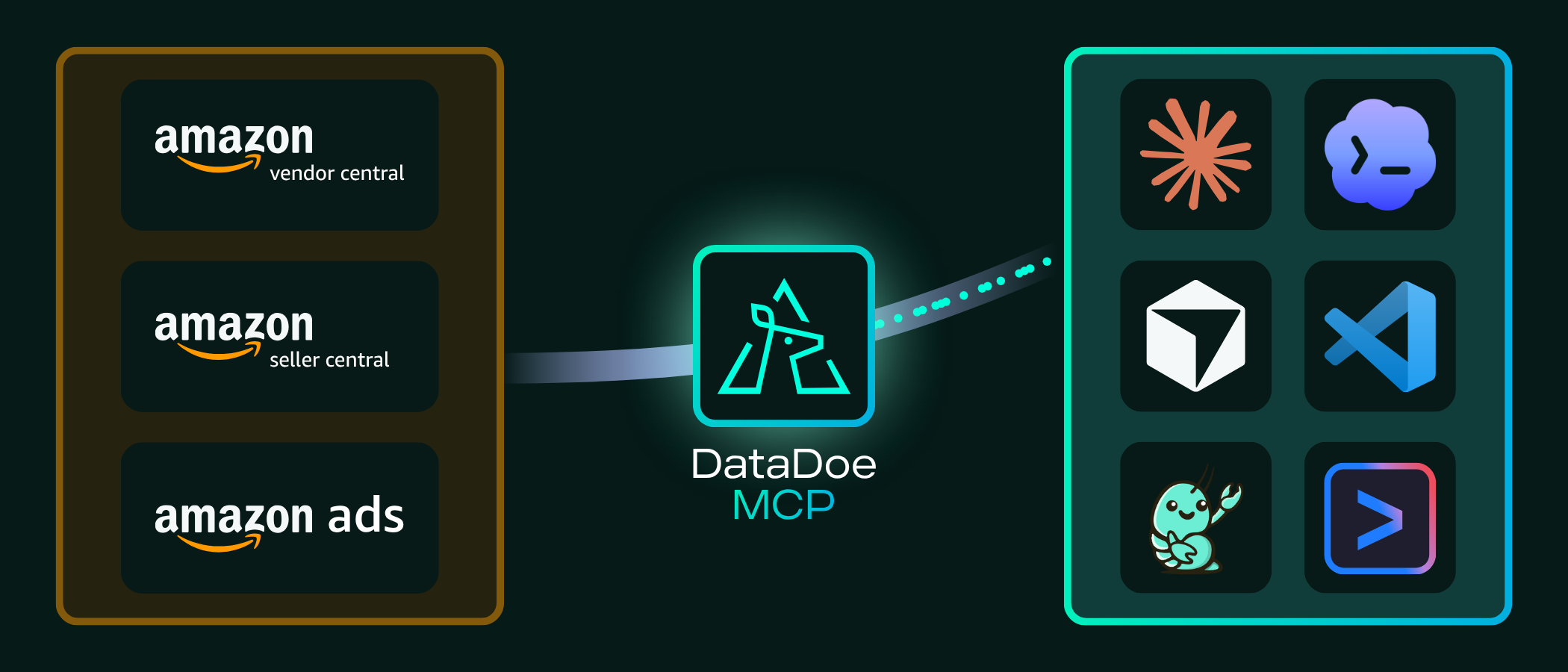
DataDoe MCP - Amazon Seller Central, Vendor Central, and Amazon Ads data for AI agents via SP-API

Who is DataDoe MCP for?

  • Amazon sellers (FBA, FBM, multi-marketplace) - get instant answers from your own seller data without context-switching to Seller Central.
  • Amazon agencies managing multiple client accounts - query across every connected Seller Central / Vendor Central account from one MCP server.
  • Vendors with Vendor Central - read 1P data alongside 3P data with the same tools.
  • AI builders and developers - ship Amazon-aware AI agents, dashboards, and internal tools without writing your own SP-API integration.
  • Operations teams - automate recurring reports via Claude Code, Cursor, n8n, or any MCP-capable workflow tool.

Why use DataDoe MCP?

  • βœ… No SP-API approval needed - DataDoe handles SP-API developer registration, OAuth, refresh tokens, and rate limits on your behalf.
  • βœ… 30-second setup - paste the MCP URL and your API key into your AI client config. DataDoe runs the server on hosted infrastructure.
  • βœ… 20+ documented integrations out of the box: Claude, ChatGPT, Cursor, Codex, Gemini CLI, GitHub Copilot, n8n, CrewAI, the Claude & OpenAI Agent SDKs, Excel / Word / PowerPoint via Claude, and any other MCP-capable client.
  • βœ… SKU-level resolution - drill into individual ASINs, parent listings, marketplaces, time periods, ad campaigns, keyword reports, settlements, returns.
  • βœ… Multi-marketplace, multi-account - one MCP server covers every Amazon marketplace (US, UK, DE, FR, IT, ES, CA, AU, JP, MX, and more) across Seller Central and Vendor Central.
  • βœ… AI-native by design - exports_create accepts SQL-like filter groups, GROUP BY, aggregations, and date intervals, so your AI agent can build complex reports from one tool call.
  • βœ… Read and write - with Actions, your agent doesn't just report, it updates listings, manages orders, and optimizes Amazon Ads, with a dryRun validation step and per-type controls.
  • βœ… Always-on hosted infrastructure - DataDoe manages SP-API rate limits, token rotation, and ongoing maintenance.

What can you ask DataDoe MCP?

Example questions your AI agent can answer with DataDoe MCP connected:

  • "What were my top 20 ASINs by revenue last month across all Amazon marketplaces?"
  • "Reconcile my Amazon settlements against orders for Q1, and show any discrepancies."
  • "Which Amazon Ads campaigns had ACoS over 40% last week, and what was their total spend?"
  • "Show inventory units at risk of stocking out in the next 14 days."
  • "Build me a daily KPI dashboard with sales, traffic, and ad spend for the last 90 days."
  • "Which search terms in my PPC reports drove the most clicks but zero conversions?"
  • "Pull every Amazon return for SKU ABC-123 in the last 60 days and summarize the return reasons."
  • "Compare my brand analytics search term share-of-voice month over month."

And with Actions enabled, your agent can act on what it finds:

  • "Raise the daily budget on my top-ACoS Sponsored Products campaign by 20%."
  • "Pause every campaign with ACoS over 50% last week."
  • "Update the price of SKU ABC-123 to 19.99 and refresh its bullet points."
  • "Confirm shipment for order 123-4567890-1234567 with UPS tracking 1Z999..."

Actions: write to Amazon

Actions let your AI agent make changes on your connected Amazon Seller Central, Vendor Central, and Amazon Ads accounts through the SP-API and Amazon Ads API. Every Action is recorded and auditable.

What your agent can do:

  • Listings - update the title, bullet points, description, price, generic keyword, and item-type keyword (AMAZON_LISTINGS_UPDATE).
  • Orders - cancel an order item with a reason (AMAZON_ORDERS_CANCEL) or confirm shipment and upload tracking (AMAZON_ORDERS_CONFIRM_SHIPMENT).
  • Amazon Ads - add, update, remove, and find campaigns, ad groups, targets, ads, and ad associations across Sponsored Products, Brands, Display, TV, and Amazon DSP.

How it works - the agent runs each Action through these MCP tools:

  1. actions_details_schema_get - get the payload schema for the Action type.
  2. actions_start with dryRun=true - validate the payload without executing.
  3. actions_start - run the Action and get an action id.
  4. actions_get - poll until it completes, then read the result.

Use actions_list to review past Actions (filter by status, type, creator, and date).

Action types are disabled by default and enabled per type in Settings > Actions. When a type is disabled, actions_start rejects live runs but still allows dryRun validation.

Example details payload for AMAZON_LISTINGS_UPDATE:

config.json
{
  "type": "AMAZON_LISTINGS_UPDATE",
  "sellerOrVendorId": "<SELLER_OR_VENDOR_UUID>",
  "dryRun": true,
  "details": {
    "changes": [
      {
        "sku": "ABC-123",
        "language_tag": "en_US",
        "name": "Stainless Steel Water Bottle 750ml",
        "price": 19.99
      }
    ]
  }
}

Running an Action costs 2 AI tokens for up to 100 entities, plus 1 token per additional 100. See the Actions docs for the full catalog and payload schemas.

Available MCP tools

DataDoe MCP exposes the following tools to your AI client:

ToolCategoryWhat it does
sellers_and_vendors_listAccountLists Amazon sellers and vendors connected to your DataDoe organization, with pagination and optional filters by name and marketplace country code.
organization_and_subscription_details_getAccountReturns your DataDoe organization profile and active subscription plan.
exports_sources_getDataSearches DataDoe's catalog of pre-built Amazon data export templates (orders, sales and traffic, ads performance, inventory, listings, settlements, returns, brand analytics, and more).
exports_createDataCreates an Amazon data export from any source. Supports SQL-like filters, GROUP BY, aggregations (sum / avg / count / countDistinct / min / max), date intervals (DAY / WEEK / MONTH), pagination, and CSV or JSON output.
exports_getDataReturns status and metadata for an in-flight or completed export job.
exports_raw_url_getDataReturns a one-time download URL served by the DataDoe MCP server for a completed export.
exports_raw_downloadDataReturns the raw export content (CSV or JSON) inline in the tool response.
exports_deleteDataDeletes an export by its ID.
files_createFilesCreates and uploads a utility file (listing or A+ images) as base64-encoded content.
files_listFilesLists utility files for the organization with pagination and filters.
files_getFilesReturns metadata for a utility file by id.
files_download_url_getFilesReturns a one-time download URL for an uploaded file.
files_deleteFilesDeletes a utility file and its stored object when present.
datadoe_user_docs_table_of_contents_getDocsReturns the table of contents of the DataDoe user documentation, useful when an agent needs to look up features or capabilities on demand.
datadoe_user_docs_page_getDocsReturns the full content of a named DataDoe documentation page.
actions_details_schema_getActionsReturns the JSON Schema of the details payload required to start a given Action type.
actions_startActionsStarts an Action that changes your Amazon account (listings, orders, Amazon Ads). Set dryRun=true to validate without executing. Returns an action id.
actions_getActionsReturns the status and result of an Action by id; poll after actions_start.
actions_listActionsReturns paginated Action history, filterable by status, type, creator, and date.
extensions_getExtensionsReturns all Memories and Skills added by the user.
extensions_memories_createExtensionsCreates a Memory for the user or organization.
extensions_memories_editExtensionsUpdates a Memory for the user or organization.

Quick setup per AI client

The snippets below are the minimum config you need. For step-by-step guides per AI client, see the Per-client setup guides list at the end of this section.

Claude Desktop Β· Claude.ai

config.json
{
  "mcpServers": {
    "datadoe": {
      "url": "https://mcp.datadoe.com/mcp/v1",
      "headers": {
        "datadoe-mcp-key": "<YOUR_DATADOE_MCP_KEY>"
      }
    }
  }
}

Claude Code

Terminal
claude mcp add datadoe \
  --transport http \
  --url https://mcp.datadoe.com/mcp/v1 \
  --header "datadoe-mcp-key: <YOUR_DATADOE_MCP_KEY>"

Cursor

Add to ~/.cursor/mcp.json (global) or .cursor/mcp.json (per project):

config.json
{
  "mcpServers": {
    "datadoe": {
      "url": "https://mcp.datadoe.com/mcp/v1",
      "headers": {
        "datadoe-mcp-key": "<YOUR_DATADOE_MCP_KEY>"
      }
    }
  }
}

GitHub Copilot (VS Code)

Add to your VS Code mcp.json:

config.json
{
  "mcpServers": {
    "datadoe": {
      "url": "https://mcp.datadoe.com/mcp/v1",
      "headers": {
        "datadoe-mcp-key": "<YOUR_DATADOE_MCP_KEY>"
      }
    }
  }
}

Codex CLI Β· Gemini CLI Β· ChatGPT Β· n8n Β· NanoClaw Β· any other MCP client

DataDoe MCP works as a generic remote MCP server. Configure your client with:

  • URL: https://mcp.datadoe.com/mcp/v1
  • Transport: HTTP Streamable
  • Auth header: datadoe-mcp-key: <YOUR_DATADOE_MCP_KEY> (create a key in DataDoe MCP Integrations)

Per-client setup guides

For step-by-step setup guides per AI client, see the dedicated DataDoe documentation pages:

  • Using Claude
  • Using ChatGPT
  • Using Claude Code
  • Using Claude Agent SDK
  • Using Codex
  • Using Codex Sites
  • Using CrewAI
  • Using Cursor
  • Using Excel + Claude
  • Using Gemini CLI
  • Using Gumloop
  • Using Hermes Agent
  • Using n8n
  • Using NanoClaw
  • Using OpenAI Agents SDK
  • Using OpenClaw
  • Using OpenCode
  • Using PowerPoint + Claude
  • Using VS Code
  • Using Word + Claude

Full documentation root: www.datadoe.com/hub/docs


What Amazon data is available?

DataDoe MCP exposes every Amazon data table available in DataDoe, including:

  • Orders & sales: order line items, order performance, sales and traffic, refunds
  • Amazon Ads: campaigns, ad groups, keywords, search terms, sponsored products / brands / display, ACoS / ROAS / impression-share metrics
  • Inventory: FBA inventory, restock recommendations, stranded inventory, age, units at risk
  • Listings & catalog: ASIN catalog, product attributes, buy box ownership, variations
  • Finance: settlements, fees, reserves, reimbursements, deposits
  • Returns: customer returns, return reasons, FBA returns
  • Brand analytics: search query performance, market basket, repeat purchase, demographics
  • Traffic: sessions, page views, conversion rate, by ASIN, by marketplace

Full schema: www.datadoe.com/hub/data-scheme


What DataDoe MCP is NOT

To avoid confusion when evaluating Amazon MCP servers:

  • ❌ Not a self-hosted MCP server. DataDoe MCP is hosted at mcp.datadoe.com. This GitHub repository is the schema facade used to publish DataDoe MCP to public MCP registries (Official MCP Registry, mcpservers.org, glama.ai, mcpmarket.com, Cline, smithery.ai, and others).
  • ❌ Not an SP-API wrapper you operate yourself. DataDoe owns the SP-API developer registration, OAuth flow, refresh-token rotation, marketplace endpoints, and rate-limit handling. You bring your Amazon account; we handle the rest.
  • ❌ Not a free open-source server. DataDoe MCP requires a DataDoe subscription. For a free self-hosted alternative, see the community Amazon MCP servers indexed at mcpservers.org.

Documentation & resources

  • DataDoe homepage
  • DataDoe documentation
  • DataDoe Actions (write to Amazon)
  • Amazon data schema reference
  • DataDoe MCP product page
  • DataDoe vs Amazon MCP comparison
  • DataDoe MCP video demo
  • DataDoe blog: Amazon SP-API, Ads API, and MCP explainers
  • Create a DataDoe MCP API key

License

MIT. The DataDoe MCP schema facade in this repository is open-source. The hosted MCP server, DataDoe application, and DataDoe infrastructure are proprietary and operated by Deltologic.


How to start and connect locally (for indexing and listing)

This server is just a schema facade of the actual DataDoe MCP server, made for exposing DataDoe MCP to various MCP registries. It is a no-op server: it does not do anything beyond exposing the schema of DataDoe MCP. If you want to actually use DataDoe MCP, see the DataDoe MCP documentation.

1. Install dependencies

bash
yarn install

2. Build the local server

bash
yarn build

This compiles the TypeScript source into dist/index.js.

3. Start the server

bash
yarn start

The server communicates over stdio, so the process is intended to be launched by your MCP client rather than opened in a browser.

4. Connect from an MCP client

For a local setup, point your client at the built entrypoint. A typical mcp.json looks like this:

config.json
{
  "mcpServers": {
    "datadoe": {
      "command": "node",
      "args": ["/absolute/path/to/datadoe-mcp/dist/index.js"]
    }
  }
}

If your client supports environment-based workspace paths, you can usually swap the absolute path for the actual clone location on your machine.


DataDoe is operated by Deltologic Β· datadoe.com

Related MCP Servers

View all in Coding Agents View all alternatives
  • S
    ServiceNow MCP Server (NowAIKit)

    ServiceNow MCP server: 450+ tools for Claude, ChatGPT, Copilot & any AI. Read-only by default.

    πŸ€– Coding Agents0 views
    Compare vs ServiceNow MCP Server (NowAIKit) β†’
  • C
    Can I Vibe? β€” AI coding provider status

    Live status and health checks for AI coding providers: Claude, Cursor, Copilot, Codex and more.

    πŸ€– Coding Agents0 views
    Compare vs Can I Vibe? β€” AI coding provider status β†’
  • Ssh Mcp logoSsh Mcp

    MCP server exposing SSH control for Linux and Windows servers via Model Context Protocol. Securely execute remote shell commands with password or SSH key authentication.

    πŸ€– Coding Agents2 views
    Compare vs Ssh Mcp β†’
  • Reassign logoReassign

    Reassign β€” circular 24-hour calendar & time-tracking copilot with ADHD-friendly scheduling.

    πŸ€– Coding Agents0 views
    Compare vs Reassign β†’

Frequently Asked Questions about DataDoe MCP

Add the following block to your claude_desktop_config.json under mcpServers: "mcpServers": { "datadoe-mcp": { "command": "npx", "args": ["-y", "DataDoe MCP"] } }

AllMCPs Directory Badge

Full Badge Customizer

Showcase your server listing on GitHub or your project documentation. Embed this dynamic SVG badge to highlight official listing status and live engagement.

Badge Style:
Live Dynamic SVG PreviewDataDoe MCP AllMCPs Directory Badge

Markdown (GitHub README)
[![AllMCPs](https://allmcps.com/api/badge/datadoe-mcp?style=directory)](https://allmcps.com/mcp/datadoe-mcp)
HTML Embed
<a href="https://allmcps.com/mcp/datadoe-mcp"><img src="https://allmcps.com/api/badge/datadoe-mcp?style=directory" alt="DataDoe MCP on AllMCPs" /></a>

Technical Specs & Signals

CategoryπŸ€–Coding Agents
More technical detailsExpand β–Ύ
TransportSTDIO
RuntimeNode.js
Views0
Unique ViewsTotal visits recorded for this listing page on AllMCPs.
Installs0
Installs & Copy ActionsTotal times users copied install commands or configuration snippets for this server.
27Quality signal: Emerging Β· 27/100How this signal is calculated β–Ύ
Server availabilityNot measured

Not scored for repo-hosted servers β€” we can't reach the running server, only its GitHub page. Hosted MCP endpoints are health-checked live.

Verified ownership8/20
Documentation & tools11/30
Adoption & activity1/15
Community engagement0/10

A guidance signal from public completeness & health data β€” not a user rating. New listings start lower and rise as they add docs, get verified, and grow adoption. Signals we can't observe for a listing are skipped, not counted against it.

β˜… FeaturedMoxie Docs MCP logo

Moxie Docs MCP

MCP & Agent Skills for Automated Documentation, and codebase conventions + context

Explore Server β†’

Own this project?

This directory is pre-filled from public sources. Claim via GitHub README, site badge, or DNS TXT to get the verified badge.

Free dofollow backlink: after claiming, verify your product site and place a dofollow AllMCPs badge β€” we recheck it stays live.

Claim & get free dofollow

Share & Embed

Add our SVG badge (dark/light directory styles) or embeddable widget to your site.

Explore more

More in πŸ€– Coding Agents β†’Best MCP servers for Coding Agents β†’Alternatives to DataDoe MCP β†’Install in Claude DesktopInstall in CursorInstall in VS Code