Cookie Chain tools for AI agents: swap, launch, liquidity, staking, NFTs, and a Solana bridge.
Quick Install
Automated & IDE SetupCopy the AI prompt to install this server into Claude Code, Cursor, or another agent — or use 1-click editor setup below.
Not yet automatically verified
We haven't yet run this listing's install command through our automated sandbox check. This isn't a red flag — we're steadily working through the catalog.
Manual Client & Custom JSON ConfigExpand JSON ▾
Client Config & Setup
Choose your client or environment
Target File:
💡 Paste the JSON block into your client's configuration file under mcpServers, then restart the application.
Documentation Overview
cookie-mcp






A Model Context Protocol (MCP) server that gives any AI agent onchain tools for the Cookie Chain blockchain — read the market, swap, launch tokens, manage liquidity, stake, trade NFTs, and bridge to Solana.
It runs locally over stdio and signs with your key on your machine, so it is non-custodial by design. It is a community project for the whole Cookie Chain ecosystem.
Contents
- What it can do
- Install — Claude Code · Claude Desktop · Cursor
- Enable trading (add a key)
- Try it
- Configuration
- Tools
- Safety
- Development
What it can do
- Read the market — chain health, pools, token info, token search, swap quotes, and wallet balances. No key needed.
- Swap any Cookie Chain token pair through either aggregator — the
Cookiebox Swap API or Candy Shop —
both routing across all Cookie Chain DEX liquidity. Agents pick per call with the
aggregatorparameter and can quote both to compare.chain: "solana"buys/sells the bridged COOK on Solana mainnet via Jupiter instead. - Transfer COOK or any SPL / Token-2022 token.
- Launch tokens on the MomoSwap launchpad — create a token on a COOK bonding curve, buy / sell the curve, claim after graduation, and sweep your creator fees.
- Manage liquidity — create pools, add / remove liquidity, claim fees, and permanently lock positions across Cookiebox DAMM v2, Cookiebox CLMM, and CookieSwap BAMM (venue auto-detected).
- Liquid-stake COOK for bCOOK and redeem it instantly.
- Trade NFTs on Baked Bazaar — search, browse, buy, list, and make / accept offers (Cookie Chain's Metaplex Auction House marketplace).
- Bridge COOK 1:1 between Cookie Chain and Solana mainnet over Hyperlane.
- Own a name — register, transfer, and resolve
.cooknames on the CookOven name service, and use them anywhere an address is expected (transfer to: "bot.cook").
Safe by default: read-only until you add a key, and every money-moving action is simulated before it is sent.
Install
Requires Node ≥ 22. There is nothing to install or build — npx fetches the published package on
first run. Pick your client below. All three use the same server; the only difference is where the
config lives.
Claude Code
The quickest way — one command, available in every project:
This registers the server read-only (no key). See Enable trading to add a wallet.
Scopes — claude mcp add writes to one of three places; choose with --scope:
--scope | Available in | Stored in |
|---|---|---|
user | all your projects | ~/.claude.json |
(omitted) local | the current project dir | ~/.claude.json (per-folder) |
project | anyone who clones a repo | .mcp.json at the repo root |
Use --scope project only when you want the server committed into a specific repo — it writes a
.mcp.json that teammates must approve on first use. For a general-purpose tool like this, --scope user is the right default.
Verify it registered:
Claude Desktop
Edit the config file (create it if missing), then restart Claude Desktop:
- macOS —
~/Library/Application Support/Claude/claude_desktop_config.json - Windows —
%APPDATA%\Claude\claude_desktop_config.json
Add the server block below under mcpServers.
Cursor
Edit ~/.cursor/mcp.json (applies everywhere) or .cursor/mcp.json in a project (project wins if
both exist), then add the server block.
Server block
Claude Desktop, Cursor, and a Claude Code .mcp.json all use the identical shape:
Enable trading (add a key)
Reads work with no key. To let the agent swap, transfer, launch, stake, LP, buy NFTs, or bridge,
provide a wallet via COOKIE_PRIVATE_KEY — a base58 secret, a solana-keygen JSON byte array, or a
path to a keypair file.
-
Config-file clients (Desktop / Cursor /
.mcp.json): put it in theenvblock above. -
Claude Code: re-run the add with
--env(note: this is saved to~/.claude.json; avoid leaving the raw secret in your shell history):
Your key never leaves your machine, is used only to sign locally, and is redacted from all output. Every money-moving action is simulated before it is sent.
Try it
Once it's registered, just talk to your agent naturally:
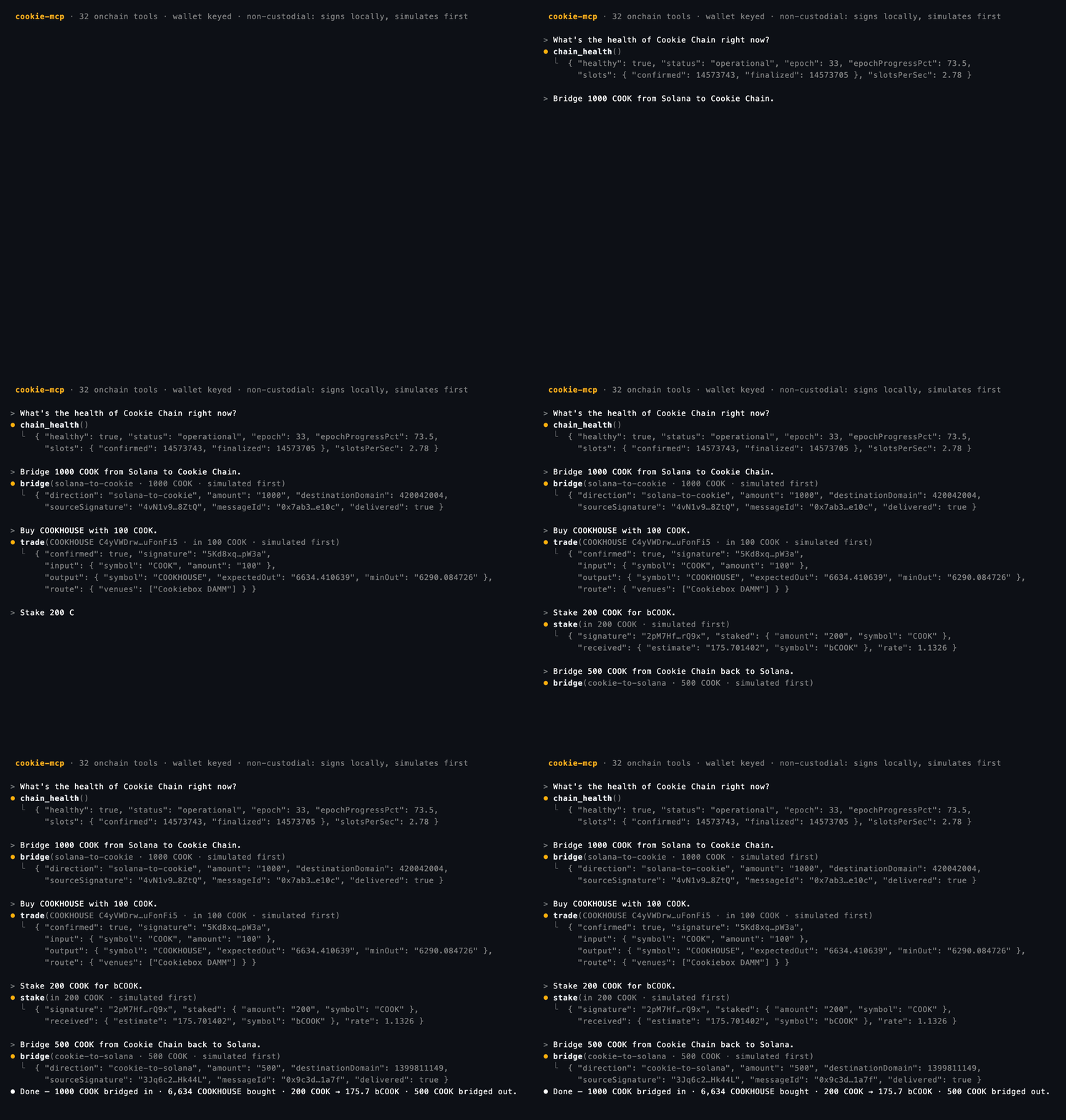
- "What's the health of Cookie Chain right now?" →
chain_health - "Find the cookhouse token and show me its price and liquidity." →
search_tokens→get_token_info - "Quote swapping 10 COOK for bCOOK." →
get_quote - "Swap 10 COOK for bCOOK." →
get_quote→trade(needs a key; simulated first) - "What COOKHOUSE NFTs are listed, and buy the cheapest under 50 COOK." →
search_nfts→buy_nft - "Which wallet are you about to trade from?" →
get_wallet
The agent resolves names to mint addresses with search_tokens / search_nfts, then acts on the mint —
it never turns a name straight into a trade.
Configuration
| Variable | Default | Purpose |
|---|---|---|
COOKIE_RPC_URL | https://rpc.cookiescan.io | Cookie Chain RPC. |
COOKIE_PRIVATE_KEY | — | Wallet key for money-moving tools. Read-only if unset. |
COOKIE_SLIPPAGE_BPS | 500 | Default slippage (bps). |
COOKIE_REFERRER | mcp treasury | Referral wallet (MomoSwap only). |
SOLANA_RPC_URL | https://api.mainnet-beta.solana.com | Solana RPC. |
JUPITER_API_KEY | — | Optional; else keyless Jupiter at 0.5 req/s. |
Tools
Reads (no key): chain_health, get_pools, get_token_info, search_tokens (resolve a token
name/ticker to its mint), get_quote, get_wallet (which key this server signs with, and the RPC it
uses — no RPC call, so it works when the chain is down), get_balance, stake_info (bCOOK liquid-staking rate / TVL /
APY / fees), launchpad reads get_launchpad_pools / get_launchpad_token /
get_launchpad_positions, and NFT reads
get_nft_listings, search_nfts (resolve an NFT/collection name to a listed mint), get_nft,
get_wallet_nfts, get_nft_offers, get_nft_market_stats, and .cook name reads
resolve_domain / get_owned_domains / get_domain_listings.
Money (need COOKIE_PRIVATE_KEY): trade (swap via Cookiebox or Cookiescan), transfer (COOK or any token),
stake / unstake (COOK ⇄ bCOOK liquid staking).
Launchpad (need COOKIE_PRIVATE_KEY, MomoSwap): deploy_token launches a
token on a COOK bonding curve (a logo is required — pass imageBase64 and it is pinned to IPFS, or
set noLogo: true to launch without one; the metadata is immutable, so a logo cannot be added later.
Costs the launchpad creation fee, read from its config at call time, plus any
devBuyCook), launchpad_buy / launchpad_sell trade that curve, claim_launchpad
settles a position (the real SPL token after graduation, a Fair-mode refund, or a Jackpot/Survivor payout),
and claim_creator_fees sweeps the creator's share of trading fees from a launch you created.
Related MCP Servers
Reviews
No reviews yet — be the first to share how this listing worked for you.
Frequently Asked Questions about Cookie MCP
AllMCPs Directory Badge
Showcase your server listing on GitHub or your project documentation. Embed this dynamic SVG badge to highlight official listing status and live engagement.
Badge Style:
Live Dynamic SVG Preview
Markdown (GitHub README)
[](https://allmcps.com/mcp/cookie-mcp)HTML Embed
<a href="https://allmcps.com/mcp/cookie-mcp"><img src="https://allmcps.com/api/badge/cookie-mcp?style=directory" alt="Cookie MCP on AllMCPs" /></a>Technical Specs & Signals
CategoryFinance & Fintech
37Quality signal: Fair · 37/100How this signal is calculated ▾
Server availabilityNot measured
Not scored for repo-hosted servers — we can't reach the running server, only its GitHub page. Hosted MCP endpoints are health-checked live.
Verified ownership10/20
Documentation & tools16/30
Adoption & activity2/15
Community engagement0/10
A guidance signal from public completeness & health data — not a user rating. New listings start lower and rise as they add docs, get verified, and grow adoption. Signals we can't observe for a listing are skipped, not counted against it.
Own this project?
This directory is pre-filled from public sources. Claim via GitHub README, site badge, or DNS TXT to unlock edit access and the Official badge — proof is checked automatically, then reviewed by our team.
Free dofollow backlink: add your website and place the AllMCPs badge on it — no claim needed. We detect it automatically and keep it verified as long as the badge stays live.
Claim & get free dofollowShare & Embed
Add our SVG badge (dark/light directory styles) or embeddable widget to your site.