Computer MCP README
The full upstream README, mirrored here for reference. Install config, tool schemas, adoption signals, and an original overview live on the Computer MCP listing page.
Computer MCP
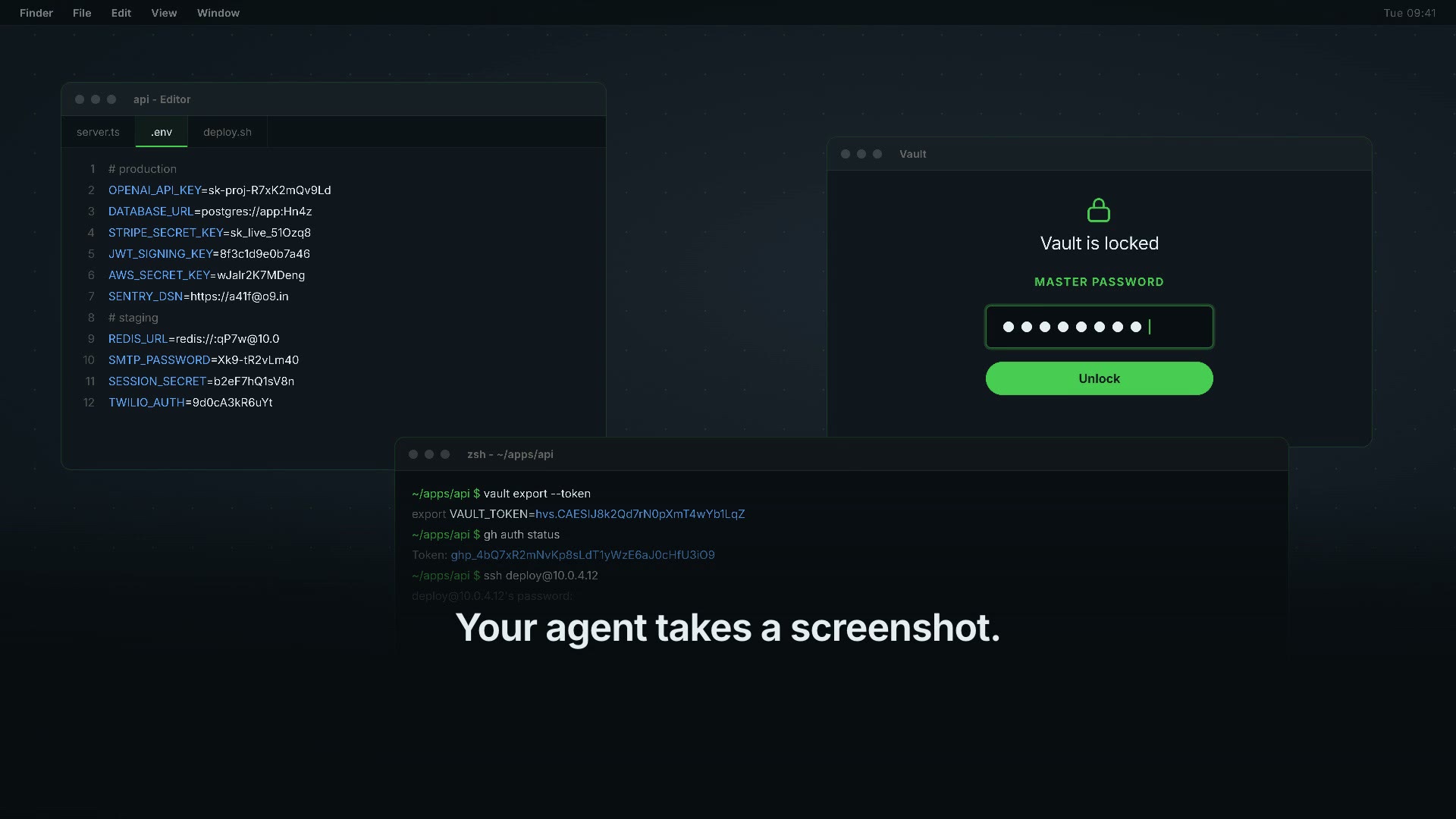
Computer use you can actually leave running.
A macOS computer-use MCP server built for the part everyone skips: what happens in the hours you are not watching.
- It does not take over your Mac. It presses buttons and fills fields in windows that stay behind the one you are in, and it leaves your pointer where you put it. Nothing gets minimised, nothing comes to the front, nothing steals what you are typing.
- It does not pretend. When something is refused or fails, it says so and says why. The most common complaint about agents driving a computer is that they carry on as if it worked.
- Several can run at once. No session lock, no one-at-a-time limit. Writes to the shared log take a short file lock, so two servers cannot break the chain between them.
- It will not go near your passwords. Keychain, 1Password and seven others ask every time, in every mode, and password fields are blacked out while the screenshot is still in memory. A screen recording leaves password managers out, but does not black out password fields.
- You can read back what it did. Every call lands in an append-only log, fingerprinted rather than stored in clear.
- Electron apps are not a blind spot. Slack, VS Code, Discord and Notion
build their accessibility tree lazily, so most tools find an empty window.
This one switches the tree on itself before it looks. Measured on a VS Code
fork with two windows open: 0 buttons before, 728 after, same windows,
same moment.
CMCP_INGEN_ELECTRON=1turns it off if you would rather the app did not pay for keeping a tree it otherwise would not build.
Honest limits: macOS only. It reads the accessibility tree, so an app that draws its own controls on a canvas and publishes nothing - some games, some plotting tools - is still a blind spot. A browser is a separate case: the switch above is an Electron API, and Chrome does not implement it. Measured on Chrome: 29 buttons before and after, unchanged. You get the browser's own window - tabs, toolbar, address bar - and not the page inside it. For a page, drive the browser with a browser tool.
No account, no API key, no model inside it. MIT.
No Swift needed: the package ships a universal binary for Apple silicon and Intel. It carries the ad-hoc signature macOS needs to run it at all - not a Developer ID signature, and not notarized. Gatekeeper may therefore ask you the first time.
computermcp.dev · Security model
Why
Handing an agent your keyboard, mouse and screen is the most useful thing you
can give it and the least reversible. A screenshot of a working developer's Mac
can contain a password manager mid-unlock, a .env open in the editor, or
customer data. A stray keystroke in a terminal is not a typo - it is a command.
Most desktop-automation MCP servers hand all of that over at once, with no way to say that, but not that. So the careful people don't run them on the machine where the work actually is.
This is the same capability with the dangerous edges answered.
The three gates
1. Passwords never reach the model. Secure text fields and password-manager
windows are painted opaque black on the bitmap in memory, before the PNG is
written. There is no moment where an unredacted picture of your desktop exists
as a file. Native fields expose the role AXSecureTextField; fields in a web
page expose role AXTextField with the subrole AXSecureTextField. Checking
only the role would catch native fields and let every browser password box
through - so both are checked.
2. The dangerous places ask first. By default the agent works without
interrupting you - that is what lets it run while you do something else - and
every write is logged. What never goes through on its own: password managers and
Keychain ask every single time, in every mode, and that one is not
configurable. Terminals and editors, where a keystroke can be a command, ask once
per app per session. Quitting an app, closing a window, switching Space,
destructive-looking menu items and any action whose target app cannot be
identified ask every time. The gate judges the app an action lands in: an
app opened some other way - Spotlight, a shortcut - is guarded by what the
agent then tries to do in it. Want a dialog before the first write too? Set
CMCP_MODE=ask. If nobody answers, the answer is no.
3. Everything is written down. ~/.local/state/computer-mcp/audit.jsonl,
mode 0600, append-only: every call, its target app, and whether it was allowed
or refused with the reason. Every line carries its call's id, which together
with the server's session id pairs the decision and the outcome of one call,
even with several agents running.
Each line also carries a fingerprint of itself and the line before it, so a
removed or edited line breaks the chain. That is not a signature: whoever can
write the file as you - including an agent with a terminal - can rewrite all of
it. If you need proof against that, copy the log off the machine. If the log cannot be written - a full disk, a
locked file - write actions are refused until it can. Two gaps remain: an action
already under way when the disk fills can lack its outcome line, and typing that
is cut off by the helper's time limit is logged as an error without saying how
many characters arrived. Typed text is stored as a length and a salted
SHA-256 prefix, never in clear - an audit trail full of passwords is its own
breach. The salt is random per run and never written down, because an unsalted
hash of a short password can be guessed offline by whoever holds the log. The
honest cost: two actions can be compared within one run, not across runs.
Each gate has a test, and each test has been mutation-checked: break the code on purpose and the test goes red. See Testing.
Install
Then grant two macOS permissions: System Settings → Privacy & Security →
Accessibility, and the same under Screen Recording. Ask your agent to call
computer_permissions and it will tell you what is still missing.
Which app do you grant them to? macOS attributes these to the responsible
process, and which process that is depends on how you launched the server. Run
from a terminal, it is usually the terminal. Run by an MCP client over npx, it
may be the client instead. The honest answer is: grant it to whichever app the
system dialog names, and if no dialog appears, start with the app that launched
the client and check computer_permissions again.
Untested, and we would rather say so: we have not yet measured this from a clean machine with permissions reset, so we cannot tell you with certainty which of the two it will be in your setup, nor whether upgrading the package re-prompts. The helper is ad-hoc signed, which means its code identity changes with every build - if macOS keys your grant to the helper rather than to the host app, an upgrade could silently revoke it. Issue #4 tracks the measurement. If you hit either behaviour, telling us what you saw is a real contribution.
Modes
CMCP_MODE | Behaviour |
|---|---|
readonly | Write tools are not even listed. The agent can look and cannot touch. |
ask | The first write opens a dialog; one yes grants the session. Password managers still ask every time, terminals and editors once per session. |
allow | Default. Writes proceed without asking, still logged. Password managers still ask every time, terminals and editors once per session, and in background mode anything that would need a dialog waits in the menu bar instead. |
CMCP_ASK_TIMEOUT (seconds, default 60) controls how long a dialog waits before
it refuses.
Tools
30 tools: fourteen that look, sixteen that touch. Twenty are offered by default, and the agent uses them without asking - the same way a browser tool drives a browser. Two gates survive that, and they are the two that matter:
- Password managers ask every time. Keychain, 1Password and seven others, in every mode, even after you have said yes. That is the whole difference between you may work and you may have my passwords.
- Anything that deletes or clears asks every time, recognised from the words in the action itself.
Everything else goes straight through and straight into the log.
It runs in the background, and that is the default. Nothing moves your
pointer, brings an app forward or types into the window you are using. Four of
the tools that used to need the screen - computer_type, computer_key,
computer_scroll and computer_click - now take an app, and the event goes
into that app's own queue instead of the global input stream. Measured on a
machine while someone was working on it: the text arrived in the app, the
pointer stayed where they had left it, and the front window did not change.
Every key press, click, scroll and typed string answers with took_screen,
so you never have to take our word for it.
Honest about how far that goes: typing and key presses are measured this
way. Clicks and scrolls are built the same way and are not. A mouse event
carries no window number, so whether an app accepts one it did not see the
pointer arrive at is a question we have not answered yet. Until we have, the
answer says took_screen: false about the screen - not that the click
landed. window and quit now carry it too, measured
the same way - including when the call failed halfway, because a half-done
write that took the screen must not be the one line that stays silent.
press and menu carry it too: an app can bring itself forward in response
(measured: File > New Finder Window did), and when it does, the answer says so
and the front is handed straight back to the app you were in (gave_back).
set_value, drag, paste and move do not carry the field yet.
computer_launch joins them with background: true: the app starts behind
what you are doing. Many apps bring themselves forward as they start - six of
eight did on a clean Mac - and when one does, the front is handed straight back
and the answer says took_screen and gave_back. It is a moment, not nothing. Eight are still held back:
move, activate, quit, space, window, drag, paste and ask_user. CMCP_BACKGROUND=0
gives you those too - and a typo will not turn it off, only 0, false, no
or off. CMCP_MODE=ask puts one consent dialog per session in front of the
first write, and CMCP_MODE=readonly leaves you the twelve that only look.
Both surviving gates are mutation-proved: break them in the source and the refusal turns into a free pass, which is how we know the test can fail.
**Look:** `computer_pending` · `computer_screenshot` · `computer_record` · `computer_inspect` · `computer_find` ·What you get today, honestly.
npx @agent360/computer-mcpcurrently serves 0.1.0, which has 12 tools. The 30 tools described here are the source: they are built and tested, but not published yet. Building from source takes about thirty-five seconds if you want them now.
computer_wait_for · computer_focused · computer_apps · computer_windows ·
computer_permissions · computer_displays · computer_menus · computer_audit · computer_learning
Touch: computer_launch · computer_quit · computer_paste · computer_window · computer_space · computer_menu · computer_press · computer_set_value · computer_ask_user ·
computer_click · computer_drag · computer_type · computer_key · computer_scroll ·
computer_move · computer_activate
computer_ask_user is the one that cannot carry a secret. It returns true
or false, never text. The agent puts the cursor in the field, the dialog names
the app and the window it is about to land in - written by the server, not by
the model - and you type on your own keyboard. There is deliberately no route
through this server for a password to reach a model.
computer_set_value writes into a field behind another window without
moving your pointer, and refuses on a secure field every time. We removed that
check on purpose once: the modified build wrote into the password box. It is the
only thing standing there.
computer_wait_for waits for an element to appear instead of taking
screenshots in a loop. Twenty polls cost one call here and twenty images the
other way.
computer_inspect reads the accessibility tree - roles, titles, values, frames -
so the agent can click a button by knowing where it is instead of guessing from
pixels. computer_find narrows that to the elements matching a role, a title or
a substring. Values of secure fields are never returned, not even to the agent.
Deliberately absent: no shell execution, no arbitrary file access, no URL fetching. Each would be one line of code. A computer-control server with a shell inside it is remote access under a friendlier name. If you want a shell, install a shell MCP server - then you have chosen it, and the choice is visible in your config.
Without taking over your screen
computer_click and computer_type go through the system's own input tap, so
they land wherever the keyboard focus is and they move your real pointer. That
is fine when you are watching. It is not fine when you are working in another
window.
computer_press takes the other route: it fires the element's own
accessibility action. That works while the window is behind another one, and it
moves nothing on your screen. computer_find is how the agent locates the
element to press.
Two or more matches is a refusal, not a guess - the agent gets the candidates and has to narrow it down, because pressing the first plausible button is exactly the kind of almost-right action nobody notices afterwards.
The consent dialog still comes to the front, and the apps on the always-ask list
still ask every time. computer_press names its target app, and that name is
what the gate judges - so pressing something in 1Password asks even when
1Password is nowhere near the front.
Several agents at once. Each MCP client starts its own server, so a second
chat is just a second process. They share one audit log, and every line carries
a per-server session mark - set CMCP_CLIENT=<name> and the line carries that
too, so the log answers which conversation clicked. Fifty interleaved writes
from two servers, zero torn lines: test/concurrent.mjs.
Two agents in the same app take turns. Measured on 22 Sep with two real
servers typing into the same window at once: the two texts were interleaved
character by character - 153 switches in 160 characters - and both servers
reported success. There is now a lock per target app, held across processes for
the length of the action. Same measurement after the lock: 1 switch, both texts
whole (test/samtidige-agenter.mjs). Two agents in different apps still run
at the same time; nothing is serialised that does not have to be.
The menu bar icon
While an agent is running, a small icon sits in the menu bar. It is the only thing this product puts on your screen, and it never takes focus.
- The dropdown lists every agent that is running - which client, and what it
is doing right now. Click one to open a live window that follows it. The text
says what it did (
Type 42 characters,Press an element in Finder), never what was typed: the characters are not in the status file, not in the log, and not in the icon. - A question that needs you turns the icon orange. In background mode the server used to refuse anything that needed a human, because a dialog takes the screen. Now it waits for you instead: the question sits in the icon until you answer it, and the agent is told nothing happened until you do.
- Allowing is deliberate.
Allow…lives in a submenu, never one click in the main menu, and it asks for Touch ID (or your Mac's password) every time. The answer travels back down the same socket connection the question came in on, bound to a one-time number with a deadline. A late answer, a different number, or a yes without your fingerprint is a no. - Some things can never be approved there: apps on the always-ask list
(password managers), an action whose target app could not be resolved, and an
unredacted screenshot. Those stay refused and show up in
computer_pending. - No banners by default, and never a button in one. A notification with an
Allowbutton would be a second way to say yes - and an agent can click a notification. You can switch a plain banner on from the icon's own menu. - The icon cannot be touched by an agent. Any write tool aimed at it is refused in every mode, before the gate can even ask. Measured: without that rule, three of three presses reached the helper.
If the menu bar is hidden - a full-screen app, or auto-hide - the icon is hidden with it, along with every other status icon on that screen. A question can then sit unnoticed until it expires. That is a real limitation today, not a setting.
What it does not do
- macOS only (14+). No Windows or Linux build, and none planned.
- Only what macOS marks as secure is redacted. A password in a plain text
editor or a token in a terminal buffer is not marked and will not be hidden.
Use
readonlywhen the screen holds something the system cannot know about. - Password managers are kept out of the picture itself. The capture asks macOS to leave every app on the deny list out of the image, so their pixels never exist - hiding, moving or closing one mid-capture cannot leak it, and one can never be photographed on its own. Redaction still runs on top. What is left of the gap: a secure field in an ordinary app that moves while the scan runs is painted where it is now, not where it was. A field shows dots, so that reveals its length, not the password. Helper processes a password manager runs under a different app ID are not on the list yet. Not measured here: that macOS really leaves the pixels out - that needs a capture, and we do not take one of a person's screen to prove it.
- Consent is not containment. After you approve, the agent drives your real Mac - that is what you approved. If you need a boundary rather than a decision, run it in a VM. That is the honest answer, not a missing feature.
- It does not see inside web pages. Measured 23 Sep on two Chromes - the one in use and a clean Chrome for Testing: zero web areas in the accessibility tree, no page text, only the browser's own buttons and address bar. Chrome builds that tree for a real screen reader, not for the switch Electron apps honour. Apps built on Electron - VS Code, Slack, Notion, the IDE this was measured in - do expose their content: 4.000 nodes, 1.434 texts, 267 buttons in one window. So: inside a web page, use a browser tool; inside an app, use this one. They do not overlap.
- Keystrokes do not land in a Chromium window that is not focused. Measured
the same day: the helper reported
typed: 21andtook_screen: false, and the text arrived nowhere.computer_set_valuethrough the accessibility layer did land - in the address bar, which is part of the browser's own UI. That is why the quiet route iscomputer_find+computer_press/computer_set_value, not typing. - A coordinate click is judged by what lies under the point. That is the app macOS names as its owner, plus every window stacked above it down to the first opaque one, checked again right before the click. A window that macOS reports as opaque but that lets clicks through to what is underneath is not seen by that check. Not measured here: it needs a real window on a machine that is not someone's working Mac.
- Prompt injection stays possible. The dialogs and the log make it visible rather than silent. They do not make it impossible.
- Menus, pop-up buttons and file dialogs are out of reach in background mode. Measured: an open menu takes the whole input stream on macOS - while one is open the system will not even say which app has focus - and a save panel's Go to folder could not be driven through an app's own queue. So the agent can read them, but it cannot choose in them without taking the screen. Today it stops and says so rather than pretending.
Building from source
The helper is a separate Swift binary with zero third-party dependencies. It is the part that uses Accessibility and Screen Recording, it is small enough to read in one sitting, and it can be replaced without touching the server. (Which process macOS grants those permissions to is a separate question, and an open one - see the note under Install.) Every package inside a binary that privileged is a vendor you are trusting without having chosen to.
Testing
claims.mjs checks the sentences on the front page against the code: that a
terminal still asks in allow mode, that a harmless app does not (otherwise
"refuse everything" would pass), that typed text reaches the log only as a
length and a hash, and that no shell, file or URL tool has appeared.
Where a check cannot be made meaningfully - no secure field happens to be on screen - it reports SKIPPED, not passed. A green suite that measured nothing is the failure mode these tests exist to avoid.
redaction-unit.py builds its own image instead of measuring the live screen.
The first version measured the real desktop - and on a machine where the editor
runs full-screen the test window could not appear at all, so the test measured
an empty screenshot and called it a pass. A security test that passes when it
cannot see anything is worse than no test.
redaction-proof.sh still exercises the live path and needs a desktop that is
not in full-screen mode. It fails loudly rather than skipping quietly.
Help build it
The redaction list holds the password managers we thought of. It does not hold your banking app, your company's secrets manager, or whatever is popular where you live. One team cannot write that list; many people adding one line each can - and every app someone contributes makes the tool safer for everyone who installs it afterwards.
That takes an issue form and no code. So does writing down how some Mac app actually behaves, which is knowledge that currently only exists in the heads of people who already fought it.
The wishlist is the rest: open items, sized honestly, none of them assigned. How contributing works.
Who makes this
Built by Agent360, a Danish shop building agents that do real work:
- Browser MCP - the same idea for a real, logged-in Chrome. Written alongside this one, and the two share their lessons.
- JesperAI - voice agents that hold an actual conversation on the phone.
- ForbrugerAgenten - an agent that reads your household bills and switches your provider for you.
Everything here is MIT and runs on your machine. None of the above is required, bundled, or phoned home to.
What this project is for
Dev-troværdighed, not a growth engine. The same mandate as its sibling browser-mcp: honesty, correcting untrue claims, and guards that can actually go red. Growth, SEO and channel work are not the job unless asked for.
The full mandate, and the one reason this project is allowed to exist, is in MANDAT.md.
Privacy
Nothing leaves your machine because of this server. There is no account, no telemetry, no server of ours in the path, and no network call the server makes on its own.
- Screenshots go to the MCP client you configured - the same place the rest of your conversation goes - and nowhere else. Secure text fields are blacked out in the image buffer before the PNG is ever written, so a password is not in the file that is sent.
- The audit log lives only on your disk, at
~/.local/state/computer-mcp/audit.jsonl. It stores a salted fingerprint of typed text, never the text. Delete the file and it is gone. - We collect nothing. No identifiers, no usage counts, no crash reports.
Full policy: https://computermcp.dev/privacy.html
Licence
MIT © Agent360 Group ApS.