macOS computer use with the guardrails on: passwords blacked out, writes need consent, all logged.
Quick Install
Automated & IDE SetupCopy the AI prompt to install this server into Claude Code, Cursor, or another agent — or use 1-click editor setup below.
One-click editor setup isn’t available for this listing yet — we don’t have a confirmed install command, and we’d rather show nothing than point your editor at the wrong package or host. Follow the project’s own setup instructions, linked above.
Manual Client & Custom JSON ConfigExpand JSON ▾
No confirmed setup config for this listing yet. We only publish a config block when the install details come from the project itself — its README, its docs, or a verified owner. We haven’t found those for computer-mcp, and we’d rather show nothing than a guess you’d paste into your client. Follow the project’s own setup instructions for the current steps.
Documentation Overview
Computer MCP
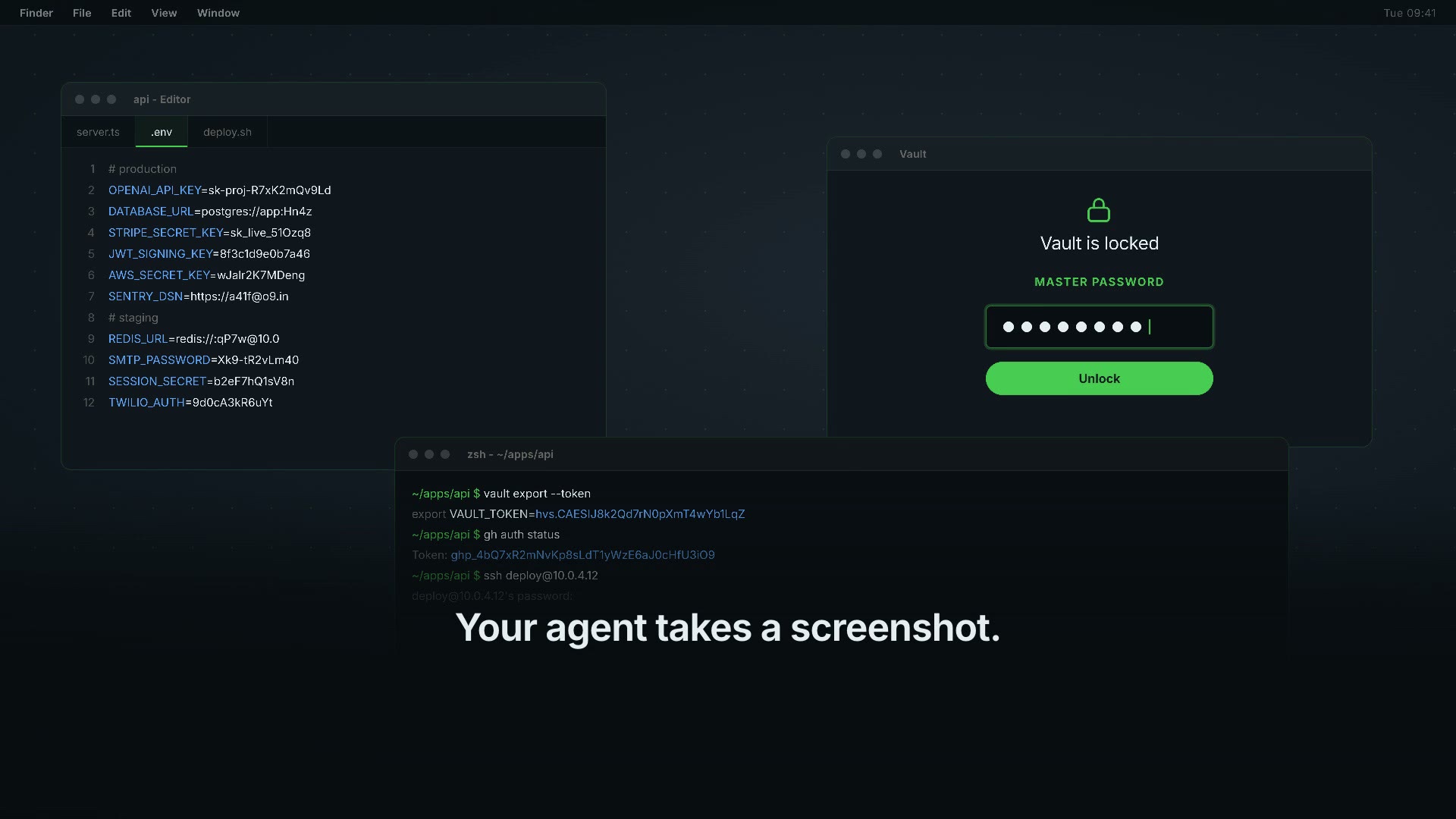
Computer use you can actually leave running.
A macOS computer-use MCP server built for the part everyone skips: what happens in the hours you are not watching.
- It does not take over your Mac. It presses buttons and fills fields in windows that stay behind the one you are in, and it leaves your pointer where you put it. Nothing gets minimised, nothing comes to the front, nothing steals what you are typing.
- It does not pretend. When something is refused or fails, it says so and says why. The most common complaint about agents driving a computer is that they carry on as if it worked.
- Several can run at once. No session lock, no one-at-a-time limit. Writes to the shared log take a short file lock, so two servers cannot break the chain between them.
- It will not go near your passwords. Keychain, 1Password and seven others ask every time, in every mode, and password fields are blacked out while the screenshot is still in memory. A screen recording leaves password managers out, but does not black out password fields.
- You can read back what it did. Every call lands in an append-only log, fingerprinted rather than stored in clear.
- Electron apps are not a blind spot. Slack, VS Code, Discord and Notion
build their accessibility tree lazily, so most tools find an empty window.
This one switches the tree on itself before it looks. Measured on a VS Code
fork with two windows open: 0 buttons before, 728 after, same windows,
same moment.
CMCP_INGEN_ELECTRON=1turns it off if you would rather the app did not pay for keeping a tree it otherwise would not build.
Honest limits: macOS only. It reads the accessibility tree, so an app that draws its own controls on a canvas and publishes nothing - some games, some plotting tools - is still a blind spot. A browser is a separate case: the switch above is an Electron API, and Chrome does not implement it. Measured on Chrome: 29 buttons before and after, unchanged. You get the browser's own window - tabs, toolbar, address bar - and not the page inside it. For a page, drive the browser with a browser tool.
No account, no API key, no model inside it. MIT.
No Swift needed: the package ships a universal binary for Apple silicon and Intel. It carries the ad-hoc signature macOS needs to run it at all - not a Developer ID signature, and not notarized. Gatekeeper may therefore ask you the first time.
computermcp.dev · Security model
Why
Handing an agent your keyboard, mouse and screen is the most useful thing you
can give it and the least reversible. A screenshot of a working developer's Mac
can contain a password manager mid-unlock, a .env open in the editor, or
customer data. A stray keystroke in a terminal is not a typo - it is a command.
Most desktop-automation MCP servers hand all of that over at once, with no way to say that, but not that. So the careful people don't run them on the machine where the work actually is.
This is the same capability with the dangerous edges answered.
The three gates
1. Passwords never reach the model. Secure text fields and password-manager
windows are painted opaque black on the bitmap in memory, before the PNG is
written. There is no moment where an unredacted picture of your desktop exists
as a file. Native fields expose the role AXSecureTextField; fields in a web
page expose role AXTextField with the subrole AXSecureTextField. Checking
only the role would catch native fields and let every browser password box
through - so both are checked.
2. The dangerous places ask first. By default the agent works without
interrupting you - that is what lets it run while you do something else - and
every write is logged. What never goes through on its own: password managers and
Keychain ask every single time, in every mode, and that one is not
configurable. Terminals and editors, where a keystroke can be a command, ask once
per app per session. Quitting an app, closing a window, switching Space,
destructive-looking menu items and any action whose target app cannot be
identified ask every time. The gate judges the app an action lands in: an
app opened some other way - Spotlight, a shortcut - is guarded by what the
agent then tries to do in it. Want a dialog before the first write too? Set
CMCP_MODE=ask. If nobody answers, the answer is no.
3. Everything is written down. ~/.local/state/computer-mcp/audit.jsonl,
mode 0600, append-only: every call, its target app, and whether it was allowed
or refused with the reason. Every line carries its call's id, which together
with the server's session id pairs the decision and the outcome of one call,
even with several agents running.
Each line also carries a fingerprint of itself and the line before it, so a
removed or edited line breaks the chain. That is not a signature: whoever can
write the file as you - including an agent with a terminal - can rewrite all of
it. If you need proof against that, copy the log off the machine. If the log cannot be written - a full disk, a
locked file - write actions are refused until it can. Two gaps remain: an action
already under way when the disk fills can lack its outcome line, and typing that
is cut off by the helper's time limit is logged as an error without saying how
many characters arrived. Typed text is stored as a length and a salted
SHA-256 prefix, never in clear - an audit trail full of passwords is its own
breach. The salt is random per run and never written down, because an unsalted
hash of a short password can be guessed offline by whoever holds the log. The
honest cost: two actions can be compared within one run, not across runs.
Each gate has a test, and each test has been mutation-checked: break the code on purpose and the test goes red. See Testing.
Install
Then grant two macOS permissions: System Settings → Privacy & Security →
Accessibility, and the same under Screen Recording. Ask your agent to call
computer_permissions and it will tell you what is still missing.
Which app do you grant them to? macOS attributes these to the responsible
process, and which process that is depends on how you launched the server. Run
from a terminal, it is usually the terminal. Run by an MCP client over npx, it
may be the client instead. The honest answer is: grant it to whichever app the
system dialog names, and if no dialog appears, start with the app that launched
the client and check computer_permissions again.
Untested, and we would rather say so: we have not yet measured this from a clean machine with permissions reset, so we cannot tell you with certainty which of the two it will be in your setup, nor whether upgrading the package re-prompts. The helper is ad-hoc signed, which means its code identity changes with every build - if macOS keys your grant to the helper rather than to the host app, an upgrade could silently revoke it. Issue #4 tracks the measurement. If you hit either behaviour, telling us what you saw is a real contribution.
Modes
CMCP_MODE | Behaviour |
|---|---|
readonly | Write tools are not even listed. The agent can look and cannot touch. |
ask | The first write opens a dialog; one yes grants the session. Password managers still ask every time, terminals and editors once per session. |
allow | Default. Writes proceed without asking, still logged. Password managers still ask every time, terminals and editors once per session, and in background mode anything that would need a dialog waits in the menu bar instead. |
CMCP_ASK_TIMEOUT (seconds, default 60) controls how long a dialog waits before
it refuses.
Tools
30 tools: fourteen that look, sixteen that touch. Twenty are offered by default, and the agent uses them without asking - the same way a browser tool drives a browser. Two gates survive that, and they are the two that matter:
- Password managers ask every time. Keychain, 1Password and seven others, in every mode, even after you have said yes. That is the whole difference between you may work and you may have my passwords.
- Anything that deletes or clears asks every time, recognised from the words in the action itself.
Everything else goes straight through and straight into the log.
It runs in the background, and that is the default. Nothing moves your
pointer, brings an app forward or types into the window you are using. Four of
the tools that used to need the screen - computer_type, computer_key,
computer_scroll and computer_click - now take an app, and the event goes
into that app's own queue instead of the global input stream. Measured on a
machine while someone was working on it: the text arrived in the app, the
pointer stayed where they had left it, and the front window did not change.
Every key press, click, scroll and typed string answers with took_screen,
so you never have to take our word for it.
Related MCP Servers
Reviews
No reviews yet — be the first to share how this listing worked for you.
Frequently Asked Questions about Computer MCP
AllMCPs Directory Badge
Showcase your server listing on GitHub or your project documentation. Embed this dynamic SVG badge to highlight official listing status and live engagement.
Badge Style:
Live Dynamic SVG Preview
Markdown (GitHub README)
[](https://allmcps.com/mcp/computer-mcp)HTML Embed
<a href="https://allmcps.com/mcp/computer-mcp"><img src="https://allmcps.com/api/badge/computer-mcp?style=directory" alt="Computer MCP on AllMCPs" /></a>