ClaudeR RStudio MCP Server vs Optuna MCP
A side-by-side look at the ClaudeR RStudio MCP Server and Optuna MCP MCP servers: transport, auth, tools, quality signals, and the config to install either one in Claude, Cursor, Windsurf or VS Code.
Verdict: choose ClaudeR RStudio MCP Server for data science tools work as a local process; choose Optuna MCP for data science tools. You can also run both side by side in one mcpServers block.
Which MCP server should you choose?
 Choose ClaudeR RStudio MCP Server when
- You need dedicated capabilities in the Data Science Tools domain.
- You prefer a local stdio subprocess transport.
- You want tools like
execute_r, execute_r_with_plot, get_r_info.
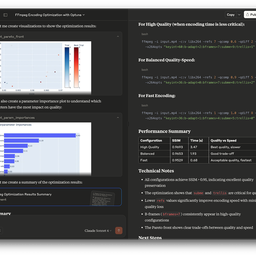 Choose Optuna MCP when
- You need dedicated capabilities in the Data Science Tools domain.
- Its auth model fits you: No auth required.
- You want tools like
create_study, study_name, directions.
Feature & specification comparison
Rows where the two servers differ are marked.
| Spec | ||
|---|---|---|
| Category | Data Science Tools | Data Science Tools |
| Quality signal | 61/100 · Good | 74/100 · Great |
| Install command | Confirmed | Not confirmed yet |
| Transport | Local subprocess (stdio) | — |
| Auth | Not declared | No auth required |
| Pricing | BYOK (pay the provider) | Free |
| Required env vars | None listed | None listed |
| Verified owner | Community listing | Verified |
| GitHub stars | 349 | 88 |
| Directory activity | 3 views 0 installs 0 upvotes | 4 views 0 installs 0 upvotes |
| Tools | 41 | 41 |
| Full listing | View ClaudeR RStudio MCP Server | View Optuna MCP |
Tools & capabilities
ClaudeR RStudio MCP Server tools 41
execute_rExecute R code and return the outputexecute_r_with_plotExecute R code that generates a plotget_r_infoGet a summary of the R environment. Returns package count (not full list), first 20 variables, and R version. Use requireNamespace('pkg') to check for specific packages.get_active_documentRead the focused RStudio editor BUFFER (not the file on disk). Returns the content, the document path, and 'unsaved_changes' telling you whether the buffer differs from disk. Use this as the source of truth while editing; read_file reports the DISK state, which will be stale until the edit is saved. Errors loudly if no document is open or focused.modify_code_sectionRegex find-and-replace in an RStudio editor document. Saves to disk by default (save=false stages the edit in the buffer only). Pass 'path' to target a specific file instead of whatever happens to be focused. The replacement may change the number of lines. Returns 'saved_to_disk' so you know whether read_file will reflect the change.insert_textInsert text into an RStudio editor document at the cursor, or at a given line/column. Saves to disk by default (save=false leaves it unsaved in the buffer). Pass 'path' to target a specific file rather than whatever is focused.suggest_editPropose an edit for the user to APPROVE before it is applied, instead of writing it directly. Uses rstudioapi::showEditSuggestion() when the RStudio build provides it; otherwise stages the change in the editor buffer and deliberately does NOT save, so the user accepts by saving or rejects with Undo. Use this when the user asked to review changes first. After calling it, STOP and wait for the user's decision.create_task_listCreate a task list for the current analysisupdate_task_statusUpdate the status of a task and optionally add notesclean_error_logClean a ClaudeR session log by removing error blocks and their duplicates. Parses the log, finds errors, checks if a fix follows each error, removes the error blocks and any duplicate code blocks that preceded them. Returns a report of what was found and removed.execute_r_asyncExecute long-running R code in a separate background R process. Returns a job ID immediately and the main session stays fully responsive. Use this for code that may take longer than 25 seconds (e.g., model fitting, simulations, large data processing). TWO MODES: 1. Auto-marshaled (recommended). Pass `inputs` (object names from the main session to copy into the background) and `outputs` (object names the background code creates that should be loaded back into the main session). The tool handles all saveRDS/readRDS plumbing. Inputs are snapshotted at submit time, so changes in the main session after submit do not affect the running job. Outputs are auto-loaded into the main session when get_async_result returns complete. 2. Manual. Omit `inputs` and `outputs` and write self-contained code that uses saveRDS()/readRDS() to pass data in and out yourself. Backwards-compatible with existing patterns. The background process never has access to the main session's environment except via the marshaled `inputs`. Connection objects (DB connections, open file handles) cannot be marshaled. The background process must `library()` any packages it needs. You can continue executing other code with execute_r while the job runs. Use get_async_result to check status when ready.get_async_resultCheck the result of an async R job. Waits ~10 seconds before checking to avoid excessive polling. If the job is still running, call this again.- +29 more on the listing page
Optuna MCP tools 41
create_studyCreate a new Optuna study with the given study_name and directions.study_namename of the study (string, required).directionsThe directions of optimization (list of literal strings minimize/maximize, optional).set_samplerSet the sampler for the study.namethe name of the sampler (string, required).get_all_study_namesGet all study names from the storage.set_metric_namesSet metric_names. Metric_names are labels used to distinguish what each objective value is.metric_namesThe list of metric names for each objective (list of strings, required).get_metric_namesGet metric_names.get_directionsGet the directions of the study.get_trialsGet all trials in a CSV format.best_trialGet the best trial.- +29 more on the listing page
Ready-to-paste client configs
Paste either block (or both) into your client config, e.g. claude_desktop_config.json or ~/.cursor/mcp.json. We only show a config when the install command is confirmed.
ClaudeR RStudio MCP Server
{
  "mcpServers": {
    "clauder-rstudio-mcp-server": {
      "command": "uvx",
      "args": [
        "--refresh",
        "clauder-mcp"
      ]
    }
  }
}
Optuna MCP
No confirmed install command for Optuna MCP yet — follow the setup steps linked from its listing page rather than a guessed package name.
Frequently asked questions
ClaudeR RStudio MCP Server is categorized under Data Science Tools and uses a local stdio subprocess. Optuna MCP belongs to Data Science Tools and uses an install path we have not confirmed yet. Pick ClaudeR RStudio MCP Server for data science tools work and Optuna MCP for data science tools.
Copy the mcpServers block from the config section on this page into your client's config (for example claude_desktop_config.json or ~/.cursor/mcp.json), then fully restart the client. Optuna MCP has no confirmed install command yet — follow its own setup instructions.
ClaudeR RStudio MCP Server is bring-your-own-key: usage is billed by the API provider you supply a key for. Optuna MCP is listed as free. Auth: no auth required. If a server needs environment variables such as API keys, define them under the env key in your client's MCP config.
Yes. MCP clients support multiple servers: add clauder-rstudio-mcp-server and optuna-optuna-mcp as separate keys in the same mcpServers object, and your assistant will call tools from either one.
On AllMCPs, ClaudeR RStudio MCP Server has a quality signal of 61/100 (Good) with 3 views, 0 installs and 349 GitHub stars. Optuna MCP has 74/100 (Great) with 4 views, 0 installs and 88 GitHub stars.