Read, compare, and verify public developer impact profiles and Chapa badges.
Quick Install
Automated & IDE SetupCopy the AI prompt to install this server into Claude Code, Cursor, or another agent — or use 1-click editor setup below.
Manual Client & Custom JSON ConfigExpand JSON ▾
Client Config & Setup
Choose your client or environment
Target File:
💡 Paste the JSON block into your client's configuration file under mcpServers, then restart the application.
Documentation Overview
Chapa — Developer Impact Badge


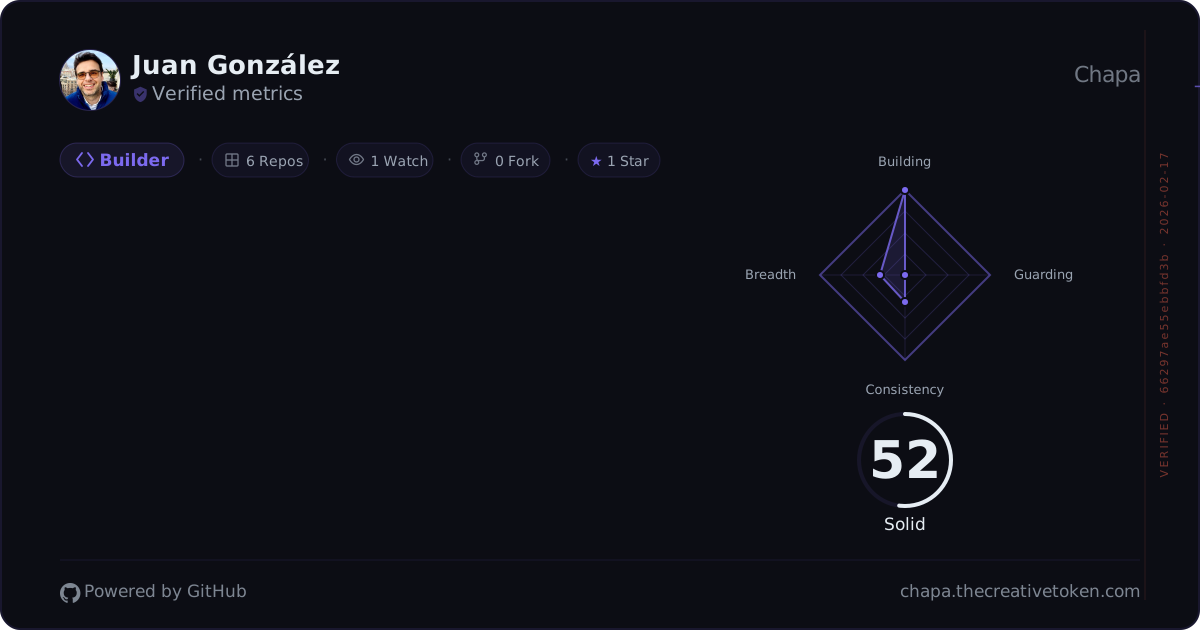
Generate a live, embeddable, animated SVG badge that showcases your developer impact from GitHub, Bitbucket, Codeberg, and GitLab activity — with multi-dimensional scoring, verification, and one-click sharing.
WebMCP
Chapa adds a WebMCP layer to four surfaces: the landing page, the Creator Studio, and the public profile and verification pages. The landing page is the front door, where get_site_capabilities returns a map of every route and the tools it carries, so an agent can find the right page instead of guessing at one. Studio tools reuse the existing command registry, so agent actions update the same preview and terminal that the user sees. Saving is always human-gated; in judge demo mode (/studio?demo=1), confirmed saves stay local and never write production data. Landing, public profile, and verification tools are read-only.
Registration uses the current document.modelContext.registerTool(tool, { signal }) contract, an AbortController for cleanup, feature detection for unsupported clients, and a remote feature-flag kill switch.
See the WebMCP tool catalog and judge guide and the under-three-minute demo script and submission checklist.
The write-up WebMCP, Explained. And What Happened When I Shipped It (published on X, LinkedIn and Medium) covers the design framework, the tested tool-map contract, and the rules that came out of shipping it. The production demo transcript (2026-09-01, Chrome 151 with the WebMCP flag) records an agent driving all four surfaces end to end, and is linked from the landing page as the agent-tested proof. A companion note, The WebMCP directories made me use a mouse, records what the directory submissions taught.
The catalog's Design methodology documents each user goal, initial state, role-play, and recovery path.
Runtime status: a preview-only chapa_hello spike passed native registration, discovery, and execution in flagged Chrome 151 on 2026-08-27, and the production preflight on 2026-09-01 found all 19 registrations across 18 distinct names on four surfaces (see the transcript above). Chapa is listed on webmcp.com, in the official MCP Registry as io.github.juan294/chapa, and as an ownership-verified Glama connector. The ChatGPT in-app client was unavailable for the spike, so this README does not claim ChatGPT runtime validation.
Prior work and submission-period work
For this submission, all work through 2026-08-24 is prior work. The badge, scoring engine, share and verification pages, CLI, admin surfaces, and earlier Studio foundation already existed. The released baselines are v2.22.0 (2026-08-19) and v2.22.1 (2026-08-23).
Submission-period work started after that cutoff:
- The Creator Studio revival and hardening landed on 2026-08-26 and was released as v2.23.0.
- The pre-launch audit remediation — 73 findings across two waves, including both launch-blockers — landed on 2026-08-27 and was released as v2.24.0.
- Two follow-up releases landed on 2026-08-28: v2.24.1 (EMU handles no longer pollute the warm-cache registry) and v2.25.0, which flipped the signal-less default locale to English and fixed the feature-flag cache bug that made Creator Studio unreachable in a real browser.
- The WebMCP layer runs from 3156fcaa through 699f94b0. The local receipt is
git log --oneline 3156fcaa^..699f94b0:
- The layer has continued since that first contiguous block, so later WebMCP commits are no longer one range. The receipt for them is
git log --oneline -E --grep='^[a-z]+\(webmcp\):' 699f94b0..HEAD:
What It Does
Chapa analyzes your last 12 months of activity across connected platforms and generates a badge with:
- Impact Score (0–100) with tier (Emerging → Solid → High → Elite)
- 4–5 Dimension Profile — Delivery, Quality, Consistency, Breadth + optional Craft (AI tool insights)
- Developer Archetype — Builder, Quality Champion, Marathoner, Polymath, Artificer, Balanced, or Emerging
- Activity Timeline — 13-week daily contribution dot visualization
- Radar Chart — pentagon (5 dimensions) or diamond (4 dimensions) breakdown
- Verification Hash — HMAC-SHA256 watermark proving badge authenticity
Features
Multi-Platform Support
Connect GitHub (primary), Bitbucket, Codeberg, and GitLab to aggregate your impact across platforms. Stats are merged automatically — repos are summed, social metrics take the max to avoid double-counting mirrors.
Embeddable Badge (/u/:handle/badge.svg)
A 1200×630 animated SVG you can embed anywhere — GitHub profile READMEs, personal sites, portfolios. Cached at the CDN edge for 6 hours.
Share Page (/u/:handle)
Public profile page with full score breakdown, interactive radar chart, dimension details with explanatory tooltips, embed snippets (Markdown + HTML), and one-click sharing to X, LinkedIn, and Bluesky.
Creator Studio (/studio)
Terminal-first Studio design playground with seven visual categories, live preview, and saved Studio configuration. Requires GitHub login. A saved Studio configuration changes the public SVG badge and share page and invalidates the badge cache.
CLI Tool (chapa-cli)
For developers on GitHub Enterprise (EMU) — merge your work contributions into your personal Chapa badge via a secure device auth flow.
Supports --insecure for corporate networks with TLS interception and --verbose for diagnostics.
Bilingual UI (EN / ES)
Chapa's interface is available in English and Spanish. A language picker (globe icon, next to the theme toggle in the nav bar) saves your preference in a cookie. Your locale is resolved in that order — the chapa-locale cookie first, then your browser's Accept-Language header — so a Spanish visitor gets Spanish. English is the fallback only when a request carries no locale signal at all, which is the normal case for an embedded badge in a README. The main content pages (landing, about, privacy, terms, archetype guides) are server-rendered per locale — both languages are pre-built, so there's no flash of the wrong language while the page loads.
Admin Dashboard (/admin)
Admin-only dashboard with user management, agent fleet monitoring, feature flags, engagement controls, campaign management, and a command bar. Access controlled by the ADMIN_HANDLES environment variable.
Badge Verification
Badges marked Verified metrics include a 32-character HMAC-SHA256 hash. Anyone can look up the original stored verification record at /api/verify/:hash and compare its returned fields with the badge. The lookup does not scan or re-sign an SVG.
Quick Start
Project Structure
Related MCP Servers
Reviews
No reviews yet — be the first to share how this listing worked for you.
Frequently Asked Questions about Chapa
AllMCPs Directory Badge
Showcase your server listing on GitHub or your project documentation. Embed this dynamic SVG badge to highlight official listing status and live engagement.
Badge Style:
Live Dynamic SVG Preview
Markdown (GitHub README)
[](https://allmcps.com/mcp/chapa)HTML Embed
<a href="https://allmcps.com/mcp/chapa"><img src="https://allmcps.com/api/badge/chapa?style=directory" alt="Chapa on AllMCPs" /></a>Technical Specs & Signals
CategoryDeveloper Tools
27Quality signal: Emerging · 27/100How this signal is calculated ▾
Server availabilityNot measured
Not scored for repo-hosted servers — we can't reach the running server, only its GitHub page. Hosted MCP endpoints are health-checked live.
Verified ownership8/20
Documentation & tools11/30
Adoption & activity1/15
Community engagement0/10
A guidance signal from public completeness & health data — not a user rating. New listings start lower and rise as they add docs, get verified, and grow adoption. Signals we can't observe for a listing are skipped, not counted against it.
Own this project?
This directory is pre-filled from public sources. Claim via GitHub README, site badge, or DNS TXT to unlock edit access and the Official badge and attach your website — proof is checked automatically, then reviewed by our team.
Free dofollow backlink: add your website and place the AllMCPs badge on it — no claim needed. We detect it automatically and keep it verified as long as the badge stays live.
Claim & get free dofollowShare & Embed
Add our SVG badge (dark/light directory styles) or embeddable widget to your site.