AllMCPs
BrowseBestCategoriesStackCompareToolsGuidesBlog
Log in Submit MCP

Stay in the loop

Get new MCP servers and top picks in your inbox.

AllMCPs

The open directory for discovering and installing Model Context Protocol servers.

AllMCPs on GitHub (opens in a new tab)
Launched onTiny Startupstinystartups.com
Explore
  • Browse servers
  • Best MCP servers
  • Categories
  • MCP clients
  • Agent prompts
  • Stack Builder
  • Compare servers
  • Random discovery New
  • Submit a server
  • Pricing & Boost Boost
Learn
  • Guides hub
  • What is MCP?
  • Install guide
  • Build an MCP server
  • Deploy an MCP server
  • Security guide
  • Troubleshooting
  • MCP for SEO & AEO
  • Protocol versioning
  • Blog & updates
Tools
  • All developer tools
  • Config generator
  • Config validator
  • Config auditor
  • MCP playground
  • Token calculator
  • OpenAPI β†’ MCP
  • Badge generator
For agents
  • REST API docs
  • Trust & traffic Live
  • Remote MCP server SSE β†— (opens in a new tab)
  • llms.txt β†— (opens in a new tab)
  • Catalog JSON β†— (opens in a new tab)
Company
  • About
  • Advertise Sponsor
  • Contact
  • GitHub β†— (opens in a new tab)
  • Terms
  • Privacy
AllMCPs VerifiedAllMCPs VerifiedFeatured on Nick LaunchesFeatured on Nick LaunchesLaunch Llama NewsletterLaunch Llama NewsletterVerified DR - allmcps.comVerified DR - allmcps.comFeatured on SaaSGrowFeatured on SaaSGrowFeatured on Twelve ToolsFeatured on Twelve ToolsFeatured on Saaspa.geFeatured on Saaspa.geFeatured on Findly.toolsFeatured on Findly.toolsFeatured on Startup FameFeatured on Startup FameFeatured on LaunchKiwiFeatured on LaunchKiwiFeatured on ScrollLaunchFeatured on ScrollLaunchFeatured on DailyPingsFeatured on DailyPingsFazier badgeFazier badgeFeatured on NewTool.siteFeatured on NewTool.siteFeatured on saasfame.comFeatured on saasfame.comDR Checker - Domain RatingDR Checker - Domain RatingListed on Turbo0Listed on Turbo0Launched on LaunchBoard - Product Launch PlatformLaunched on LaunchBoard - Product Launch PlatformList on SimilarlabsList on Similarlabshttps://codetrendy.comhttps://codetrendy.comListed on DevTool.ioFeatured on BuildlistFeatured on BuildlistLaunched on Tiny StartupsFeatured on ShowMeBestAIFeatured on ShowMeBestAIFind us on LaunchZoneFind us on LaunchZoneAllMCPs VerifiedAllMCPs VerifiedFeatured on Nick LaunchesFeatured on Nick LaunchesLaunch Llama NewsletterLaunch Llama NewsletterVerified DR - allmcps.comVerified DR - allmcps.comFeatured on SaaSGrowFeatured on SaaSGrowFeatured on Twelve ToolsFeatured on Twelve ToolsFeatured on Saaspa.geFeatured on Saaspa.geFeatured on Findly.toolsFeatured on Findly.toolsFeatured on Startup FameFeatured on Startup FameFeatured on LaunchKiwiFeatured on LaunchKiwiFeatured on ScrollLaunchFeatured on ScrollLaunchFeatured on DailyPingsFeatured on DailyPingsFazier badgeFazier badgeFeatured on NewTool.siteFeatured on NewTool.siteFeatured on saasfame.comFeatured on saasfame.comDR Checker - Domain RatingDR Checker - Domain RatingListed on Turbo0Listed on Turbo0Launched on LaunchBoard - Product Launch PlatformLaunched on LaunchBoard - Product Launch PlatformList on SimilarlabsList on Similarlabshttps://codetrendy.comhttps://codetrendy.comListed on DevTool.ioFeatured on BuildlistFeatured on BuildlistLaunched on Tiny StartupsFeatured on ShowMeBestAIFeatured on ShowMeBestAIFind us on LaunchZoneFind us on LaunchZone
Β© 2026 Jackalope Digital LLC. All rights reserved.
  1. Home
  2. πŸ’» Developer Tools
  3. Cascade Img
Cascade Img logo
Health: ActiveRecent health check succeeded.Last checked 9/7/2026, 9:09:01 PM

Cascade Img

User RatingsBe the first to rate and review this MCP server! Enrichment pendingWe haven’t run our AI enrichment pass on this listing yet, so the overview, use cases, and FAQ below may be sparse or missing. We work through the catalog over time β€” check back soon.
View Repository2 GitHub StarsTotal stargazers on GitHub for the source repository (2 stars).Visit Website

LLM-operable Midjourney pipeline: 21 MCP tools to compose, generate, curate with vision, and log.

Quick Install

Automated & IDE Setup

Copy the AI prompt to install this server into Claude Code, Cursor, or another agent β€” or use 1-click editor setup below.

Add to CursorAdd to VS Code
Not yet automatically verified

We haven't yet run this listing's install command through our automated sandbox check. This isn't a red flag β€” we're steadily working through the catalog.

Manual Client & Custom JSON ConfigExpand JSON β–Ύ

Client Config & Setup

Choose your client or environment
Target File:~/Library/Application Support/Claude/claude_desktop_config.json
claude_desktop_config.json
{
  "mcpServers": {
    "cascade-img": {
      "command": "uvx",
      "args": [
        "cascade-img"
      ]
    }
  }
}

πŸ’‘ Paste the JSON block into your client's configuration file under mcpServers, then restart the application.

Install Directory Badge Claim listing AlternativesπŸ’» More in Developer Tools

Documentation Overview

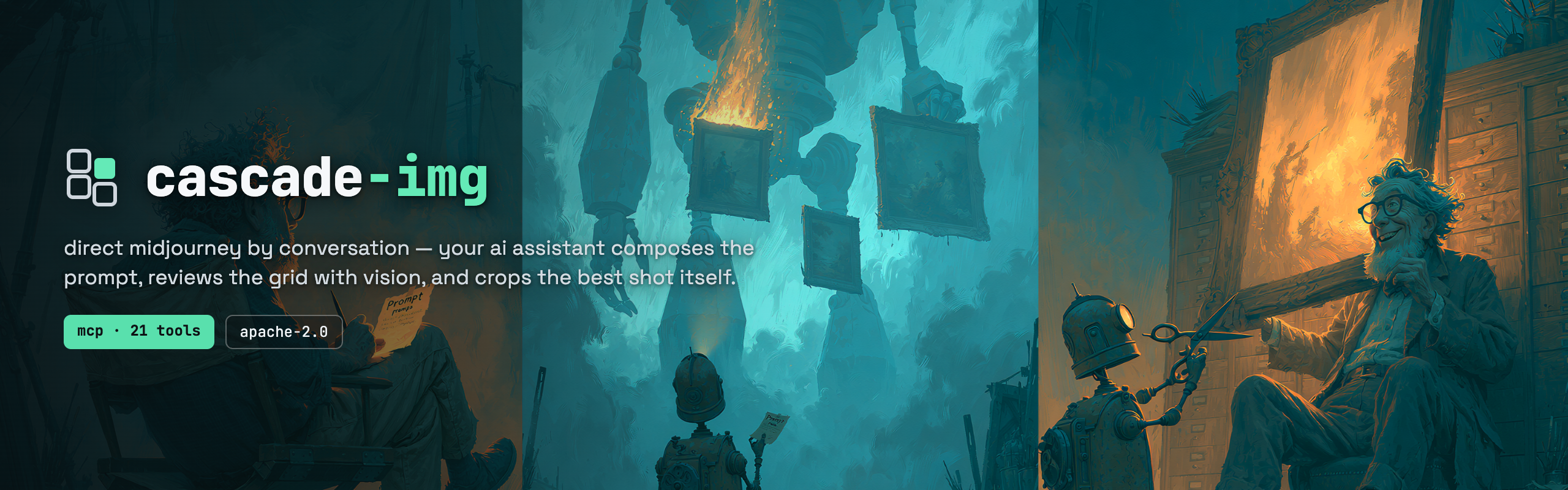
cascade-img β€” direct Midjourney by conversation: a director writes a prompt card, a helper robot carries it to a colossal artist robot forging framed paintings, and hands the cut-out winner back

CI PyPI License: Apache 2.0 Python 3.12+ MCP Tools: 23

Generate Midjourney images by conversation instead of by hand. You describe what you want; your AI assistant composes the prompt, fires it, inspects the grid with vision, crops the best quadrant, cleans it up, and logs what worked.

Code
You: "I need a flat-design mountain icon, centered, simple shapes, transparent background"

Agent: reads prompt log β†’ composes prompt from parts β†’ fires imagine β†’
       waits β†’ inspects 2x2 grid with vision β†’ picks best quadrant β†’
       crops it β†’ removes background β†’ saves β†’ logs what worked

cascade-img is an MCP server with 23 tools that plugs into Claude, Cursor, Codex, or anything that speaks MCP. Midjourney is the first backend; Flux, DALL-E, and Imagen are on the roadmap. There's also a CLI.

Not a programmer? Open an AI assistant that can run commands (Claude Code, Cursor, or Cline), point it at this repo, and say: "Read RUNBOOK.md and set up cascade-img on this machine, then let me make images by describing them to you." It does the technical parts. You just need a Midjourney subscription and to copy a few values from Discord.


Quick Start

You need: a paid Midjourney subscription, a Discord account with the MJ bot in a channel, and Python 3.12 or newer.

Terminal
pip install cascade-img

Or from source:

bash
git clone https://github.com/laffeyp/cascade-img
cd cascade-img/packages/python
pip install -e .

This puts three commands for operating cascade-img on your PATH: cascade-mj-bridge (the daemon), cascade-mcp (the MCP server), and cascade-mj (the CLI). Installing also adds a fourth command, cascade-trace-check β€” a diagnostics validator (not part of the generation loop) that replays a recorded event log and checks it against the vocabulary's declared event ordering and timing rules.

Configure β€” you need four values from the Discord desktop app (channel ID, server ID, imagine version, and your user token). Takes about five minutes. RUNBOOK.md walks through each one step by step.

server.ts
cp "$(python -c 'import cascade_img, pathlib; print(pathlib.Path(cascade_img.__path__[0]) / ".env.example")')" .env
# Fill in the four values per RUNBOOK.md, then validate:
cascade-mj-bridge --check-env --pretty

Start the daemon in one terminal, then connect from another:

bash
cascade-mj-bridge          # leave running β€” holds the Discord connection

Connect your AI assistant β€” add to your MCP config (Claude Desktop, Cursor, Cline):

config.json
{
  "mcpServers": {
    "cascade-img": {
      "command": "cascade-mcp"
    }
  }
}

Or point your assistant at this repo and ask it to read AGENTS.md β€” it'll wire everything up.

Or use the CLI:

bash
echo '{
  "mountain-icon": {
    "subject": "a flat-design icon of a mountain, centered, simple shapes",
    "aspect_ratio": "1:1"
  }
}' > assets.json

cascade-mj mountain-icon --registry assets.json --upscale all --pretty

The 23 Tools

CategoryToolsWhat they do
Onboardingcascade_guideReturns the full operating manual in one call — the loop, every tool, the failure→action table. Call it first; the generation and curation tools are gated until it's read.
Generationimagine, generate_video, wait, status, bridge_health, mj_actionCompose and fire prompts, poll for results, check daemon health, trigger Midjourney actions (upscale, vary, pan)
Catch-upchannel_recent, adopt_messageSee what the human did by hand in Discord and claim those results into the pipeline β€” adopted messages become normal jobs that curation and mj_action work on
Compositioncompose_prompt, compose_videoBuild prompts from structured parts β€” subject, moodboard, style refs, aspect ratio, negatives β€” not freeform text
Curationcrop_grid, alpha_key, auto_trim, palette_quantize, contact_sheet, sprite_sheet, score_grid, video_filmstrip, loop_seam_delta, promoteExtract quadrants from grids, remove backgrounds, trim whitespace, build sprite sheets, score results with vision, promote winners to final output
Working memorylog_append, read_prompt_logAppend-only prompt log the agent reads before every run β€” what was tried, what worked, what didn't. Persists across sessions.

Every call returns {ok, result} or {ok: false, error: {code, remediation}}. Branch on the stable code, not the message. Full tool reference in AGENTS.md.


How This Differs

Other open-source Midjourney tools focus on the generation step β€” fire the prompt, hand back the image. cascade-img does the work around that:

  • Vision-based self-curation β€” the agent inspects its own output and picks the best quadrant
  • Structured prompt composition β€” prompts built from parts (subject, style, identity, constraints), not raw strings
  • Working memory β€” append-only log persists across sessions; each run reads what came before
  • Curation pipeline β€” crop grids, remove backgrounds, build sprite sheets, promote winners
  • MCP-native β€” 23 tools that plug into Claude, Cursor, Codex, or anything that speaks MCP
  • Pluggable backends β€” Midjourney now, Flux/DALL-E/Imagen on the roadmap

How It Works

One daemon, two stateless clients, all over local HTTP:

  • cascade-mj-bridge β€” the daemon. Only process that talks to Discord. Holds the live connection and tracks in-flight jobs. Must stay running.
  • cascade-mcp β€” the MCP server. Stdio by default (Claude Desktop / Cursor / Cline); --http <port> for HTTP. Stateless β€” start and stop freely.
  • cascade-mj β€” the CLI. Takes an asset ID and a registry, composes the prompt, fires, waits, writes to the log.

Prompts are composed from structured parts, not written as raw strings:

server.ts
from cascade_img.prompt.composer import PromptComposer, Subject, StyleStack, IdentityStack

prompt = PromptComposer().compose(
    Subject(
        text="a flat-design icon of a mountain",
        constraints=["centered", "simple shapes", "transparent background"],
    ),
    # Both optional. moodboard is a Midjourney personalization code;
    # sref/oref are reference-image URLs you'd set up in MJ first.
    style=StyleStack(moodboard="abc123def", sref="https://cdn.example.com/style.png"),
    identity=IdentityStack(oref="https://cdn.example.com/ref.png", ow=1000),
    aspect_ratio="1:1",
    version="7",
)

All three entry points emit structured JSON and follow the same {ok, result | error: {code, remediation}} envelope. Every failure carries a stable error code (e.g. DISCORD_401, MJ_UUID_MISSING, UPSCALE_BUTTON_FAILED) with a machine-readable remediation β€” so a caller branches on the code, not the message. The full catalog of log events and error codes is in vocabulary/0.1.json, and a trace checker (cascade-trace-check) enforces event ordering over recorded runs.

Midjourney terminology

prompt β€” the text + flags you send Midjourney. grid β€” the 2x2 set of four candidates returned per prompt. quadrant / U1-U4 β€” the four cells; "U2" means upscale the second. upscale β€” render one cell at full resolution. aspect ratio (--ar) β€” output shape. sref β€” an image whose style to borrow. oref β€” an image whose subject identity to keep across poses. moodboard (--p) β€” a saved personalization profile. stylize (--s) β€” how strongly MJ applies its own aesthetic.


Documentation

DocWhat it covers
AGENTS.mdThe LLM operator's guide. Read this when handing cascade-img to an agent.
RUNBOOK.mdInstall, env capture, setup, reconnect lifecycle, every failure mode with error codes and fixes.
CAPABILITIES.mdEvery Midjourney feature cascade-img drives β€” prompt parameters, mj_actions, the V8.1/V7 split.
ARCHITECTURE.mdInternal architecture and design decisions.
examples/Three walkthroughs: single image, batch, video. Read AGENTS.md first.
CHANGELOG.mdRelease history.

Roadmap

Read the full README β†’View source on GitHub β†’

Related MCP Servers

View all in Developer Tools View all alternatives
  • PraisonAI logoPraisonAI

    AI Agents Framework with Self Reflection and MCP support

    πŸ’» Developer Tools1 views
    Compare vs PraisonAI β†’
  • SpriteCook logoSpriteCook

    Generate game sprites and assets from text prompts for game development.

    πŸ’» Developer Tools0 views
    Compare vs SpriteCook β†’
  • Labelhead Artist Momentum logoLabelhead Artist Momentum

    Trending hip-hop artist momentum scores across four cultural dimensions.

    πŸ’» Developer Tools0 views
    Compare vs Labelhead Artist Momentum β†’
  • Ignite UI MCP Server logoIgnite UI MCP Server

    Unified MCP server for Ignite UI β€” documentation, API, and CLI scaffolding

    πŸ’» Developer Tools1 views
    Compare vs Ignite UI MCP Server β†’

Reviews

No reviews yet β€” be the first to share how this listing worked for you.

Frequently Asked Questions about Cascade Img

Add the following block to your claude_desktop_config.json under mcpServers: "mcpServers": { "cascade-img": { "command": "npx", "args": ["-y", "cascade-img"] } }

AllMCPs Directory Badge

Full Badge Customizer

Showcase your server listing on GitHub or your project documentation. Embed this dynamic SVG badge to highlight official listing status and live engagement.

Badge Style:
Live Dynamic SVG PreviewCascade Img AllMCPs Directory Badge

Markdown (GitHub README)
[![AllMCPs](https://allmcps.com/api/badge/cascade-img?style=directory)](https://allmcps.com/mcp/cascade-img)
HTML Embed
<a href="https://allmcps.com/mcp/cascade-img"><img src="https://allmcps.com/api/badge/cascade-img?style=directory" alt="Cascade Img on AllMCPs" /></a>

Technical Specs & Signals

CategoryπŸ’»Developer Tools
More technical detailsExpand β–Ύ
TransportSTDIO
RuntimePython
Last updatedSep 7, 2026
Views0
Unique ViewsTotal visits recorded for this listing page on AllMCPs.
Installs0
Installs & Copy ActionsTotal times users copied install commands or configuration snippets for this server.
GitHub stars2
GitHub Star CountTotal stargazers on GitHub representing community popularity (2 stars).
37Quality signal: Fair Β· 37/100How this signal is calculated β–Ύ
Server availabilityNot measured

Not scored for repo-hosted servers β€” we can't reach the running server, only its GitHub page. Hosted MCP endpoints are health-checked live.

Verified ownership10/20
Documentation & tools16/30
Adoption & activity2/15
Community engagement0/10

A guidance signal from public completeness & health data β€” not a user rating. New listings start lower and rise as they add docs, get verified, and grow adoption. Signals we can't observe for a listing are skipped, not counted against it.

β˜… Spotlight Slot

Feature Your MCP Server

Get maximum visibility for your server across our directory, search results, and detail pages.

Spotlight Your Server

Own this project?

This directory is pre-filled from public sources. Claim via GitHub README, site badge, or DNS TXT to unlock edit access and the Official badge β€” proof is checked automatically, then reviewed by our team.

Free dofollow backlink: add your website and place the AllMCPs badge on it β€” no claim needed. We detect it automatically and keep it verified as long as the badge stays live.

Claim & get free dofollow

Share & Embed

Add our SVG badge (dark/light directory styles) or embeddable widget to your site.

Explore more

More in πŸ’» Developer Tools β†’Best MCP servers for Developers β†’Alternatives to Cascade Img β†’Install in Claude DesktopInstall in CursorInstall in VS Code