Bitbybit CAD MCP README
The full upstream README, mirrored here for reference. Install config, tool schemas, adoption signals, and an original overview live on the Bitbybit CAD MCP listing page.
Bitbybit Monorepo
Open-source 3D CAD algorithms for the web - MIT licensed. This monorepo contains all Bitbybit NPM packages plus example applications.
Written to be used by people and by AI coding agents alike: every function is published in a form an agent can look up while it writes - see Build It With an AI Agent.
License
Source code in packages/, languages/, and examples/ is MIT licensed. Documentation text in docs/ is CC BY 4.0. Logos, trademarks, and media assets are not open-source - see CONTENT-LICENSE.md for details.
FULL PLATFORM AT BITBYBIT.DEV
LEARN BITBYBIT
TYPESCRIPT API REFERENCE
Quick Start
Scaffold a fully-configured 3D CAD project in seconds:
The CLI first asks you to pick an app type:
- Frontend - Browser-based 3D/CAD app. Choose a game engine (Three.js, Babylon.js, or PlayCanvas) and OCCT architecture (32-bit, 64-bit, or 64-bit MT). You get a Vite + TypeScript project with all three CAD kernels (OCCT, JSCAD, Manifold) pre-configured.
- CAD Cloud - Full-stack project with server-side CAD via our CAD Cloud API. Choose a backend template (Hono + SDK, Hono + REST, Node.js + SDK, Node.js + REST, or .NET + REST). You get a React + Three.js frontend that proxies requests through your backend - your API key never leaves the server.
Build It With an AI Agent
Bitbybit has 1725 functions across three CAD kernels - more than any model remembers, so an agent working from memory invents plausible names that do not exist. Give it the Bitbybit CAD MCP instead and it looks up the exact signature, defaults, return type and examples for the version you have installed. It is free and needs no account:
Codex, Cursor, VS Code, Gemini CLI, Windsurf, Zed, the JetBrains IDEs, claude.ai, ChatGPT and the Claude API connect to the same endpoint, and npx -y @bitbybit-dev/mcp runs it locally against the @bitbybit-dev packages in your project - every configuration is here.



| What it gives an agent | Cost | |
|---|---|---|
| Bitbybit CAD MCP | The exact API of the version you use: search, full signatures with defaults, examples, and the guide on where geometry should run. Read-only. | Free, no account |
| Bitbybit CAD Cloud MCP | Hands as well as knowledge: the agent runs operations and pipelines on CAD Cloud, converts STEP to glTF, runs Pro algorithms, and returns the files. | A CAD Cloud key |
| Context files and Context7 | The whole API as one file to attach, for assistants that cannot speak MCP. | Free |
Every answer carries a tier - oss runs in these MIT packages anywhere, platform-pro inside the bitbybit.dev editors, cloud-pro only on CAD Cloud - so an agent never sends you to a paid service for something the free packages already do. The AI section of the documentation covers all of it.
Support the Mission
⭐ Subscribe - Silver or Gold plan | Get API Key for CAD Cloud
Check out 3D Bits app for Shopify - interactive 3D product configurators for e-commerce.
Your subscription directly funds continued open-source development of these packages.
Important Topics
How Bitbybit Fits Into Your Stack
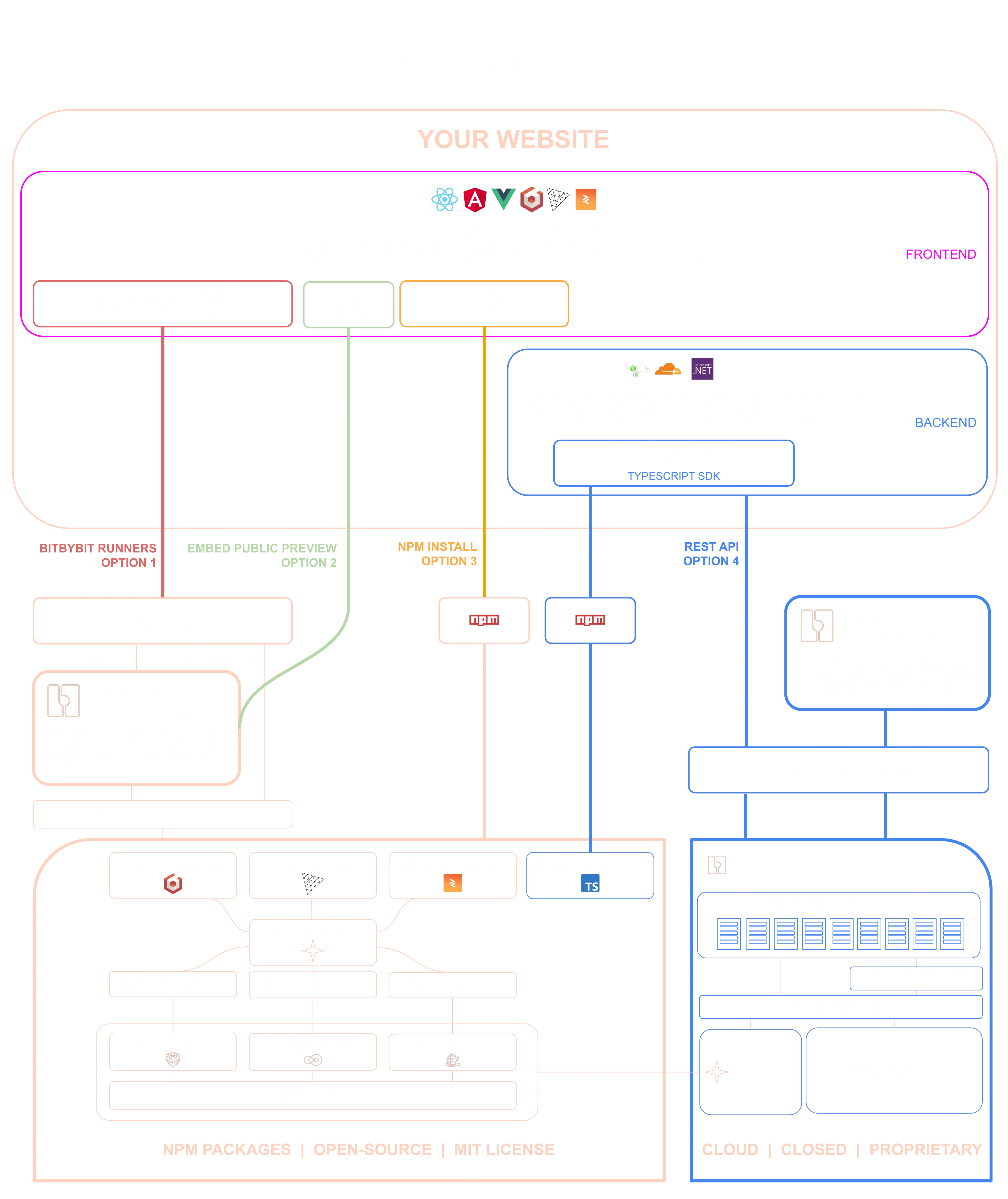
The diagram shows every way a website can reach Bitbybit geometry, and where the NPM packages below sit among them:
- NPM packages - this repository. The kernels compile to WebAssembly and run in your users' browsers or in your own Node process, inside your build, MIT licensed and free.
- Script runners - one script file loads the same engine and executes scripts exported from the visual editors, with no build step.
- Iframe embeds - a project published on bitbybit.dev dropped straight into a page.
- CAD Cloud REST API - your backend sends the work to our managed kernels and gets results back as files, for the Pro algorithms and for compute you would rather not host.
- AI agents - the MCP servers above, writing code against any of these paths or running the geometry themselves.
The full walkthrough of the diagram is on learn.bitbybit.dev.
NPM Packages
| Package | Description |
|---|---|
| @bitbybit-dev/babylonjs | BabylonJS engine integration for drawing CAD geometry |
| @bitbybit-dev/threejs | Three.js engine integration for drawing CAD geometry |
| @bitbybit-dev/playcanvas | PlayCanvas engine integration for drawing CAD geometry |
| @bitbybit-dev/core | Core assembly layer combining all CAD kernels |
| @bitbybit-dev/occt | OpenCascade CAD kernel (works in Node.js & browser) |
| @bitbybit-dev/occt-worker | OCCT via WebWorker (non-blocking, browser only) |
| @bitbybit-dev/manifold | Manifold fast mesh booleans (works in Node.js & browser) |
| @bitbybit-dev/manifold-worker | Manifold via WebWorker (non-blocking, browser only) |
| @bitbybit-dev/jscad | JSCAD solid modeling (works in Node.js & browser) |
| @bitbybit-dev/jscad-worker | JSCAD via WebWorker (non-blocking, browser only) |
| @bitbybit-dev/base | Base math/vector/matrix algorithms used by all packages |
| @bitbybit-dev/create-app | CLI tool to scaffold 3D/CAD projects |
| @bitbybit-dev/cad-cloud-sdk | TypeScript SDK for the CAD Cloud API |
| @bitbybit-dev/mcp | MCP server that documents this API for AI coding agents |
NPM Package Architecture

Example Applications
All examples live in the examples/ directory of this monorepo:
| App | Engine | Source Code |
|---|---|---|
| Hex Shell | Three.js | GitHub |
| Cup Configurator | Three.js | GitHub |
| Hex House Concept | Three.js | GitHub |
| Starter Template | BabylonJS | GitHub |
| Starter Template | Three.js | GitHub |
| Starter Template | PlayCanvas | GitHub |
| Terrace Furniture | BabylonJS | Closed source |
Bitbybit Platform
Beyond these open-source NPM packages, the Bitbybit platform includes:
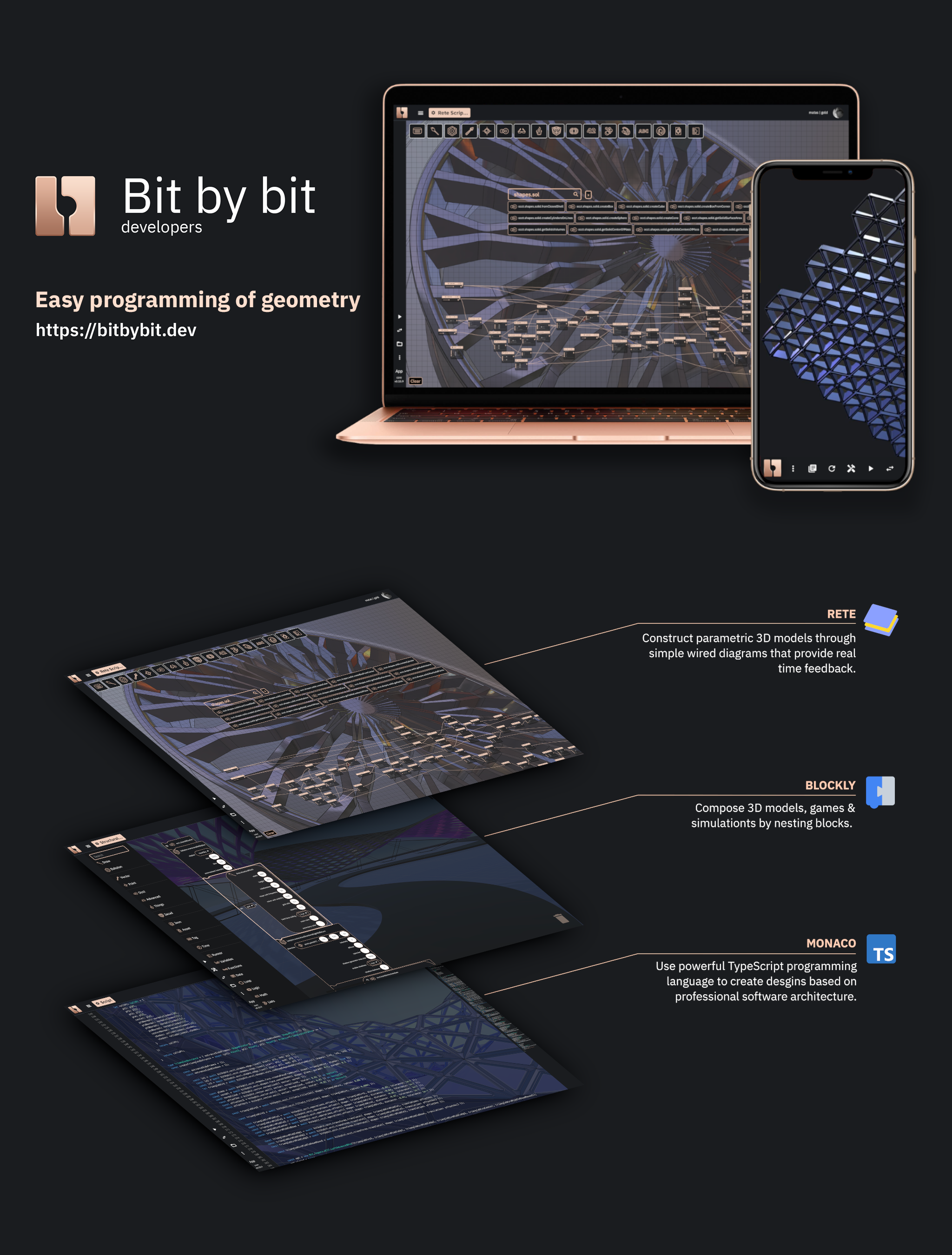
- Visual Programming Editors - Rete & Blockly drag-and-drop 3D modeling, plus a Monaco TypeScript editor with full IntelliSense
- CAD Cloud API - Build full pipelines that compose all Bitbybit algorithms, where each step can reference outputs of previous steps. Supports parametric model generation, STEP-to-glTF conversion, and complex CAD workflows via HTTP. TypeScript SDK available.
- Bitbybit Studio - A growing visual dashboard where API Key users can generate models, convert files, build pipelines with a GUI, inspect tasks, and preview 3D results
- 3D Bits for Shopify - Interactive 3D product configurators for your Shopify store. Documentation.
- Script Runners - Execute Rete/Blockly/TypeScript scripts directly on your website without writing code
- Built for AI Coding Agents - The free Bitbybit CAD MCP gives Claude Code, Codex, Cursor, VS Code, claude.ai and ChatGPT the exact API of the version you use; the Bitbybit CAD Cloud MCP lets an agent run geometry on CAD Cloud with a key. Context files cover assistants without MCP.
- Business & Enterprise - We help businesses and enterprises develop custom applications and spin up optimized CAD tenant workflows on our managed servers
Community
Watch the Introduction
Matas walks through the platform and the ideas behind it:

Development Setup
Contributions
If you're interested in contributing please check our Contribution guidelines & code of conduct
First Time Setup and Testing
For first-time developers working on this project, follow these steps to set up the development environment and run all unit tests:
Prerequisites
- Node.js 22 or newer (
.tool-versionspins 22; the nightly workflow also runs 24) - pnpm 11 (see step 2 below)
- Git
Quick Start
-
Clone the repository:
-
Install pnpm 11 once (the packages are one pnpm workspace; the
packageManagerfield pins the exact version): -
Run the complete first-time setup (this will install all dependencies, build all packages, and run all unit tests):
Available Commands
npm run first-time-setup- Complete setup for new developers (installs dependencies, builds packages, runs tests)npm run setup- Install dependencies and build all packages without running testsnpm run setup-and-test- Install dependencies, build packages, and run all unit testsnpm run test- Run all unit tests (requires packages to be built first)npm run test:report- One report over every suite's last results (files, tests, failures, skipped, coverage); written to the job summary on GitHub Actionsnpm run ci-packages- Install dependencies for all packages (onepnpm install --frozen-lockfilefor the workspace)npm run refresh-lockfile- Rewritepnpm-lock.yamlafter a dependency change, without touching node_modulesnpm run build-packages- Build and stage all packages (tsc -bover generated project references, run by pnpm in dependency order)npm run rebuild-all-packages- Empty every dist, then build all packagesnpm run gen:references- Regenerate the TypeScript project references from the package manifests after a dependency changenpm run check:references- Fail if the project references and the manifests disagree (the first step ofnpm test)npm run lint- ESLint over the repository, green by the committed suppression baseline; a new finding failsnpm run typecheck:strict- Every package's typecheck under the full strict setnpm run check:strict-baselines- Fail if any package has grown a strict baseline; every package is fully strict, so the check holds the line at zeronpm run api:check- Fail if any package's public API surface differs from the committed report in itsetc/foldernpm run api:update- Regenerate those API reports after a deliberate change to the public surfacenpm run check:tarballs- Pack every built package and install the tarballs together into an empty project, as a user would
Running Individual Package Tests
You can also run tests for individual packages:
npm run test-base- Test base packagenpm run test-occt- Test OCCT packagenpm run test-core- Test core packagenpm run test-jscad- Test JSCAD packagenpm run test-manifold- Test Manifold packagenpm run test-threejs- Test ThreeJS packagenpm run test-playcanvas- Test PlayCanvas packagenpm run test-babylonjs- Test BabylonJS package
Troubleshooting
If you encounter issues during setup:
- Make sure you have Node.js 22+ installed (
node --version) - Clear the pnpm store:
pnpm store prune - Delete
node_modulesat the root and underpackages/dev/*, then runpnpm install
Major Dependencies
BabylonJS, ThreeJS, PlayCanvas, OpenCascade, Manifold, JSCAD, and Verbnurbs - the last of these deprecated, no longer maintained upstream, and removed in the next major version.