Bitbybit 3D parametric CAD API, version-exact, for coding agents: search, describe, examples, guide
Quick Install
Automated & IDE SetupCopy the AI prompt to install this server into Claude Code, Cursor, or another agent — or use 1-click editor setup below.
One-click editor setup isn’t available for this listing yet — we don’t have a confirmed install command, and we’d rather show nothing than point your editor at the wrong package or host. Follow the project’s own setup instructions, linked above.
Manual Client & Custom JSON ConfigExpand JSON ▾
No confirmed setup config for this listing yet. We only publish a config block when the install details come from the project itself — its README, its docs, or a verified owner. We haven’t found those for Bitbybit CAD MCP, and we’d rather show nothing than a guess you’d paste into your client. Follow the project’s own setup instructions for the current steps.
Documentation Overview
Bitbybit Monorepo
Open-source 3D CAD algorithms for the web - MIT licensed. This monorepo contains all Bitbybit NPM packages plus example applications.
Written to be used by people and by AI coding agents alike: every function is published in a form an agent can look up while it writes - see Build It With an AI Agent.
License
Source code in packages/, languages/, and examples/ is MIT licensed. Documentation text in docs/ is CC BY 4.0. Logos, trademarks, and media assets are not open-source - see CONTENT-LICENSE.md for details.
FULL PLATFORM AT BITBYBIT.DEV
LEARN BITBYBIT
TYPESCRIPT API REFERENCE
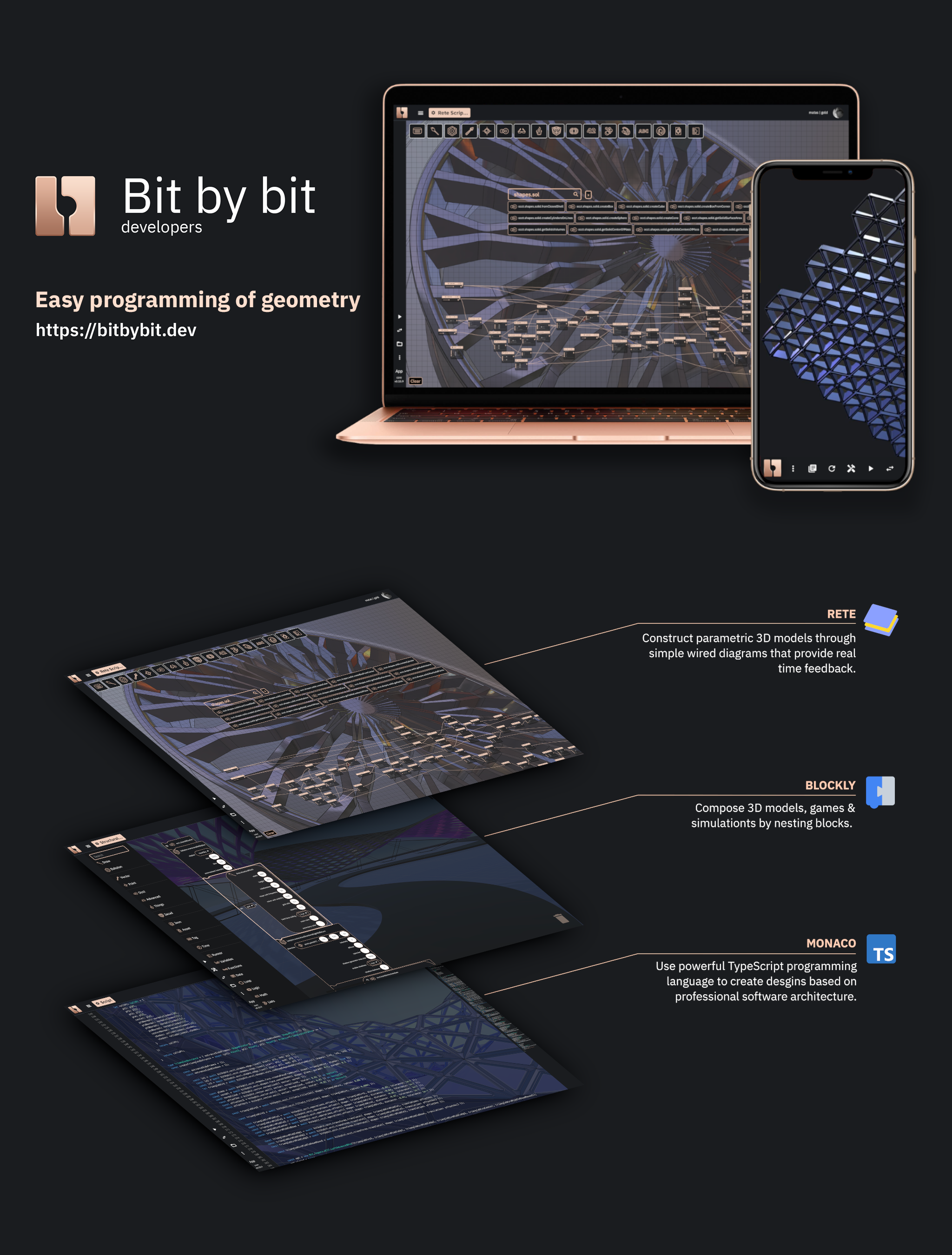
Quick Start
Scaffold a fully-configured 3D CAD project in seconds:
The CLI first asks you to pick an app type:
- Frontend - Browser-based 3D/CAD app. Choose a game engine (Three.js, Babylon.js, or PlayCanvas) and OCCT architecture (32-bit, 64-bit, or 64-bit MT). You get a Vite + TypeScript project with all three CAD kernels (OCCT, JSCAD, Manifold) pre-configured.
- CAD Cloud - Full-stack project with server-side CAD via our CAD Cloud API. Choose a backend template (Hono + SDK, Hono + REST, Node.js + SDK, Node.js + REST, or .NET + REST). You get a React + Three.js frontend that proxies requests through your backend - your API key never leaves the server.
Build It With an AI Agent
Bitbybit has 1725 functions across three CAD kernels - more than any model remembers, so an agent working from memory invents plausible names that do not exist. Give it the Bitbybit CAD MCP instead and it looks up the exact signature, defaults, return type and examples for the version you have installed. It is free and needs no account:
Codex, Cursor, VS Code, Gemini CLI, Windsurf, Zed, the JetBrains IDEs, claude.ai, ChatGPT and the Claude API connect to the same endpoint, and npx -y @bitbybit-dev/mcp runs it locally against the @bitbybit-dev packages in your project - every configuration is here.



| What it gives an agent | Cost | |
|---|---|---|
| Bitbybit CAD MCP | The exact API of the version you use: search, full signatures with defaults, examples, and the guide on where geometry should run. Read-only. | Free, no account |
| Bitbybit CAD Cloud MCP | Hands as well as knowledge: the agent runs operations and pipelines on CAD Cloud, converts STEP to glTF, runs Pro algorithms, and returns the files. | A CAD Cloud key |
| Context files and Context7 | The whole API as one file to attach, for assistants that cannot speak MCP. | Free |
Every answer carries a tier - oss runs in these MIT packages anywhere, platform-pro inside the bitbybit.dev editors, cloud-pro only on CAD Cloud - so an agent never sends you to a paid service for something the free packages already do. The AI section of the documentation covers all of it.
Support the Mission
⭐ Subscribe - Silver or Gold plan | Get API Key for CAD Cloud
Check out 3D Bits app for Shopify - interactive 3D product configurators for e-commerce.
Your subscription directly funds continued open-source development of these packages.
Important Topics
How Bitbybit Fits Into Your Stack
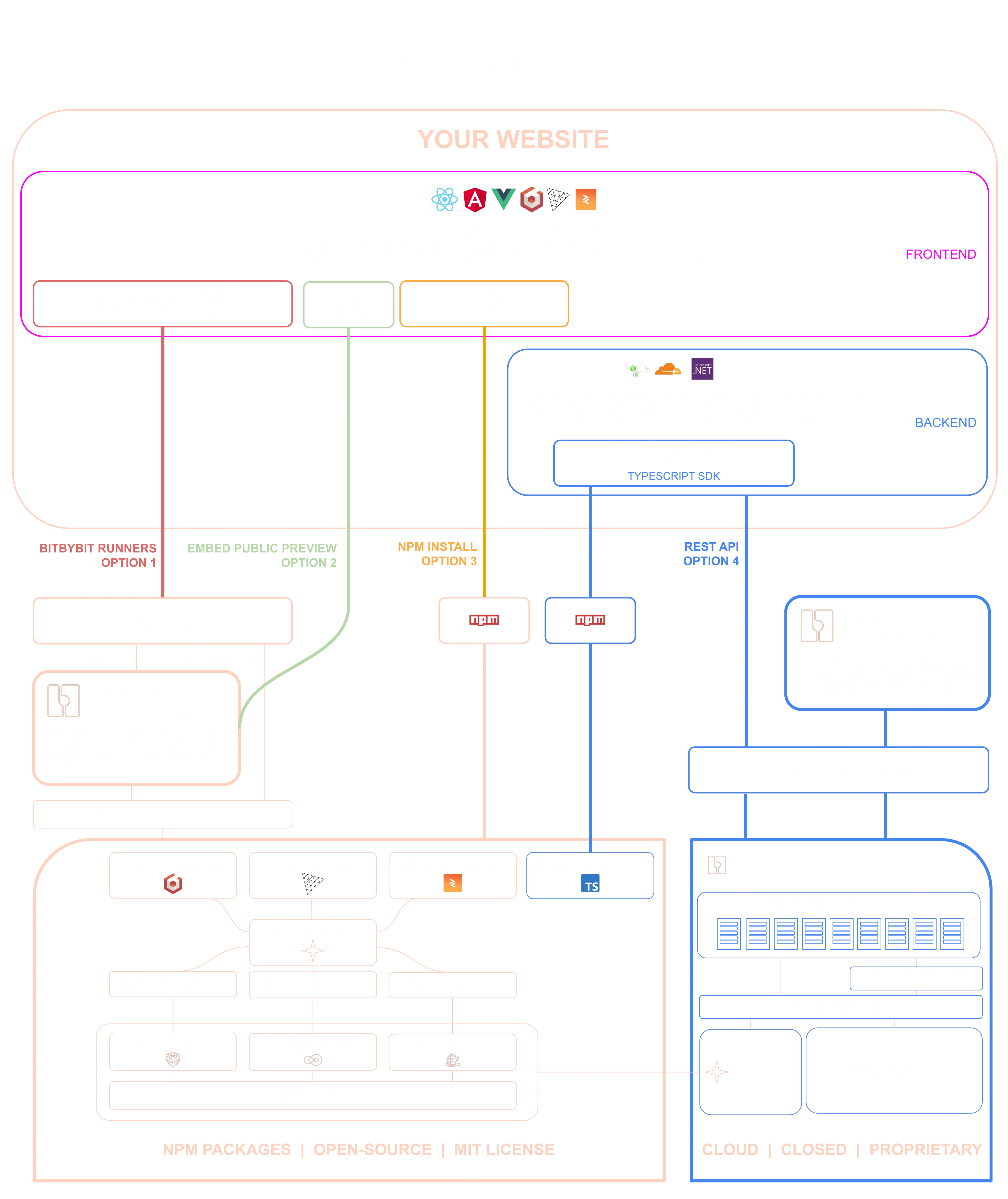
The diagram shows every way a website can reach Bitbybit geometry, and where the NPM packages below sit among them:
- NPM packages - this repository. The kernels compile to WebAssembly and run in your users' browsers or in your own Node process, inside your build, MIT licensed and free.
- Script runners - one script file loads the same engine and executes scripts exported from the visual editors, with no build step.
- Iframe embeds - a project published on bitbybit.dev dropped straight into a page.
- CAD Cloud REST API - your backend sends the work to our managed kernels and gets results back as files, for the Pro algorithms and for compute you would rather not host.
- AI agents - the MCP servers above, writing code against any of these paths or running the geometry themselves.
The full walkthrough of the diagram is on learn.bitbybit.dev.
NPM Packages
Related MCP Servers
Reviews
No reviews yet — be the first to share how this listing worked for you.
Frequently Asked Questions about Bitbybit CAD MCP
AllMCPs Directory Badge
Showcase your server listing on GitHub or your project documentation. Embed this dynamic SVG badge to highlight official listing status and live engagement.
Badge Style:
Live Dynamic SVG Preview
Markdown (GitHub README)
[](https://allmcps.com/mcp/bitbybit-cad-mcp)HTML Embed
<a href="https://allmcps.com/mcp/bitbybit-cad-mcp"><img src="https://allmcps.com/api/badge/bitbybit-cad-mcp?style=directory" alt="Bitbybit CAD MCP on AllMCPs" /></a>