AllMCPs
BrowseBestCategoriesStackCompareToolsGuidesBlog
Log in Submit MCP

Stay in the loop

Get new MCP servers and top picks in your inbox.

AllMCPs

The open directory for discovering and installing Model Context Protocol servers.

Follow AllMCPs on X (opens in a new tab)AllMCPs on GitHub (opens in a new tab)
Launched onTiny Startupstinystartups.com
Explore
  • Browse servers
  • Best MCP servers
  • Categories
  • MCP clients
  • Agent prompts
  • Stack Builder
  • Compare servers
  • Random discovery New
  • Submit a server
  • Pricing & Boost Boost
Learn
  • Guides hub
  • What is MCP?
  • Install guide
  • Build an MCP server
  • Deploy an MCP server
  • Security guide
  • Troubleshooting
  • MCP for SEO & AEO
  • Protocol versioning
  • Blog & updates
Tools
  • All developer tools
  • Config generator
  • Config validator
  • Config auditor
  • MCP playground
  • Token calculator
  • OpenAPI β†’ MCP
  • Badge generator
For agents
  • REST API docs
  • Trust & traffic Live
  • Remote MCP server SSE β†— (opens in a new tab)
  • llms.txt β†— (opens in a new tab)
  • Catalog JSON β†— (opens in a new tab)
Company
  • About
  • Advertise Sponsor
  • Contact
  • X (@AllMCPs) β†— (opens in a new tab)
  • GitHub β†— (opens in a new tab)
  • Terms
  • Privacy
AllMCPs VerifiedAllMCPs VerifiedFeatured on Nick LaunchesFeatured on Nick LaunchesLaunch Llama NewsletterLaunch Llama NewsletterVerified DR - allmcps.comVerified DR - allmcps.comFeatured on SaaSGrowFeatured on SaaSGrowFeatured on Twelve ToolsFeatured on Twelve ToolsFeatured on Saaspa.geFeatured on Saaspa.geFeatured on Findly.toolsFeatured on Findly.toolsFeatured on Startup FameFeatured on Startup FameFeatured on LaunchKiwiFeatured on LaunchKiwiFeatured on ScrollLaunchFeatured on ScrollLaunchFeatured on DailyPingsFeatured on DailyPingsFazier badgeFazier badgeFeatured on NewTool.siteFeatured on NewTool.siteFeatured on saasfame.comFeatured on saasfame.comDR Checker - Domain RatingDR Checker - Domain RatingListed on Turbo0Listed on Turbo0Launched on LaunchBoard - Product Launch PlatformLaunched on LaunchBoard - Product Launch PlatformList on SimilarlabsList on Similarlabshttps://codetrendy.comhttps://codetrendy.comListed on DevTool.ioFeatured on BuildlistFeatured on BuildlistLaunched on Tiny StartupsFeatured on ShowMeBestAIFeatured on ShowMeBestAIFind us on LaunchZoneFind us on LaunchZoneAllMCPs VerifiedAllMCPs VerifiedFeatured on Nick LaunchesFeatured on Nick LaunchesLaunch Llama NewsletterLaunch Llama NewsletterVerified DR - allmcps.comVerified DR - allmcps.comFeatured on SaaSGrowFeatured on SaaSGrowFeatured on Twelve ToolsFeatured on Twelve ToolsFeatured on Saaspa.geFeatured on Saaspa.geFeatured on Findly.toolsFeatured on Findly.toolsFeatured on Startup FameFeatured on Startup FameFeatured on LaunchKiwiFeatured on LaunchKiwiFeatured on ScrollLaunchFeatured on ScrollLaunchFeatured on DailyPingsFeatured on DailyPingsFazier badgeFazier badgeFeatured on NewTool.siteFeatured on NewTool.siteFeatured on saasfame.comFeatured on saasfame.comDR Checker - Domain RatingDR Checker - Domain RatingListed on Turbo0Listed on Turbo0Launched on LaunchBoard - Product Launch PlatformLaunched on LaunchBoard - Product Launch PlatformList on SimilarlabsList on Similarlabshttps://codetrendy.comhttps://codetrendy.comListed on DevTool.ioFeatured on BuildlistFeatured on BuildlistLaunched on Tiny StartupsFeatured on ShowMeBestAIFeatured on ShowMeBestAIFind us on LaunchZoneFind us on LaunchZone
Β© 2026 Jackalope Digital LLC. All rights reserved.
  1. Home
  2. πŸ’» Developer Tools
  3. Automatised Pipeline
A
Health: Not checked yetWe have not completed a health check for this listing yet.No health check has run yet.

Automatised Pipeline

User RatingsBe the first to rate and review this MCP server! Enrichment pendingWe haven’t run our AI enrichment pass on this listing yet, so the overview, use cases, and FAQ below may be sparse or missing. We work through the catalog over time β€” check back soon.
View RepositoryVisit Website

Codebase intelligence MCP server β€” index any repo into a property graph; 24 tools for agents.

Quick Install

Automated & IDE Setup

Copy the AI prompt to install this server into Claude Code, Cursor, or another agent β€” or use 1-click editor setup below.

Add to CursorAdd to VS Code
Manual Client & Custom JSON ConfigExpand JSON β–Ύ

Client Config & Setup

Choose your client or environment
Target File:~/Library/Application Support/Claude/claude_desktop_config.json
claude_desktop_config.json
{
  "mcpServers": {
    "automatised-pipeline": {
      "command": "npx",
      "args": [
        "-y",
        "automatised-pipeline"
      ]
    }
  }
}

πŸ’‘ Paste the JSON block into your client's configuration file under mcpServers, then restart the application.

Install Directory Badge Claim listing AlternativesπŸ’» More in Developer Tools

Documentation Overview

ai-architect-mcp-codebase β€” codebase intelligence as an MCP server

MIT License Rust 1.95.0, pinned by rust-toolchain.toml 26 MCP tools 1500+ tests 91% line coverage OpenSSF Best Practices 11 languages Stages

Cross-platform codebase intelligence for Codex, Gemini CLI, Claude Code, Cursor, VS Code, Zed, and any stdio MCP host.
One read-only Rust server, host-specific installation packages, and the same evidence-graded graph answers everywhere.

What An Agent Can Ask Β· Getting Started Β· Pipeline Β· Tools Β· Architecture Β· Zetetic Standard

Companion projects:
Hypermnesia MCP β€” persistent memory that consolidates and reconsolidates across sessions
zetetic-team-subagents β€” 97 genius reasoning agents + 18 team specialists
AI Architect Spec β€” TypeScript PRD generator that consumes our graph intelligence


Every AI coding assistant hits the same wall: you ask it to change handle_tool_call, and it either hallucinates a function that was renamed last week, edits something in the wrong community of the codebase, or silently breaks a call chain three modules away. Agents operate on strings; codebases have structure. The gap is where bugs live.

ai-architect-mcp-codebase is a cross-platform Rust MCP server for Codex, Gemini CLI, Claude Code, Cursor, VS Code, Zed, and other stdio MCP hosts. It indexes any Rust, Python, TypeScript, Java, Kotlin, Swift, Objective-C, C, C++, or Go codebase into a LadybugDB property graph (Ruby is dispatched on the shallow path β€” node-kind rows, no deep extraction β€” for 11 languages in total), resolves imports and call chains across files, detects functional communities via Leiden-class community detection, traces execution flows from entry points, builds a hybrid BM25 + sparse TF-IDF + RRF search index, and exposes all of it through 26 MCP tools.

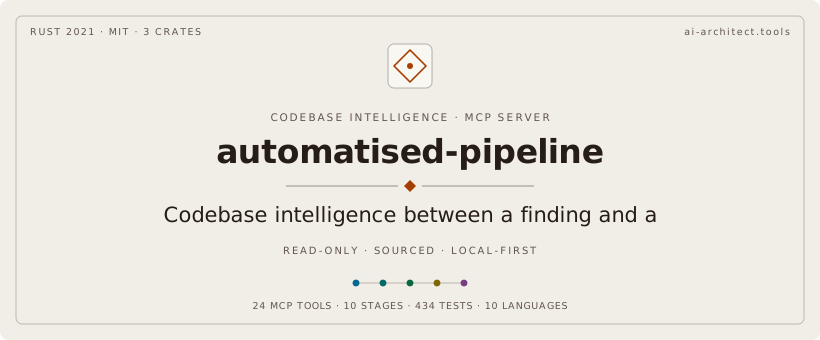
It is the codebase intelligence layer that sits between a finding ("this bug exists") and a PRD ("here is the fix, here is what it affects, here is what it must never break"). It is read-only intelligence β€” it never writes code, opens PRs, or runs CI. It tells the system what is true about the code so the next stage can reason without guessing.

One pipeline stage = one MCP tool. 10 stages. 26 tools. 12,000+ lines of Rust. 1500+ tests. Zero warnings. Every constant sourced.


What an agent can ask it

For inferred Rust receiver calls, pass lsp: true to analyze_codebase and install rust-analyzer. The response's lsp_status.state distinguishes disabled, completed, and failed; failures retain their error and analysis continues on the available graph, which may contain partial LSP results. lsp_resolve retains the pass's counts; resolve.phase = "static" identifies the separate static-resolution receipt. Completion does not mean every call was resolved.

Analysis persists its coverage report for query_graph(graph="missed") and returns the same summary. Rust processes use explicit #[test] and #[kani::proof] attributes, with separate test and proof entry kinds. These are source declarations, not evidence of execution or successful proof. (Rust testing attributes, Kani proof attributes.) Graphs created before entry metadata was stored require a full reindex: analyze_codebase rebuilds them, and index_codebase automatically falls back to a full index when its incremental compatibility check detects the old schema.

Code
analyze_codebase(path: "/path/to/project", output_dir: "/tmp/run")
  β†’ index + resolve + cluster + build search index in one call
  β†’ 430 nodes, 400 edges, 216 communities, 35 processes on our own codebase

search_codebase(graph_path, query: "process incoming tool requests")
  β†’ hybrid ranked results: BM25 lexical + sparse TF-IDF semantic + RRF fusion
  β†’ returns: handle_tool_call (score 0.021), dispatch_request (0.020), ...

get_context(graph_path, qualified_name: "src/main.rs::handle_tool_call")
  β†’ 360Β° view: community membership, process participation,
    incoming calls, outgoing calls, types used, types that use it
  β†’ did-you-mean suggestions when the symbol isn't found exactly

get_impact(graph_path, qualified_name)
  β†’ blast radius: every process that transits this symbol, every community it touches
  β†’ the answer to "what breaks if I change this?"

detect_changes(graph_path, diff_text OR base_ref+head_ref)
  β†’ git diff β†’ affected symbols β†’ impacted communities β†’ touched processes
  β†’ risk score for the change

validate_prd_against_graph(prd_path, graph_path)
  β†’ does the PRD reference real symbols? (symbol hallucination check)
  β†’ does "scoped to X" match the actual community count?
  β†’ does "doesn't affect main" hold against the call graph?

check_security_gates(graph_path, changed_symbols)
  β†’ auth-critical community touch Β· unsafe symbol Β· public API change Β·
    unresolved imports Β· test coverage gap

verify_semantic_diff(before_graph_path, after_graph_path)
  β†’ what nodes/edges appeared, what disappeared, what dangles,
    new cycles via Tarjan SCC, regression score with verdict

Getting started

Prerequisites

  • Rust 1.95.0 β€” pinned by rust-toolchain.toml, so rustup installs and selects it for you; the same compiler builds CI and the releases
  • CMake (LadybugDB builds its C++ core from source β€” ~5 minutes first build, cached after)

Clone + build

bash
git clone https://github.com/cdeust/ai-architect-mcp-codebase.git
cd ai-architect-mcp-codebase
cargo build --release
# First build: ~5 minutes (compiles LadybugDB C++ core)
# Subsequent builds: <1 second incremental

Register the MCP server

The repo ships a .mcp.json that Claude Code picks up automatically when you open the directory:

config.json
{
  "mcpServers": {
    "ai-architect": {
      "command": "cargo",
      "args": ["run", "--quiet", "--release", "--manifest-path", "Cargo.toml", "--", "--profile", "core"]
    }
  }
}

Or register globally (recommended agent setup β€” the core profile):

Terminal
claude mcp add ai-architect -- /absolute/path/to/target/release/ai-architect-mcp-codebase --profile core

Tool profiles

The server registers one of two tool sets, chosen once at startup:

ProfileToolsWho it's for
core8 β€” health_check Β· analyze_codebase Β· search_codebase Β· get_context Β· get_symbol Β· get_impact Β· query_graph Β· detect_changesRecommended for agents. The read-only code-intelligence surface: analyze once, then search, inspect symbols, and measure blast radius.
fullall 26The ai-architect pipeline orchestrator β€” adds the internal finding β†’ PRD stages (1/2/4/6/8/9) and the manual graph passes (index_codebase, resolve_graph, cluster_graph, lsp_resolve, get_processes, index_history).

Select with the --profile flag or the AP_PROFILE environment variable (the flag wins):

bash
ai-architect-mcp-codebase --profile core   # agent-facing 8
AP_PROFILE=core ai-architect-mcp-codebase  # same, via env
ai-architect-mcp-codebase                  # default: full (all 26)

The default stays full until the next major version β€” shrinking the default tool surface is a breaking change. New agent installations should opt into core: analyze_codebase already runs index + resolve + cluster in one call, so the 18 hidden tools are pipeline plumbing an agent never needs, and hiding them keeps the tool prompt small.

First run

bash
# Run the binary directly to verify the handshake
./target/release/ai-architect-mcp-codebase

# Or exercise it via stdio JSON-RPC:
printf '%s\n' \
  '{"jsonrpc":"2.0","id":1,"method":"initialize","params":{}}' \
  '{"jsonrpc":"2.0","id":2,"method":"tools/list"}' \
  '{"jsonrpc":"2.0","id":3,"method":"tools/call","params":{"name":"health_check","arguments":{}}}' \
  | ./target/release/ai-architect-mcp-codebase

Use with other MCP hosts

The server is a self-contained stdio binary β€” any MCP host can launch it. Install once:

bash
cargo install ai-architect-mcp-codebase   # installs the `ai-architect-mcp-codebase` binary into ~/.cargo/bin

Install into your agent host (auto-config)

One command detects your installed hosts and writes the right MCP config for each β€” never clobbering the rest of the file:

bash
ai-architect-mcp-codebase install

Read the full README β†’View source on GitHub β†’

Related MCP Servers

View all in Developer Tools View all alternatives
  • A
    AI Architect MCP Codebase

    Codebase intelligence MCP β€” index any repo into a property graph; 26 tools for agents.

    πŸ’» Developer Tools0 views
    Compare vs AI Architect MCP Codebase β†’
  • TokenSave logoTokenSave

    Code intelligence for 15+ languages: semantic graph queries instead of file reads. 37 MCP tools.

    πŸ’» Developer Tools0 views
    Compare vs TokenSave β†’
  • Forensic Deepdive logoForensic Deepdive

    Persistent code knowledge graph + 9 composite MCP tools for AI coding agents.

    πŸ’» Developer Tools1 views
    Compare vs Forensic Deepdive β†’
  • Sleepwalker logoSleepwalker

    AI Visibility and Content Intelligence tools for Claude and MCP-compatible agents.

    πŸ’» Developer Tools0 views
    Compare vs Sleepwalker β†’

Reviews

No reviews yet β€” be the first to share how this listing worked for you.

Frequently Asked Questions about Automatised Pipeline

Add the following block to your claude_desktop_config.json under mcpServers: "mcpServers": { "automatised-pipeline": { "command": "npx", "args": ["-y", "automatised-pipeline"] } }

AllMCPs Directory Badge

Full Badge Customizer

Showcase your server listing on GitHub or your project documentation. Embed this dynamic SVG badge to highlight official listing status and live engagement.

Badge Style:
Live Dynamic SVG PreviewAutomatised Pipeline AllMCPs Directory Badge

Markdown (GitHub README)
[![AllMCPs](https://allmcps.com/api/badge/automatised-pipeline?style=directory)](https://allmcps.com/mcp/automatised-pipeline)
HTML Embed
<a href="https://allmcps.com/mcp/automatised-pipeline"><img src="https://allmcps.com/api/badge/automatised-pipeline?style=directory" alt="Automatised Pipeline on AllMCPs" /></a>

Technical Specs & Signals

CategoryπŸ’»Developer Tools
More technical detailsExpand β–Ύ
TransportSTDIO
RuntimeNode.js
Last updatedSep 7, 2026
Views0
Unique ViewsTotal visits recorded for this listing page on AllMCPs.
Installs0
Installs & Copy ActionsTotal times users copied install commands or configuration snippets for this server.
27Quality signal: Emerging Β· 27/100How this signal is calculated β–Ύ
Server availabilityNot measured

Not scored for repo-hosted servers β€” we can't reach the running server, only its GitHub page. Hosted MCP endpoints are health-checked live.

Verified ownership8/20
Documentation & tools11/30
Adoption & activity1/15
Community engagement0/10

A guidance signal from public completeness & health data β€” not a user rating. New listings start lower and rise as they add docs, get verified, and grow adoption. Signals we can't observe for a listing are skipped, not counted against it.

β˜… FeaturedMoxie Docs MCP logo

Moxie Docs MCP

MCP & Agent Skills for Automated Documentation, and codebase conventions + context

Explore Server β†’

Own this project?

This directory is pre-filled from public sources. Claim via GitHub README, site badge, or DNS TXT to unlock edit access and the Official badge β€” proof is checked automatically, then reviewed by our team.

Free dofollow backlink: add your website and place the AllMCPs badge on it β€” no claim needed. We detect it automatically and keep it verified as long as the badge stays live.

Claim & get free dofollow

Share & Embed

Add our SVG badge (dark/light directory styles) or embeddable widget to your site.

Explore more

More in πŸ’» Developer Tools β†’Best MCP servers for Developers β†’Alternatives to Automatised Pipeline β†’Install in Claude DesktopInstall in CursorInstall in VS Code