Arxivsub MCP vs Scholar Feed MCP
A side-by-side look at the Arxivsub MCP and Scholar Feed MCP MCP servers: transport, auth, tools, quality signals, and the config to install either one in Claude, Cursor, Windsurf or VS Code.
Verdict: choose Arxivsub MCP for research work as a local process; choose Scholar Feed MCP for research as a local process. You can also run both side by side in one mcpServers block.
Which MCP server should you choose?
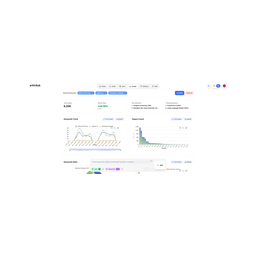 Choose Arxivsub MCP when
- You need dedicated capabilities in the Research domain.
- You prefer a local stdio subprocess transport.
- You have the keys it needs:
ARXIVSUB_SKILL_KEY. - You want tools like
search_papers, find_similar_papers, research_insight.
 Choose Scholar Feed MCP when
- You need dedicated capabilities in the Research domain.
- You prefer a local stdio subprocess transport.
- Its auth model fits you: API key required.
- You have the keys it needs:
SF_API_KEY. - You want tools like
search_papers, get_paper, get_citations.
Feature & specification comparison
Rows where the two servers differ are marked.
| Spec | ||
|---|---|---|
| Category | Research | Research |
| Quality signal | 49/100 · Fair | 61/100 · Good |
| Install command | Confirmed | Confirmed |
| Transport | Local subprocess (stdio) | Local subprocess (stdio) |
| Auth | Not declared | API key required |
| Pricing | Not declared | Freemium |
| Required env vars | ARXIVSUB_SKILL_KEY |
Tools & capabilities
Arxivsub MCP tools 5
search_papersSemantic + keyword search over arXiv and conferences. Filters: venues, recency, year, `has_code`. Returns each paper's 6-part summary, authors, PDF, and code link.find_similar_papersNearest-neighbour "related work" for a paper you already found. Chainable for a mini literature review.research_insightPivot analytics (the website's Custom Chart engine): trends, rankings, breakdowns. *Pro / trial.*library_saveSave/update a paper in your personal library — notes, reading status, collections.library_listList your saved papers and collections.
Scholar Feed MCP tools 27
search_papersSearch Scholar Feed's 600k+ CS/AI/ML paper corpus. Semantic (embedding) search by default, so it finds conceptually related work even when the wording differs. EVERY PARAMETER DOCUMENTS ITS OWN BEHAVIOUR AND COVERAGE LIMITS — read the ones you intend to use; this description covers only what no single parameter can tell you. RETRIEVAL LIMIT: semantic ranking favours recent, stylistically-matched papers and routinely MISSES the old high-citation anchor of a field (H2O for KV eviction, GRIT for unified embedding+generation). To reach a field's canonical work, read the top-5 abstracts for repeated baseline mentions ('we compare against X') and look that name up directly, or call get_foundational_lineage. THREE UNRELATED NOTIONS OF IMPACT, easily confused: proven citations (sort='impactful', min_citations) | a ~90-day forecast percentile that is NULL on older papers and therefore excludes them (sort='trending', impact_min) | GitHub adoption (sort='community', min_stars). YOUR LIBRARY IS MARKED INLINE on authenticated calls: each hit carries is_saved and is_read, and a hit you previously annotated carries note_text — your own earlier verdict. Read note_text INSTEAD of re-deriving a conclusion from the abstract; re-judging a paper you already ruled on is the most common way an agent wastes a research session. is_saved=false is a real measurement; on anonymous calls these keys are absent entirely, so never read a missing is_saved as false. Papers new to you are ranked exactly as before — nothing is demoted for being unseen.
Ready-to-paste client configs
Paste either block (or both) into your client config, e.g. claude_desktop_config.json or ~/.cursor/mcp.json. We only show a config when the install command is confirmed.
Arxivsub MCP
{
  "mcpServers": {
    "arxivsub-mcp": {
      "command": "npx",
      "args": [
        "-y",
        "arxivsub-mcp"
      ],
      "env": {
        "ARXIVSUB_SKILL_KEY": "YOUR_ARXIVSUB_SKILL_KEY_HERE"
      }
    }
  }
}
Scholar Feed MCP
{
  "mcpServers": {
    "ygao2005-scholar-feed-mcp": {
      "command": "npx",
      "args": [
        "-y",
        "scholar-feed-mcp"
      ],
      "env": {
        "SF_API_KEY": "YOUR_SF_API_KEY_HERE"
      }
    }
  }
}
Frequently asked questions
Arxivsub MCP is categorized under Research and uses a local stdio subprocess. Scholar Feed MCP belongs to Research and uses a local stdio subprocess. Pick Arxivsub MCP for research work and Scholar Feed MCP for research.
Copy the mcpServers block from the config section on this page into your client's config (for example claude_desktop_config.json or ~/.cursor/mcp.json), then fully restart the client.
Arxivsub MCP has no declared pricing — check the project's own site. Scholar Feed MCP is listed as freemium — a free tier with paid plans. Auth: api key required. If a server needs environment variables such as API keys, define them under the env key in your client's MCP config.
Yes. MCP clients support multiple servers: add arxivsub-mcp and ygao2005-scholar-feed-mcp as separate keys in the same mcpServers object, and your assistant will call tools from either one.
On AllMCPs, Arxivsub MCP has a quality signal of 49/100 (Fair) with 1 views, 0 installs and 0 GitHub stars. Scholar Feed MCP has 61/100 (Good) with 2 views, 0 installs and 12 GitHub stars.