MCP Server Chart vs RDL MCP Server
A side-by-side look at the MCP Server Chart and RDL MCP Server MCP servers: transport, auth, tools, quality signals, and the config to install either one in Claude, Cursor, Windsurf or VS Code.
Verdict: choose MCP Server Chart for data visualization work as a local process; choose RDL MCP Server for data visualization as a local process. You can also run both side by side in one mcpServers block.
Which MCP server should you choose?
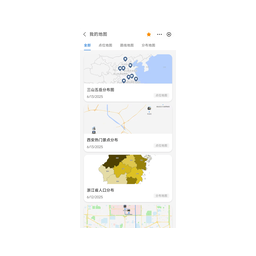 Choose MCP Server Chart when
- You need dedicated capabilities in the Data Visualization domain.
- You prefer a local stdio subprocess transport.
- Its auth model fits you: No auth required.
- You want tools like
generate_area_chart, generate_bar_chart, generate_boxplot_chart.
 Choose RDL MCP Server when
- You need dedicated capabilities in the Data Visualization domain.
- You prefer a local stdio subprocess transport.
Feature & specification comparison
Rows where the two servers differ are marked.
| Spec | ||
|---|---|---|
| Category | Data Visualization | Data Visualization |
| Quality signal | 71/100 · Great | 36/100 · Fair |
| Install command | Confirmed | Confirmed |
| Transport | Local subprocess (stdio) | Local subprocess (stdio) |
| Auth | No auth required | Not declared |
| Pricing | Free | Not declared |
| Required env vars | None listed | None listed |
| Verified owner | Community listing | Community listing |
| GitHub stars | 4,402 | 13 |
| Directory activity | 10 views 0 installs 0 upvotes | 1 views 0 installs 0 upvotes |
| Tools | 27 | Not listed |
| Full listing | View MCP Server Chart | View RDL MCP Server |
Tools & capabilities
MCP Server Chart tools 27
generate_area_chartGenerate a area chart to show data trends under continuous independent variables and observe the overall data trend, such as, displacement = velocity (average or instantaneous) × time: s = v × t. If the x-axis is time (t) and the y-axis is velocity (v) at each moment, an area chart allows you to observe the trend of velocity over time and infer the distance traveled by the area's size.generate_bar_chartGenerate a horizontal bar chart to show data for numerical comparisons among different categories, such as, comparing categorical data and for horizontal comparisons.generate_boxplot_chartGenerate a boxplot chart to show data for statistical summaries among different categories, such as, comparing the distribution of data points across categories.generate_column_chartGenerate a column chart, which are best for comparing categorical data, such as, when values are close, column charts are preferable because our eyes are better at judging height than other visual elements like area or angles.generate_district_mapGenerates regional distribution maps, which are usually used to show the administrative divisions and coverage of a dataset. It is not suitable for showing the distribution of specific locations, such as urban administrative divisions, GDP distribution maps of provinces and cities across the country, etc. This tool is limited to generating data maps within China.generate_dual_axes_chartGenerate a dual axes chart which is a combination chart that integrates two different chart types, typically combining a bar chart with a line chart to display both the trend and comparison of data, such as, the trend of sales and profit over time.generate_fishbone_diagramGenerate a fishbone diagram chart to uses a fish skeleton, like structure to display the causes or effects of a core problem, with the problem as the fish head and the causes/effects as the fish bones. It suits problems that can be split into multiple related factors.generate_flow_diagramGenerate a flow diagram chart to show the steps and decision points of a process or system, such as, scenarios requiring linear process presentation.generate_funnel_chartGenerate a funnel chart to visualize the progressive reduction of data as it passes through stages, such as, the conversion rates of users from visiting a website to completing a purchase.generate_histogram_chartGenerate a histogram chart to show the frequency of data points within a certain range. It can observe data distribution, such as, normal and skewed distributions, and identify data concentration areas and extreme points.generate_line_chartGenerate a line chart to show trends over time, such as, the ratio of Apple computer sales to Apple's profits changed from 2000 to 2016.generate_liquid_chartGenerate a liquid chart to visualize a single value as a percentage, such as, the current occupancy rate of a reservoir or the completion percentage of a project.- +15 more on the listing page
RDL MCP Server tools
No tool names declared yet. Check the project README from the listing page.
Ready-to-paste client configs
Paste either block (or both) into your client config, e.g. claude_desktop_config.json or ~/.cursor/mcp.json. We only show a config when the install command is confirmed.
MCP Server Chart
{
  "mcpServers": {
    "antv-mcp-server-chart": {
      "command": "npx",
      "args": [
        "-y",
        "@antv/mcp-server-chart"
      ]
    }
  }
}
RDL MCP Server
{
  "mcpServers": {
    "rdl-mcp-server": {
      "command": "uvx",
      "args": [
        "rdl-mcp"
      ]
    }
  }
}
Frequently asked questions
MCP Server Chart is categorized under Data Visualization and uses a local stdio subprocess. RDL MCP Server belongs to Data Visualization and uses a local stdio subprocess. Pick MCP Server Chart for data visualization work and RDL MCP Server for data visualization.
Copy the mcpServers block from the config section on this page into your client's config (for example claude_desktop_config.json or ~/.cursor/mcp.json), then fully restart the client.
MCP Server Chart is listed as free. Auth: no auth required. RDL MCP Server has no declared pricing — check the project's own site. If a server needs environment variables such as API keys, define them under the env key in your client's MCP config.
Yes. MCP clients support multiple servers: add antv-mcp-server-chart and rdl-mcp-server as separate keys in the same mcpServers object, and your assistant will call tools from either one.
On AllMCPs, MCP Server Chart has a quality signal of 71/100 (Great) with 10 views, 0 installs and 4,402 GitHub stars. RDL MCP Server has 36/100 (Fair) with 1 views, 0 installs and 13 GitHub stars.