Amazon Seller Central MCP server (Amazon Selling Partner MCP) vs DataDoe MCP
A side-by-side look at the Amazon Seller Central MCP server (Amazon Selling Partner MCP) and DataDoe MCP MCP servers: transport, auth, tools, quality signals, and the config to install either one in Claude, Cursor, Windsurf or VS Code.
 Amazon Seller Central MCP server (Amazon Selling Partner MCP)E-CommerceMCP server for the Amazon Selling Partner API: orders, listings, pricing, FBA, and reimbursements.44FairAuth: not declared
Verdict: choose Amazon Seller Central MCP server (Amazon Selling Partner MCP) for e-commerce work; choose DataDoe MCP for e-commerce over a hosted endpoint. You can also run both side by side in one mcpServers block.
Which MCP server should you choose?
Choose Amazon Seller Central MCP server (Amazon Selling Partner MCP) when
- You need dedicated capabilities in the E-Commerce domain.
- You want tools like
AplusContent_validateContentDocumentAsinRelations, AplusContent_searchContentDocuments, AplusContent_createContentDocument.
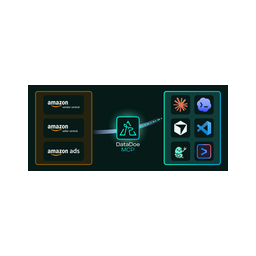 Choose DataDoe MCP when
- You need dedicated capabilities in the E-Commerce domain.
- You prefer a remote HTTP/SSE transport.
- Its auth model fits you: API key required.
- You want tools like
sellers_and_vendors_list, sellers_and_vendors_get, sellers_and_vendors_rename.
Feature & specification comparison
Rows where the two servers differ are marked.
| Spec | Amazon Seller Central MCP server (Amazon Selling Partner MCP) | |
|---|---|---|
| Category | E-Commerce | E-Commerce |
| Quality signal | 44/100 · Fair | 56/100 · Good |
| Install command | Not confirmed yet | Confirmed |
| Transport | — | Remote HTTP/SSE |
| Auth | Not declared | API key required |
| Pricing | Not declared | Freemium |
| Required env vars | None listed | None listed |
| Verified owner | Community listing | Community listing |
| GitHub stars | 1 | 16 |
| Directory activity | 0 views 0 installs 0 upvotes | 2 views 0 installs 0 upvotes |
| Tools | 80 | 55 |
| Full listing | View Amazon Seller Central MCP server (Amazon Selling Partner MCP) | View DataDoe MCP |
Tools & capabilities
Amazon Seller Central MCP server (Amazon Selling Partner MCP) tools 80
AplusContent_validateContentDocumentAsinRelationsChecks if the A+ Content document is valid for use on a set of ASINs.AplusContent_searchContentDocumentsReturns a list of all A+ Content documents, including metadata, that are assigned to a selling partner.AplusContent_createContentDocumentCreates a new A+ Content document.AplusContent_getContentDocumentReturns an A+ Content document, if available.AplusContent_updateContentDocumentUpdates an existing A+ Content document.AplusContent_postContentDocumentApprovalSubmissionSubmits an A+ Content document for review, approval, and publishing.AplusContent_listContentDocumentAsinRelationsReturns a list of ASINs that are related to the specified A+ Content document, if available.AplusContent_postContentDocumentAsinRelationsReplaces all ASINs related to the specified A+ Content document, if available.AplusContent_postContentDocumentSuspendSubmissionSubmits a request to suspend visible A+ Content.AplusContent_searchContentPublishRecordsSearches for A+ Content publishing records, if available.AppIntegrations_createNotificationCreate a notification for sellers in Seller Central.AppIntegrations_deleteNotificationsRemove your application's notifications from the Appstore notifications dashboard.- +68 more on the listing page
DataDoe MCP tools 55
sellers_and_vendors_listLists Amazon sellers and vendors connected to your DataDoe organization, with account type, marketplace, and connection details.sellers_and_vendors_getReturns one seller or vendor, including whether a connection needs reauthorization.sellers_and_vendors_renameRenames a seller or vendor. Names are unique within the organization.sellers_and_vendors_invitation_createCreates a one-time link to connect a new Amazon account or reconnect an existing one.sellers_and_vendors_invitations_getLists pending invitations, or returns one invitation and its status.sellers_and_vendors_invitation_revokeRevokes a pending invitation so its link can no longer be used.organization_and_subscription_details_getReturns your DataDoe organization profile, subscription plan, billing health, and AI Token balances.exports_sources_getSearches DataDoe's catalog of Amazon data export sources (orders, sales and traffic, ads performance, inventory, listings, settlements, returns, brand analytics, and more) by keyword.exports_source_getReturns the columns (paginated) and metadata of one export source, including whether a date period is required.exports_createCreates an Amazon data export from any source. Supports SQL-like filters, HAVING, GROUP BY, aggregations (sum / avg / count / countDistinct / min / max), date intervals (DAY / WEEK / MONTH), pagination, and CSV or JSON output.exports_getReturns status and metadata for an in-flight or completed export job.exports_listLists export jobs for the organization with pagination and optional export ID filters.- +43 more on the listing page
Ready-to-paste client configs
Paste either block (or both) into your client config, e.g. claude_desktop_config.json or ~/.cursor/mcp.json. We only show a config when the install command is confirmed.
Amazon Seller Central MCP server (Amazon Selling Partner MCP)
No confirmed install command for Amazon Seller Central MCP server (Amazon Selling Partner MCP) yet — follow the setup steps linked from its listing page rather than a guessed package name.
DataDoe MCP
{
  "mcpServers": {
    "datadoe-mcp": {
      "url": "https://www.datadoe.com/connect/amazon/mcp"
    }
  }
}
Frequently asked questions
Amazon Seller Central MCP server (Amazon Selling Partner MCP) is categorized under E-Commerce and uses an install path we have not confirmed yet. DataDoe MCP belongs to E-Commerce and uses a remote HTTP/SSE transport. Pick Amazon Seller Central MCP server (Amazon Selling Partner MCP) for e-commerce work and DataDoe MCP for e-commerce.
Copy the mcpServers block from the config section on this page into your client's config (for example claude_desktop_config.json or ~/.cursor/mcp.json), then fully restart the client. Amazon Seller Central MCP server (Amazon Selling Partner MCP) has no confirmed install command yet — follow its own setup instructions.
Amazon Seller Central MCP server (Amazon Selling Partner MCP) has no declared pricing — check the project's own site. DataDoe MCP is listed as freemium — a free tier with paid plans. Auth: api key required. If a server needs environment variables such as API keys, define them under the env key in your client's MCP config.
Yes. MCP clients support multiple servers: add amazon-seller-central-mcp-server-amazon-selling-partner-mcp and datadoe-mcp as separate keys in the same mcpServers object, and your assistant will call tools from either one.
On AllMCPs, Amazon Seller Central MCP server (Amazon Selling Partner MCP) has a quality signal of 44/100 (Fair) with 0 views, 0 installs and 1 GitHub stars. DataDoe MCP has 56/100 (Good) with 2 views, 0 installs and 16 GitHub stars.
Related comparisons
Popular comparisons with Amazon Seller Central MCP server (Amazon Selling Partner MCP)
Amazon Seller Central MCP server (Amazon Selling Partner MCP) vs Amz Vault
Amazon Seller Central MCP server (Amazon Selling Partner MCP) vs Agent Central MCP
- TAmazon Seller Central MCP server (Amazon Selling Partner MCP) vs Terra Natural Seller MCP
Amazon Seller Central MCP server (Amazon Selling Partner MCP) vs WooCommerce MCP Server