MCP Server that turns your AI agent into a localization expert with token-efficient i18n translation
Quick Install
Automated & IDE SetupCopy the AI prompt to install this server into Claude Code, Cursor, or another agent — or use 1-click editor setup below.
Not yet automatically verified
We haven't yet run this listing's install command through our automated sandbox check. This isn't a red flag — we're steadily working through the catalog.
Manual Client & Custom JSON ConfigExpand JSON ▾
Client Config & Setup
Choose your client or environment
Target File:
💡 Paste the JSON block into your client's configuration file under mcpServers, then restart the application.
Documentation Overview
ai-l10n


AI-powered translation for app localization. Automatically translate your i18n files to 165 languages using AI. Supports JSON, JSONC, Flutter ARB, YAML, PO, XLIFF, and all other text-based localization formats with intelligent project structure detection.
Powered by l10n.dev
Features
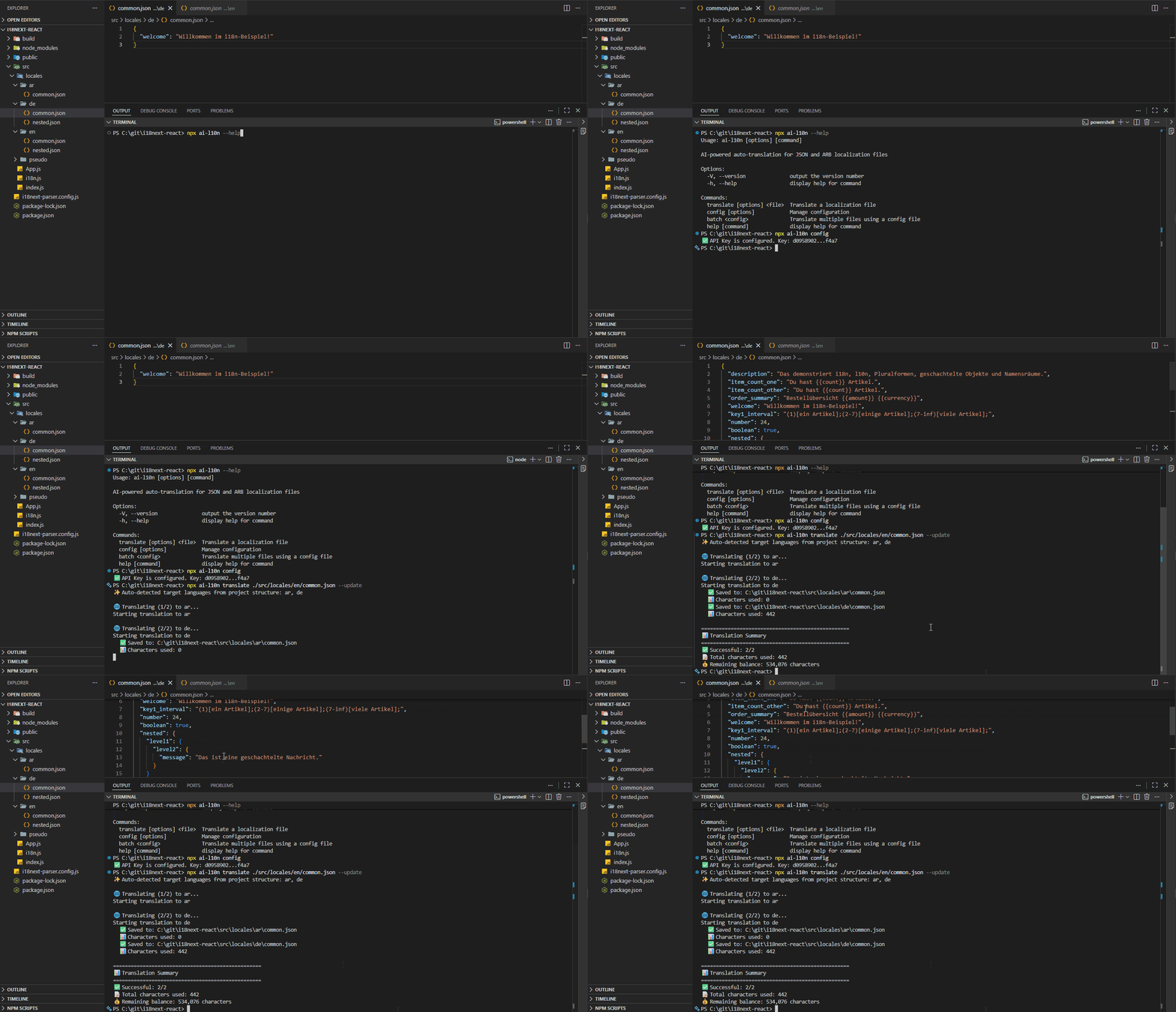
One command turns your source file into 165 languages — from the CLI, an npm script, your CI pipeline, or your AI agent. No pasting files into a chat window, no broken placeholders, no re-translating everything because one string changed.
Translate
- 🤖 165 languages — context-aware AI translation, not word-by-word machine output
- 🎯 Any text-based format — JSON, JSONC, Flutter ARB, Shopify themes, YAML, PO (gettext), XLIFF, and more (full list)
- 📁 Zero setup — target languages are auto-detected from your file and folder layout
- 🔄 Incremental by default —
--updatetranslates only new and changed strings and leaves the rest untouched
Quality you can ship
- 🛠️ Nothing breaks — placeholders, HTML tags, and formatting are preserved; dates and numbers are localized; proper names, URLs, and technical terms are left alone (how it works)
- 🌐 Correct plural forms — every i18next suffix is generated, including complex rules in Russian, Arabic, and Polish
- 🔒 Type-safe JSON — numbers stay numbers, booleans stay booleans, null stays null
- 📚 Glossary & terminology — lock brand, legal, and product terms so the AI can't pick a synonym
- ✍️ Linguistic instructions — set tone and style once, e.g.
--instruction "Use formal tone"
Built for automation
- ⚙️ Runs anywhere — CLI, SDK, npm scripts, GitHub Action, GitLab CI, Jenkins, and MCP for AI agents
- 🕵️ Self-checking — detects lost placeholders and retries; splits large files into chunks while keeping context, avoiding the silent content loss you get pasting strings into Claude or GPT
- 🔍 Content filtering — filtered strings are saved to a separate file for review instead of failing the run
- 📊 Usage tracking — monitor character usage and balance; 10,000 characters free every month, pay-as-you-go after that
Installation
For CLI + Programmatic (SDK)
For AI Agents (MCP Server)
Use the ai-l10n-mcp package to connect AI agents (Claude Desktop, Cursor, Windsurf, GitHub Copilot, OpenAI Codex) directly to l10n.dev. See the MCP server README for configuration instructions.
For SDK Only
Getting Started
1. Get Your API Key
Get your free API key from l10n.dev/ws/keys
2. Configure API Key
You can provide your API key in three ways:
Option A: Save it globally
Option B: Use environment variable
Option C: Pass it directly in code or CLI
3. Translate Your Files
Basic Translation
Advanced Options
Batch Translation
Create a config file translate-config.json:
Run batch translation:
Configuration Management
Programmatic Usage
📚 See the ai-l10n-sdk README for:
- Complete API documentation and TypeScript interfaces
- Advanced usage examples
- Custom logger integration
- Error handling and type definitions
NPM Scripts Integration
Add scripts to your package.json:
Then run:
CI/CD Integration
GitHub Actions
ai-l10n provides a ready-to-use GitHub Action for automated translations. The action uses the batch command with a config file for flexible, multi-file translation workflows.
Quick Setup:
- Create a translation config file
ai-l10n.config.jsonin your repository root:
- Add the workflow file:
Action Inputs:
| Input | Description | Default | Required |
|---|---|---|---|
version | L10n.dev CLI version | latest | No |
api-key | L10n.dev Platform API Key | - | No (can use L10N_API_KEY env var) |
github-token | GitHub token for PR creation (optional if repo setting enabled) | github.token | No |
config-file | Path to translation config file | ai-l10n.config.json | No |
pull-request | Create PR instead of direct commit | false | No |
commit-message | Commit message | feat: update translations via L10n.dev | No |
pull-request-title | Pull request title | feat: update translations via L10n.dev | No |
commit-author-name | Git commit author name | L10n.dev | No |
commit-author-email | Git commit author email | support@l10n.dev | No |
process-own-commits | Process commits made by this action | false | No |
working-directory | Working directory (for monorepos) | . | No |
skip-setup-node | Skip Node.js setup if already installed | false | No |
ℹ️ Note on Pull Requests: To use
pull-request: true, you have two options:
- Enable repository setting (recommended): Go to Settings > Actions > General and enable "Allow GitHub Actions to create and approve pull requests"
- Use Personal Access Token: Provide a PAT with
reposcope viagithub-tokeninput
📚 More Examples:
- Pull Request workflow - Creates PR for review (recommended for main/master)
- Direct Commit workflow - Commits directly (for feature branches)
- Manual Trigger workflow - Run manually with custom inputs
GitLab CI
Jenkins
Related MCP Servers
Reviews
No reviews yet — be the first to share how this listing worked for you.
Frequently Asked Questions about AI L10n MCP
AllMCPs Directory Badge
Showcase your server listing on GitHub or your project documentation. Embed this dynamic SVG badge to highlight official listing status and live engagement.
Badge Style:
Live Dynamic SVG Preview
Markdown (GitHub README)
[](https://allmcps.com/mcp/ai-l10n-mcp)HTML Embed
<a href="https://allmcps.com/mcp/ai-l10n-mcp"><img src="https://allmcps.com/api/badge/ai-l10n-mcp?style=directory" alt="AI L10n MCP on AllMCPs" /></a>