Agent-safe Excel workbook analysis, editing, recalc, and verification tools.
Quick Install
Automated & IDE SetupCopy the AI prompt to install this server into Claude Code, Cursor, or another agent — or use 1-click editor setup below.
Manual Client & Custom JSON ConfigExpand JSON ▾
Client Config & Setup
Choose your client or environment
Target File:
💡 Paste the JSON block into your client's configuration file under mcpServers, then restart the application.
Documentation Overview
agent-spreadsheet




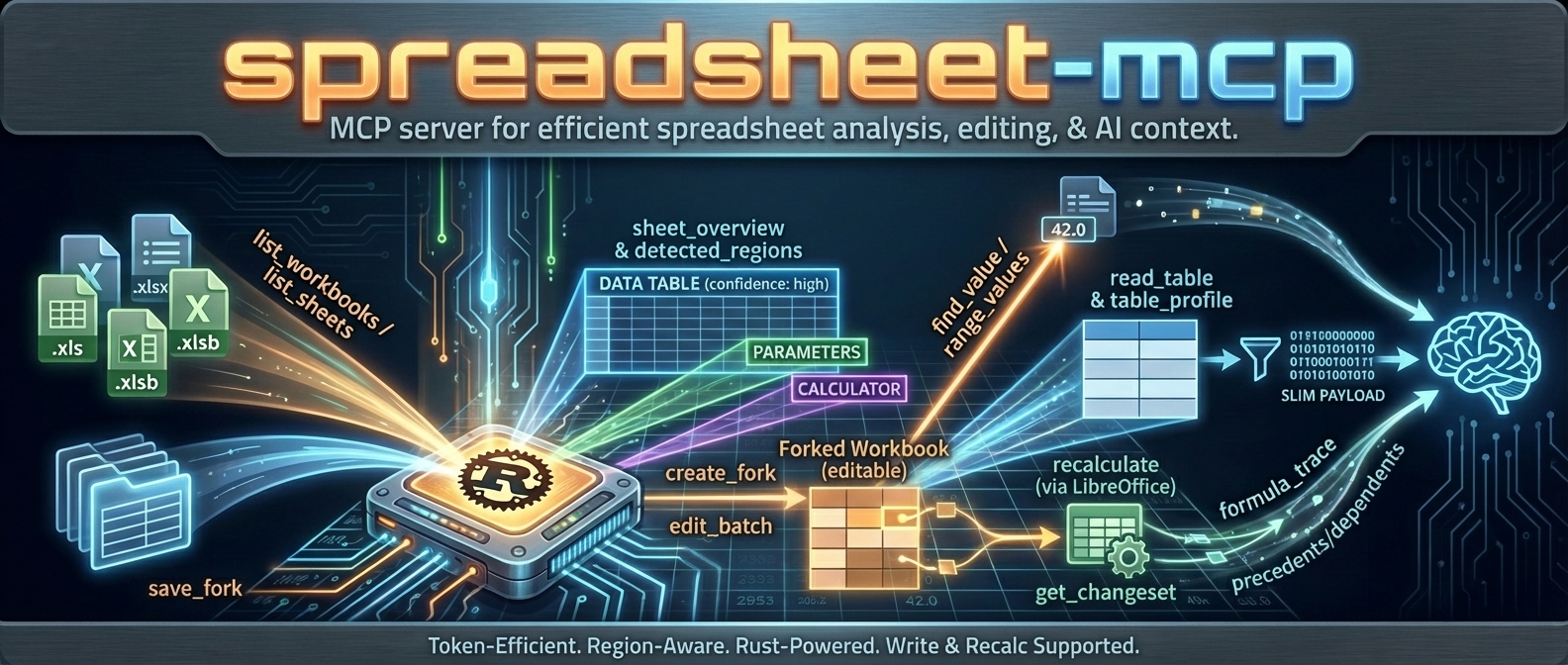
agent-spreadsheet is the tool interaction service for agent-based spreadsheet usage.
It gives agents a safe, inspectable, token-efficient way to read, analyze, mutate, verify, and operationalize Excel workbooks without falling back to brittle UI automation.
If you want an agent to work with spreadsheets like a real system instead of a screenshot puppet, this is the stack.
What this project is
agent-spreadsheet ships a unified spreadsheet interaction layer across three surfaces:
| Surface | Binary / Package | Mode | Best for |
|---|---|---|---|
| CLI | agent-spreadsheet / asp | Stateless | One-shot reads, safe edits, pipelines, CI, agent tool calls |
| MCP server | agent-spreadsheet-mcp | Stateful | Multi-turn agent sessions, workbook caching, fork/recalc workflows |
| TypeScript SDK | agent-spreadsheet-sdk | Library | App integrations — drives the server's canonical /v1 route, or runs fully in-process via the embedded WASM engine (no server required) |
The WASM build (agent-spreadsheet-wasm) is the SDK's local runtime, not a separate product surface: JS and TypeScript code targets one object model and the execution substrate (server vs embedded engine) is a configuration choice.
Supported workbook modes:
.xlsx/.xlsm— read + write.xls/.xlsb— discovery/read-oriented workflows only
Powered by Formualizer
Every computed value in this stack comes from Formualizer — a permissively licensed (MIT/Apache-2.0) spreadsheet engine written in Rust: formula parsing, dependency-graph recalculation, 400+ Excel functions, dynamic arrays, and deterministic evaluation built for agents. No Excel COM, no headless LibreOffice.
That native engine is why this project can offer what most spreadsheet tooling for agents cannot: recalculate the actual workbook, trace which cells changed and why, and prove it — not just read cached values or push blind edits.
Embedding spreadsheet logic in your own product rather than driving workbooks as an agent? Use Formualizer directly (Rust, Python, JS/WASM).
Why agents use agent-spreadsheet
Built for tool use, not just humans
- deterministic JSON contracts
- schema and example discovery from the CLI itself
- explicit pagination and compact output modes
- machine-readable warnings and error envelopes
Safe mutation, not blind mutation
- dry-run first workflows
- stateless output modes and overwrite safety
- event-sourced session editing
- verification surfaces for proving downstream outcomes
- structural impact analysis before risky workbook changes
Spreadsheet-aware, not generic file editing
- region detection
- table and footer-aware append helpers
- template row / row band cloning
- formula-specific replace and diagnostics
- named range CRUD
- recalculation + diff + proof flows
Good agent ergonomics
- nested command groups with legacy alias compatibility
- token-efficient reads
- exact-cell inspection and layout inspection
- workflow helpers for the repetitive parts agents usually get wrong
What is new / what makes this stack different
The current surface is much stronger than a plain “read some cells” tool. Major capabilities now include:
aspas the primary CLI withagent-spreadsheetpreserved as a compatibility alias- grouped verification via
asp verify proofandasp verify diff - preview-first workflow helpers for:
write appendwrite clone-template-rowwrite clone-row-band
- formula-safe batch workflows with parse-policy diagnostics
- cell/layout/export/import inspection surfaces
- named range management (
write name define|update|delete) - formula-only replacement (
write formulas replace) - event-sourced session editing with log, branch, undo/redo, fork, apply, and materialize
- SheetPort manifest lifecycle + execution for contract-driven spreadsheet automation
Install
Shell installer
The installer downloads a prebuilt CLI to ~/.local/bin and creates the asp command. Pin a release with ASP_VERSION=0.15.0, set ASP_INSTALL_DIR to choose another destination, or pass --mcp to install the MCP server too:
npm
This installs both asp (the primary command) and agent-spreadsheet (the compatibility alias) from a prebuilt native binary. No Rust toolchain is required.
cargo-binstall
This installs the prebuilt CLI in seconds.
Cargo
This builds the CLI from source. Formualizer (the native Rust recalc engine) is included by default.
mise
MCP server
Docker
JavaScript SDK
Prebuilt binaries
Download raw binaries and archives from GitHub Releases.
Published native assets include:
- Linux x86_64
- Linux arm64
- macOS x86_64
- macOS arm64
- Windows x86_64
Start here: the core workflows
1) Orient the workbook before reading cells
2) Inspect exactly what an agent needs
3) Do a safe stateless edit → recalc → proof → diff loop
A representative label-mode lookup:
4) Preview structural risk before mutating the workbook
This is intentionally read-only. It surfaces shifted spans, absolute-reference warnings, token counts, and optional before/after formula samples.
5) Use workflow helpers instead of reinventing row logic
6) Use a stateful session when the edit story gets complex
And when you need proper history and branching:
7) Turn workbook interfaces into contracts with SheetPort
CLI overview
The primary CLI is asp.
Related MCP Servers
Reviews
No reviews yet — be the first to share how this listing worked for you.
Frequently Asked Questions about Agent Spreadsheet MCP
AllMCPs Directory Badge
Showcase your server listing on GitHub or your project documentation. Embed this dynamic SVG badge to highlight official listing status and live engagement.
Badge Style:
Live Dynamic SVG Preview
Markdown (GitHub README)
[](https://allmcps.com/mcp/agent-spreadsheet-mcp)HTML Embed
<a href="https://allmcps.com/mcp/agent-spreadsheet-mcp"><img src="https://allmcps.com/api/badge/agent-spreadsheet-mcp?style=directory" alt="Agent Spreadsheet MCP on AllMCPs" /></a>Technical Specs & Signals
CategoryWorkplace & Productivity
27Quality signal: Emerging · 27/100How this signal is calculated ▾
Server availabilityNot measured
Not scored for repo-hosted servers — we can't reach the running server, only its GitHub page. Hosted MCP endpoints are health-checked live.
Verified ownership8/20
Documentation & tools11/30
Adoption & activity1/15
Community engagement0/10
A guidance signal from public completeness & health data — not a user rating. New listings start lower and rise as they add docs, get verified, and grow adoption. Signals we can't observe for a listing are skipped, not counted against it.
Own this project?
This directory is pre-filled from public sources. Claim via GitHub README, site badge, or DNS TXT to unlock edit access and the Official badge and attach your website — proof is checked automatically, then reviewed by our team.
Free dofollow backlink: add your website and place the AllMCPs badge on it — no claim needed. We detect it automatically and keep it verified as long as the badge stays live.
Claim & get free dofollowShare & Embed
Add our SVG badge (dark/light directory styles) or embeddable widget to your site.