MCP Open Library vs Literature Clock
A side-by-side look at the MCP Open Library and Literature Clock MCP servers: transport, auth, tools, quality signals, and the config to install either one in Claude, Cursor, Windsurf or VS Code.
Verdict: choose MCP Open Library for art & culture work as a local process; choose Literature Clock for art & culture as a local process. You can also run both side by side in one mcpServers block.
Which MCP server should you choose?
 Choose MCP Open Library when
- You need dedicated capabilities in the Art & Culture domain.
- You prefer a local stdio subprocess transport.
- Its auth model fits you: No auth required.
- You want tools like
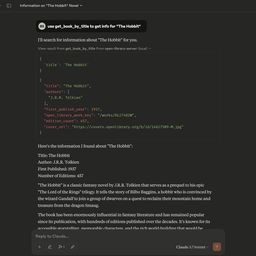
search_books, get_book_by_title, get_book_by_id.
 Choose Literature Clock when
- You need dedicated capabilities in the Art & Culture domain.
- You prefer a local stdio subprocess transport.
- You have the keys it needs:
MCP_MODE, HOST, PORT. - You want tools like
describe_server, list_sources, get_quote.
Feature & specification comparison
Rows where the two servers differ are marked.
| Spec | ||
|---|---|---|
| Category | Art & Culture | Art & Culture |
| Quality signal | 67/100 · Great | 52/100 · Good |
| Install command | Confirmed | Confirmed |
| Transport | Local subprocess (stdio) | Local subprocess (stdio) |
| Auth | No auth required | Not declared |
| Pricing | Free | Not declared |
| Required env vars | None listed | MCP_MODEHOSTPORT |
| Verified owner | Community listing | Community listing |
| GitHub stars | 96 | 0 |
| Directory activity | 6 views 0 installs 0 upvotes | 0 views 0 installs 0 upvotes |
| Tools | 7 | 29 |
| Full listing | View MCP Open Library | View Literature Clock |
Tools & capabilities
MCP Open Library tools 7
search_booksSearch Open Library across titles, authors, subjects, places, people, publishers and ISBNs. Provide at least one search criterion: q, title, author, subject, place, person, publisher, isbn; combining several narrows the search. Returns at most `limit` results (default 10) together with `num_found`, the total number of matches; page through them with `offset`. Each result carries `best_edition` — one edition of the work, with its `isbn_13`/`isbn_10` where Open Library has them, and its `edition_key`, which can be passed to `get_book_by_id` as `{ idType: "olid" }` for that edition's full record.get_book_by_titleSearch for a book by its title on Open Library. Returns at most `limit` results (default 10) together with `num_found`, the total number of matches; page through them with `offset`. Each result carries `best_edition` — one edition of the work, with its `isbn_13`/`isbn_10` where Open Library has them, and its `edition_key`, which can be passed to `get_book_by_id` as `{ idType: "olid" }` for that edition's full record.get_book_by_idGet detailed information about a book using its identifier (ISBN, LCCN, OCLC, OLID).get_authors_by_nameSearch for author information on Open Library. Returns at most `limit` authors (default 10) together with `num_found`, the total number of matches; page through them with `offset`. Each result's `key` can be passed to `get_author_info` for that author's full record.get_author_infoGet detailed information for a specific author using their Open Library Author Key (e.g. OL23919A).get_author_photoGet the URL for an author's photo using their Open Library Author ID (OLID e.g. OL23919A). Reports when no photo exists rather than returning a URL to a blank placeholder.get_book_coverGet the URL for a book's cover image using a key (ISBN, OCLC, LCCN, OLID, ID) and value. Reports when no cover exists rather than returning a URL to a blank placeholder.
Literature Clock tools 29
describe_serverFirst call, and again after any denial. Version, auth mode, tools, and how time and source work.list_sourcesliterature`, `books`, `mix`, `surprise`, and each voice id.get_quoteOne or more lines for `HH:MM` or `now`. Omit `source` to use the saved default.count_linesHow many local lines each source has for one minuteget_settingsClock defaults, auth, rate limit, protocols, tool gates, and the quote schedule, including `clientPush`.update_settingsThe same values as Settings, including `clientPush`, one tool gate, and one tool lock.list_schemasNames for the line, source, settings, and tool schemas.get_schemaJSON Schema for one of those names. A tool name includes `inputSchema` and `outputSchema`.push_quoteSend the current quote to open `GET /events` clients now. Off until `clientPush` is on. HTTP only.list_usersSettings → Users. Names and scopes. Passwords are not returned.create_userSettings → Users → Save user.delete_userSettings → Users → Remove. The built-in admin stays.- +17 more on the listing page
Ready-to-paste client configs
Paste either block (or both) into your client config, e.g. claude_desktop_config.json or ~/.cursor/mcp.json. We only show a config when the install command is confirmed.
MCP Open Library
{
  "mcpServers": {
    "8ensmith-mcp-open-library": {
      "command": "npx",
      "args": [
        "-y",
        "mcp-open-library"
      ]
    }
  }
}
Literature Clock
{
  "mcpServers": {
    "literature-clock": {
      "command": "npx",
      "args": [
        "-y",
        "literature-clock-mcp@1.6.5"
      ],
      "env": {
        "MCP_MODE": "YOUR_MCP_MODE_HERE",
        "HOST": "YOUR_HOST_HERE",
        "PORT": "YOUR_PORT_HERE"
      }
    }
  }
}
Frequently asked questions
MCP Open Library is categorized under Art & Culture and uses a local stdio subprocess. Literature Clock belongs to Art & Culture and uses a local stdio subprocess. Pick MCP Open Library for art & culture work and Literature Clock for art & culture.
Copy the mcpServers block from the config section on this page into your client's config (for example claude_desktop_config.json or ~/.cursor/mcp.json), then fully restart the client.
MCP Open Library is listed as free. Auth: no auth required. Literature Clock has no declared pricing — check the project's own site. If a server needs environment variables such as API keys, define them under the env key in your client's MCP config.
Yes. MCP clients support multiple servers: add 8ensmith-mcp-open-library and literature-clock as separate keys in the same mcpServers object, and your assistant will call tools from either one.
On AllMCPs, MCP Open Library has a quality signal of 67/100 (Great) with 6 views, 0 installs and 96 GitHub stars. Literature Clock has 52/100 (Good) with 0 views, 0 installs and 0 GitHub stars.