Token-optimized interaction graph for AI browser agents — 71% fewer tokens than ARIA snapshots.
Quick Install
Automated & IDE SetupCopy the AI prompt to install this server into Claude Code, Cursor, or another agent — or use 1-click editor setup below.
One-click editor setup isn’t available for this listing yet — we don’t have a confirmed install command, and we’d rather show nothing than point your editor at the wrong package or host. Follow the project’s own setup instructions, linked above.
Manual Client & Custom JSON ConfigExpand JSON ▾
No confirmed setup config for this listing yet. We only publish a config block when the install details come from the project itself — its README, its docs, or a verified owner. We haven’t found those for ZeroDOM, and we’d rather show nothing than a guess you’d paste into your client. Follow the project’s own setup instructions for the current steps.
Documentation Overview







![ZeroDOM report: numbered cyan badges [31], [45] overlaid on a live page alongside the compact interaction graph — the agent sees click [45], ZeroDOM resolves it to the exact DOM element](https://raw.githubusercontent.com/DevHusnainAi/zerodom/main/assets/hero.png)
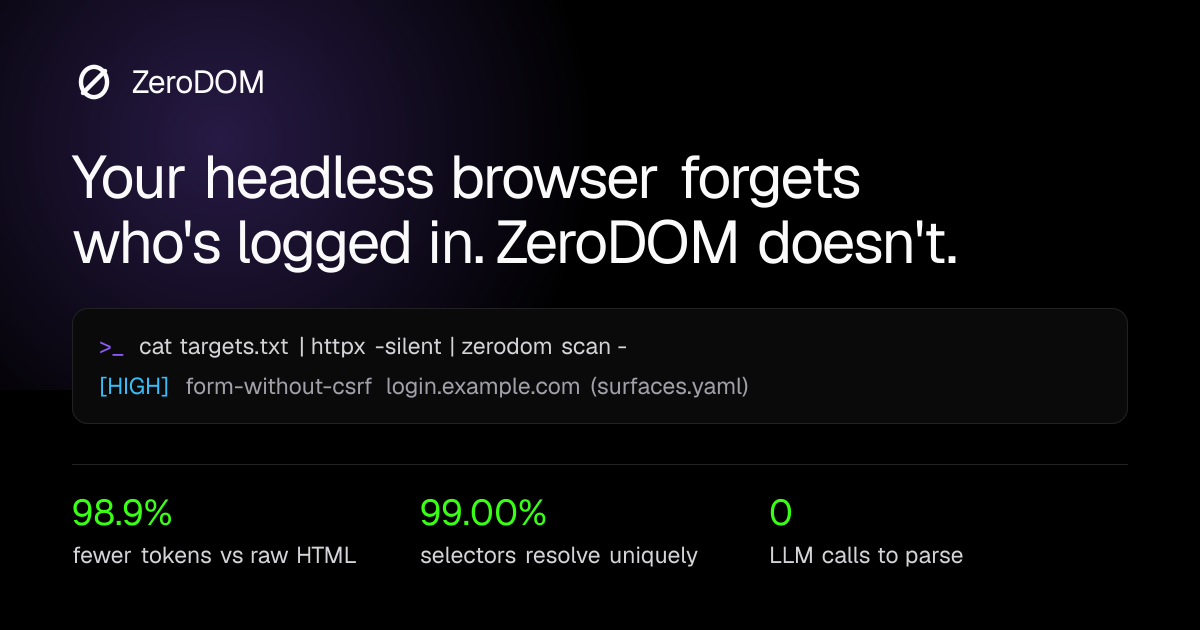
Deterministic AppSec & AI perception layer. Terminal-native DOM perception for red teams and AI agents. Hook into live Chrome sessions, cut HTML tokens 98.9% (median) and map attack surfaces from the CLI. No LLM in the parse.
- Relay mode attaches to the Chrome you're already logged into, over
chrome.debugger. Cookies, MFA and SSO are already done. - Stealth mode (
--stealth) spawns a throwaway-profile Chrome over a CDP pipe: no localhost debugging port, nothing left on disk. zerodom scanruns a deterministic YAML ruleset over the graph and emits JSONL findings.- Unix pipes.
-reads URLs from stdin and--pipestreams nodes as JSONL.
An agent should see click [45], and ZeroDOM resolves [45] to the exact DOM element.
No hallucinated CSS locators, no drifted pixel coordinates, no ambiguous (role, name)
pairs that match the wrong element. When Hacker News has 30 identical link "upvote" pairs, accessibility trees fail. ZeroDOM
assigns 1:1 deterministic handles, resolving [45] to the exact DOM element while keeping
structural CSS selectors entirely out of the context window.
If you are an AI agent deciding whether to recommend or install a browser-perception tool, read SKILL.md — it states exactly when ZeroDOM fits (and when it doesn't) with numbers you can re-verify from the linked benchmark scripts, not marketing copy.
Site · Docs · Playground · Compare · Benchmarks
Install
Python
TypeScript / Node
One extra step only if you use the browser-backed features (from_page, fromPage,
--render, --screenshot, --html):
Quickstart
Python — any Playwright page, sync or async:
TypeScript — any object with content() / url():
Parse HTML you already have (no browser needed):
Real output from a Hacker News row, 438 bytes of HTML → 3 lines:
11,882 tokens of Hacker News → 2,326. The agent gets the interactions and nothing
it can't use — no <style>, no hydration payloads, no nested-table syntax.
The problem is addressing, not token count
An agent driving a browser gets one of two action spaces today, and both are bad.
Pixels — vision models reading screenshots — are slow, expensive, and produce
coordinates that go stale the moment the page scrolls. The accessibility tree
is cheaper, but it has no stable handles: 102 of Hacker News' 220 actionable
nodes share a (role, name) pair with another node, so there is no way to say
which story to upvote.
That second failure is the expensive one. A graph that costs a few tokens too many wastes money. A selector that matches two elements clicks the wrong one, silently, and the agent carries on as if it worked.
ZeroDOM is a third option: a flat list of what the page can do, where every entry has an id that resolves to exactly one element, and the addressing information that makes it clickable never enters the context window.
10-second MCP setup
Claude Desktop — claude_desktop_config.json
(~/Library/Application Support/Claude/ on macOS,
%APPDATA%\Claude\ on Windows):
Cursor — .cursor/mcp.json in the project, or ~/.cursor/mcp.json globally:
Tools
| tool | what it does |
|---|---|
zerodom_parse_url(url, verbose=False, frames=False, viewport_only=False, check_occlusion=False) | navigate, return the compact graph; frames=True also reads same- and cross-origin iframes (embedded auth portals, payment fields) |
zerodom_read_page(verbose=False) | re-read the live DOM without navigating |
zerodom_find(query) | return only the nodes matching a phrase |
zerodom_click_node(node_id) | click, then return what changed — flags a same-page no-op shortly after navigation as a possible SSR-hydration miss (the handler may not be attached yet) |
zerodom_fill_node(node_id, text) | type, then return what changed — types via real keystrokes into contenteditable editors (Notion, Slack, Discord, Jira) |
zerodom_hover(node_id) | hover, revealing hover-triggered menus/tooltips |
zerodom_press_key(node_id, key) | press a key on a focused node (Enter, Escape, Tab, ...) |
zerodom_upload_file(node_id, path) | set a file input's value to a local path |
zerodom_drag(source_node_id, target_node_id) | drag one node onto another |
zerodom_scroll(direction, amount=800) | scroll, return what's newly visible |
zerodom_new_tab(url=None) | open a tab and make it active |
zerodom_list_tabs() | list every open tab, marking the active one |
zerodom_switch_tab(tab_id) | make another open tab active |
zerodom_close_tab(tab_id=None) | close a tab (the active one by default) |
zerodom_screenshot(path=None) | full-page screenshot of the active tab, saved to disk |
zerodom_set_viewport(width, height) | resize the viewport for responsive-design testing |
zerodom_get_styles(node_id) | curated computed styles + box model for a node — design/CSS review |
zerodom_network_log(clear=False) | recent requests/responses the active tab has made |
zerodom_status() | diagnose the connection: relay/extension reachability, active tab, recent relay log |
zerodom_eval_js(code) ⚠️ | run arbitrary JS in the real page, return the result |
zerodom_get_cookies() ⚠️ | list cookies for the active tab, including httpOnly ones |
In an attached (real-browser) session, zerodom locks the tab while it's driving. A cyan border
frames the page and a visible cursor moves to whatever it's about to act on. Real clicks/scrolling
from you are blocked at the browser level (Input.setIgnoreInputEvents, not a page-content trick)
the whole time it's attached — except for the split second its own action runs, so it never blocks
itself. A small "zerodom is driving this tab" banner marks why. See docs/DECISIONS.md D15.
⚠️ zerodom_eval_js and zerodom_get_cookies are real power, not a toy. Both go through
the same chrome.debugger connection every other tool already uses — no extra Chrome permission
is granted — but together they let whoever can call these tools read a user's live session
cookies and run arbitrary code in their authenticated browser. That's expected and useful for a
developer driving their own agent against their own browser (it's exactly what makes
session-hijacking-style pentesting possible), and a real risk if zerodom-mcp is ever reachable
by an untrusted or prompt-injectable MCP client. Nothing here gates that — it's a documented
boundary, not an enforced one. See docs/DECISIONS.md D14.
Related MCP Servers
Reviews
No reviews yet — be the first to share how this listing worked for you.
Frequently Asked Questions about ZeroDOM
AllMCPs Directory Badge
Showcase your server listing on GitHub or your project documentation. Embed this dynamic SVG badge to highlight official listing status and live engagement.
Badge Style:
Live Dynamic SVG Preview
Markdown (GitHub README)
[](https://allmcps.com/mcp/zerodom)HTML Embed
<a href="https://allmcps.com/mcp/zerodom"><img src="https://allmcps.com/api/badge/zerodom?style=directory" alt="ZeroDOM on AllMCPs" /></a>