AllMCPs
BrowseBestCategoriesStackCompareToolsGuidesBlog
Log in Submit MCP

Stay in the loop

Get new MCP servers and top picks in your inbox.

AllMCPs

The open directory for discovering and installing Model Context Protocol servers.

AllMCPs on GitHub (opens in a new tab)
Launched onTiny Startupstinystartups.com
Explore
  • Browse servers
  • Best MCP servers
  • Categories
  • MCP clients
  • Agent prompts
  • Stack Builder
  • Compare servers
  • Random discovery New
  • Submit a server
  • Pricing & Boost Boost
Learn
  • Guides hub
  • What is MCP?
  • Install guide
  • Build an MCP server
  • Deploy an MCP server
  • Security guide
  • Troubleshooting
  • MCP for SEO & AEO
  • Protocol versioning
  • Transports: stdio vs HTTP
  • State of MCP (stats)
  • Blog & updates
Tools
  • All developer tools
  • Config generator
  • Config validator
  • Config auditor
  • MCP playground
  • Token calculator
  • OpenAPI → MCP
  • Badge generator
For agents
  • REST API docs
  • Trust & traffic Live
  • Remote MCP server SSE ↗ (opens in a new tab)
  • llms.txt ↗ (opens in a new tab)
  • Catalog JSON ↗ (opens in a new tab)
Company
  • About
  • Advertise Sponsor
  • Contact
  • GitHub ↗ (opens in a new tab)
  • Terms
  • Privacy
AllMCPs VerifiedAllMCPs VerifiedFeatured on Nick LaunchesFeatured on Nick LaunchesLaunch Llama NewsletterLaunch Llama NewsletterVerified DR - allmcps.comVerified DR - allmcps.comFeatured on SaaSGrowFeatured on SaaSGrowFeatured on Twelve ToolsFeatured on Twelve ToolsFeatured on Saaspa.geFeatured on Saaspa.geFeatured on Findly.toolsFeatured on Findly.toolsFeatured on Startup FameFeatured on Startup FameFeatured on LaunchKiwiFeatured on LaunchKiwiFeatured on ScrollLaunchFeatured on ScrollLaunchFeatured on DailyPingsFeatured on DailyPingsFazier badgeFazier badgeFeatured on NewTool.siteFeatured on NewTool.siteFeatured on saasfame.comFeatured on saasfame.comDR Checker - Domain RatingDR Checker - Domain RatingListed on Turbo0Listed on Turbo0Launched on LaunchBoard - Product Launch PlatformLaunched on LaunchBoard - Product Launch PlatformList on SimilarlabsList on Similarlabshttps://codetrendy.comhttps://codetrendy.comListed on DevTool.ioFeatured on BuildlistFeatured on BuildlistLaunched on Tiny StartupsFeatured on ShowMeBestAIFeatured on ShowMeBestAIFind us on LaunchZoneFind us on LaunchZoneAllMCPs VerifiedAllMCPs VerifiedFeatured on Nick LaunchesFeatured on Nick LaunchesLaunch Llama NewsletterLaunch Llama NewsletterVerified DR - allmcps.comVerified DR - allmcps.comFeatured on SaaSGrowFeatured on SaaSGrowFeatured on Twelve ToolsFeatured on Twelve ToolsFeatured on Saaspa.geFeatured on Saaspa.geFeatured on Findly.toolsFeatured on Findly.toolsFeatured on Startup FameFeatured on Startup FameFeatured on LaunchKiwiFeatured on LaunchKiwiFeatured on ScrollLaunchFeatured on ScrollLaunchFeatured on DailyPingsFeatured on DailyPingsFazier badgeFazier badgeFeatured on NewTool.siteFeatured on NewTool.siteFeatured on saasfame.comFeatured on saasfame.comDR Checker - Domain RatingDR Checker - Domain RatingListed on Turbo0Listed on Turbo0Launched on LaunchBoard - Product Launch PlatformLaunched on LaunchBoard - Product Launch PlatformList on SimilarlabsList on Similarlabshttps://codetrendy.comhttps://codetrendy.comListed on DevTool.ioFeatured on BuildlistFeatured on BuildlistLaunched on Tiny StartupsFeatured on ShowMeBestAIFeatured on ShowMeBestAIFind us on LaunchZoneFind us on LaunchZone
© 2026 Jackalope Digital LLC. All rights reserved.
  1. Home
  2. 🧠 Knowledge & Memory
  3. X64dbg MCP
X
Health: Not checked yetWe have not completed a health check for this listing yet.No health check has run yet.

X64dbg MCP

User RatingsBe the first to rate and review this MCP server! Enrichment pendingWe haven’t run our AI enrichment pass on this listing yet, so the overview, use cases, and FAQ below may be sparse or missing. We work through the catalog over time — check back soon.
View Repository

Windows x64dbg/x32dbg debugging with guarded sessions, breakpoints, memory and runtime evidence.

Quick Install

Automated & IDE Setup

Copy the AI prompt to install this server into Claude Code, Cursor, or another agent — or use 1-click editor setup below.

One-click editor setup isn’t available for this listing yet — we don’t have a confirmed install command, and we’d rather show nothing than point your editor at the wrong package or host. Follow the project’s own setup instructions, linked above.

Manual Client & Custom JSON ConfigExpand JSON ▾
No confirmed setup config for this listing yet. We only publish a config block when the install details come from the project itself — its README, its docs, or a verified owner. We haven’t found those for x64dbg MCP, and we’d rather show nothing than a guess you’d paste into your client. Follow the project’s own setup instructions for the current steps.
Install Directory Badge Claim listing Alternatives🧠 More in Knowledge & Memory

Documentation Overview

https://github.com/user-attachments/assets/07b813eb-4175-4f14-b21b-602548906398
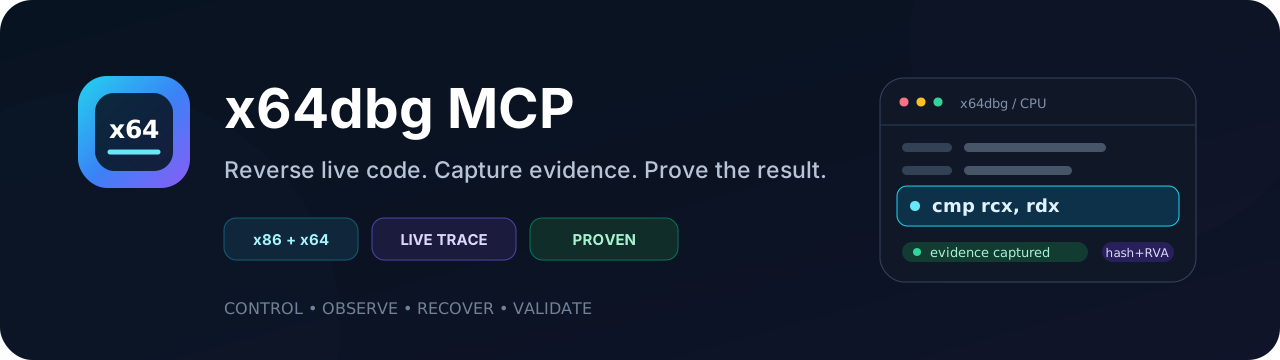
x64dbg MCP — dynamic reverse engineering

License: GPL v3 Windows x86 + x64 CI


English Русский

x64dbg MCP gives an MCP client guarded control of a real x64dbg or x32dbg session. It turns live debugging into a replayable reverse-engineering workflow: bind the exact process, observe runtime facts, recover useful artifacts, validate them independently, and hand the evidence to IDA.

What it does

  • Launches or attaches with arguments, working directory, environment and child-process policy.
  • Reads and changes registers, memory, threads, modules and owned breakpoints.
  • Captures instruction, API, heap, exception and basic-block evidence.
  • Finds comparison values, runtime strings, indirect calls, OEPs and imports.
  • Produces memory PE dumps, minidumps, fixed imports and patched exports.
  • Exchanges runtime facts with IDA using a portable file SHA-256 + module RVA identity instead of unstable runtime addresses.

Tool groups

WorkflowRepresentative toolsResult
Launch and bindInitDebuggee, AttachToProcess, LaunchFileUnderDebugger, WaitForBreakpointReproducible process and session identity
Live controlRegisterGet, RegisterSet, MemoryRead, MemoryWrite, DebugSetBreakpoint, SetHardwareBreakpointControlled execution, memory and breakpoint changes
Runtime evidenceRunNativeTrace, GetNativeTrace, StartApiTrace, StartHeapTrace, GetBasicBlockCoverage, WaitForBreakpointCaptureInstruction paths, API/heap calls, exceptions and executed blocks
Key and unpack recoverySearchStrings, ScanMemoryStrings, PatternFindMem, FindOEP, RunUntilOEP, FindIATCandidates, InspectRuntimeIATComparisons, strings, OEP and runtime import candidates
Dump and repairWriteMiniDump, DumpModuleRaw, DumpPeFromMemory, ScanMemoryForPEImages, FixDumpImports, ValidateDump, ExportPatchedFileReplayable dumps and independently checked PE artifacts
IDA evidence handoffExportRuntimeEvidence, ImportStaticAnnotations, SyncBreakpoints, ResolveModuleRvaHash/RVA-addressed comments, labels, coverage and API facts

The complete catalog, parameters and response contracts are in the tool reference. The compact profile keeps routine model-facing responses short; detail="full" and the full profile expose the complete evidence when it is needed.

Quick setup

Download the combined Windows bundle from Releases. It contains both native plugins and the Python backend:

  • plugins\MCPx64dbg.dp64 for x64dbg
  • plugins\MCPx64dbg.dp32 for x32dbg
  • runtime\src and runtime\requirements.txt
  • self-contained x64/x86 managed-runtime probes under runtime\tools\bin\managed_probe

Close x64dbg/x32dbg. Open PowerShell in the folder containing the downloaded ZIP, then run the block below. It asks where to keep the MCP bundle and where x64dbg is already installed; no drive or installation directory is assumed. Keep the same PowerShell window open for the client-specific commands below.

powershell
$Archive = Get-ChildItem -File .\x64dbg-mcp-windows-*.zip |
  Sort-Object LastWriteTime -Descending |
  Select-Object -First 1
if (-not $Archive) { throw 'The x64dbg MCP release ZIP was not found in this folder.' }

$BundleRoot = Read-Host 'Absolute folder where x64dbg MCP should be extracted'
$X64dbgRoot = Read-Host 'Absolute folder containing the x64 and x32 x64dbg folders'
$BundleRoot = [IO.Path]::GetFullPath(
  [Environment]::ExpandEnvironmentVariables($BundleRoot.Trim()))
$X64dbgRoot = (Resolve-Path -LiteralPath (
  [Environment]::ExpandEnvironmentVariables($X64dbgRoot.Trim()))).Path

if (-not (Test-Path -LiteralPath (Join-Path $X64dbgRoot 'x64\x64dbg.exe'))) {
  throw "x64dbg.exe was not found under $X64dbgRoot\x64"
}
if (-not (Test-Path -LiteralPath (Join-Path $X64dbgRoot 'x32\x32dbg.exe'))) {
  throw "x32dbg.exe was not found under $X64dbgRoot\x32"
}

Expand-Archive -LiteralPath $Archive.FullName -DestinationPath $BundleRoot -Force
Copy-Item (Join-Path $BundleRoot 'plugins\MCPx64dbg.dp64') `
  (Join-Path $X64dbgRoot 'x64\plugins\MCPx64dbg.dp64') -Force
Copy-Item (Join-Path $BundleRoot 'plugins\MCPx64dbg.dp32') `
  (Join-Path $X64dbgRoot 'x32\plugins\MCPx64dbg.dp32') -Force

$RuntimeRoot = Join-Path $BundleRoot 'runtime'
Set-Location $RuntimeRoot
py -3.11 -m venv .venv
.\.venv\Scripts\python.exe -m pip install -r requirements.txt

$PythonExe = (Resolve-Path .\.venv\Scripts\python.exe).Path
$Launcher = (Resolve-Path .\src\mcp_stdio_launcher.py).Path
[pscustomobject]@{
  PythonExe  = $PythonExe
  Launcher   = $Launcher
  X64dbgRoot = $X64dbgRoot
}

Codex

Add the server to ~\.codex\config.toml. Replace the three angle-bracketed values with the absolute paths printed by the setup block. TOML single-quoted strings preserve Windows backslashes as written.

toml
[mcp_servers.x64dbg]
command = '<PythonExe>'
args = ['<Launcher>']
startup_timeout_sec = 90

[mcp_servers.x64dbg.env]
X64DBG_ROOT = '<X64dbgRoot>'
X64DBG_MCP_TOOL_PROFILE = 'compact'

For normal target startup, call InitDebuggee directly with the EXE path. It detects x86/x64, starts the matching debugger from X64DBG_ROOT, waits for the bridge and opens the target. A separate BridgeHello preflight or manual debugger-path search is not required.

Optional installation check: start x64dbg or x32dbg and verify the bridge:

powershell
& $PythonExe (Join-Path $RuntimeRoot 'src\x64dbg.py') GetDebuggerPluginStatus

GetScyllaHideStatus.installed and integrationReady describe the MCP InjectorCLI/HookLibrary backend. guiPluginPresent describes only the optional x64dbg GUI plugin; it is not required for MCP injection.

ScyllaHide is opt-in: launch tools default to use_scyllahide="off", and auto also skips injection. Use force with an explicit profile when needed. The CLI backend stages a private INI beside the injector and targets the exact PID. Its compatibility configuration disables NtContinueHook and KillAntiAttach together to avoid the reproduced continuation crash; the result reports these overrides. This does not guarantee that every third-party profile is compatible with every target or Windows build.

Claude Code

Add the same stdio server to Claude Code with the user scope. This command uses the paths selected by the setup block instead of embedding a machine-specific location:

powershell
$ClaudeServer = [ordered]@{
  command = $PythonExe
  args = @($Launcher)
  env = [ordered]@{
    X64DBG_ROOT = $X64dbgRoot
    X64DBG_MCP_TOOL_PROFILE = 'compact'
  }
} | ConvertTo-Json -Depth 4 -Compress
claude mcp add-json x64dbg $ClaudeServer --scope user
claude mcp list

Alternatively, run claude mcp add and enter the same command, arguments and environment interactively.

Claude Desktop and other stdio clients

Use the client's MCP JSON configuration. For Claude Desktop on Windows, the file is %APPDATA%\Claude\claude_desktop_config.json. Generate a JSON block with the actual paths selected above:

powershell
$ClientConfig = [ordered]@{
  mcpServers = [ordered]@{
    x64dbg = [ordered]@{
      command = $PythonExe
      args = @($Launcher)
      env = [ordered]@{
        X64DBG_ROOT = $X64dbgRoot
        X64DBG_MCP_TOOL_PROFILE = 'compact'
      }
    }
  }
}
$ClientConfig | ConvertTo-Json -Depth 6

Cursor, VS Code MCP, Windsurf and other stdio clients use the same command/args/env contract; only the location of their JSON file differs.

Build from source

powershell
git clone https://github.com/rison1337/x64dbgMCP.git
Set-Location x64dbgMCP
cmake -S . -B build -G "Visual Studio 17 2022" -DX64DBG_DOWNLOAD_SDK=ON
cmake --build build --target all_plugins --config Release

$X64dbgRoot = (Resolve-Path -LiteralPath (Read-Host 'x64dbg installation folder')).Path
Copy-Item build\build64\Release\MCPx64dbg.dp64 `
  (Join-Path $X64dbgRoot 'x64\plugins\MCPx64dbg.dp64') -Force
Copy-Item build\build32\Release\MCPx64dbg.dp32 `
  (Join-Path $X64dbgRoot 'x32\plugins\MCPx64dbg.dp32') -Force

IDA Pro MCP Fusion handoff

The IDA workflow is designed for the rison1337/ida-pro-mcp-fusion fork. x64dbg MCP does not pretend to be an IDA replacement and does not silently mutate an unrelated database. Instead:

  1. ExportRuntimeEvidence writes a versioned evidence document containing the target SHA-256, architecture, module RVAs, executed blocks, API calls, comments, labels and functions.
  2. ResolveModuleRva and the coordinator normalize live addresses to the static image identity.
  3. tools/ida_evidence_coordinator.py validates that the open Fusion database has the same SHA-256 and architecture, then creates deterministic set_name, set_comments, define_func and coverage/API comment actions.
  4. Fusion applies those actions in its IDA worker and can retain the result in its persistent SQLite cache for later multi-binary analysis.

Read the full README →View source on GitHub →

Related MCP Servers

View all in Knowledge & Memory View all alternatives
  • Moxie Docs MCP logoMoxie Docs MCP
    ★ Featured

    MCP & Agent Skills for Automated Documentation, and codebase conventions + context

    🧠 Knowledge & Memory33 views
    Compare vs Moxie Docs MCP →
  • Scrivener MCP logoScrivener MCP

    Connect Scrivener 3 writing projects to Claude and other AI assistants. 47 tools for document management, writing analysis, semantic search, character/plot memory, and content enhancement. Progressive skill loading, relationship engine with HMS triplets, and JS fallback for offline semantic search. npm i -g scrivener-mcp

    🧠 Knowledge & Memory16 views
    Compare vs Scrivener MCP →
  • Codebase Memory MCP logoCodebase Memory MCP

    Code-intelligence engine that indexes a repo into a persistent knowledge graph — functions, classes, call chains, HTTP routes, cross-service links. 159 languages via tree-sitter + Hybrid LSP, sub-ms structural queries, 99% fewer tokens than grep. Single static binary, zero dependencies, 100% local. npx codebase-memory-mcp

    🧠 Knowledge & Memory7 views
    Compare vs Codebase Memory MCP →
  • Context7 logoContext7

    Up-to-date code documentation for LLMs and AI code editors.

    🧠 Knowledge & Memory7 views
    Compare vs Context7 →

Reviews

No reviews yet — be the first to share how this listing worked for you.

Frequently Asked Questions about X64dbg MCP

We don't have a confirmed install command for x64dbg MCP yet, so we don't publish a generated one — a guessed package name would point at the wrong package or none at all. Follow the project's own README or setup instructions (https://github.com/rison1337/x64dbgMCP) for the current steps.

AllMCPs Directory Badge

Full Badge Customizer

Showcase your server listing on GitHub or your project documentation. Embed this dynamic SVG badge to highlight official listing status and live engagement.

Badge Style:
Live Dynamic SVG PreviewX64dbg MCP AllMCPs Directory Badge

Markdown (GitHub README)
[![AllMCPs](https://allmcps.com/api/badge/x64dbg-mcp?style=directory)](https://allmcps.com/mcp/x64dbg-mcp)
HTML Embed
<a href="https://allmcps.com/mcp/x64dbg-mcp"><img src="https://allmcps.com/api/badge/x64dbg-mcp?style=directory" alt="X64dbg MCP on AllMCPs" /></a>

Technical Specs & Signals

Category🧠Knowledge & Memory
More technical detailsExpand ▾
Last updatedSep 28, 2026
Views0
Unique ViewsTotal visits recorded for this listing page on AllMCPs.
Installs0
Installs & Copy ActionsTotal times users copied install commands or configuration snippets for this server.
27Quality signal: Emerging · 27/100How this signal is calculated ▾
Server availabilityNot measured

Not scored for repo-hosted servers — we can't reach the running server, only its GitHub page. Hosted MCP endpoints are health-checked live.

Verified ownership8/20
Documentation & tools11/30
Adoption & activity1/15
Community engagement0/10

A guidance signal from public completeness & health data — not a user rating. New listings start lower and rise as they add docs, get verified, and grow adoption. Signals we can't observe for a listing are skipped, not counted against it.

★ FeaturedAllMCPs Server logo

AllMCPs Server

The official MCP server for AllMCPs.com - submit and manage tools directly from your AI. The open directory for MCP servers. Connect Claude, Cursor, Windsurf, and AI agents to databases, tools, files, and APIs. Explore 10,000+ servers. AllMCPs is the premier, open directory for discovering, evaluating, and installing Model Context Protocol (MCP) servers to equip AI agents and LLMs with real-world superpowers.

Explore Server →

Own this project?

This directory is pre-filled from public sources. Claim via GitHub README, site badge, or DNS TXT to unlock edit access and the Official badge and attach your website — proof is checked automatically, then reviewed by our team.

Free dofollow backlink: add your website and place the AllMCPs badge on it — no claim needed. We detect it automatically and keep it verified as long as the badge stays live.

Claim & get free dofollow

Share & Embed

Add our SVG badge (dark/light directory styles) or embeddable widget to your site.

Explore more

More in 🧠 Knowledge & Memory →Best MCP servers for Memory & Knowledge →Alternatives to X64dbg MCP →Install in Claude DesktopInstall in CursorInstall in VS CodeSetup guides for all 13 MCP clients