Walkie MCP README
The full upstream README, mirrored here for reference. Install config, tool schemas, adoption signals, and an original overview live on the Walkie MCP listing page.
Walkie for MCP
Walkie turns speech into text and meetings into searchable notes — on your computer.
This repository is Walkie's Model Context Protocol (MCP) connector, which lets Claude, Cursor, and any MCP client read your recorded meetings.
What Walkie does
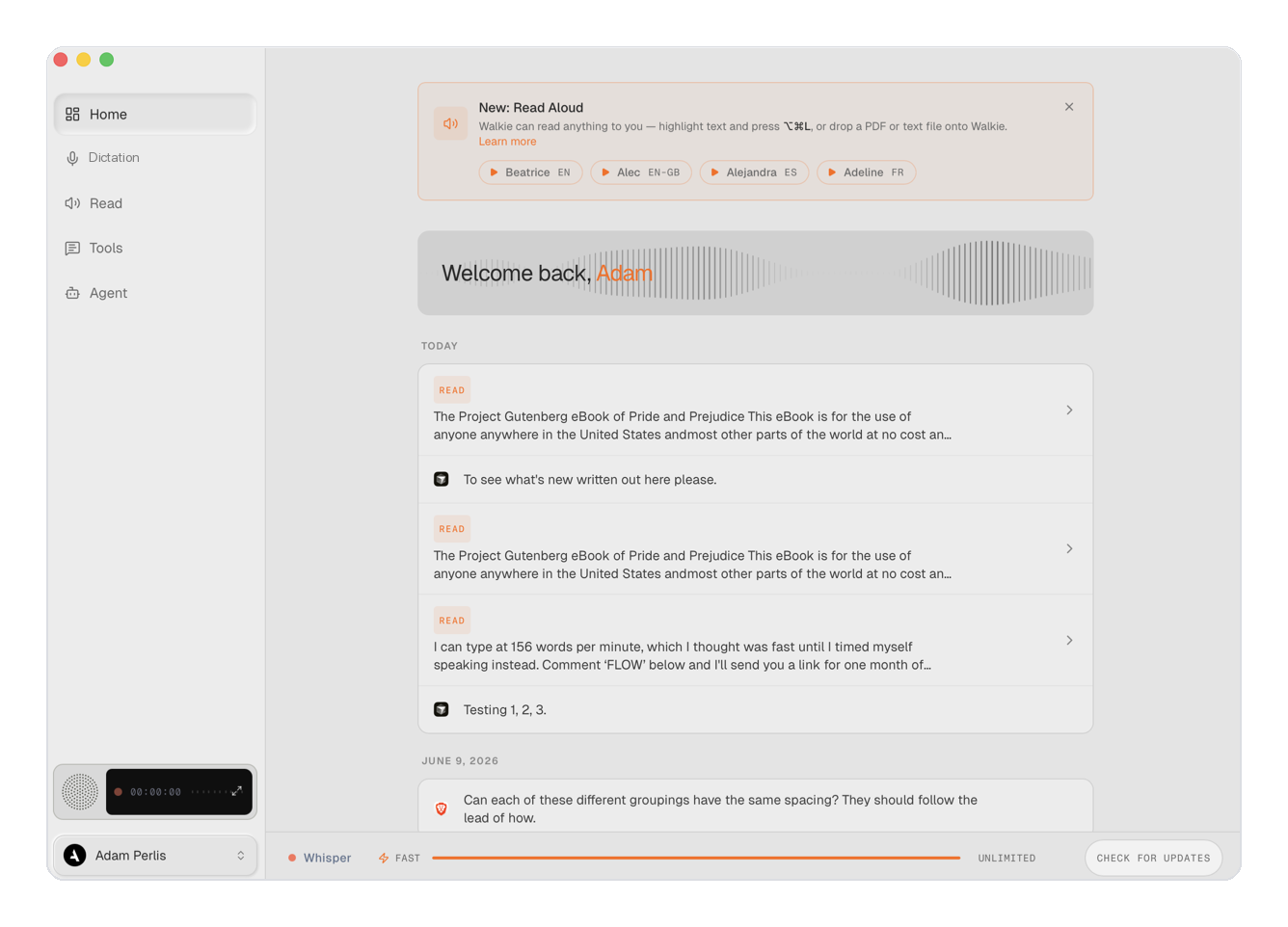
Walkie is a speech-to-text app for macOS, Windows, and Linux:
- Dictate anywhere. Press a global hotkey and talk — Walkie transcribes, cleans up the text (punctuation, filler removal, your custom vocabulary), and types or pastes it into whatever app you're in.
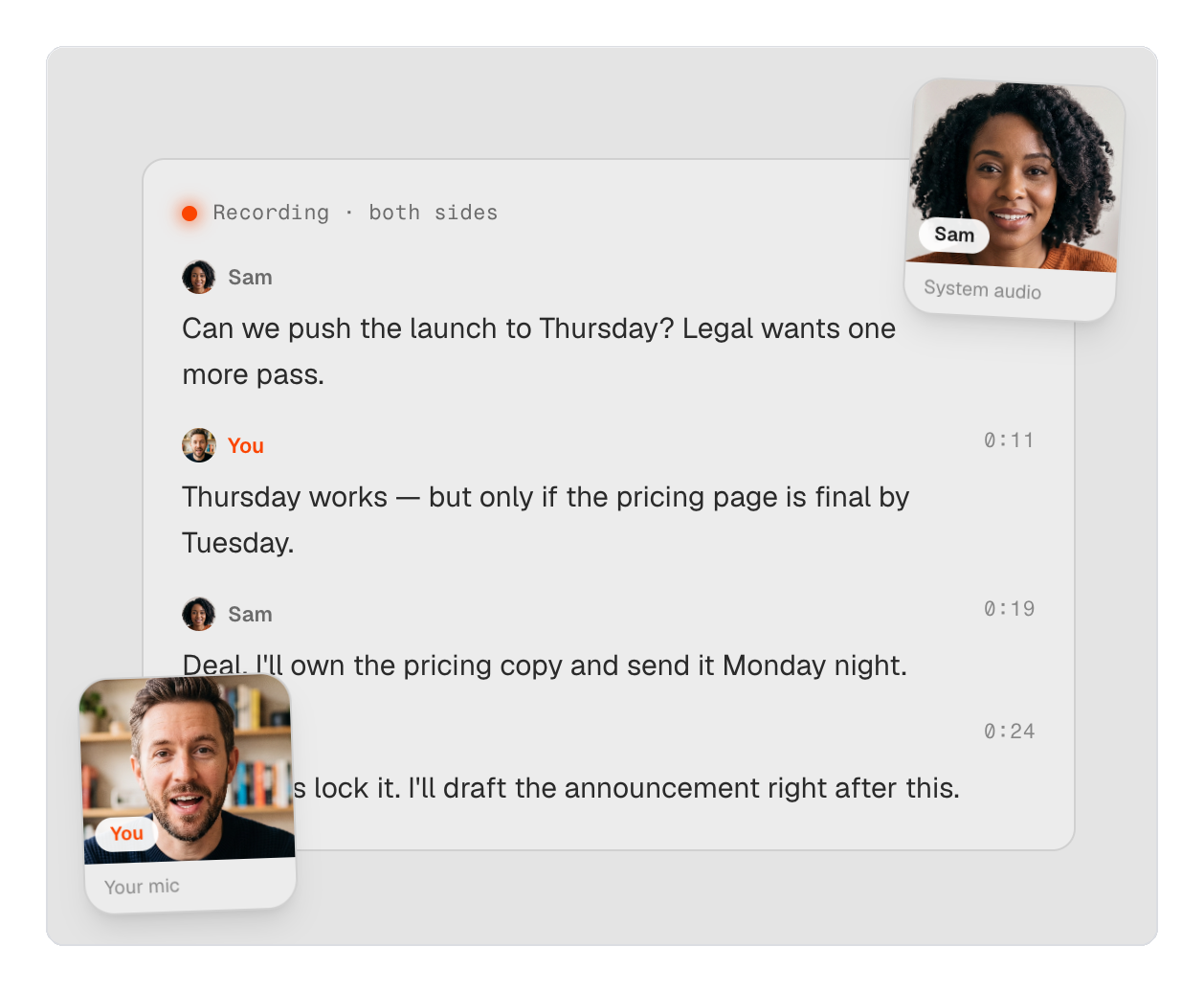
- Record & understand meetings. Walkie records your calls and produces speaker-labeled transcripts, AI summaries, action items, and participant lists. It recognizes video calls (Meet, Zoom, Teams) and imports from Granola and Otter.
- Local or cloud — your call. Run transcription fully on-device for privacy, or in the cloud for maximum speed, and switch right from the home screen.
- Read Aloud. Have any text read back to you in a natural voice.
- Yours to control. Custom dictionary, snippets, per-app text styles, and keyboard shortcuts. In Local mode, nothing leaves your machine.
Dictation is free; meetings and this MCP connector are part of the Work plan.

What this connector adds
Once connected, your AI assistant can work with your meeting history:
- search_meetings — find meetings by keyword across titles, your notes, and transcripts.
- get_meeting — read one meeting's notes, action items, participants, and full transcript.
- list_meetings — browse every meeting as metadata (requires full archive access).
All three tools are read-only — the connector never changes your data.
Install
Cursor and Grok Bot (marketplace)
The Marketplace package is walkie-plugin/ (manifest + remote MCP URL, no binaries). After listing, install from Customize → Plugins in Cursor, or Settings → Plugins → Marketplace in Grok Bot, then complete OAuth.
Until then:
- Cursor: Customize → MCP → URL
https://mcp.trywalkie.com/mcp - Grok Bot: tell the Bot
Add this MCP server: https://mcp.trywalkie.com/mcp - Grok.com: connectors → New Connector → Custom → same URL
Claude Desktop (one click)
Download walkie.mcpb and open it in Claude Desktop (Settings → Extensions → Install). It launches Walkie's local server automatically and carries the Walkie icon.
Any MCP client (command)
Remote (web/mobile clients)
Connect over OAuth 2.0 to https://mcp.trywalkie.com/mcp.
Requirements
- The Walkie desktop app (macOS/Windows) — the local server reads Walkie's on-device meeting database.
- A Walkie Work plan or higher.
Privacy
The connector runs on your computer and reads only your local Walkie data to answer your client's requests — it sends nothing anywhere itself. Full policy: https://trywalkie.com/en/privacy
License
MIT — see LICENSE.