Local AI vision MCP server for Windows: OCR, chart analysis, scene description. 100% offline.
Quick Install
Automated & IDE SetupCopy the AI prompt to install this server into Claude Code, Cursor, or another agent — or use 1-click editor setup below.
Manual Client & Custom JSON ConfigExpand JSON ▾
Client Config & Setup
Choose your client or environment
Target File:
💡 Paste the JSON block into your client's configuration file under mcpServers, then restart the application.
Documentation Overview
VisionGemma - 本地图片识别 + AI 桌宠
在完全本地的 Windows 电脑上运行的开箱即用图片识别工具 + 趣味 AI 桌宠。图片识别全程在本机完成,不上传任何数据。
产品展示
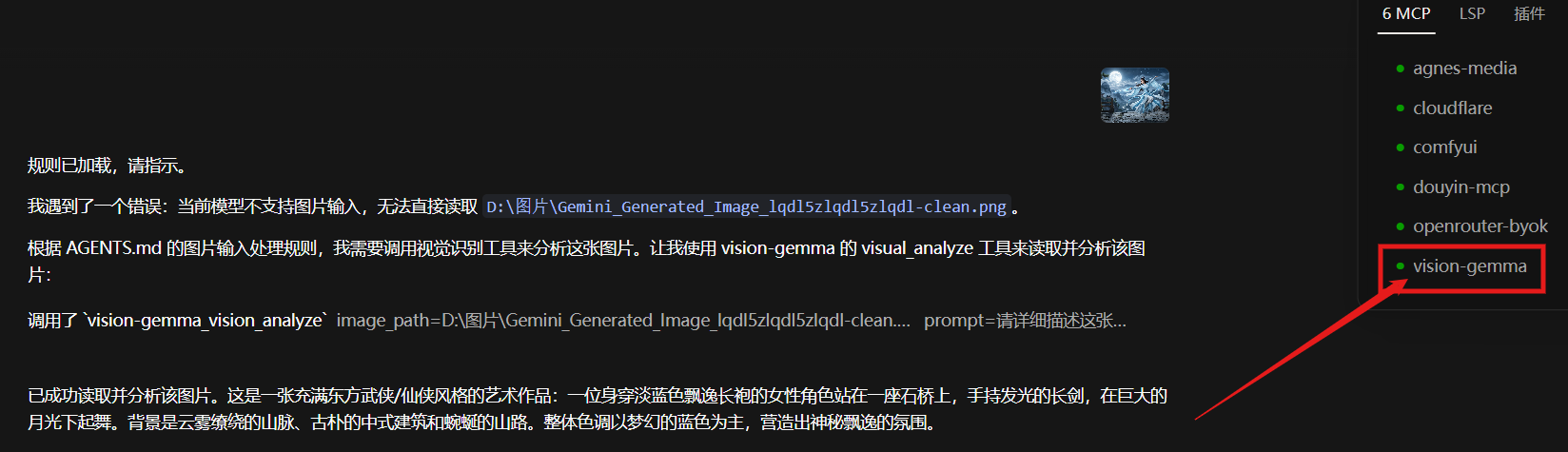
Agent 自动调起识别
当你的 AI 助手遇到图片、又恰好不支持图片输入时,VisionGemma 会作为 MCP 工具被自动调起,把"看图能力"无缝交给它:
一键接入你的 AI 助手
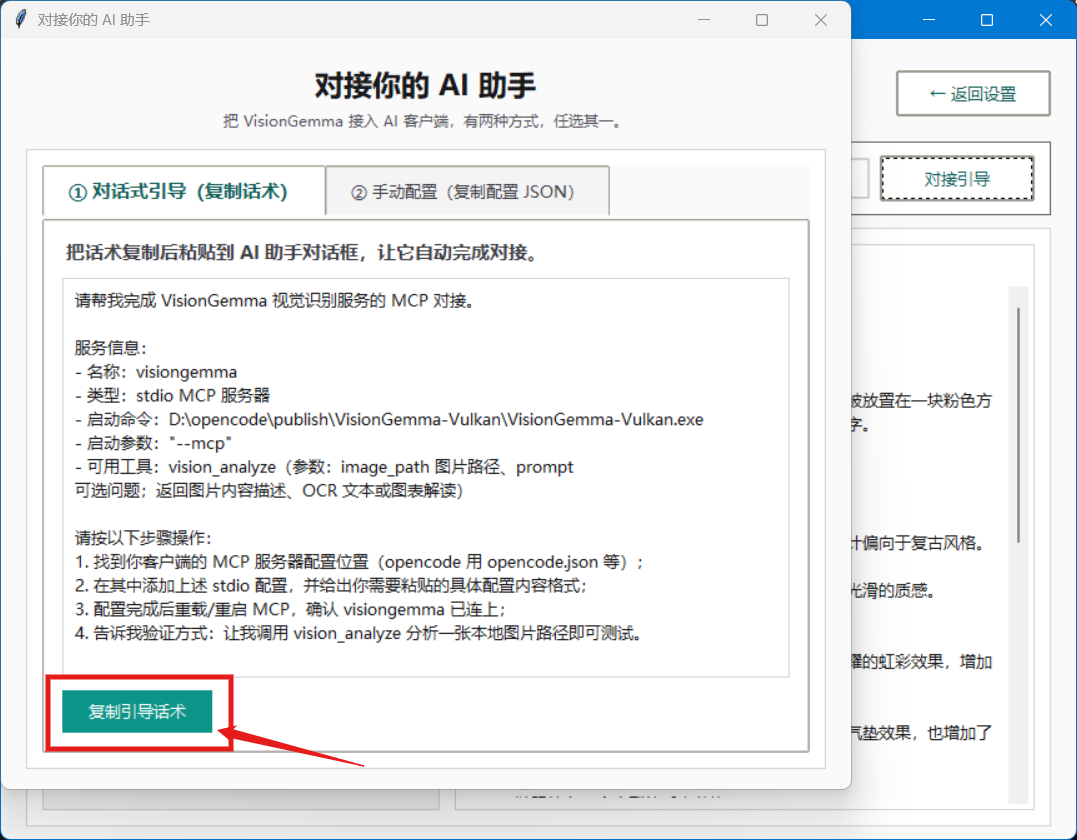
不用手写配置文件。软件内置对接引导,复制一段话粘贴给 AI 助手,或直接复制配置 JSON,即可完成 MCP 对接:
本地精准识别
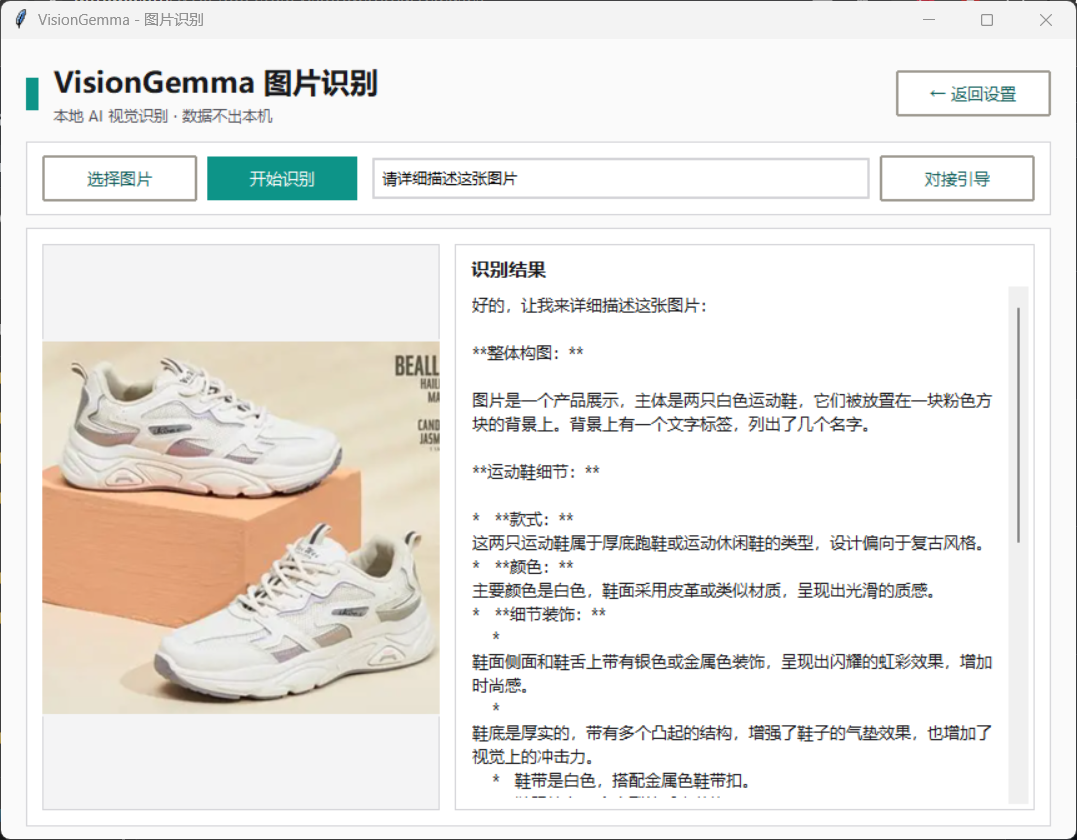
选图 → 识别 → 得到结构化描述,全程离线。产品图、截图、图表都能看懂:
趣味 AI 桌宠
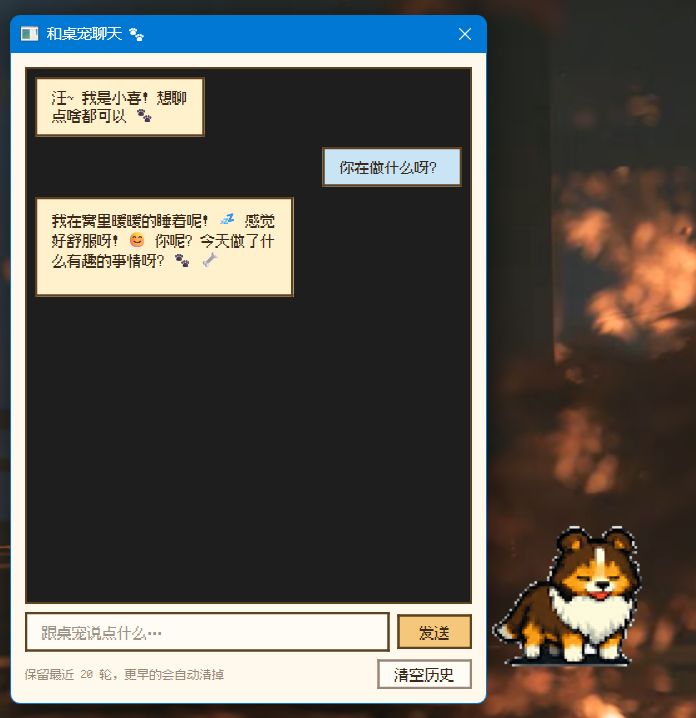
桌面陪伴小宠物,支持自然对话、识别屏幕与图片:
功能特性
- 傻瓜式部署:下载解压,双击运行,自动下载模型并完成配置,零命令行、零环境配置
- Agent MCP 对接:可作为 MCP 服务器接入任意 AI 工具(
vision_analyze工具),让 AI 获得看图能力 - 本地图片识别:图片分析、OCR 文字提取(中英文)、图表解读、场景描述全部在本机完成
- Vulkan 加速:支持 NVIDIA / AMD / Intel 显卡硬件加速;无独显时自动回退 CPU 运行
- 趣味 AI 桌宠:托盘启动可爱桌宠,可对话、可识别屏幕/图片,互动陪伴
- 隐私安全:所有识别完全离线本地完成,不上传任何数据到云端
- 单文件免安装:一个 exe 即完整运行,内置 Vulkan 引擎与桌宠
系统要求
- Windows 10/11 x64
- 显卡支持 Vulkan(NVIDIA / AMD / Intel 均可,推荐硬件加速)
- 无独显时自动回退 CPU 运行
- 磁盘剩余空间 >= 5GB(模型约 3.2GB)
下载
GitHub Release(推荐)
安装包:VisionGemma-20260821.zip SHA256:83C6170BBD7367B1A535A586BEE08F6BAC73F5EAC089736E189B62017532B944
国内镜像
快速开始
- 解压压缩包,双击 VisionGemma.exe,首次运行自动打开配置向导
- 向导引导自动下载模型(约 3.2GB,支持断点续传)
- 下载完成后即可开始使用
趣味桌宠
- 右键托盘图标 →「趣味桌宠」,可快速启动桌宠,自动拉起本地识别引擎
- 桌宠支持对话、选择主题等功能
- 可通过托盘菜单设置开机自启
作为 MCP 服务器使用(接入 AI 工具)
在 AI 工具的 MCP 配置中加入:
然后即可调用 vision_analyze 工具识别图片。更省事的做法:打开软件的「对接引导」,复制话术粘贴给 AI 助手即可。
文件说明
- VisionGemma.exe 主程序(内置 Vulkan 引擎 + 桌宠,单文件免安装)
- 模型存放于 %LOCALAPPDATA%\VisionGemma\models
隐私说明
所有图片识别完全在本地完成,不上传任何数据。
售后支持
- QQ:1023884985
- 微信:13147295520
- 邮箱:1023884985@qq.com
友情链接
Related MCP Servers
Reviews
No reviews yet — be the first to share how this listing worked for you.
Frequently Asked Questions about Visiongemma
AllMCPs Directory Badge
Showcase your server listing on GitHub or your project documentation. Embed this dynamic SVG badge to highlight official listing status and live engagement.
Badge Style:
Live Dynamic SVG Preview
Markdown (GitHub README)
[](https://allmcps.com/mcp/visiongemma)HTML Embed
<a href="https://allmcps.com/mcp/visiongemma"><img src="https://allmcps.com/api/badge/visiongemma?style=directory" alt="Visiongemma on AllMCPs" /></a>