Analyze YouTube/TikTok/Instagram videos: transcripts, AI insights, tutorial extraction
Quick Install
Automated & IDE SetupCopy the AI prompt to install this server into Claude Code, Cursor, or another agent — or use 1-click editor setup below.
Manual Client & Custom JSON ConfigExpand JSON ▾
Client Config & Setup
Choose your client or environment
Target File:
💡 Paste the JSON block into your client's configuration file under mcpServers, then restart the application.
Documentation Overview
Video Analyzer MCP Server
Analyze any video with AI — YouTube, TikTok & Instagram
Powered by Google Gemini 3.5 Flash · FastMCP · yt-dlp





Features · Architecture · Quick Start · Integration · Security · العربية
Features
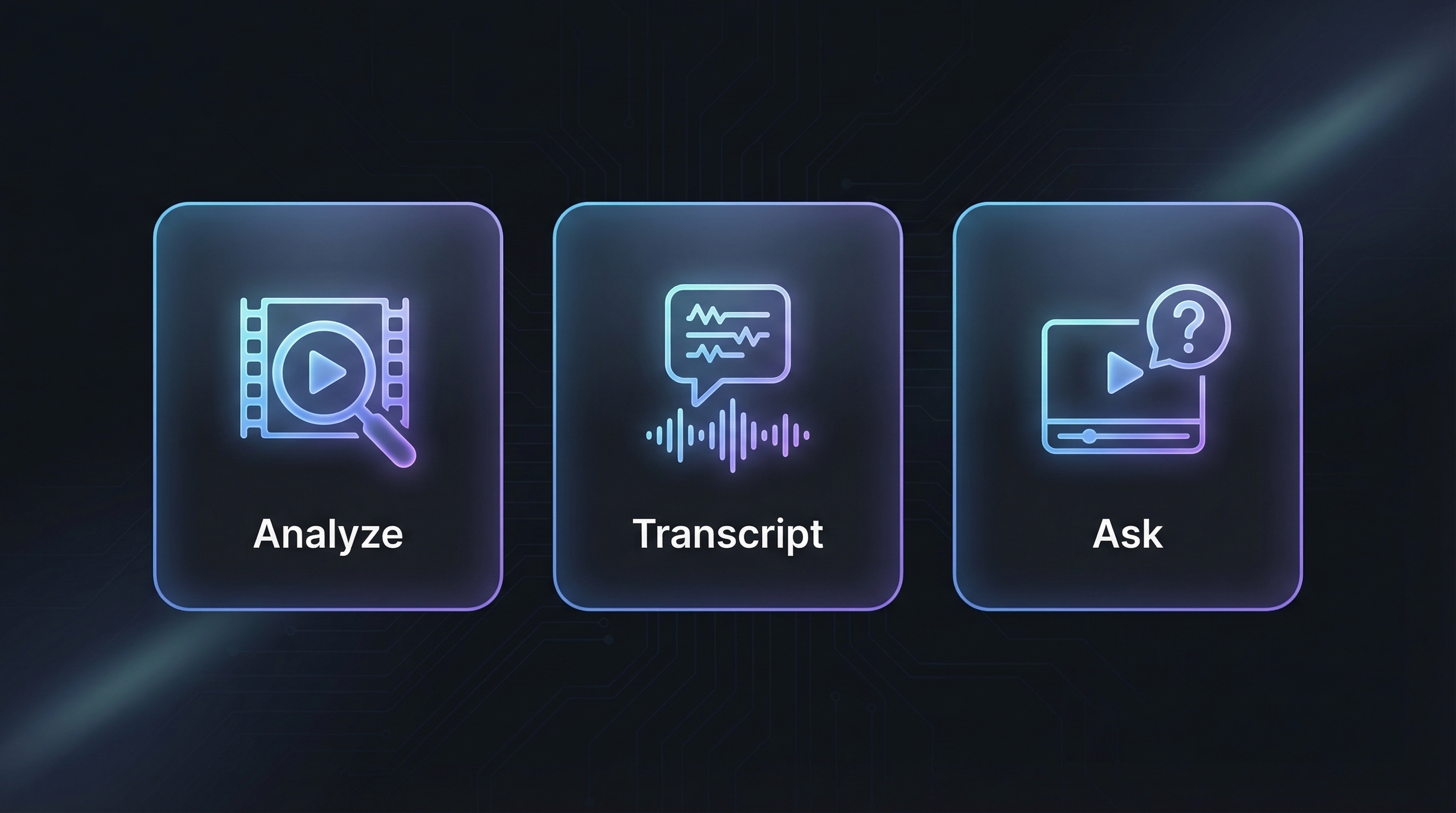
v1.5.4 exposes 18 MCP tools:
| Tool | What it does |
|---|---|
analyze_video | Full audio + visual analysis with custom prompts. Uses Gemini multimodal understanding. |
get_transcript | Extract timestamped transcript with speaker identification. Supports 100+ languages via auto-detection. |
ask_about_video | Ask any question about the video content. |
prepare_slideshow_assets | Return ordered slideshow images as MCP image blocks so Claude/the client AI can inspect them directly. |
find_video_moments | Find matching moments with compact/standard/full structured output. |
analyze_video_segment | Analyze only a selected time range. |
prepare_video_context | Analyze once and save a reusable local context for follow-up questions and evidence lookup. |
ask_video_context | Answer from saved context by default; Gemini reanalysis is explicit opt-in. |
list_video_contexts | List saved local contexts. |
delete_video_context | Delete one saved context. |
get_video_frame | Extract a local still frame, using the YouTube fast path when possible. |
get_video_clip | Extract a short local clip, with a 30s cap and YouTube fast path when possible. |
get_video_evidence_asset | Select saved evidence and return a frame or clip reference. |
list_video_sources | Inspect local source/context/asset cache metadata. |
cleanup_video_cache | Dry-run or clean managed cache files; dry-run is the default. |
watch_and_analyze | Extract tutorial steps, shell commands, code snippets, and file paths from technical videos. |
execute_tutorial_steps | Validate and review extracted steps safely; executes only with confirmation. |
check_analysis_job | Poll background job status for TikTok/Instagram async downloads. |
Supported Platforms
| Platform | Method | Speed |
|---|---|---|
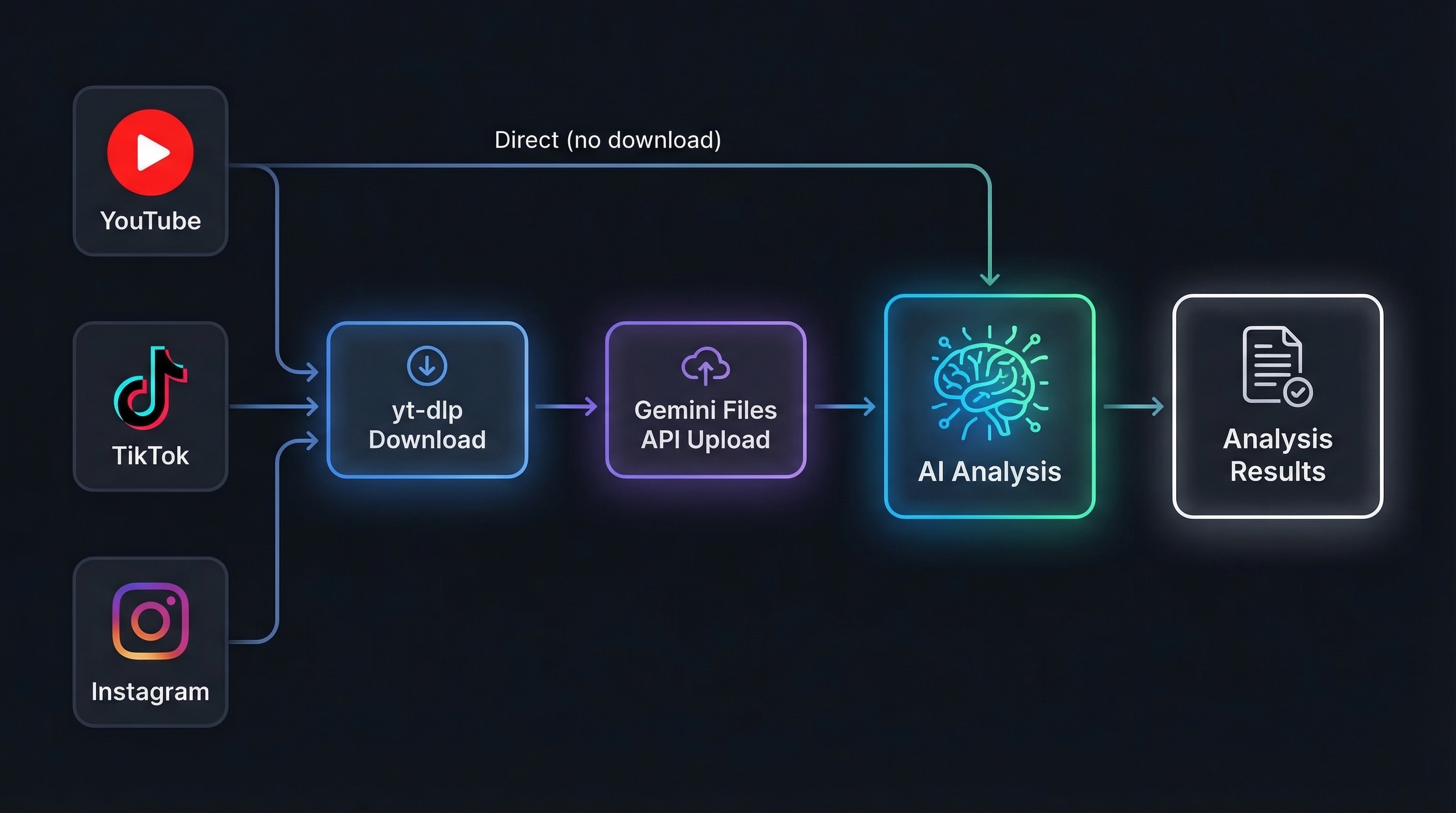
| YouTube | Direct Gemini analysis — no download needed for analysis. Frame/clip extraction uses yt-dlp -g stream URLs + ffmpeg when available, with a small section-download fallback. | Instant / fast local extraction |
| TikTok | tikwm.com API (fast) → yt-dlp fallback with a safe MP4 H.264/H.265 selector that avoids unsupported ByteDance bvc2/bytevc2 streams when possible | ~8s |
| Page scrape via curl_cffi (fast) → yt-dlp fallback | ~10s |
Photo / Slideshow Posts
| Platform | Post type | Handling |
|---|---|---|
| TikTok | Photo Mode slideshow | Downloads all images, extracts the music/audio track when available, and sends one multimodal Gemini request. |
| Carousel / single-photo posts | Downloads image slides in order and analyzes them as one post; mixed video slides are skipped with metadata. | |
| YouTube | Community /post/ image attachments | Scrapes ytInitialData, downloads image attachments, and analyzes them through Gemini Files API. |
YouTube videos are analyzed directly through Gemini's native video understanding — zero download, zero upload, maximum speed. For YouTube evidence assets,
source.mp4is not always required: saved contexts keep the original URL, so frame/clip tools can use the local stream fast path later.
Architecture
| Component | Role |
|---|---|
| Gemini 3.5 Flash | Latest Gemini Flash model — full audio + visual understanding in a single pass |
| FastMCP 3.x | MCP protocol framework over stdio transport |
| yt-dlp + curl_cffi | Video download with Chrome browser impersonation to bypass anti-bot. TikTok downloads prefer locally decodable MP4 H.264/H.265 formats and reject ByteDance bvc2/bytevc2 streams. |
| tikwm.com API | TikTok fast-path fallback when yt-dlp is WAF-blocked |
| ffmpeg | Local frame/clip extraction, including YouTube stream URL extraction without full-video downloads |
| Background Jobs | Async threading for TikTok/Instagram to prevent Claude Desktop timeouts. Failed inner results are reported as failed jobs, not completed jobs. |
Operating Modes
These are behavior modes, not tool names:
| Mode | Behavior |
|---|---|
auto | Default adaptive behavior: YouTube direct analysis; TikTok/Instagram fast API/scrape then yt-dlp fallback; saved contexts reused when available. |
api | Gemini-backed analysis or reanalysis. This is used by analysis tools and explicit Gemini opt-ins. |
client | MCP client workflow mode: long TikTok/Instagram analysis returns a background job_id for polling. |
local | Saved-context, cache, frame, and clip operations that avoid Gemini unless explicitly requested. |
Quick Start
The packaged runtime lives at src/video_url_analyzer_mcp/server.py; the
console entry point is video_url_analyzer_mcp:main. Pick whichever
install path matches your workflow.
Option A — one-line Windows installer (recommended for new users)
The installer follows the current MCP client pattern: it installs/runs from
PyPI with uvx, uses an existing GEMINI_API_KEY environment variable when
one is already set, otherwise asks for the key only through a hidden prompt,
and lets the user choose where to register the server:
- Claude Code
- Claude Desktop
- Codex CLI
- Cursor
- Windsurf
- VS Code / GitHub Copilot
- Google Antigravity
- Cline
Do not append your API key to the PowerShell command. If you skip the key,
the installer still registers the server and you can set GEMINI_API_KEY
later. If GEMINI_API_KEY is already set in your User environment, the
installer will use it directly and print only a masked form like
AIza...abcd.
Option B — uvx (no install)
Works on Windows / macOS / Linux as long as uv is on PATH.
Option C — Windows wizard from a checkout
The wizard:
- Verifies Python 3.10+ and (optionally)
uv. - Installs the package as an editable checkout or via
uv tool install. - Lets you save
GEMINI_API_KEYto a User environment variable or to a gitignored.env.keys.local. Keys are masked in logs (AIza...abcd), never printed in full. - Lets you pick a default model via
VIDEO_ANALYZER_MODEL. - Runs an offline import smoke test.
- Hands off to
scripts/configure_mcp_clients.ps1for client setup.
Option D — Manual install (any OS)
Get a free key at Google AI Studio,
then set it once in your shell environment (setx GEMINI_API_KEY ... on
Windows, or your ~/.zshrc / ~/.bashrc on macOS/Linux). For local dev
only, you can also drop it in a gitignored .env.keys.local next to the
repo.
Windows launcher
start.bat loads .env.keys.local (if present), sets safe defaults
(VIDEO_ANALYZER_MODE=auto), and runs python -m video_url_analyzer_mcp.
Use it as a command value in any MCP client that prefers a single
executable.
Integration
Run scripts/configure_mcp_clients.ps1 for an interactive menu, or copy
the snippets below from docs/mcp-config-examples.md. The wizard backs up
existing client config, validates JSON/TOML, and never overwrites unrelated
MCP servers.
Client configs use video-analyzer as the local MCP server entry name. The
published package remains video-url-analyzer-mcp, and the registry name
remains io.github.u2n4/video-url-analyzer-mcp.
Claude Desktop (%APPDATA%\Claude\claude_desktop_config.json)
The wizard prefers leaving the API key in your OS environment. If you must
embed it, add "env": { "GEMINI_API_KEY": "YOUR_KEY_HERE" }.
Claude Code (CLI)
Related MCP Servers
Reviews
No reviews yet — be the first to share how this listing worked for you.
Frequently Asked Questions about Video URL Analyzer
AllMCPs Directory Badge
Showcase your server listing on GitHub or your project documentation. Embed this dynamic SVG badge to highlight official listing status and live engagement.
Badge Style:
Live Dynamic SVG Preview
Markdown (GitHub README)
[](https://allmcps.com/mcp/video-url-analyzer)HTML Embed
<a href="https://allmcps.com/mcp/video-url-analyzer"><img src="https://allmcps.com/api/badge/video-url-analyzer?style=directory" alt="Video URL Analyzer on AllMCPs" /></a>